SSO not working when encryption service enabled

Hello,
When encryption service is enabled in Hub, SSO fails with following error message before redirection to Idp occurs. When encryption service is disabled SSO works fine, except that users are prompted to configure their Hub private key etc.
Clicking the 'test' button in Hub WebUI for the encryption service reports a success. Have tried rebooting encryption service in Azure, and redeploying, but still not working. Followed procedure documented at https://docs.devolutions.net/hub/web-interface/administration/configuration-security/authentication/encryption-service/encryption-service-configuration-azure/
Joe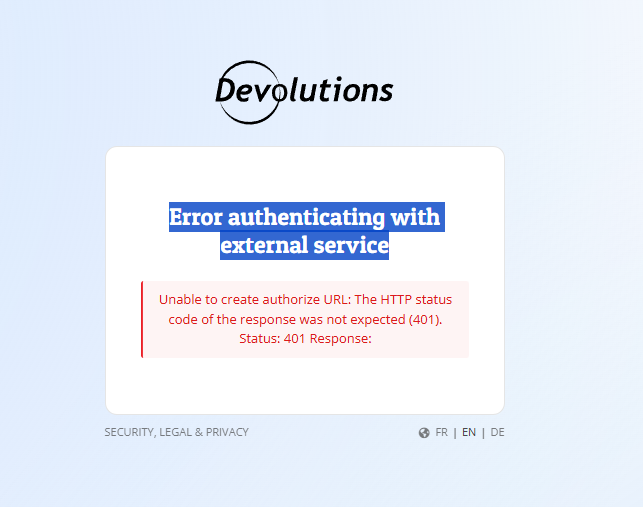
05156b13-e9d9-4424-adff-bc9fd5c1a353.png
All Comments (6)
fyi, it appears the encryption service is unable to communicate with Hub. Logs from Azure show the following:
073a6bbc-c3fc-4965-ad9a-b082dfcb2fb3.png
Hello,
Thank you for reaching out to us regarding this,
Is this something that was working for you previously, or is this a new configuration?
Do you have the IP Allow list configured on the Hub Business?
https://docs.devolutions.net/cloud/web-interface/administration/configuration-security/ip-allowlist/
If so, make sure that the outbound IP addresses of the encryption service are added
Let me know,
Best regards,
Samuel Dery
Hi Samuel,
Its a new setup, and there is no IP whitelisting configured in Hub, so it should be accessible from the Encryption service IP's. Any other ideas? I've already redeployed and restarted on the Azure side.
Joe
Hello,
Thank you for your reply,
Can you confirm that you have all the requirements mentioned here?
https://docs.devolutions.net/cloud/web-interface/administration/configuration-security/authentication/encryption-service/encryption-service-configuration-azure/#requirements
Have you granted the following system permissions to the Application Identity?
Manage users and user groups.
Manage system configuration
Let me know,
Best regards,
Samuel Dery
Hi Samuel,
Have followed all the steps/requirements from the link. The test button in Hub for the encryption service says that its working, but on the Azure side its showing errors (as provided in previous screen shot).
Joe
Hello,
This issue was resolved in a session.
The application identity configuration is inverted in Hub Cloud.
Which could be confusing at first.
Make sure the application key and application secret are entered in the correct fields when configuring the template in Azure.
Best regards,
Patrick Ouimet