Unable to enable SCIM provisioning in Hub

Hello,
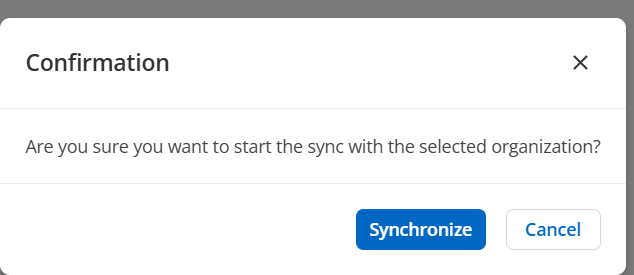
When attempting to enable SCIM in Hub Business it immediately disables itself. i.e. set the slider to on, then click synchronize in subsequent dialog, then the slider goes back to off position.
SSO with Entra is already configured and tests successfully, along with Encryption service, and domain verification.
Is there anything else that needs to be configured before SCIM provisioning can be enabled?
Thanks
Joe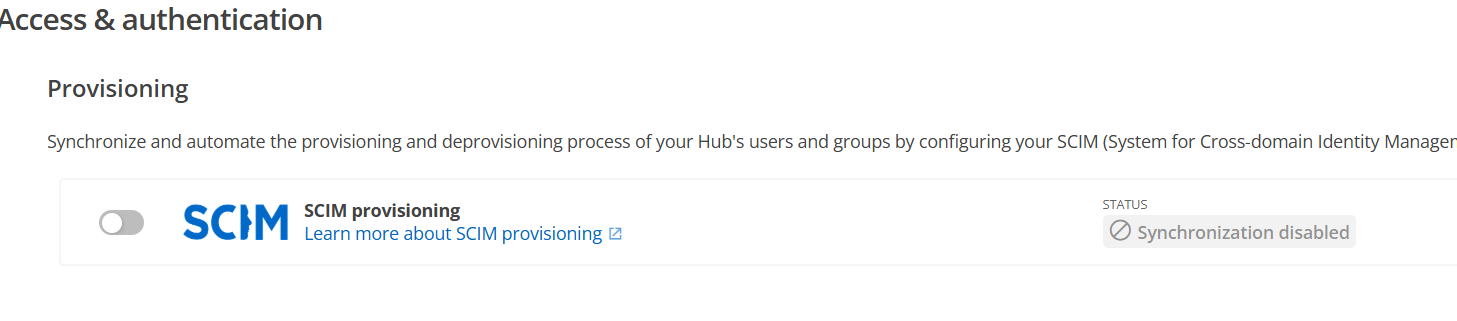
47f491c5-0699-4408-8794-ce16db197f30.png
69b149e2-ab7b-45ec-8d9f-906aad429449.png
All Comments (19)
Hello,
Thank you for reaching out to us regarding this,
Are there any error messages appearing before the SCIM is turned off? Perhaps in the top right corner of the screen?
Is the Domain verification completed under the "Domain" section of "Administration -> "Access & authentication"?
Did you follow the steps in this knowledge base article for the configuration?
https://docs.devolutions.net/hub/getting-started/get-started-sso-hub-business/configure-sso-authentication-microsoft-azure/#provisioning-configuration
Let me know,
Best regards,
Samuel Dery
Hi Samuel,
There is no error message displayed in Hub WebUI.
2 domains are verified, and Entra SSO configured/tested, along with Azure hosted encryption service.
Yes, followed documentation, but the dialog for step 7 is not displayed.
Please let me know if you would like any additional info.
Thanks
Joe
Hi Samuel,
Also seeing another issue that could be related. As mentioned previously, SSO is configured and tests successfully, however when opening a new browser on another machine and going to the hub url (i.e. https://company.devolutions.app), then clicking the Microsoft button for SSO, the following message is displayed before the user gets to input a username/email/upn.
Please let me know if you would like any additional info.
Joe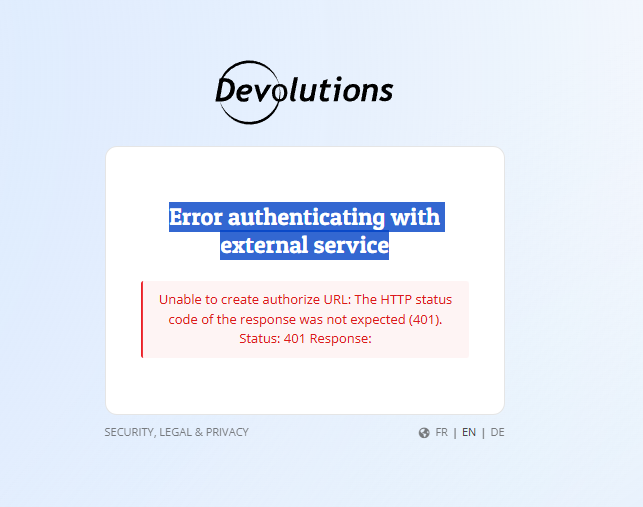
ac429d72-008f-414c-a9c6-6d7480482eca.png
Hi Samuel,
I have the same problem with SCIM.
My domain is verify and SSO with Entra ID is configured and tested. SSO works for my users.
But when I want to activate SCIM, I don't have the configuration window to copy the url and the secret token.
In provisioning it looks like a configuration is already done but I can't copy the token.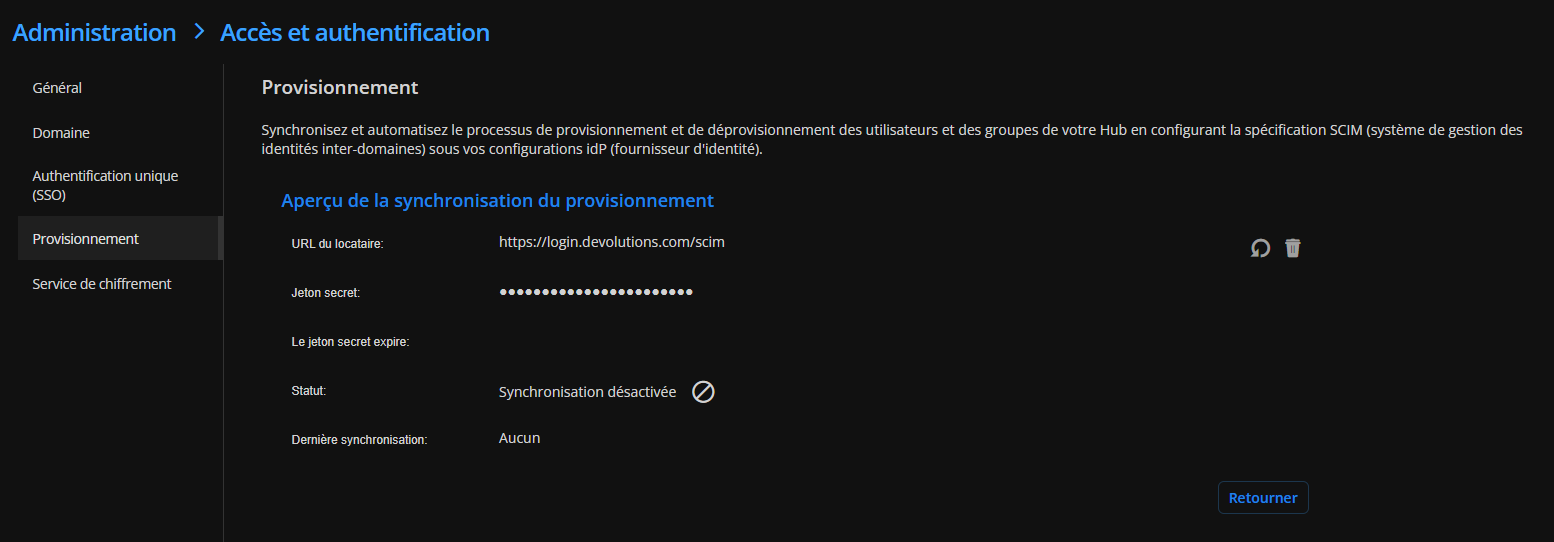
Tried removing provisioning and enabling SCIM, same result
Capture d'écran 2026-04-22 170906.png
Capture d'écran 2026-04-22 170427.png
Hi J19,
Thanks for chiming in. Do you have the encryption service configured and hosted in Azure? I noticed that with it enabled, SSO is not working, even though clicking the test button succeeds. Not sure if its related to the SCIM issue or something separate.
Joe
Hello,
Thank you for the replies,
Does it allow you to enable the SCIM if the Encryption Service is disabled?
Is this a new configuration or was it working previously?
For J19, I'm also wondering if you are using the Encryption Service. Let me know,
Best regards,
Samuel Dery
Hi Samuel,
Yes disabling the encryption service enables SSO to work, but still cant enable SCIM.
I'll log a separate forum post for the Encryption service issue.
Joe
Hi Samuel,
No, I don't use the encryption service, I haven't configured it
Hello,
Thank you for the replies,
Are you able to reproduce the error with the Development tools open in your browser under the "Console" section?
Usually, the shortcut for this is F12.
Can you provide me with a screenshot of any additional logs that may be generated in that window?
Best regards,
Samuel Dery
Hello
Here is the screenshot, I tried enabling SCIM and i refreshed the page :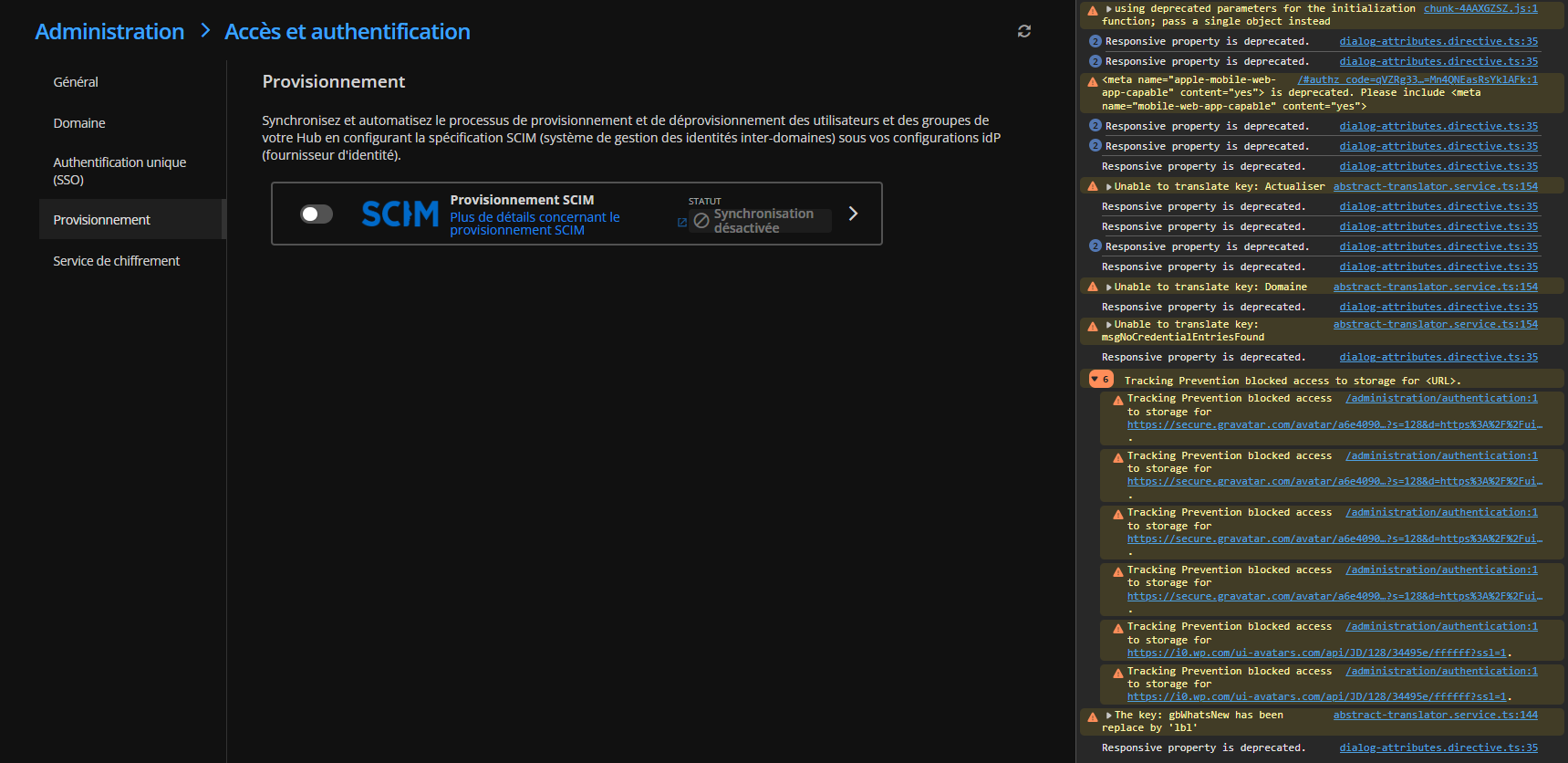
I hope this can help you.
Capture d'écran 2026-04-27 103414.png
Hi Samuel,
The errors J19 mentioned occurred for me when navigating to the SCIM page, but when I cleared the log, and then attempted to enable the SCIM slider, nothing additional is logged.
Joe
Hello,
Thank you for your replies,
Can you confirm that the provisioning has been started from the Entra side?
I would like to reattempt the configuration from the start with both of you. Can you send an email to service@devolutions.net mentioning this forum?
This will open a case, and I will be able to provide you with scheduling links for a session.
Let me know,
Best regards,
Samuel Dery
Hi Samuel,
Its not possible to enable on the Azure side, because Hub is not providing secret token.
Will send email requestion troubleshooting session scheduling.
Joe
Hi Samuel,
I sent an email to schedule a remote session. My case number is 00117903
Thank you
I have the exact same problem, do you have a solution?
Hello,
@everyone The issue has been reproduced internally, and a ticket has been submitted to the development team.
Once the fix is available, we will post it here.
Thank you for being so patient.
Best regards,
Érica Poirier
Hello,
We appreciate your patience on this case.
This issue is now fixed, and the key is now shown when reconfiguring the SCIM.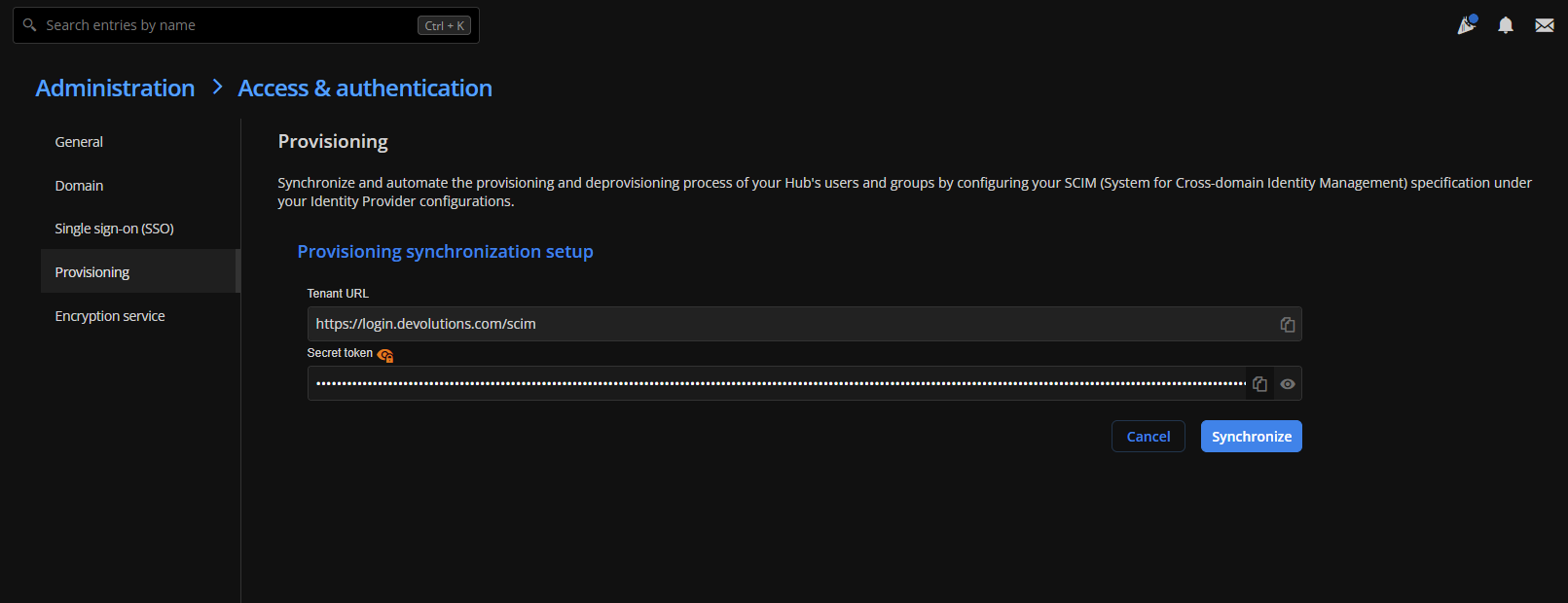
Best regards.
Patrick Ouimet
ca00b0a6-2521-4b74-a4ae-05e39afac09a.png
Hello,
Thank you, it's works !
Best regards
Confirmed its working now