Right mouse click issue

I'm connecting to a Windows 11 computer using RDP running the mode where I can directly click instead of moving the mouse pointer. When I press and hold to bring up the right mouse click menu, the menu appears, but unless I move the screen or zoom in or out, clicking on a menu item does nothing. It appears to select whatever is behind the menu. For example, when in Outlook looking at my list of emails, if I long press and select "Reply", it doesn't open a reply. Instead, it selects the message that was behind the "Reply" menu item. If I do the same thing, but zoom in or move the screen before I select "Reply", it works. If it matters, I'm running a custom resolution (1920 x 1200), so my Android device matches my computer display without resizing the desktop.
Thanks,
Rich
All Comments (4)
Hello,
Thank you for reporting this issue. We were able to reproduce and we are currently working on a solution.
Best Regards,
Frederick Simard
Hello,
Thank you for reporting this issue. We were able to reproduce and we are currently working on a solution.
Best Regards,
Frederick Simard
@Frederick Simard
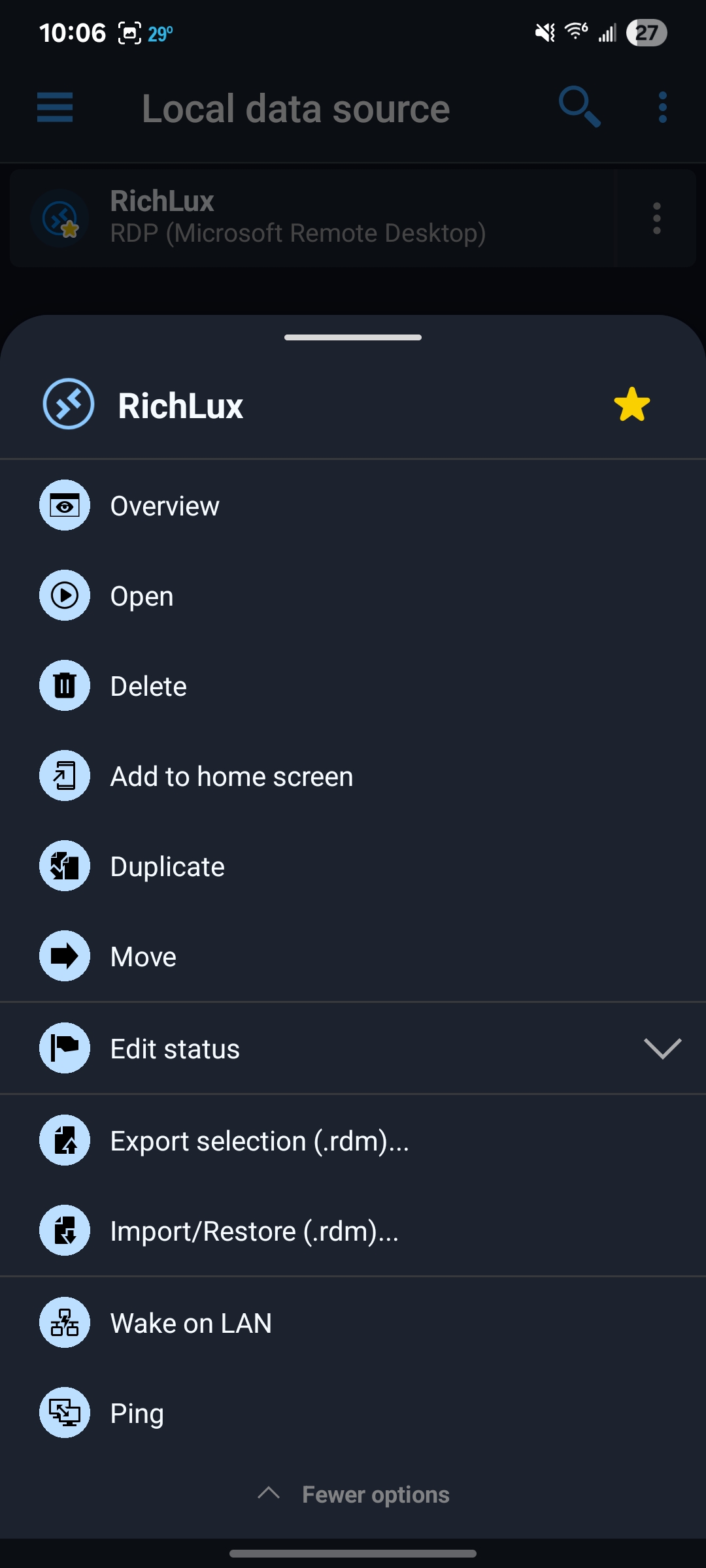
Thanks. I'm having another issue with the android app. I have the Entry Touch Action set to "view or open" and if I open the app and click on the entry to launch a remote desktop connection and then close the connection and exit the app, the next time I open the app and click on the entry, nothing happens. Also, clicking the ... menu and then "open" doesn't do anything either. In fact, the ... menu doesn't show the same items that it does the first time. It doesn't have a Edit option to edit the connection and has other options not normally there. I would send a screenshot, but the app doesn't allow me to take a screenshot.
Rich
Hello,
Thank you for reporting this issue. We were able to reproduce and we are currently working on a solution.
Best Regards,
Frederick Simard
@Frederick Simard
Thanks. I'm having another issue with the android app. I have the Entry Touch Action set to "view or open" and if I open the app and click on the entry to launch a remote desktop connection and then close the connection and exit the app, the next time I open the app and click on the entry, nothing happens. Also, clicking the ... menu and then "open" doesn't do anything either. In fact, the ... menu doesn't show the same items that it does the first time. It doesn't have a Edit option to edit the connection and has other options not normally there. I would send a screenshot, but the app doesn't allow me to take a screenshot.
Rich
@ral
Hello,
Could you please let me know which data source you are using?
Also, could you confirm the version of the application?
Additionally, when you are running a session, do you see a notification indicating that the session is active? If so, does it remain after you close the session?
As a side note, you can take screenshots by disabling screen capture protection (Settings > Security and Privacy > Protect data from screen capture).
Best Regards,
Frederick Simard
I'm using a local data source and running the latest version (2026.1.0.27). This happens when I quit the session and close the app. It's actually been intermittent lately. Sometimes it will work fine trying to connect again, but sometimes it won't. When it won't open a connection, I have to force stop the app. I captured two screenshots. The first one just shows the connection and that there are no open sessions . the second one shows the menu options . Clicking open doesn't do anything and you can see that there's no edit option which would normally be there, so the app obviously thinks something is going on. 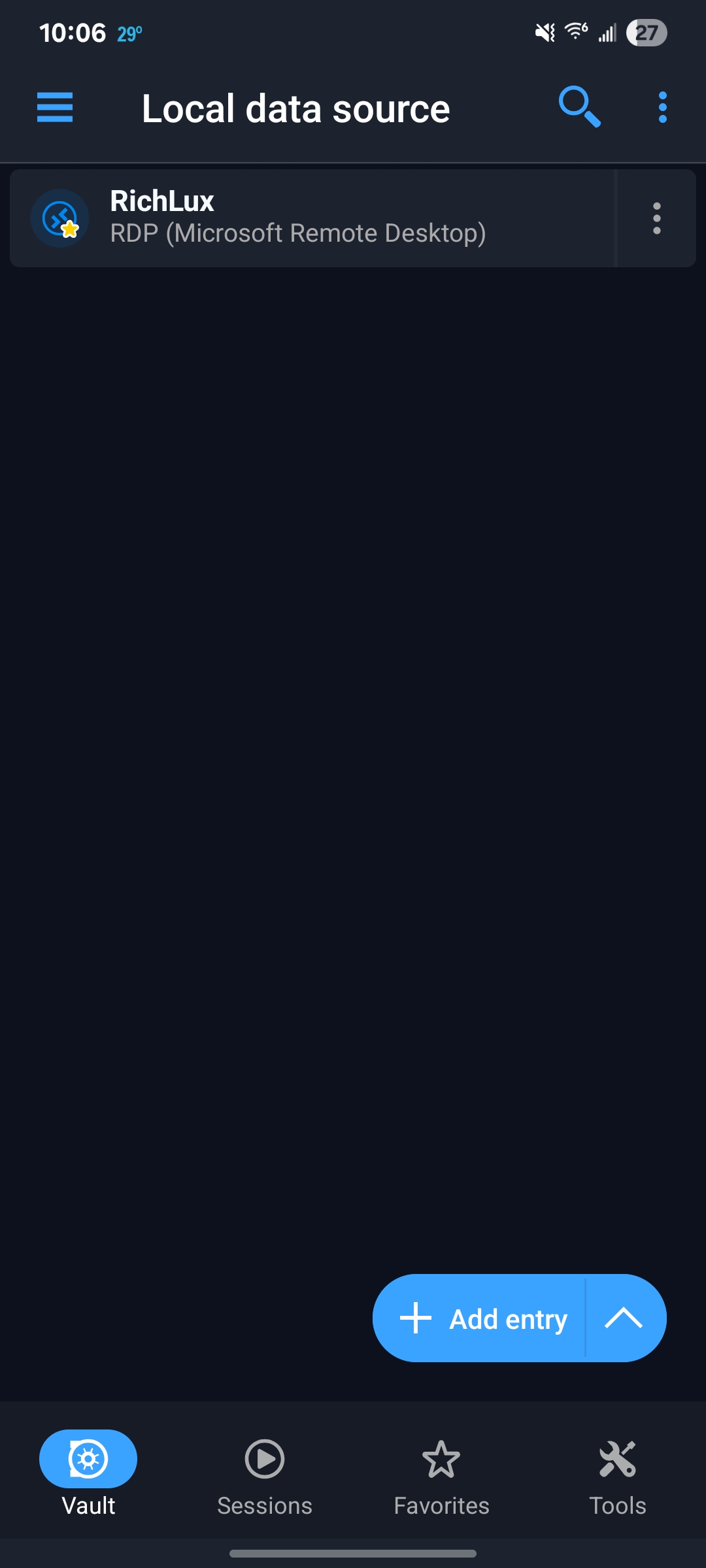
Rich
Screenshot_20260317_220645.jpg
Screenshot_20260317_220636.jpg