Configuration not in sync

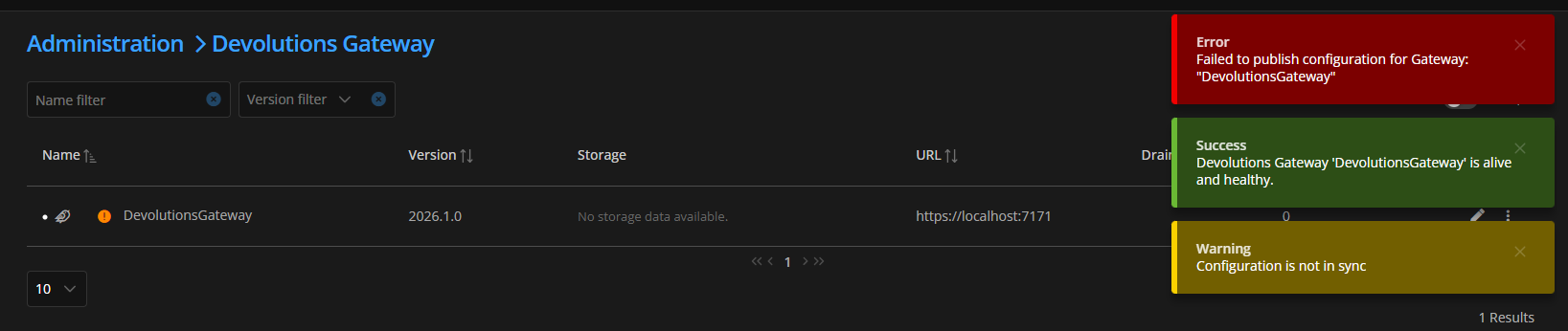 My gateway configuration is not in sync, and when i try to publish gateway configuration, i get a failed error.
When i try to use this gateway to connect thru ssh to my server in the browser i also get an error:
dd85d8d5-3cb3-4c9e-a81f-b9c031f85280.png
b8b4e727-1853-4e8c-9771-78ecd9c26cc6.png
All Comments (6)
Hello,
Thank you for contacting us regarding this matter.
Please review the following points to ensure that your Devolutions Gateway is configured correctly:
• Use a Proper Access URI
When installing or reconfiguring Devolutions Gateway, the Access URI (or Devolutions Gateway URL) must be reachable from both the server and client machines. It should be set to the server’s fully qualified domain name (FQDN) or external IP address, including the correct port (for example: https://gateway.example.com:7171), rather than “localhost.”
During a managed installation, Devolutions Server will prompt you for the Gateway URL. Please ensure that you enter the correct FQDN or IP address and port so that health checks and client connections can succeed.
• Copy the Provisioner Key to the Gateway
In the Devolutions Server or Hub Business web console, navigate to:
Administration → Devolutions Gateway
Click the More button and select Download public key. This will download a gateway_public_key.pem file that is unique to your server or hub.
For Linux installations, copy the contents of this file into the gateway’s provisioner.pem file located at:
/etc/devolutions-gateway/
Afterward, restart the gateway service.
For Windows installations, select the Provisioner Public Key during the installation process so that it is saved as provisioner.pem.
• Publish the Configuration and Revocation List
Once the gateway is properly configured and can communicate with the server, return to:
Administration → Devolutions Gateway
From the ellipsis (More) menu, select:
- Publish Gateway configuration
- Publish revocation list
These steps ensure that the latest configuration and revocation settings are pushed to the gateway. After completion, the gateway should indicate that its configuration is synchronized.
For more details, please refer to the official documentation:
https://docs.devolutions.net/gateway/getting-started/hub/hub-business-configuration/
Please let us know if you need any further assistance.
Best regards,
Tommy Sanders
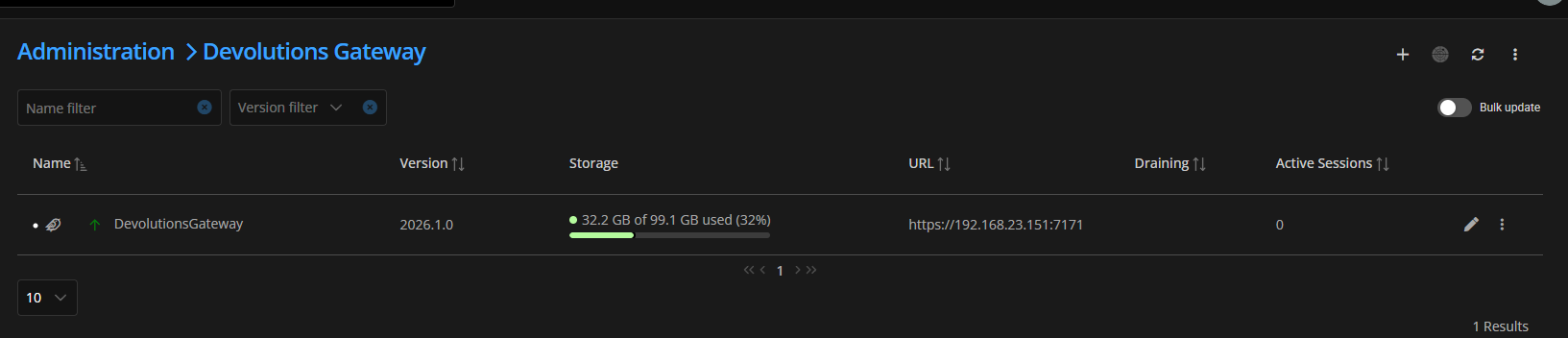 Ok thats working now.
I got to the point where "Open in RDM" works, but "Open in browser" still gives me errors: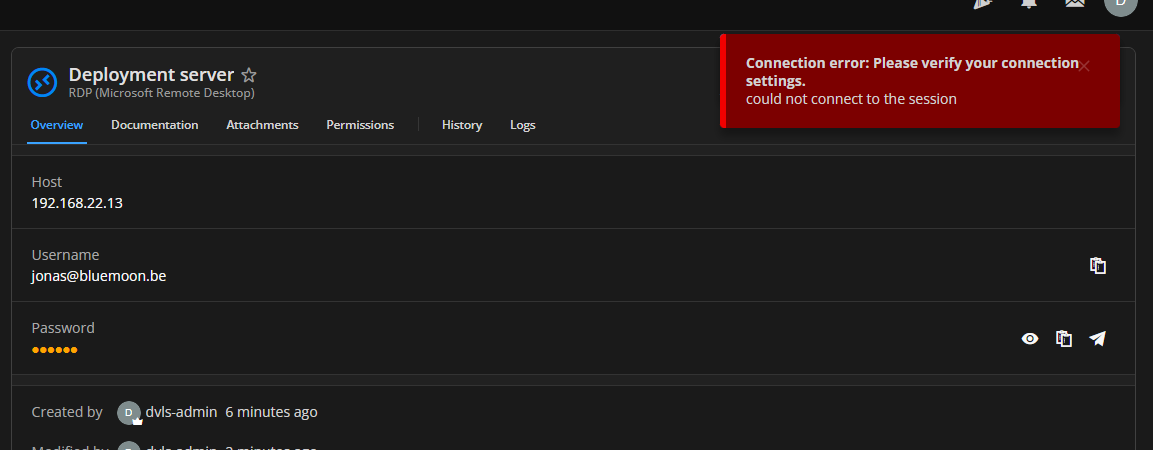
e1c77951-6b1b-4643-b643-bfdac4ac92c7.png
f490d031-08eb-4d7f-b3f1-999693ff27ca.png
@Tommy Sanders any idea what the reason is ?
Hello,
Thank you for your response.
Could you please access the entry properties, navigate to the VPN/Tunnel/Gateway section, and send me a screenshot of that page?
Best regards,
Tommy Sanders
There aren't that many settings to setup in those property's and they all seem fine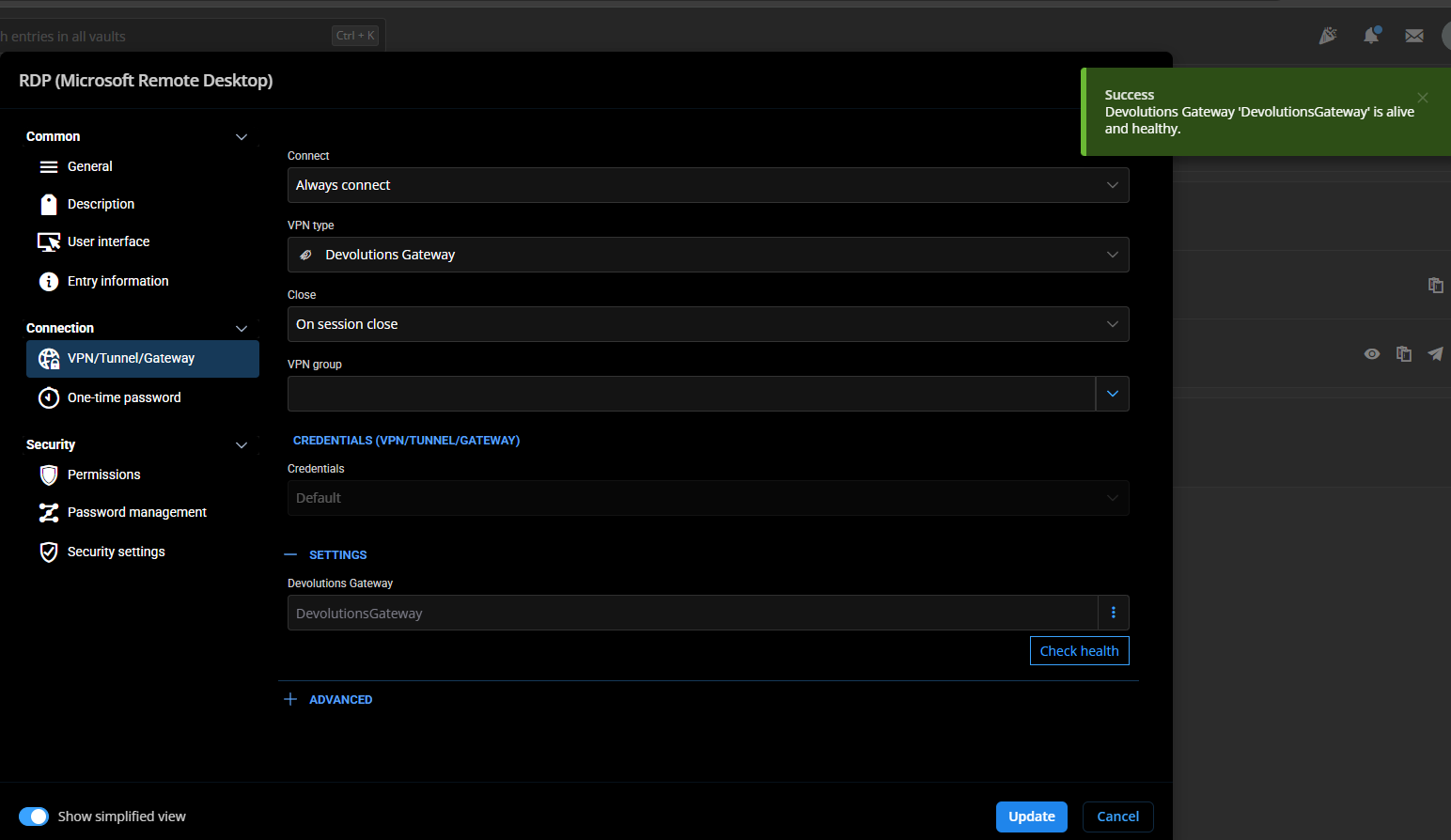
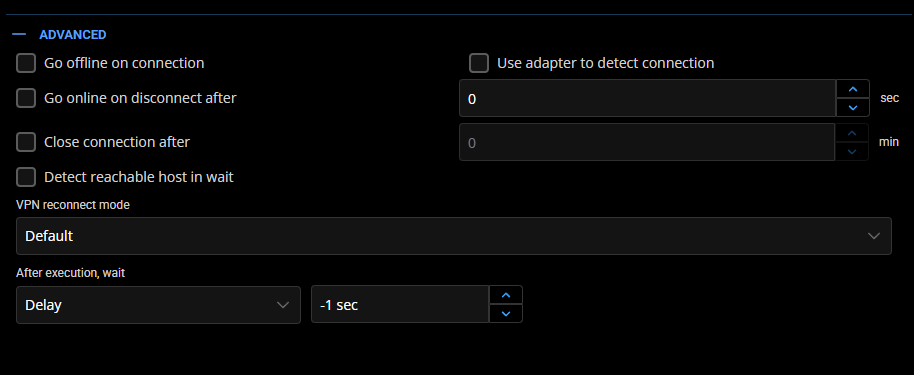
1637f87e-4385-4056-9855-a4090da1cf7b.png
1467f71d-b6ed-4a42-9b02-8279f455304b.png
Hello,
Thank you for your response.
I have created a case and sent you a request for a remote session to allow further investigation.
Best regards,
Tommy Sanders