Workspace on iPad reporting wrong Device OS (MacOS)

Hej,
We are currently experiencing an issue where iPads using SSO login are showing up as operating system 'MacOS' in Entra ID.
This means that iPad logins are blocked by Entra ID conditional access if iOS is the only permitted login option.
We verified that other applications with SSO on iPads correctly report as iOS (iPadOS), and logging in was possible.
Steps to reproduce:
- Download the Workspace App on an iPad.
- Enable SSO login on your Business Hub.
- Create a Conditional Access rule that blocks MacOS. (Don't forget to exclude a break-glass account when creating CA policies!)
- Log in to your Business Hub on the iPad.
This login by the Workspace App is blocked because the operating system reports as 'MacOS'.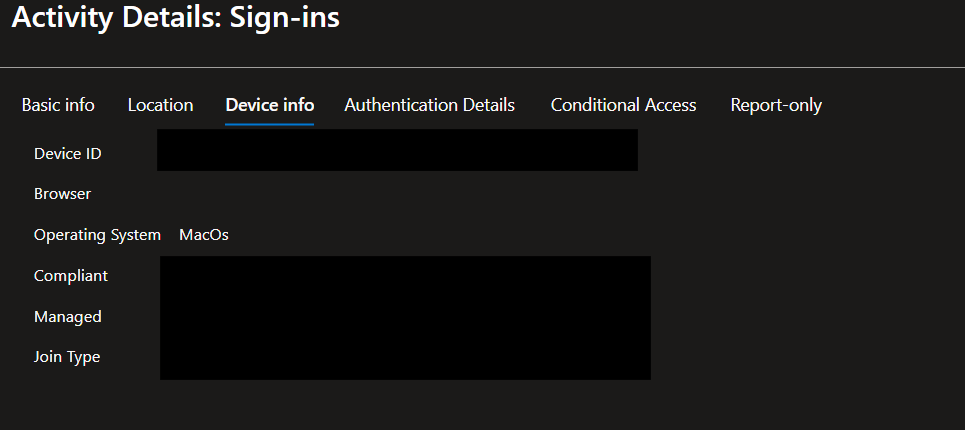
This is an login to a different application with SSO to verify that SSO logins are possible on iPads with the CA policy enabled.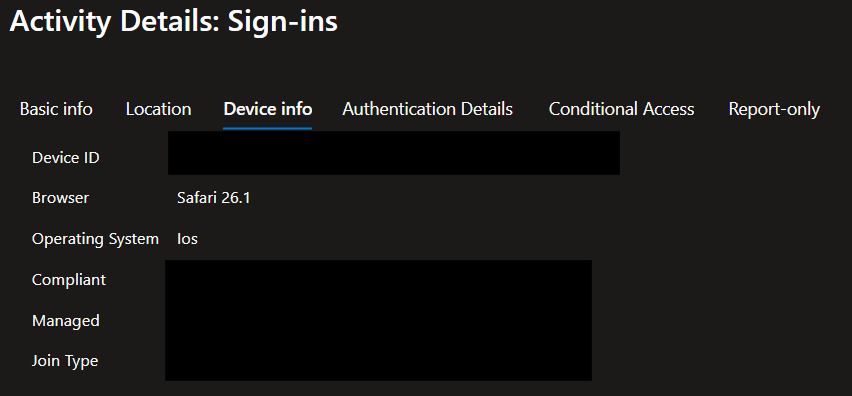
f1a7cd8e-9ba7-4e70-8680-3de3c111892e.png
f63bb73f-7422-44d6-96d7-8438da5d5d2a.png
All Comments (1)
Hi,
Thank you for sharing the details.
You can try disabling the “Open Hub in Embedded Browser” option in the Workspace App. It’s better to initiate the connection through an external browser when using Entra ID.
You can find the setting under:
Settings → General → Disable the “Open Hub in Embedded Browser” switch.
Please let us know if you have any further questions or need additional assistance.
Best regards,
Dany Galarneau