PAM Password rotation failure check

If PAM is trying to reset the password of a user and this is failed (for example the password doesn't comply with the password security settings) the password is updated in the PAM vault. This should never happen, so there needs to be a check on succesful password set before the new password is written into the PAM vault.
All Comments (5)
An additional note. Setting the password failed in this case based on password age. In our password policy our password age is 25 days. This means that Devolution is using the same password in 25 days. We use the following template to generate the password: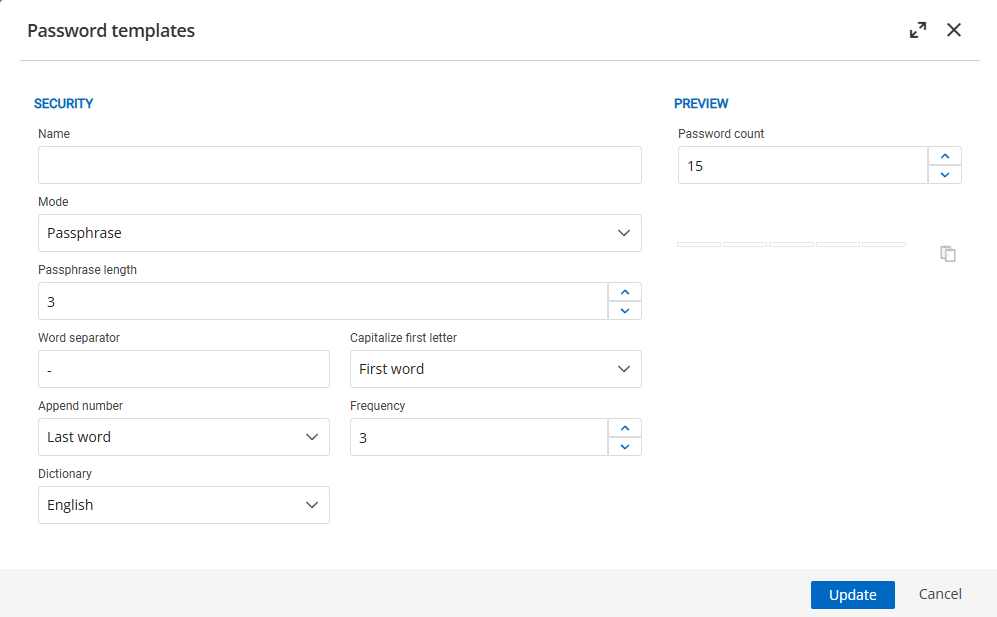
Is the passphrase list so small this can happen often?
1fe1ce9a-45d9-40fc-9582-2b0042052f71.png
Hello hjbos,
Thank you for reaching out to the Devolutions support team.
The first issue you encountered is actually expected behaviour. The password reset occurs when the check-in is executed, as well as when a rotation is made.
If there is any issue, the password will not change since the provider cannot change it. However, when a check-in is executed, you should receive an error message. I can confirm that there are no errors except in the logs.
I will open an internal ticket on this matter.
For the second question, it is also expected. In the passphrase, there are no special characters set in the library. You can change the word separator from - to $, and the rotation should then be successful.
Best regards,
Patrick Ouimet
Hi Patrick,
Both answers are wrong :).
We rotate our passwords on a daily schedule base and not during check in.
For the second question this is based on password age, not on password strength where you are not able to set a password that has been user the previous 25 days.
Hello hjbos,
Thank you for this feedback.
My point was that I can reproduce the same behaviour you mentioned by simply resetting the password or doing a check-in.
If you change the configuration of your template used by the provider to match your AD policy, the password should be rotated without any issue.
If you change these settings to match your AD policy, do you still get the error?
https://docs.devolutions.net/server/web-interface/administration/templates/password-templates/
https://docs.devolutions.net/pam/server/providers/managed-providers/windows-users-provider/#password-settings
Best regards,
Patrick Ouimet
Hi,
There is no option in the password template the same password cannot be used for x times.