RDM Application Window - Increase Display Size/Scale (Win11)
RDM Application Window - Increase Display Size/Scale (Win11)
1 vote

Aloha!
For all of us SysAdmins who have been in the trenches for many years, staring at text and interfaces for years on end — vision issues are starting to creep into our lives.
RDM is a wonderful application, but I must admit I'm stumped how to increase the application text/content scaling. This is not related to the size of an RDP session, but instead the actual font/interface sizing. I've experimented with the "Display Scaling" options, DPI-unaware, System aware (default), yet the size is still exceptionally small and hard to read.
I've also flipped the .EXE setting for Change high DPI settings -> Override high DPI scaling behavior -> System (Enhanced).
Is there another setting or option I'm overlooking? This is the only application exhibiting this issue, all other system-aware scaling apps behave correctly, and are legible.
Cheers, -Ian
All Comments (5)
Hello,
Thank you for reaching out.
If I understand correctly, you're looking to increase the text size in RDM. To do this, please navigate to File → Settings → User Interface → Tree View, then set the Font Size option to 'Large', and
restart RDM for the changes to take effect.
If this is not what you were referring to, could you please send me a screenshot showing which text you’d like to enlarge?
Best regards,
Tommy Sanders
This is definitely useful, having the Tree size increased is great.
However, is there any way to increase the size of the text/fonts within the Settings area? For example, here is Microsoft Word options, compared to RDM settings modals.
Word is very easy to read, as are other application interfaces, while RDM font size is too small. This is only on 1440p, if increased to true 4K the issue is even more significant.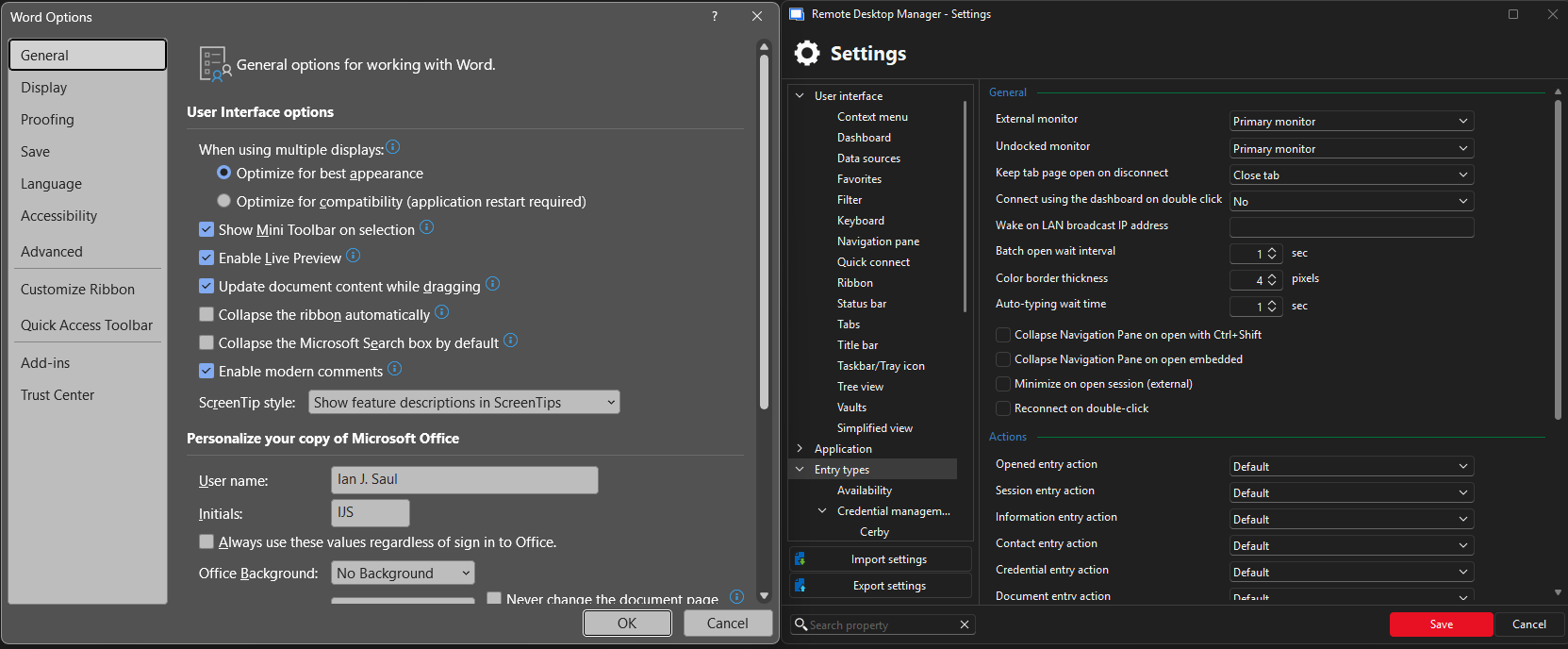
452f69d4-488b-41dd-8e53-f58239f3d52e.png
Hello,
Thank you for your response.
Unfortunately, it is currently not possible to increase the text size of the settings in RDM. This feature may be considered for a future release, but at the moment, it is not available.
Best regards,
Tommy Sanders
I am fighting with the same problem on Linux. Unfortunately the Tree View, Font Size option is not available here.
Using GDK_SCALE=1.5 I can increase the size of everything, but the content in the Dashboard : Overview, Documentation and ssh sessions. Those remains several sizes smaller than the rest.
Hello tanjadahlke,
We are currently migrating our GTK windows to Avalonia. The GDK scaling will only affect the windows that remain in GTK for now.
We added a setting called “Override Avalonia scaling” in Settings > User Interface > User Interface > Scaling.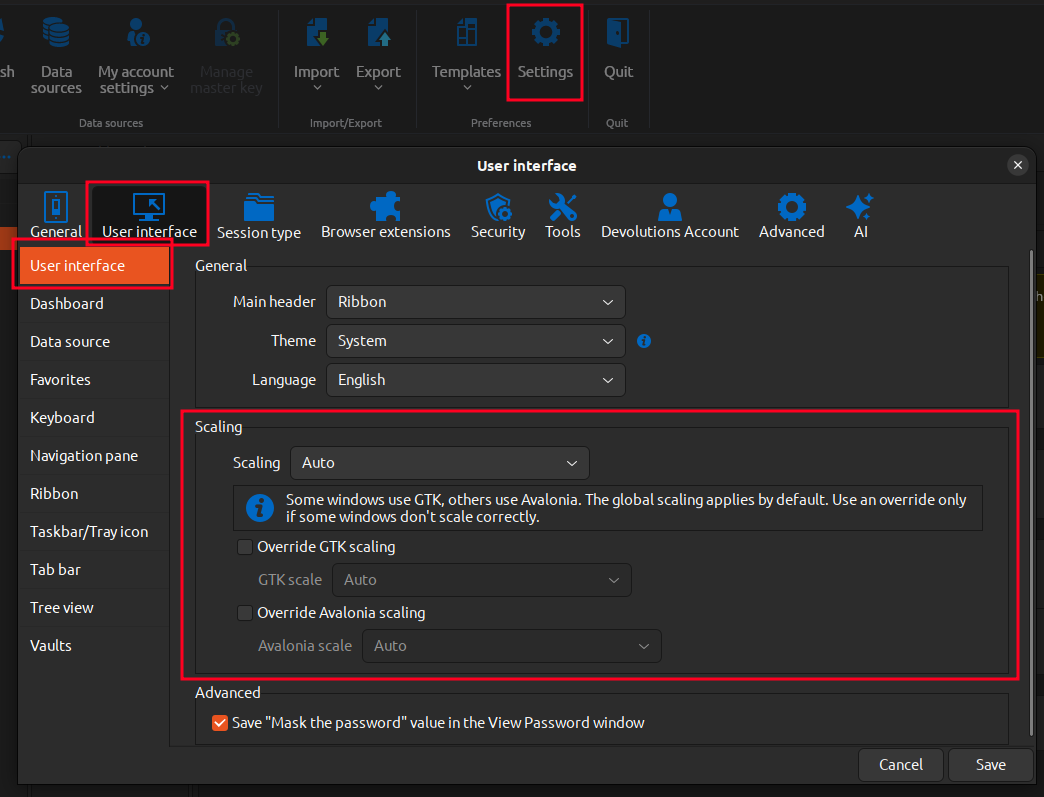
This should help you manage scaling depending on the type of window. We are aware that there are currently some scaling bugs, even when changing these values. Resolving these issues is on our todo list, but feel free to report what you see in your case (Screenshots help a lot)
Regards,
Gabriel Dubois
3f8a751d-5611-4b1f-8374-a05572e6358a.png