No command key shortcuts on ARD or VNC

Hello!
I have an iPad running iPadOS 18.7.1 with a physical keyboard.
Since version 2025.3.0.23, when I connect to a Mac via Apple Remote Desktop or VNC all the shortcuts with command key doesn't work.
In example: If i want to open a new window in finder (Cmd+N) it doesn't open. If i keep it pressed more than a second, then it open multiple windows. It also happens with any action related to the command key: Cmd+Shift+G to go to a folder, Cmd+K to connect to a server, Cmd+C to copy...
With Key Codes, I see the command key is sending the code when pressed, but it is repeating, and when I press the N key it repeats multiple times the shortcut and is when some new windows are opened. I attached a picture: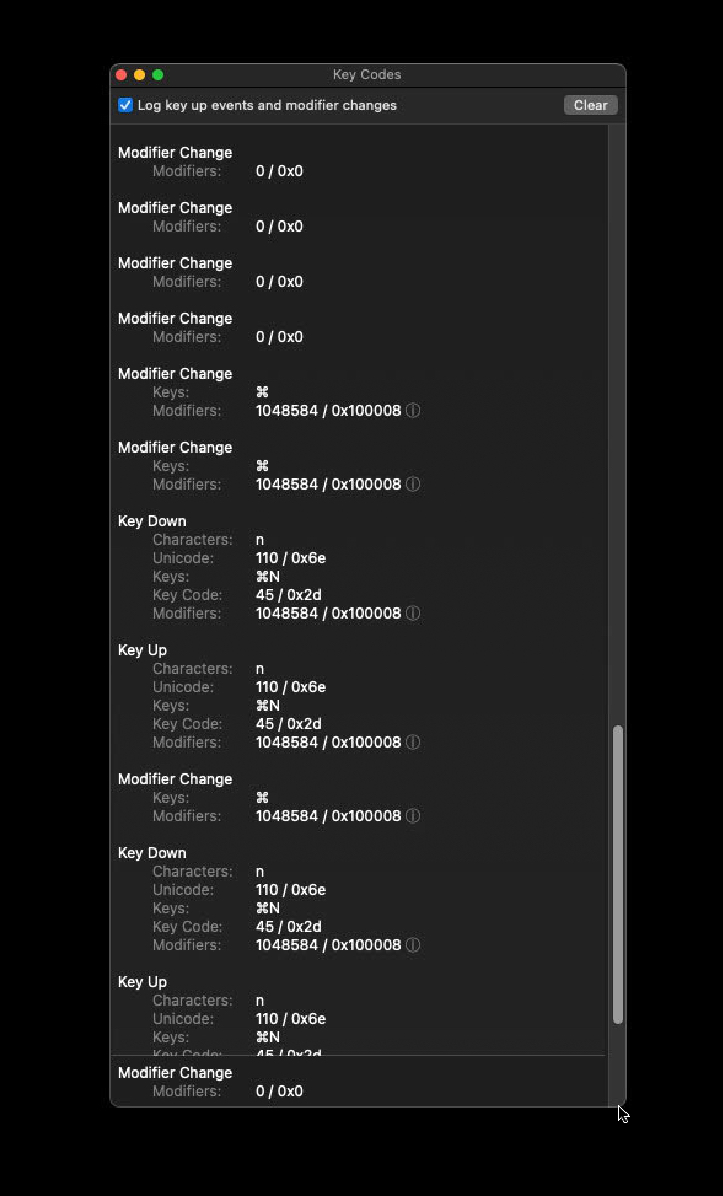
Also, some keys, as Cmd+W (used to close a window in Macos) closes RDM app!! And long pressing Cmd key in a remote machine session it shows a strange Edit Menu at the bottom of screen...
I didn't change anything on my side, so I suppose it must be a bug in RDM.
Tell me if you need more testing or info, please.
Thank you in advance!
Regards,
Ugo.
IMG_0131.jpeg
All Comments (26)
Hello,
Thank you for reporting this issue, we will investigate and get back to you as soon as possible.
Best Regards,
Frederick Simard
Hello, Frederick!
I downgraded the app to version 2025.2.4.1 and everything is working fine, so it must be a bug in the latest version.
Anyway, this version needs some improvements. In ARD and VNC, key repeat is so slow or doesn't repeat at all (i.e.: Terminal). Also, while in ARD, mouse cursor doesn't change on pointer actions as resize window, dragging files in Finder, etc.
If you can take a look at this too it will be perfect!!
Thank you very much for your great support.
Regards,
Ugo
Hello,
We are currently testing a solution for this issue and will get back to you once it is ready for release.
Regarding the key repeat, the new version should offer some improvement, though there may still be room for enhancement. We’ll go ahead and create a ticket to track that.
As for the mouse cursor not changing, we’ll also create a ticket to investigate whether there’s anything we can do to address it.
Best Regards,
Frederick Simard
Hello,
A new version has been released that should include the fix for the shortcut issue you were experiencing.
Could you please let us know if this resolves the problem?
Best Regards,
Frederick Simard
Hi, Frederick!
I've updated to version 2025.3.1, but the same problems persist.
Please, tell me if I can do any tests for you.
Thanks in advance.
Regards,
Ugo
Hi,
there's still work to do, but an improved version should be coming out next week (version 2025.3.2).
Please let us know if it resolves any of the issues.
Best Regards,
Nicolas Dufour
Hello,
Thank you for being so patient.
The new 2025.3.2 version is now available. Could you confirm that it helps to solve the issue?
Best regards,
Érica Poirier
Hi, Érica.
I'm afraid it's still failing.
Command key shortcuts doesn't work in VNC nor ARD. A single Command+N shortcut only shows the command key pressed. If I keep the CMD key pressed more than a second and then press the N key it seems to respond to the shortcut, but no new window in opened in Finder: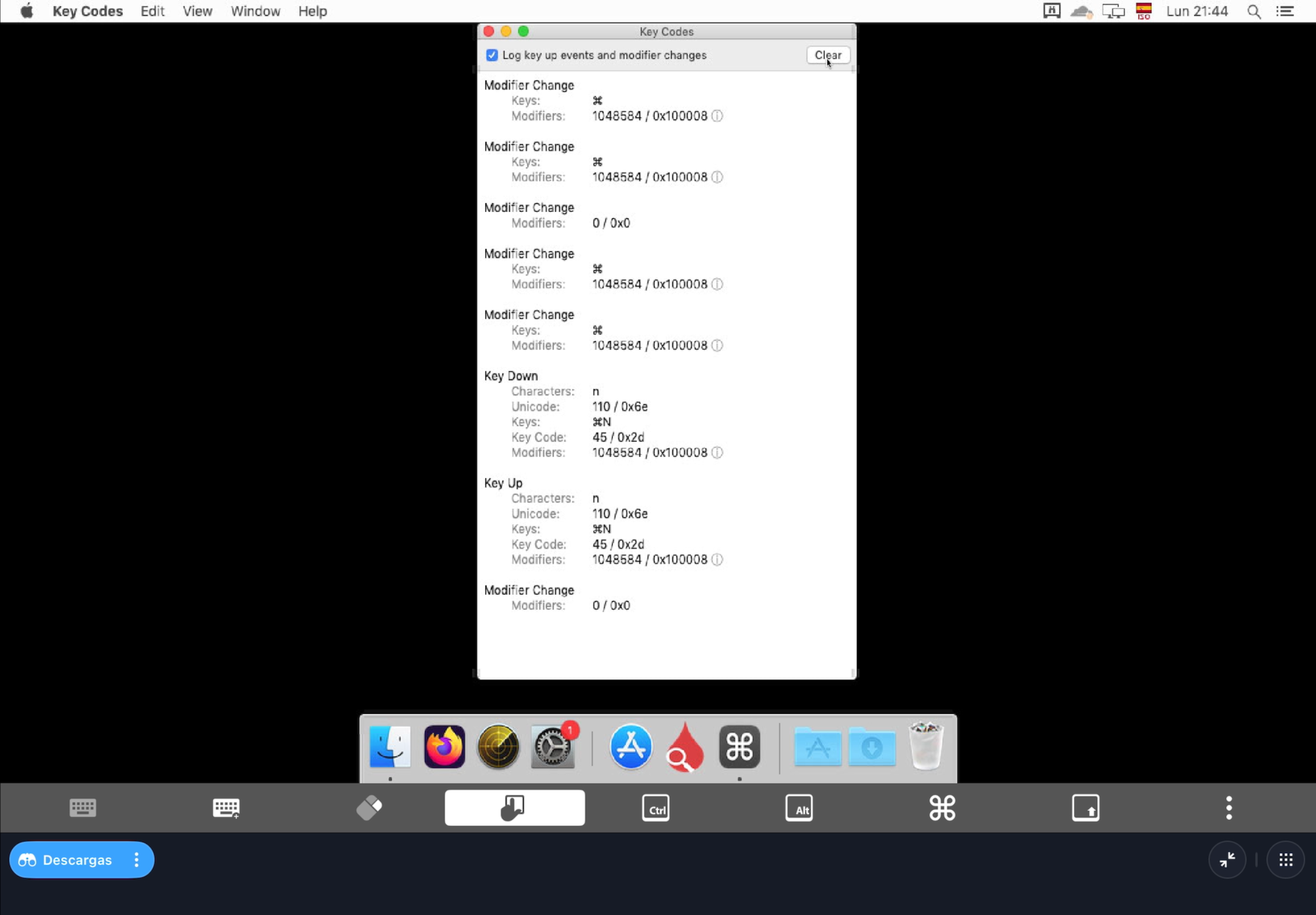
Here you have a video.
And if I press CMD+W to close a window in any application, Remote Desktop Manager quits. Any other shortcuts, as CMD+C to copy or CMD+V to paste, doesn't work either.
All of them work perfect in RDM 2025.2.4.1.
Also, if I keep the CMD key pressed and don't press any other key, a popup window appears at the bottom of the screen: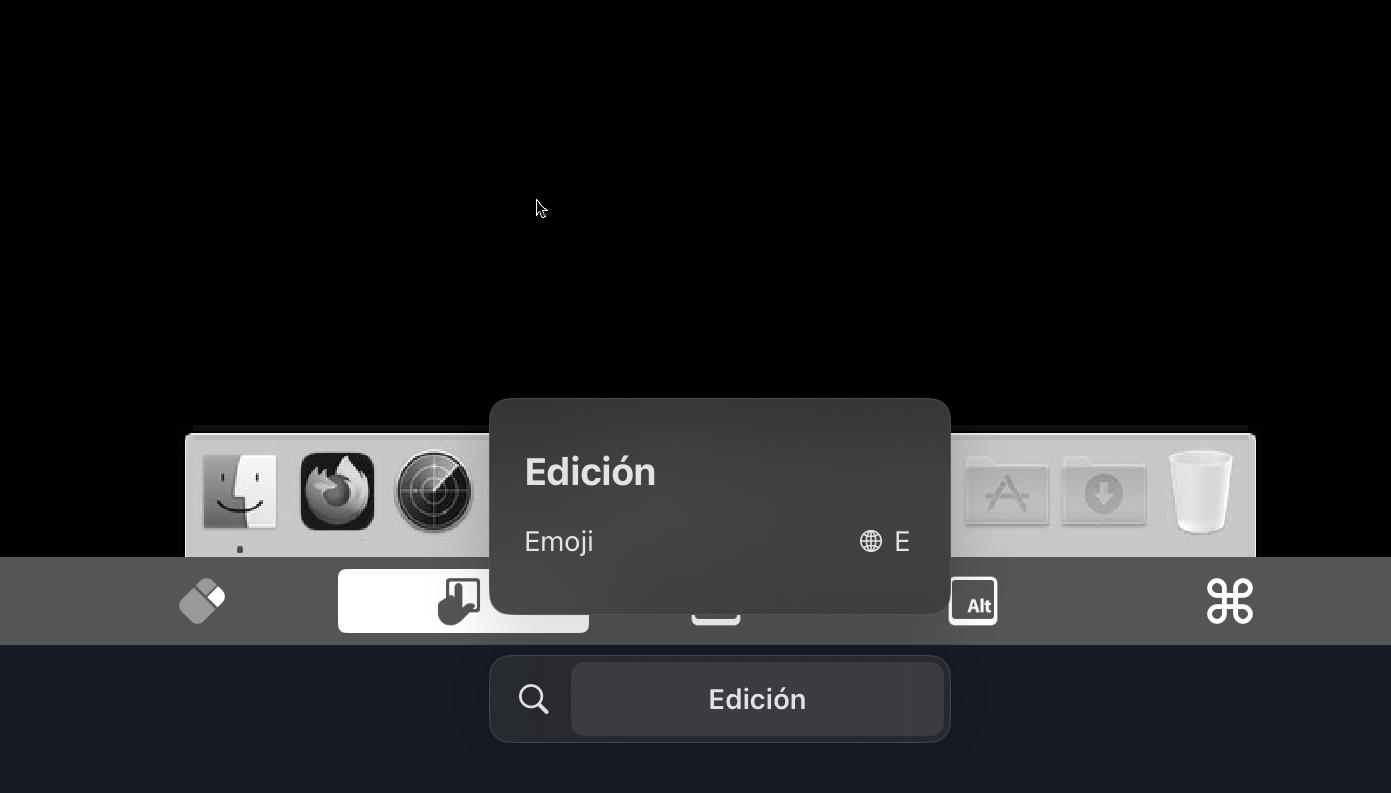 This happens also in the old version, but it shows Copy, Paste texts in this popup.
Tell me if I can do something more to help you.
Regards,
Ugo
IMG_0143.jpeg
IMG_0147.png
Hello,
We tried to reproduce the issues on our end, and it appears that the new version (2025.3.2.3) is working correctly for all of them. Could you provide us with more details about the keyboard you are using, such as the layout, language, and model (e.g., Magic Keyboard)?
Also, have you changed any input-related settings in RDM?
Best Regards,
Frederick Simard
Hi!
Of course.
The keyboard is a Dexnor DK010 in a Spanish ISO layout and the language is Spanish too. I'm on iPadOS 18.7.1.
The settings are the same in both versions, in fact I upgraded to 2025.3.2.3 directly over the old version. But, as I said, in RDM 2025.2.4.1 all the shortcuts works except CMD+Q to close an app.
In RDM 2025.2.4.1 the mouse icon doesn't change too on actions as copy files while dragging, resize windows, etc.
I also tried to delete the app, install again and make a new connection from scratch.
Let me know if you need more info.
Thank you very much in advance.
Regards,
Ugo
Hi,
A regression was introduced in one of our recent versions that caused shortcuts using the Command key to stop working. We were able to reproduce the issue easily.
However, this has been fixed in version 2025.3.2.3. We tested the fix with multiple keyboards on our end, and we are no longer able to reproduce the issue you're experiencing.
Do you have another keyboard available? If so, could you try testing with that to see if the issue persists? Also, if possible, please try connecting to a different server to determine whether the issue is specific to the current server.
Best Regards,
Nicolas Dufour
Hi, Nicolas.
I get it!
It seems that the problem was when using the old version version Data Source. I have reinstalled the app, CREATED a new data source and added again my machines one by one and now it is working fine. I don't think it matters, but I was loading the old data source from iCloud.
Anyway, CMD + Q doesn't close the applications of the remote servers, but it's not very important to me. Also, the mouse icon doesn't change on actions, do I have to open a new post or do we keep this one alive?
Thanks for your great support.
Regards,
Ugo
Hello,
Glad it worked! Regarding the mouse icon that doesn’t change, we already have a ticket open to analyze this. We’re not yet sure if it’s possible with the ARD protocol, and we’ll need to take a closer look to determine its feasibility.
As for CMD + Q, we attempted to intercept it before the system, but just like the shortcut for Spotlight search, there doesn’t seem to be any way for us to intercept those shortcuts, as the system takes priority.
Best Regards,
Frederick Simard
Hello!
It would be perfect if we can have the icon change.
The command key behavior to quit apps is not a priority for me. But I have found another issue with the physical keyboard more important: key repeat in SSH terminal doesn't work at all and, in ARD or VNC connections, the repeat is very very slow. Can you take a look at it?
Thank you very much.
Best regards,
Ugo
Hello,
We already have a ticket to support key repeat in the SSH Terminal, and we should be starting it soon. As for the slow key repeat in ARD and VNC, we also have a ticket to add a slider to adjust the key repeat speed. We will notify you of any progress we make regarding this.
Best Regards,
Frederick Simard
Hello,
We investigated the slow key repeat issue in ARD and VNC. The key repeat speed in our implementation is already set to be very fast. This issue may be caused by a setting on the device that is slowing down the key repeat rate. There are also settings on the remote Mac that affect the key repeat interval. On iPad, the key repeat interval can be adjusted in the Accessibility settings, and on Mac, in the Keyboard settings. From our side, the current implementation is the fastest we can support and is nearly as fast as the key repeat on our work computers.
Regarding the SSH Key repeat, we have made progress, but it is not ready for testing yet.
Regarding the mouse cursor icon changes, we have a solution that will be entering the testing phase after the Christmas break.
Best Regards,
Frederick Simard
Hi, Frederick!
The key repeat is fast enought on my side just adjusting the accessibility settings at maximum, as you said.
I'll be waiting for this update with the mouse icons working.
You are the best, thank you very much!
Regards,
Ugo
Hello,
Thank you for being this patient!
If possible, could you update your RDM iOS to the latest version (2026.1.1.1) and see if the problem persists? This version should resolve your issue.
Please let us know if this works or if you encounter any issues.
Best regards,
Maxim Robert
Hi, Maxim.
Great!! These problems have been resolved in the new version: the icons are updated in ARD and the key repetition works perfectly in SSH.
But I find some new drawbacks:
- I have the Data Source stored in iCloud, every time I start the application it gives me an error that it cannot save in iCloud.
- Connections do not open automatically when you click on them.
- To put accents in connections by RDP to an Ubuntu 24.04 server with Gnome Remote Desktop, with the physical keyboard, you have to press the accent key (´) and twice the vowel on which to put it.
- The top of the application is mounted on the system bar (image attached) in iPadOS 26.3.1
Let me know if you need me to open a new thread, please.
Thank you very much for your great support.
Greetings,
Ugo
IMG_0215.jpeg
Hello Ugo,
Thank you for reporting these issues. We will investigate each of them and get back to you as soon as we have an update.
Best regards,
Maxime Brousseau
Hello Ugo,
We have identified the issue related to the iCloud data source, and a fix will be included in our next minor release.
Regarding the behavior where connections do not open automatically when clicked, this was changed in the latest version. You can revert to the previous behavior by going to Settings → Entries → Entry touch action and selecting “View or open”.
For the RDP accent issue, we were able to reproduce it on our end, and we are currently investigating a viable solution.
As for the issue where the top of the application overlaps with the system bar, we do not have a fix available yet, but it is on our radar.
Best regards,
Maxime Brousseau
Hi, Maxime.
Overlap with the system bar is not your fault, is a bug in iPadOS.
Once again, thank you very much!
Regards,
Ugo
Hello @Ugo,
I am not certain if something has been overlooked, but the RDP issue related to accents appears to be a false alarm on our end. We were unable to reproduce the behaviour you described on Ubuntu 24.04.3 with GNOME Remote Desktop version 46.3. Could you please confirm which version you are currently running?
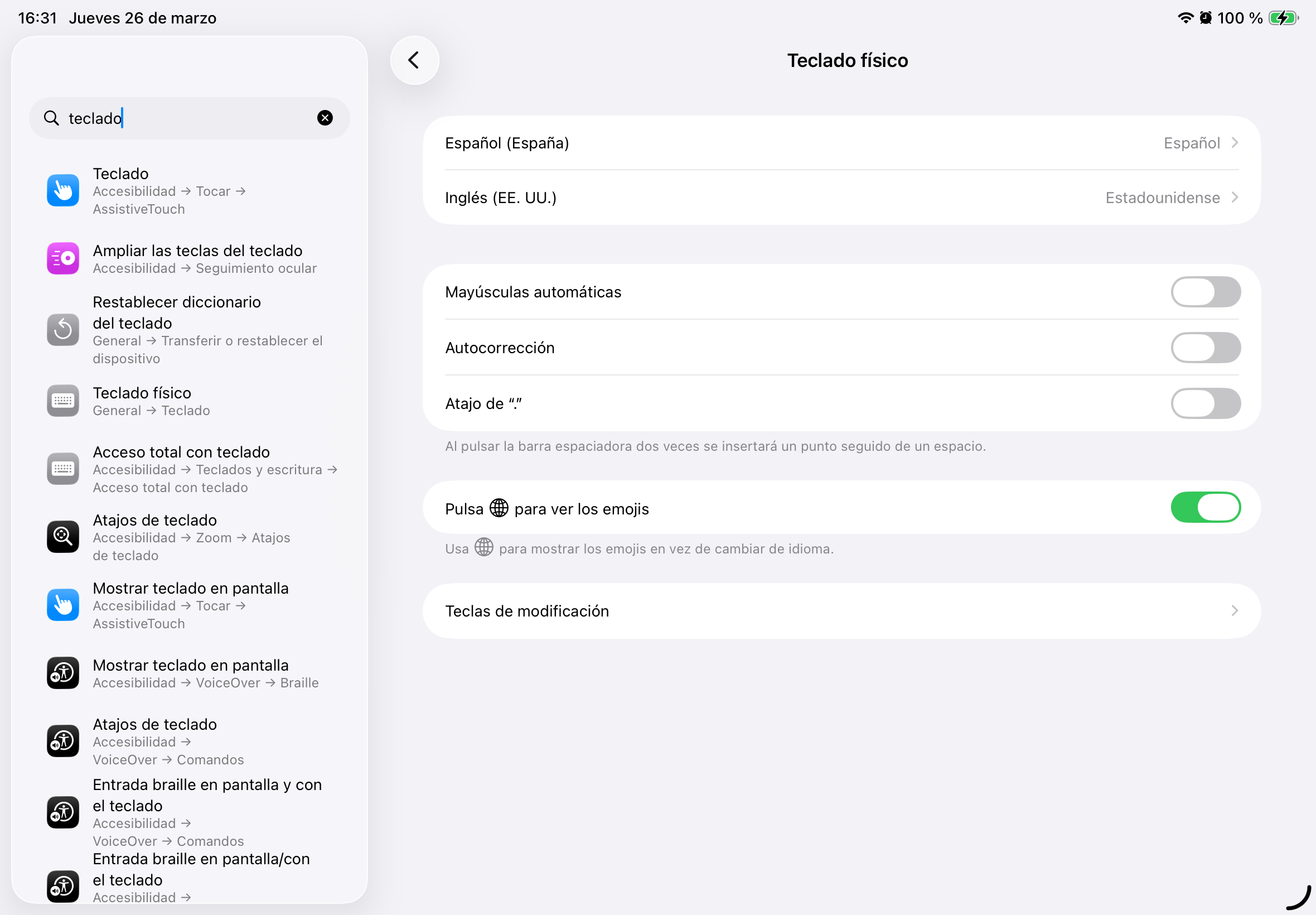
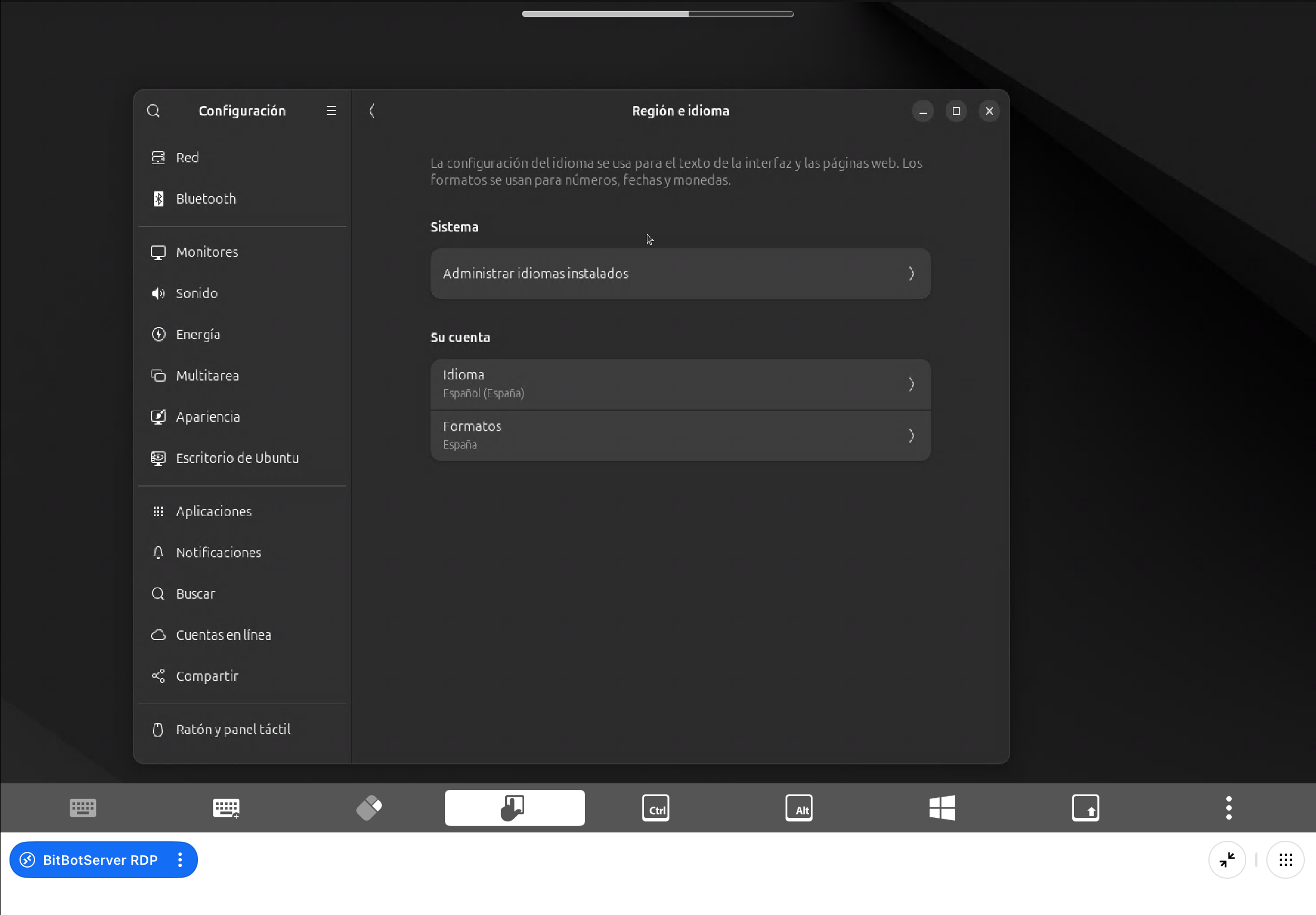
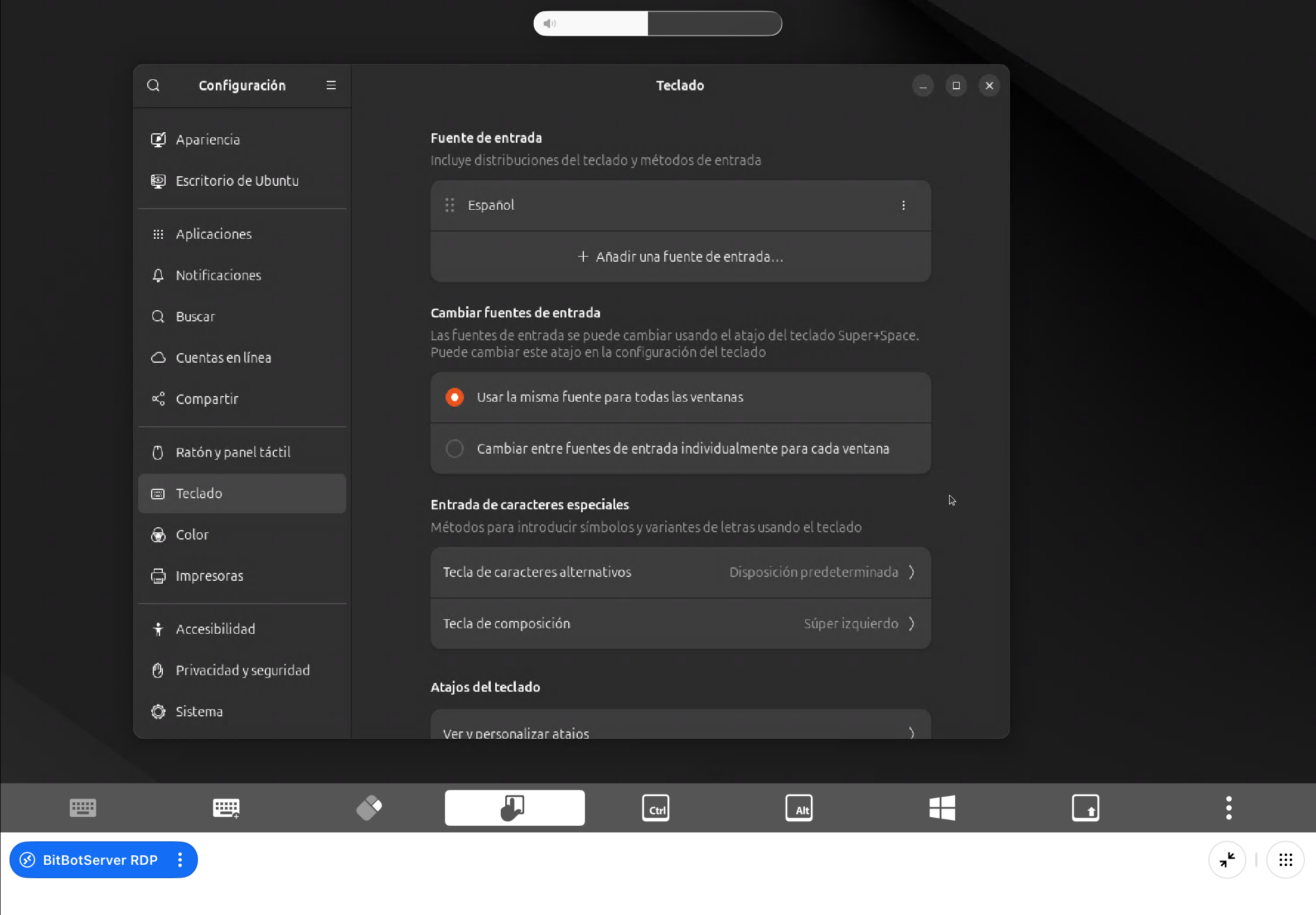
Kindly verify that the Spanish keyboard is added to your Ubuntu keyboard input sources, ensure that the special character entry is set to default, and then select the Spanish keyboard from the top-right menu. We also recommend double-checking your iPad language settings. Could you please confirm the Preferred Language selected in the Language & Region section?
Please note that this may be related to the keyboard itself, as some models have their own quirks which might conflict with iPadOS. I recommend trying on different keyboards just in case.
Thank you for your patience.
Best regards,
Nicholas Lachapelle
Hi, Nicholas.
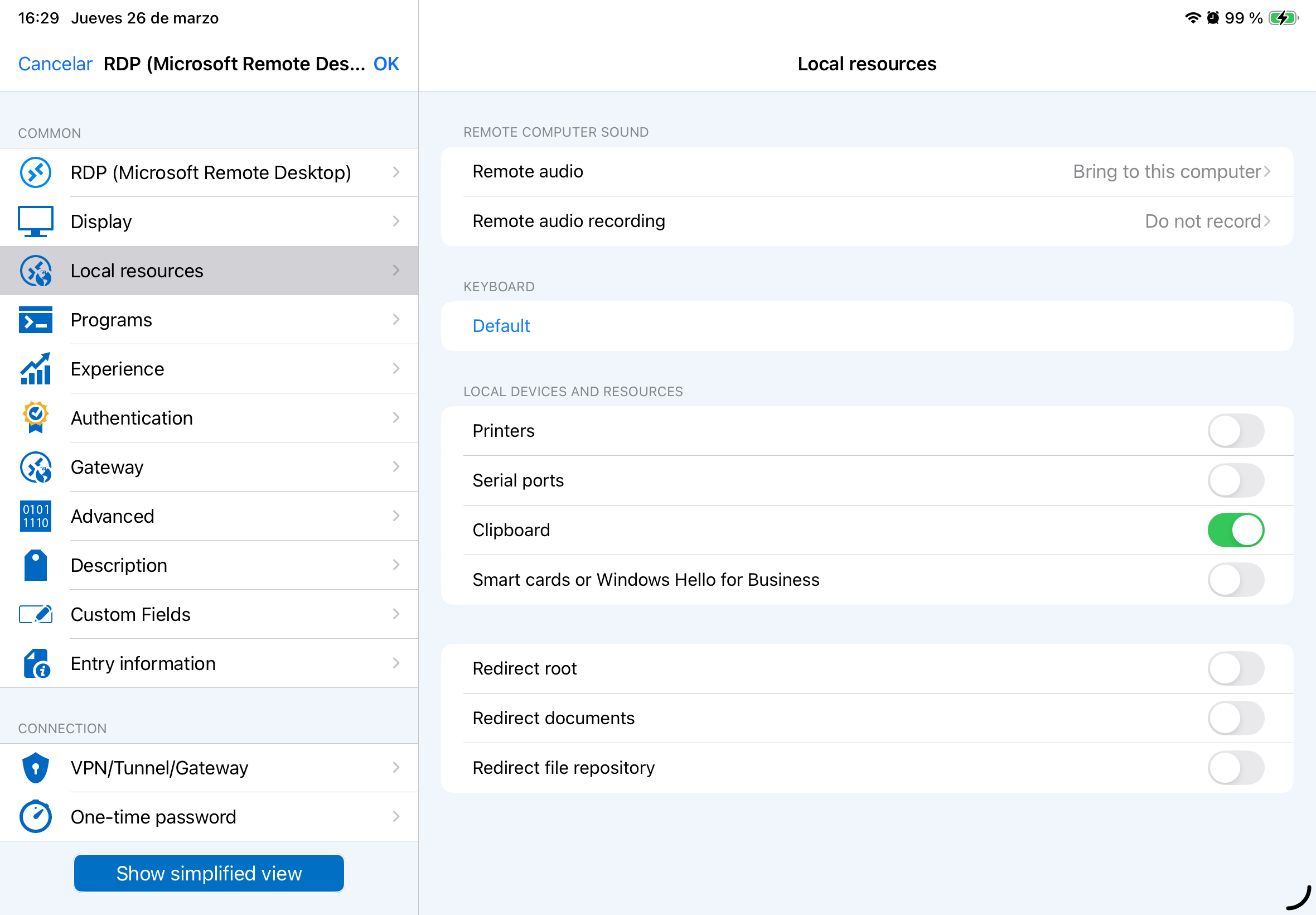
I think I have everything configured correctly. I attach the images of both the RDM configuration, the iPad, and the computer with Ubuntu.
Something similar happened connecting via ARD to a Mac. You were able to solve that at the time.
If you need anything else from me, let me know.
Thanks in advance.
Best regards,
Ugo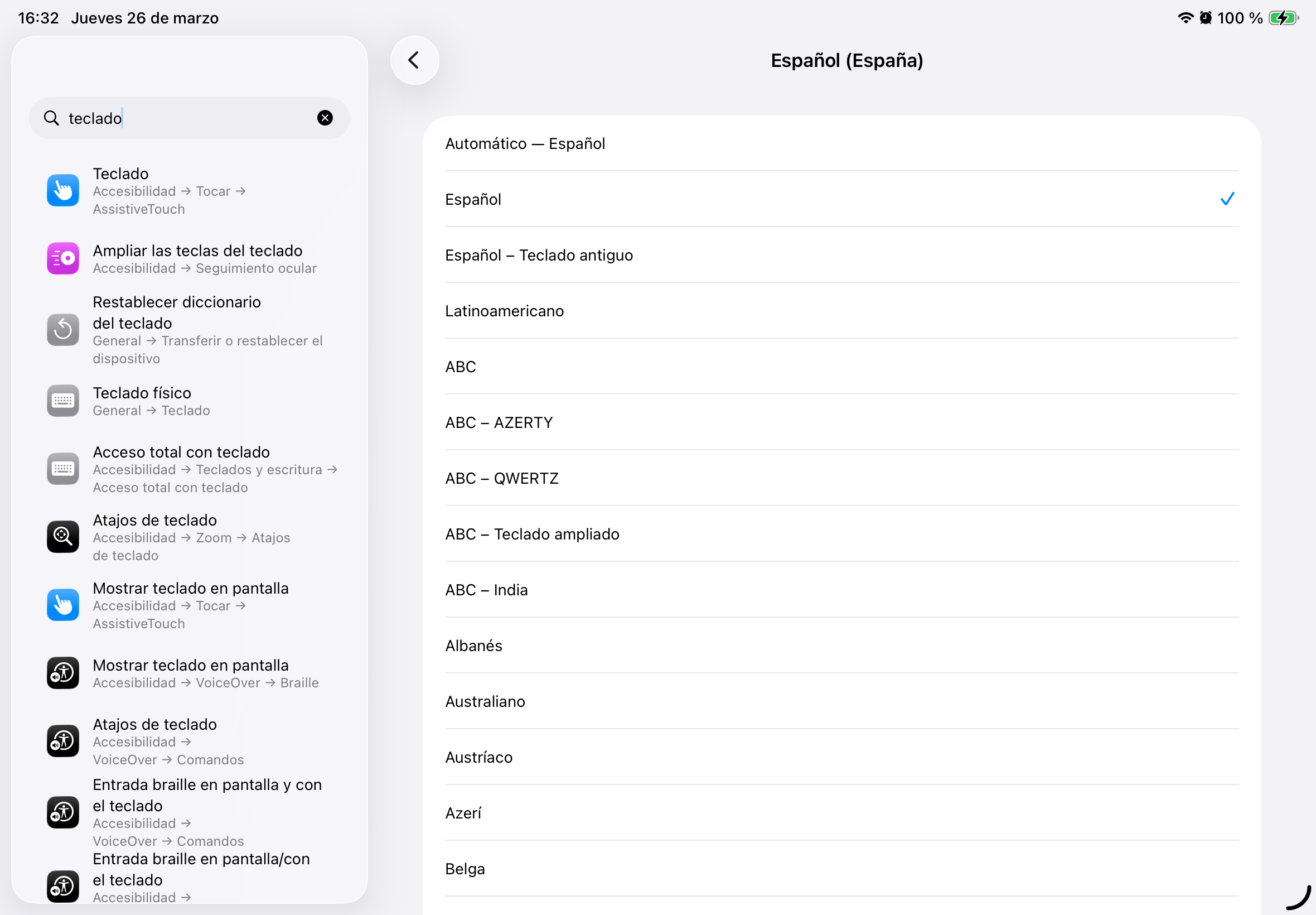
IMG_0231.png
IMG_0230.png
IMG_0229.png
IMG_0228.png
IMG_0227.png
Hello @Ugo,
Thank you for the screenshots.
To better scope my research, could you please confirm whether this issue persists when using a different keyboard, as it may be hardware-related? Additionally, does the issue occur in the Microsoft app as well? I have replicated the same configuration as shown in your screenshots and was unable to reproduce the behaviour you described.
If the keyboard is not the cause and the issue can only be reproduced in RDM, I suggest exporting the entry (please ensure that any sensitive data is removed beforehand) and sending it to me privately by clicking on my name so we can review it further.
Best regards,
Nicholas Lachapelle
Hi Ugo,
The latest iOS release (2026.1.2.2) fixes the issue with iCloud.
Best regards,
Maxime Brousseau