Devolution server install failed

Hi,
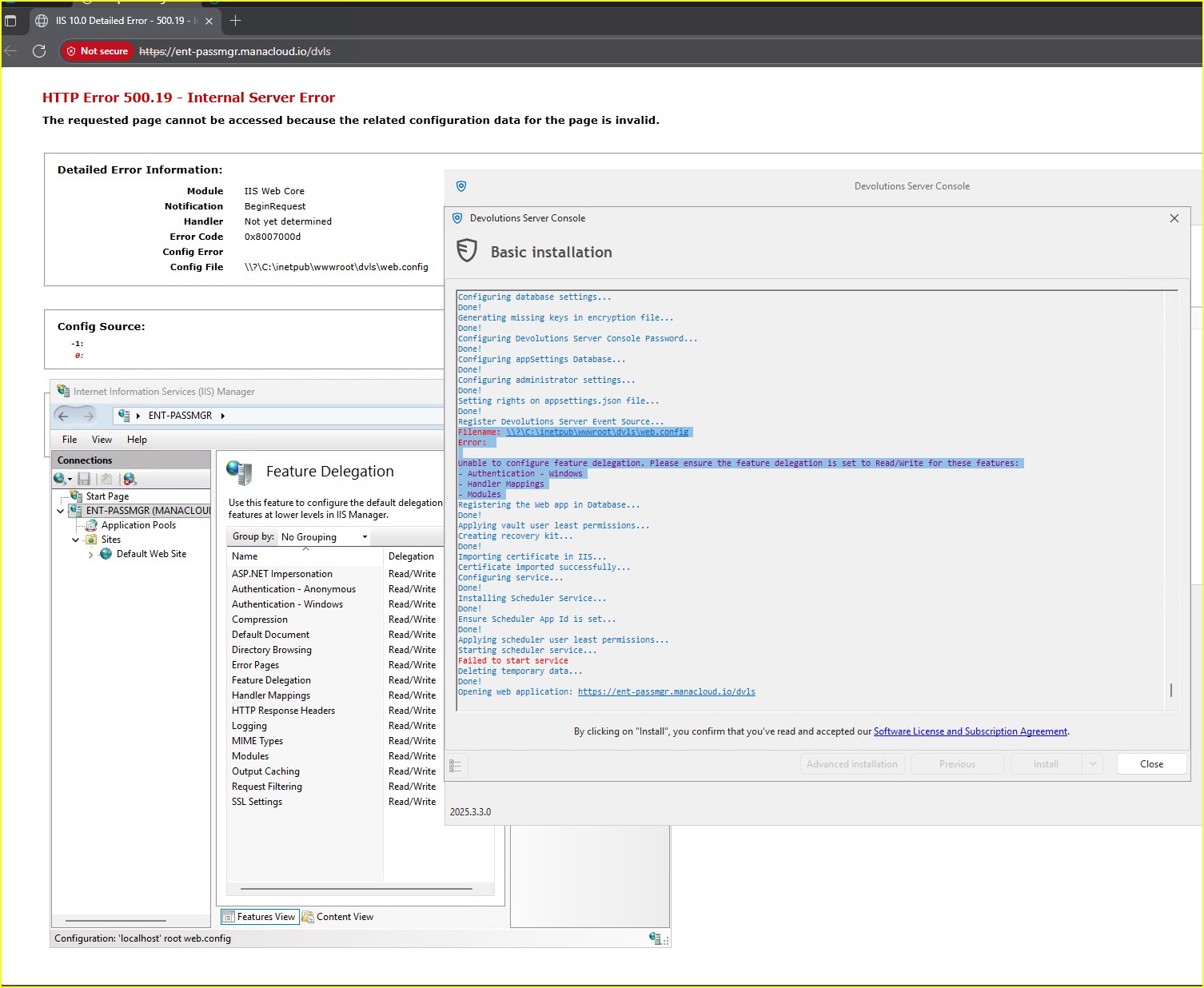
I encounter this error on every installation attempt, and configuring Feature Delegation does not resolve the issue:
Filename: \\?\C:\inetpub\wwwroot\dvls\web.config
Error:
Unable to configure feature delegation. Please ensure the feature delegation is set to Read/Write for these features:
- Authentication - Windows
- Handler Mappings
- Modules
Screenshot 2025-10-17 132708.jpg
Recommended Answer
Hello,
Indeed, thank you for the additional information!
It looks like the issue is related to IIS. Could you please try to remove the entire IIS feature and install it again?
Regards,
Min
All Comments (6)
Hello,
Could you please verify this troubleshooting topic?
Regards,
Min
Hello @Min Destens,
i installed ASP.NET module, and IIS Features diagnostic is green. but i still get same error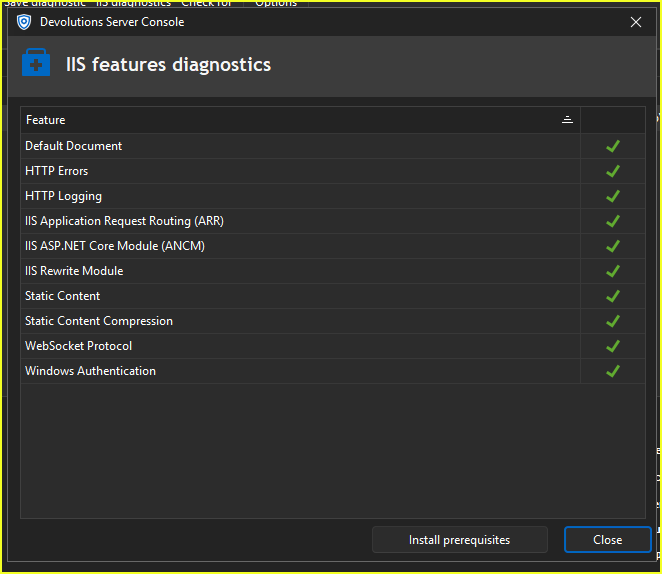
3a9c1af3-e017-49ed-97f6-f0715433af55.png
i am reviewing DSP.console.log file. i found this information
C:\inetpub\wwwroot\dvls] System.Runtime.InteropServices.COMException (0x8007000D): Filename: \\?\C:\inetpub\wwwroot\dvls\web.config
Error: at Microsoft.Web.Administration.Interop.IAppHostAdminManager.GetAdminSection(String bstrSectionName, String bstrPath)
at Microsoft.Web.Administration.Configuration.GetSectionInternal(ConfigurationSection section, String sectionPath, String locationPath)
at Microsoft.Web.Administration.Configuration.GetSection(String sectionPath)
at DPS.Console.Common.Business.Helper.IIS.IISHelper.IsDelegationAllowed(String section, Configuration configuration)
at DPS.Console.Common.Business.Helper.IIS.IISHelper.IsDelegationAllowed(String siteName, String applicationPath, String section)
at DPS.Console.Common.Business.Helper.IIS.IISHelper.IsHandlersDelegationAllowed(String siteName, String applicationPath)
at DPS.Console.Common.Business.Action.Server.Steps.ConfigureFeatureDelegation.Run()
at DPS.Console.Common.Business.Action.BaseTaskChainStep.Execute()
think IIS is now capable of properly hosting ASP.NET Core apps. However, Devolutions Server (DVLS) still shows the same web.config error (0x8007000D), so the issue must be related to the web.config file rather than missing modules.
PS C:\Users\so.amiri> Get-ChildItem "C:\Program Files\IIS\Asp.Net Core Module\V2\"
Directory: C:\Program Files\IIS\Asp.Net Core Module\V2
Mode LastWriteTime Length Name
---- ------------- ------ ----
d---- 10/17/2025 1:47 PM 19.0.25269
-a--- 9/26/2025 2:50 AM 413752 aspnetcorev2.dll
PS C:\Users\so.amiri> dotnet.exe --list-runtimes
Microsoft.AspNetCore.App 8.0.21 [C:\Program Files\dotnet\shared\Microsoft.AspNetCore.App]
Microsoft.AspNetCore.App 9.0.10 [C:\Program Files\dotnet\shared\Microsoft.AspNetCore.App]
Microsoft.NETCore.App 9.0.9 [C:\Program Files\dotnet\shared\Microsoft.NETCore.App]
Microsoft.NETCore.App 9.0.10 [C:\Program Files\dotnet\shared\Microsoft.NETCore.App]
Microsoft.WindowsDesktop.App 9.0.9 [C:\Program Files\dotnet\shared\Microsoft.WindowsDesktop.App]
Hello,
Indeed, thank you for the additional information!
It looks like the issue is related to IIS. Could you please try to remove the entire IIS feature and install it again?
Regards,
Min
Hello,
Indeed, thank you for the additional information!
It looks like the issue is related to IIS. Could you please try to remove the entire IIS feature and install it again?
Regards,
Min
@Min Destens
thanks, by cleaning OS i could install the Devolution server successfully.