Devolutions Workspace Extension: annoying JS console error

For the last couple years, we have been seeing the below VERY annoying JS console error which seems to be repeated for any # of frames located on the current page. In particular, we have a webpage that loads hundreds of iframes (trust me, I ain't happy about it either) during EACH navigation, meaning these console error's are shown all the time everywhere (we have dev tools opened all day every day). Generally I just have my console filter set to `-listener` to exclude these entries, but dev tools has some sort of bug where that doesn't apply to active messages or something (another issue entirely really). The errors also seem to appear when other pages are loaded, likely the bg service pushing out updates I'd imagine.
Uncaught (in promise) Error: A listener indicated an asynchronous response by returning true, but the message channel closed before a response was received
Anyhow, I spent a significant amount of time looking into this today, and while I can't specifically point to the line of code that causes this, I did find a few things:
1) Within `autofiller.js`, there is the following JS code block (unminified):
const s = {
    action: "Request_Auto_Fill_On_Load",
    isBrowserReloadOperation: r && window === window.top
};

chrome.runtime.sendMessage(s)
If I remove this set of code (or just change the `action` property to something else), then the errors go (and stay) away. Of course this probably is not the intended fix, but it does show us that this is the code path the produces the error eventually.
I did try to trace the background server script `background.bundle.js`, which is how I made the above find mostly, however all I could really determine was: `chrome.runtime.sendMessage()` triggers `handleContentScriptMessage()` which calls `requestAutoFillOnLoad()` which calls `requestAutoFill()`, and from there it was unclear which code path leads to the actual error. I'd imagine that it's got to be something on the client-side script and not the bg svc script, but I was unable to get any more specific than this (since the original console error has no stack trace or line of code reference).
2) The issue can be reproduced from a fresh Windows 11 system w/ Edge (tested with Windows Sandbox feature) w/ no RDM installed and just the fresh Devolutions Workspace browser extension installed. I have attached a video that demonstrates the issue, which reproduces easily with bing.com. Notice in the video how you tend to have to load the site in multiple tabs a few different times to get it to reproduce, but it eventually does. I don't think this issue is specific to any one site or configuration, but it is more noticeable on sites with tons of nested iframes (try here maybe). Unfortunately, the issue can be a bit random at times, but it will reproduce eventually.
3) Can reproduce in latest Edge/Chrome (tried Edge: 138.0.3351.109 and Chrome: 138.0.7204.169) on Windows 11 using latest browser extension (2025.2.1.0 MV3).
This issue has been very annoying to deal with and we have to deal with it EVERY SINGLE DAY. I was hoping it would work itself out eventually, but it's been almost two years with this issue IIRC. We really need this addressed as it muddles up our dev experience with web apps and makes us want to discontinue using RDM browser extension.
Please let me know if there is anything else I can provide. I am more than willing to do a web session so I can show you what my experience is like.
Screenshot of console errors (from single navigation):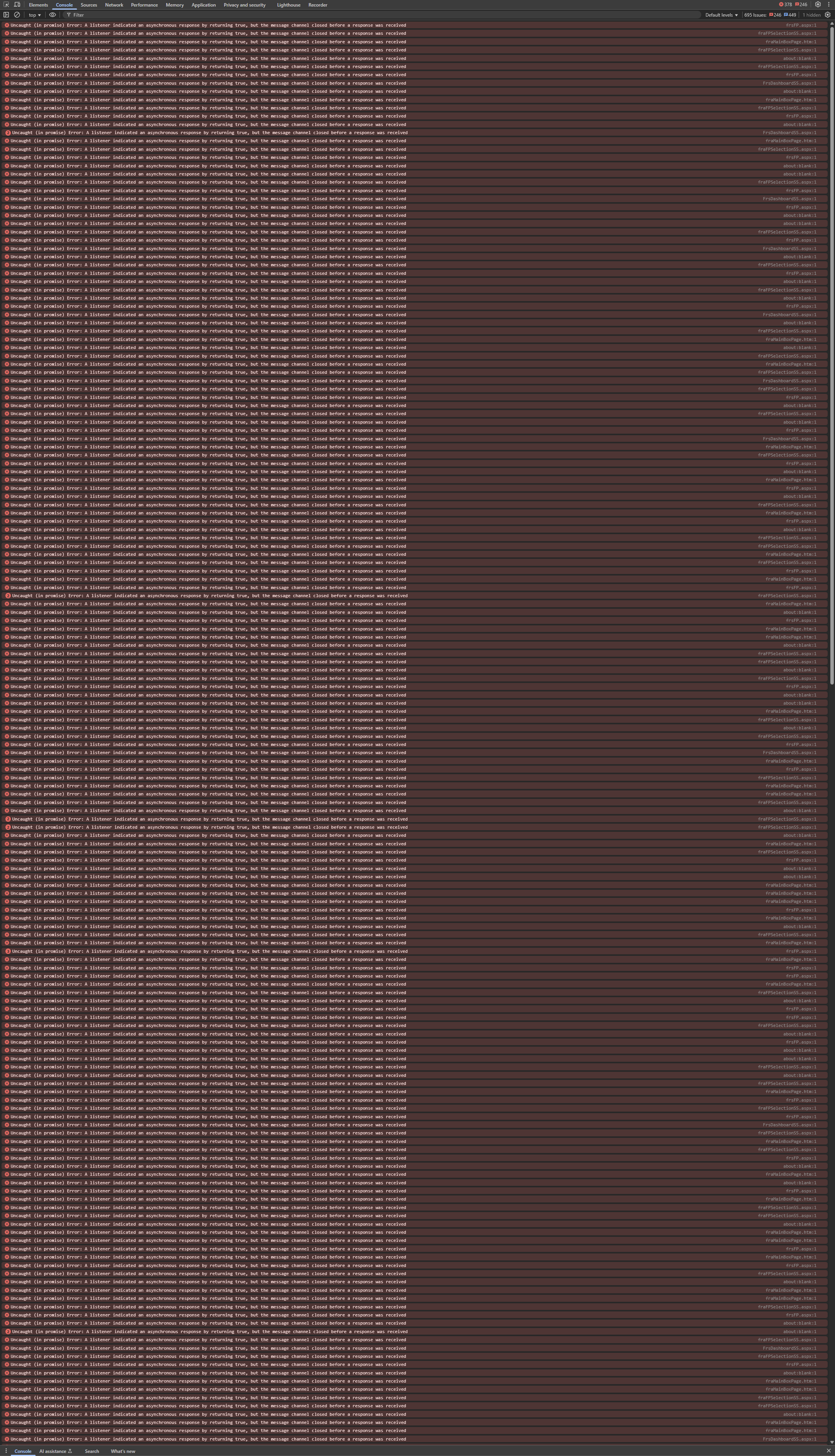
e945bf7a-8125-44ad-bac6-09804817bd20.png
2025-08-01_16-48-29.mp4
All Comments (6)
One more thing I wanted to include:
I did find this potentially related github issue, so maybe it might shed some light on the situation.
Hi,
Thanks for reaching out. This is something we’ve also noticed and that other users have brought to our attention. A potential fix was already implemented in our internal build and was already planned to be included in the next public release, which is scheduled for the coming days.
We’ll keep you updated on the rollout.
Best regards,
Olivier Désalliers
Wow, that would be amazing! I'll keep my eyes peeled. Just to be clear, this would be a fix at the browser extension level, not RDM desktop app, right? Just want to make sure I know which I end I need to update.
Out of curiosity, any idea what the main culprit was (like I said, spent a lot of time debugging this from a 3rd party perspective).
Hi,
Devolutions Workspace Browser extension version 2025.2.3.1 is now available. This update includes a fix for the JavaScript console errors you were experiencing.
Your browser should automatically update the extension the next time it checks for updates. However, if you’d like to update it manually, you can follow these steps:
- Go to chrome://extensions/
- Enable Developer mode (toggle in the top-right corner)
- Click the Update button near the top of the page
We also recommend disabling other extensions temporarily to confirm whether the issue has been resolved. In some cases, like what the Github issue you sent us was talking about, other extensions (such as Adobe PDF Reader) may trigger very similar errors in the DevTools console, especially when they use certain types of event listeners (main culprit).
Best regards,
Olivier Désalliers
Updated and it does appear that the console errors are gone. This is great news! I'll report back if I notice any edge cases.
Thanks for looking into this, much appreciated.
Just wanted to say thank you again for correcting this browser extension dev console bug. It has been a night-and-day enhancement for my development experience 💖!!