temporary access in RDM?

I would like to set up temporary access.
To do this, I have set the vault to shared and activated temporary access in the entire vault. I myself only have “view” rights to the vault.
The vault is displayed to me in RDM and the relevant entries are also displayed. However, I have no way of requesting temporary access in RDM?
I only see this option in the WEB Gui, which nobody works with.
Please tell me that I have done something wrong.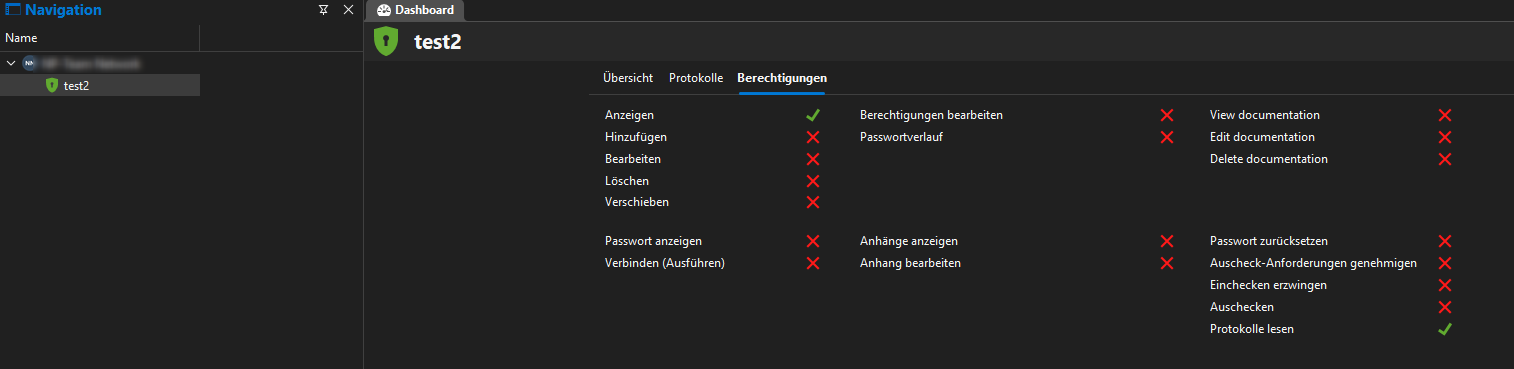

cd2b5448-5bff-4f19-9e7d-de0ed5983096.png
2c76afa0-fedf-46db-b1ef-73e23f0fee4b.png
All Comments (5)
Hello,
Thank you for reaching out to us regarding this,
Could you please specify the version of RDM you are currently using?
Which version of DVLS are you on?
That being said, from RDM, you should be able to Right-click on the entry in the Navigation Pane and select "Request Temporary Access"
Is it not available on your end?
Let me know,
Best regards,
Samuel Dery
Hi Samuel,
we are using version 2025.1.37.0 with RDM and 2025.1.7.0 on the Devolutions Server
There is no Option to get temporary access.
54625881-3435-4b72-9b48-316ee17c8225.png
Hello,
Thank you for your reply,
I see, are you in the same vault in both pictures? From your administrator user, can you do a right-click on the entry go under "Properties" -> 'Security Settings" and provide me with a screenshot of this section?
You may need to use the "Show all Properties" button in the bottom left corner to see that section.
Best regards,
Samuel Dery
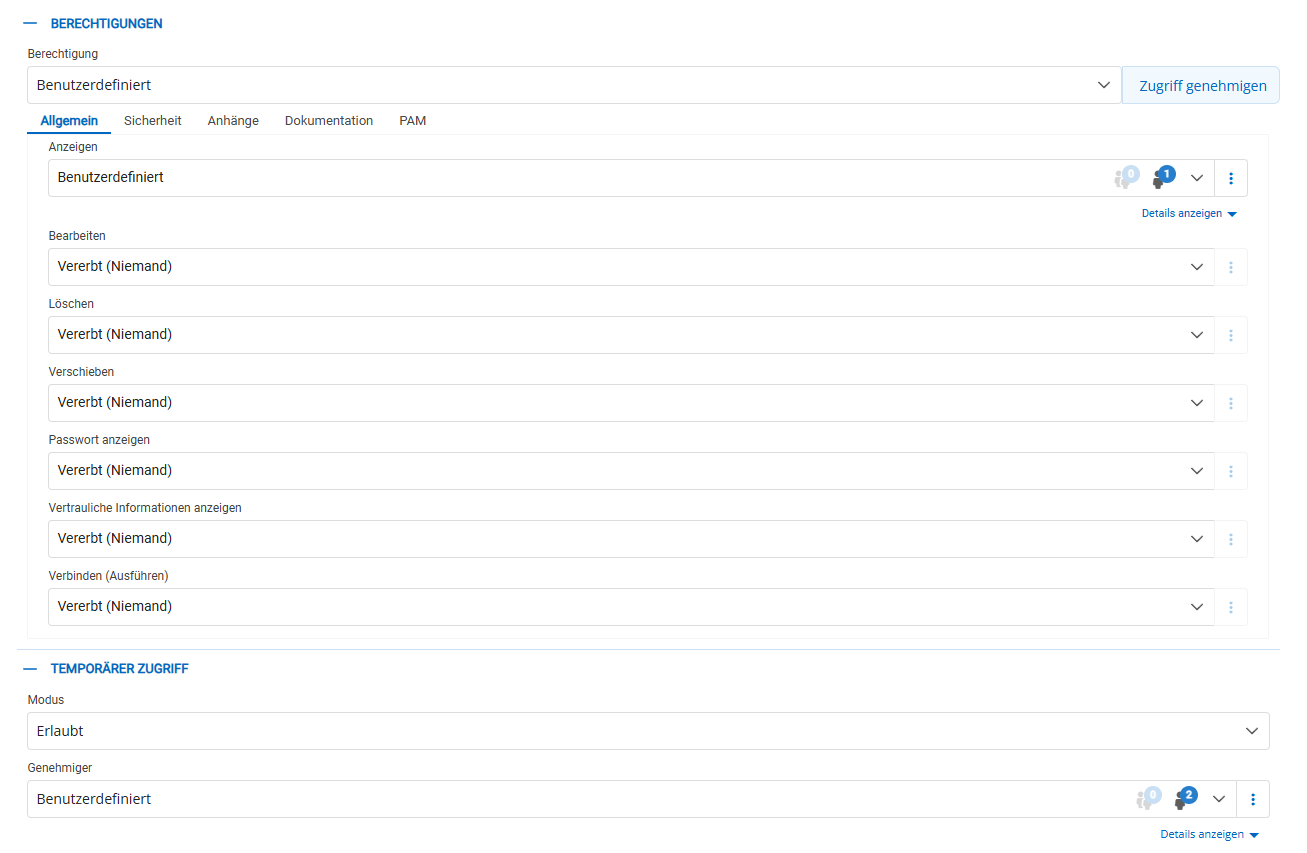

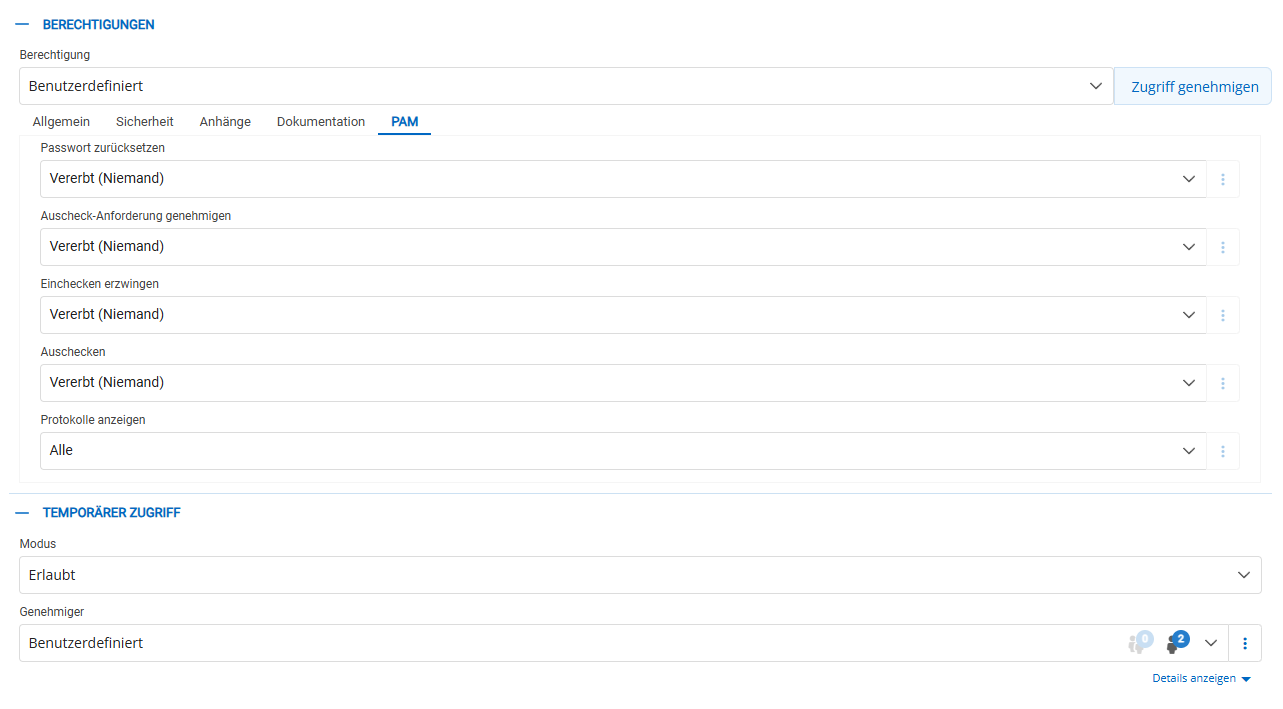
in attachmend and doku is all on nothing
6378966b-0626-4e40-9c2f-c062880cd145.png
12ee80e5-ce23-4932-8b87-80229a727fa0.png
acadef8f-b725-4d4a-aa91-83a0a773c2ce.png
Hello,
Thank you for your reply,
I would like to have a session with you regarding this to have a look at the issues, would this be something you are interested in?
If so, I will need to open a case, is the email used for your account the correct? If not, can you open a case by sending an email to service@devolutions.net and simply mention this topic.
Let me know,
Best regards,
Samuel Dery