Edge brower extension not able to copy password/username

When I connected my workspace extension to my personal hub instead of the RDM application I can no longer copy password and some times not username either.
For MS authentication dialogs, the ones that needs username and password IDs on the div, setup i RDM, is not able to autofill and copy username and password from RDM only seem to get the password, this is just an issue using external browsers, it still works fine within RDM
All Comments (7)
Hi,
If I understand correctly, when Workspace Browser Extension is connected to RDM, it’s able to retrieve the credentials successfully. However, when connected to your Hub Personal, it’s unable to resolve the same credentials.
Could you confirm which type of entry credentials are being used for the entries that aren’t working? (e.g., Custom (Username & Password), Linked (Vault), Inherited, etc.)
You can find more information on credential options here:
https://docs.devolutions.net/rdm/commands/edit/entry-credentials-options?tab=windows
If they’re not set to Custom, could you let us know the specific credential type being used? (e.g., Username/Password, LastPass, Bitwarden, etc.)
Also, when you refer to MS authentication dialogs, are you talking about the web login page, like this one:
https://login.microsoftonline.com
Best regards,
Olivier Désalliers
Hi Olivier
The Credentials type I use mostly, is linked, to ordinary username/password Credentials created in RDM, but I do have some custom, but the case is the same, it's not like it's not able to resolve them, like I wrote it's able to manually copy the username, but autofill and password copy does not work, but then I can go to RDM and copy and it's copied.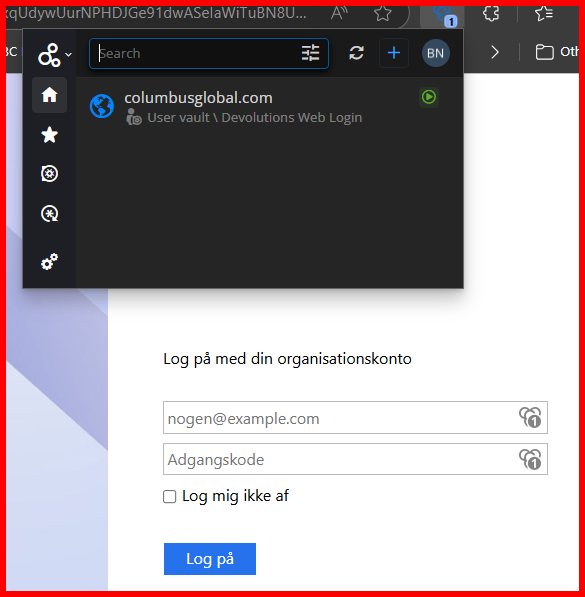 like this you see it has determined that a credential is detected, but I cannot auto fill, but I can use the copy of username (mostly, but this might be me, it has only happened a few times):
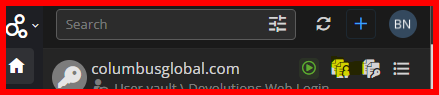 but the password just gives a blank clipboard.
Perhaps I should have made a separate case for the MS Authentication page, since this is also about RDM and not only the extension, but yes this is the page I'm talking about.
The autofill has had issues for a while on these, but then I was able to just use the copy username & password from RDM, but now that don't work anymore, using the button and pasting in the username box put's the password in, so it's like the page is tricking RDM to think it has already pasted the username.
But if the page is run in the the internal RDM browser autofill works just fine
d09cfe3d-da1b-4df3-ba95-52b1171fdcce.png
14d3580e-dc76-4005-ac71-760a945e9251.png
Hi,
When you click the Overview button (the last button that appears when hovering over an entry), can you see if the entry is linked to any credentials?
Then, when viewing the same entry on https://hub.devolutions.com/, are you also able to see whether it’s linked to any credentials in the Overview?
Best regards,
Olivier Désalliers
Not sure what you mean so here's my view of the two: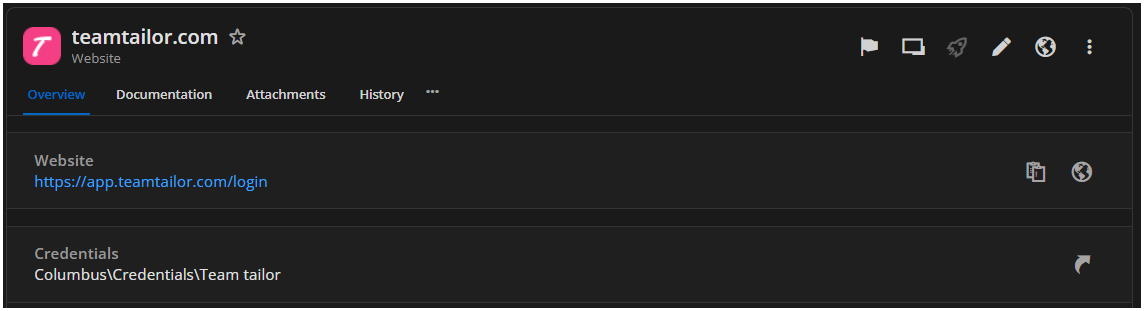
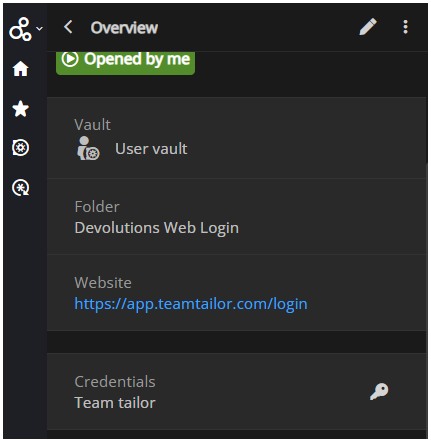 Only difference I really see is that the extension don't show the full path of the credential, but still it's able to get the correct username, with the copy function so it has it loaded in some extend.
d7310234-f7de-4b79-82c2-cf5a773751ad.png
b5378d3c-6db0-46d5-bd8c-fb286fb54f8e.png
Hi,
When you go the credentials from the Website Overview (by clicking the key icon or the arrow next to the credential name), are you able to view the password by clicking the eye icon — both in the browser extension and on https://hub.devolutions.com?
Also, if you create a new username/password credential and link it to the website, does the same issue occur?
Best regards,
Olivier Désalliers
The eye works on https://hub.devolutions.com, but not in the extension
Hi,
I will send you a Direct Message with steps to follow that might resolve your issue.
Best regards,
Olivier Désalliers