workspace quick access copy and paste is greyed out

Since about two weeks I am not able to use copy option from quick access anymore. If I search for an item using quick access and select an entry the copy buttons for all fields are greyed out. Beforehand I was able to use the copy function without issue. As far as I can see I dont see any setting for this within the workspace application or within the permissions of our devolutions server.
Below an example, as you can see the buttons are greyed out and do nothing when you press them.
Does anyone know how to fix this? 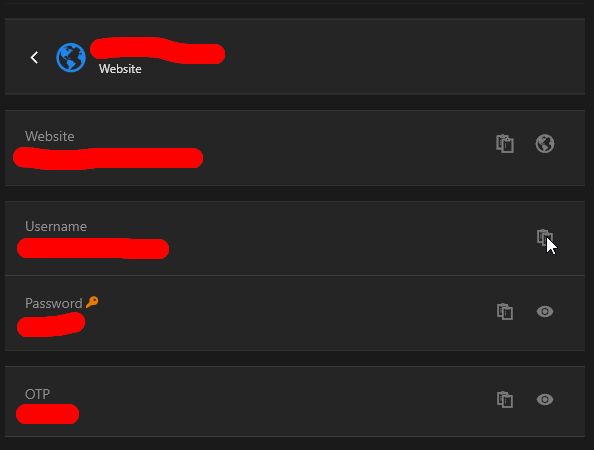
workspace.png
All Comments (5)
Hi,
thank you for your message. Just to clarify, are the copy buttons also greyed out in the entry overview within the application, or is this issue only occurring when accessing entries through Quick Access?
Best regards,
Dany Galarneau
Hi,
they are only greyed out in the Quick Access. Within the application itself I can copy everything.
Hi, we can reproduce the issue. We were supposed to deploy a version very soon, we will add the fix in the new version (2025.1.3).
Best regards,
Sébastien Aubin
Product manager - Password Management
Hi, the version 2025.1.3.0 is out. This version should fix the problem.
Best regards,
Sébastien Aubin
Product manager - Password Management
Hi, I have updated this morning and it seems to work again. Thanks so much for the quick responeses and fix.