Devolutions Password Manager Extension connects with Devolutions Cloud but shows no entries
Devolutions Password Manager Extension connects with Devolutions Cloud but shows no entries

I recently tried to switch to Hub personal since I like to use tho products at work but the Workspace Browser Extension does not show any entries after beeing connected to Hub personal.
Tried on Google Chrome and Brave Browser.
If I click the button to create an entry it tries to load this page but just shows a pulsing Hub logo and never reaches anywhere: https://hub.devolutions.com/on-behalf-of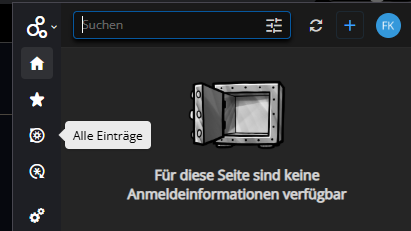
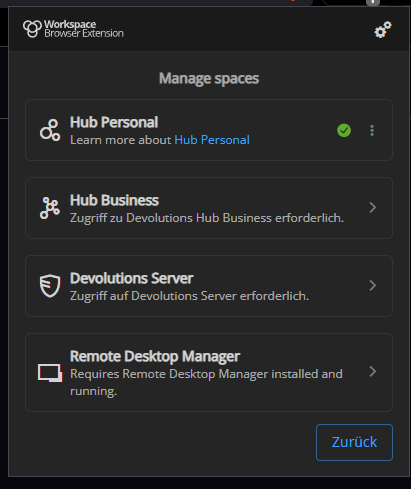
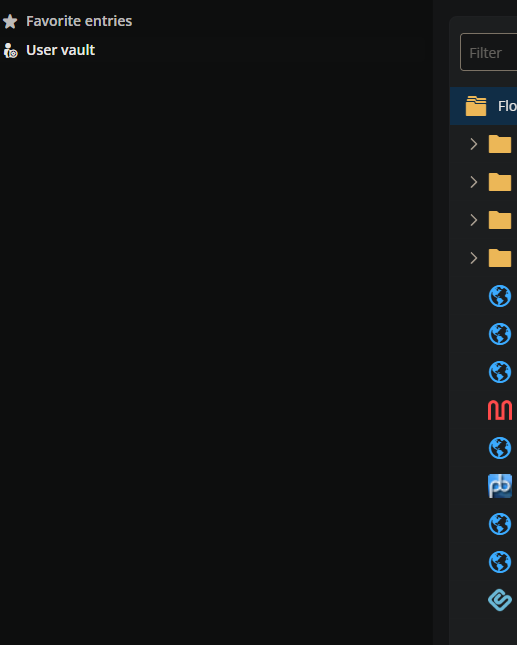
Let me know if I can provide any more information.
2fd1cabf-87fd-4d2a-90e9-2cb4c4eea644.png
6ee47231-75f9-452b-8494-4e5d78d887be.png
111126f4-cabc-4007-aa03-2742302892e8.png
All Comments (22)
I just noticed that It thinks I have no permission to create entries in this folder when I typed my login on a random webpage: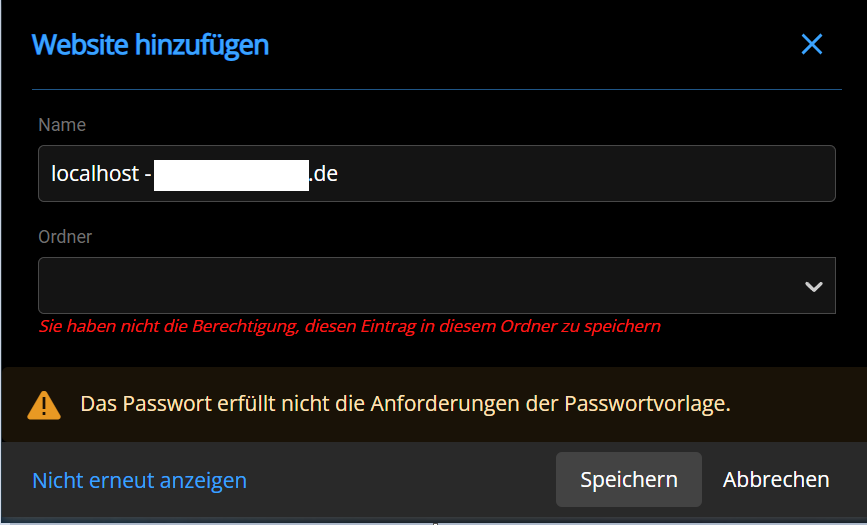
56c689d7-05f4-47c1-a21d-224492b3aab7.png
Hello,
Thank you for getting in touch with us. To better assist you, could you kindly provide us with the following information:
- When you connect your Workspace Plugin to your Hub Personal, does the Success Login redirection link appear?
- Have you tried to reconfigure the Hub Personal in the plugin?
- Could you press "F12" on your keyboard while on the web page where you see the permission error, then try to reproduce the issue and check the "Console" tab for any error messages?
Once we have this information, we will be better equipped to diagnose and resolve the issue.
Best regards,
Maxim Robert
Hi Maxim,
I will try to work through the steps you provided.
When you connect your Workspace Plugin to your Hub Personal, does the Success Login redirection link appear?
I just deactivated the connection from the Plugin to reconnected it. The success screen did shop up.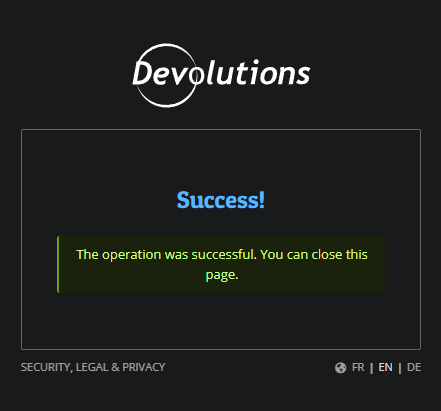
Have you tried to reconfigure the Hub Personal in the plugin?
Iam not exactly sure that I understand this question. Do you mean this: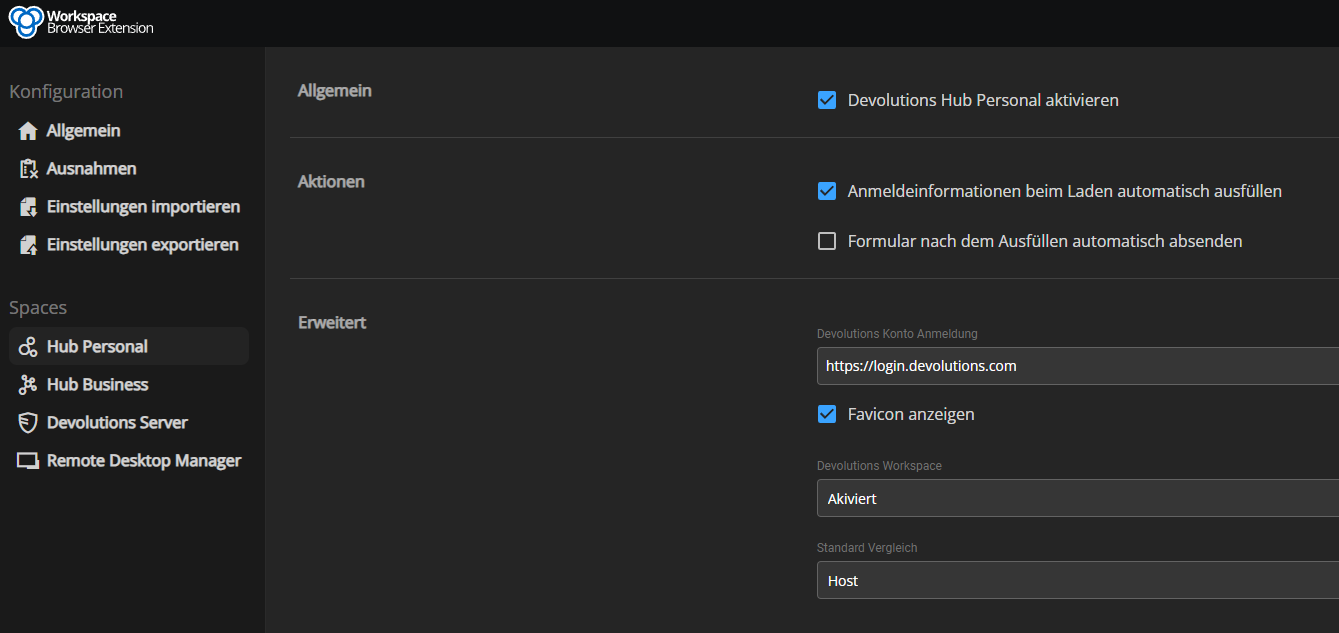
With this default login it still tried to reach "https://hub.devolutions.com/on-behalf-of" if I try to add an entry via the "+" button 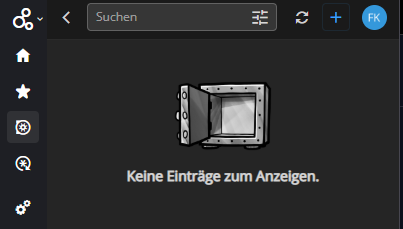
Could you press "F12" on your keyboard while on the web page where you see the permission error, then try to reproduce the issue and check the "Console" tab for any error messages?
I tried a bunch of different Websites to find out which errors seem common since I recieved a lot of errors in the console tab depending on the website.
This is what seems to be common:
Before testing, I disabled UblockOrigin and Brave's protection.
Let me know if I can provide further information.
89f97546-1a99-4b67-8d52-06ac18acba6b.png
1a15c7ca-2797-498d-85b8-ef3c96f223c1.png
c3a9c5ca-b4ec-4a81-956e-1fcc7dd2fe44.png
981b657f-7482-4f65-8e3c-4a23135f128e.png
Hi,
I will send you a Direct Message with steps to follow that might resolve your issue.
Best regards,
Olivier Désalliers
Hi,
I will send you a Direct Message with steps to follow that might resolve your issue.
Best regards,
HI I have the Exact same problem can you dm me the solution too?
Hi,
I will send you a Direct Message with steps to follow that might resolve your issue.
Best regards,
HI I have the Exact same problem can you dm me the solution too?
I'm glad that I'am not the only one with the problem but we are still trying things to resolve the issue on my end.
I'll try to remember posting here if a solution is found.
Hi,
I will send you a Direct Message with steps to follow that might resolve your issue.
Best regards,
HI I have the Exact same problem can you dm me the solution too?
I’ll send you a some steps to follow via private message to help determine if it’s the same root cause.
Olivier Désalliers
I just set up another Hub Personal account with another mail address for other stuff. Here, everything works just fine!
Cloud it be about the mail domain? My personal Hub mail which doesn't work need to be whitelisted
Hi,
The upcoming version of Devolutions Workspace Browser Extension will include a fix for both your issue.
Best regards,
Olivier Désalliers
Hi,
The upcoming version of Devolutions Workspace Browser Extension will include a fix for both your issue.
Best regards,
Great news, thanks a lot. Can't wait for the Update to finally use it
Hi,
The upcoming version of Devolutions Workspace Browser Extension will include a fix for both your issue.
Best regards,
Any news on the Update? When?
Hi,
They are currently under review by the Chrome Web Store and Microsoft Edge Add-ons Store and should be available by early next week.
Best regards,
Olivier Désalliers
Hi,
Devolutions Workspace Browser extension 2025.1.3.8 is now available for Chrome, Edge, Firefox and Opera.
Best regards,
Olivier Désalliers
I am using Vivaldi Browser with Chrome Plugin 2025.2.1.0 MV3 and have the same Problem, adding a website over "+", any clue why?
Hi,
Are you able to see them in the web interface (https://hub.devolutions.com), Remote Desktop Manager or Workspace Desktop/Mobile?
Also, does the issue persist after logging out and logging back in using the Devolutions Workspace browser extension?
Best regards,
Olivier Désalliers
The web interface works fine, but when trying to add a new website using the '+' button, I get stuck at https://hub.devolutions.com/on-behalf-of. Adding a new website via the mobile app or Windows Workspace is a bit tedious but i see them after a refresh in the browser extension.
Logging out and clearing browser cache did not help.
Hi,
Just to confirm I understand the issue correctly, it’s not that you’re unable to see entries in the extension, but rather that clicking the “+” button (to add a website) causes the tab (to https://hub.devolutions.com/on-behalf-of) to load indefinitely?
When the page loads indefinitely, could you right-click anywhere on it, select ‘Inspect’ in the context menu, go to the ‘Console’ tab, take a screenshot of what you see in the console tab and send us the screenshot?
Best regards,
Olivier Désalliers
Thanks for your help,
Yes that is my problem, also trying to edit a entry results in the same loding page.
I do not see any drops in the Firewall but disabled it for troubleshooting, as well as my Pi-hole. It is still the same.
Here is the Screenshot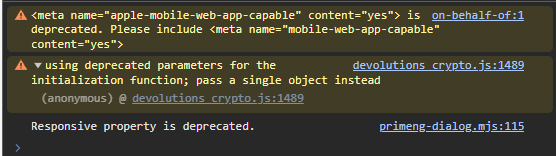
dd95f525-b775-40fe-aeef-3c9b979e88a4.png
Hi,
Thank you for the screenshot.
We’ve been able to reproduce the issue, but only in the Vivaldi browser. Could you confirm whether the functionality works as expected in other browsers such as Google Chrome, Microsoft Edge, Mozilla Firefox, Brave, or Opera? This will help us determine if the issue is indeed specific to Vivaldi.
We will investigate why this appears to affect only Vivaldi on our end.
Best regards,
Olivier Désalliers
Sure!
Edge:
Never used it, worked fine after installing the extension.
Firefox:
Works fine.
Chrome:
Same behavior as Vivaldi (both are Chromium based)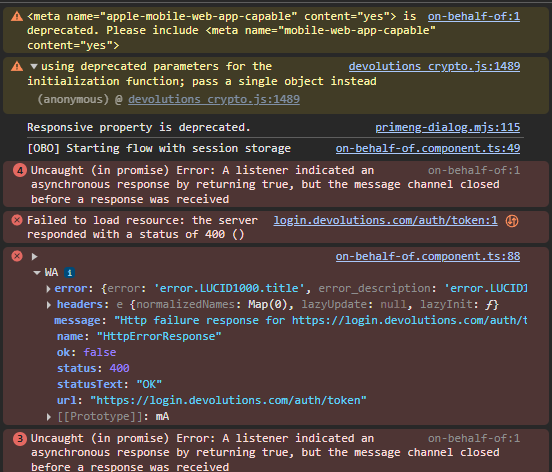
2552ea2c-b412-4e34-a686-90372f4eeee5.png
Hi,
Devolutions Workspace Browser extension version 2025.2.3.1 is now available. This update includes a fix specifically for your issue.
If you’re still experiencing the issue with either Chrome or Vivaldi after the update, please try logging out and logging back in, as this may help finalize the changes.
Your browser should automatically update the extension during its next check for updates. If you’d like to update it manually, follow these steps:
1. Go to chrome://extensions/
2. Enable Developer mode (toggle in the top-right corner)
3. Click the Update button at the top of the page
Best regards,
Olivier Désalliers
Yep,
Thanks, Vivaldi Works again, before login logout the loading times were rather long, I think relogging fixed that.
Thanks again!