About Otp token Ssh Auto Login

Subject : About Otp token Ssh Auto Login
-ssh login added
- Web browser login information for PAM was entered in the host field.
- We entered our pam-related parameters into the username field and were able to log in.
- The password field is left blank.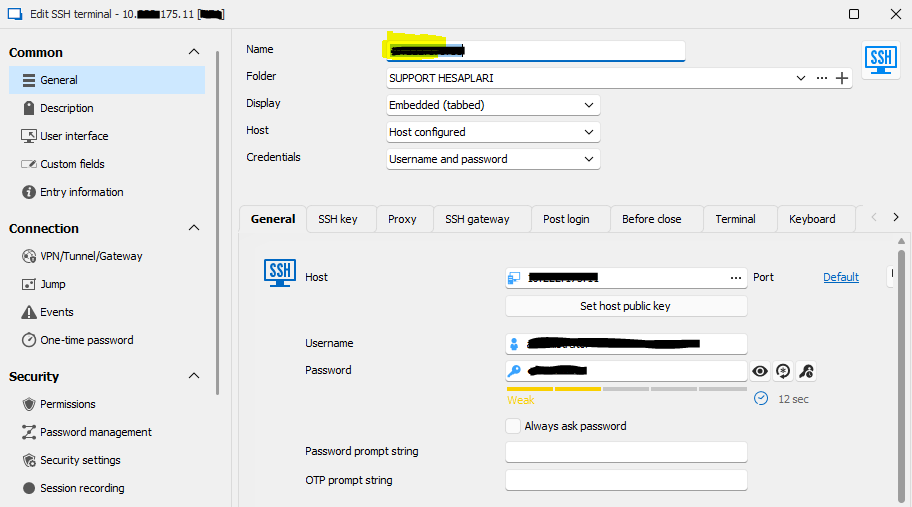
- Oath otp client qr code was received via pam and otp entry was added on rdm.
- Name : pam otp
- Account: pam
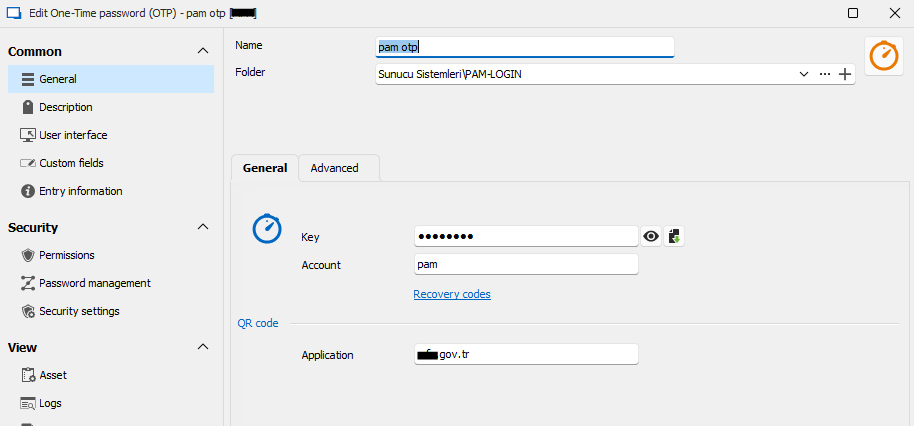
- We can get the token code via one-time password otp.
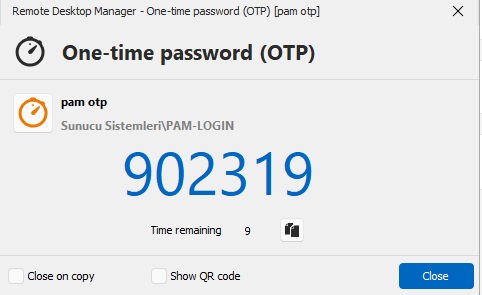
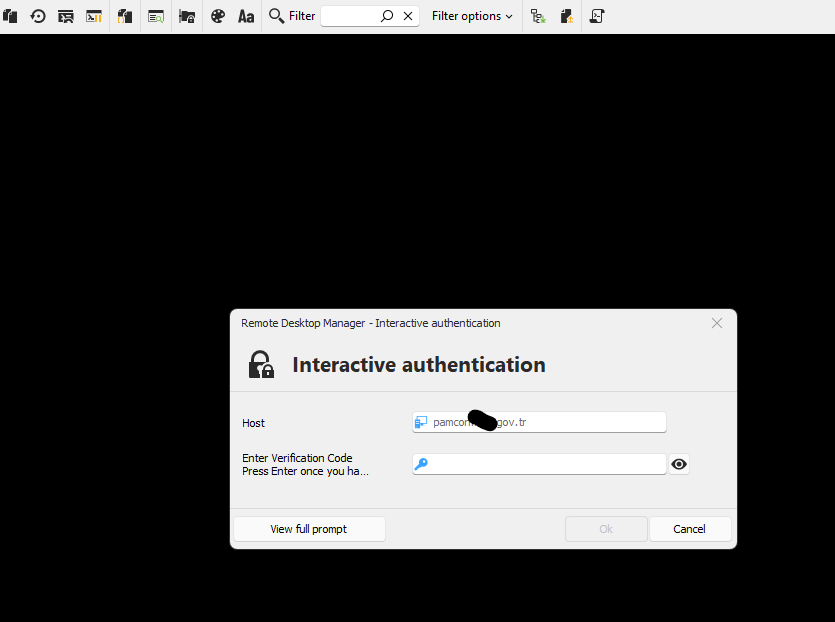
- When we enter the OTP token code we received in the picture above on this screen, we can log in to the system manually.
- Our problem is how we can log in automatically with this OTP token. How can we integrate OTP with Entry?
4.png
3.png
2.png
1.png
All Comments (4)
Hello,
Thank you for reaching out on this matter.
I recommend checking the Event menu in the entry properties. There, you can configure a typing macro that will automatically input text where your cursor is located.
You can use variables such as $USERNAME$, $PASSWORD$, and $ONE-TIME-PASSWORD$ to streamline the process. Additionally, you can set an initial wait timer to allow RDM to process the entry before the macro starts typing.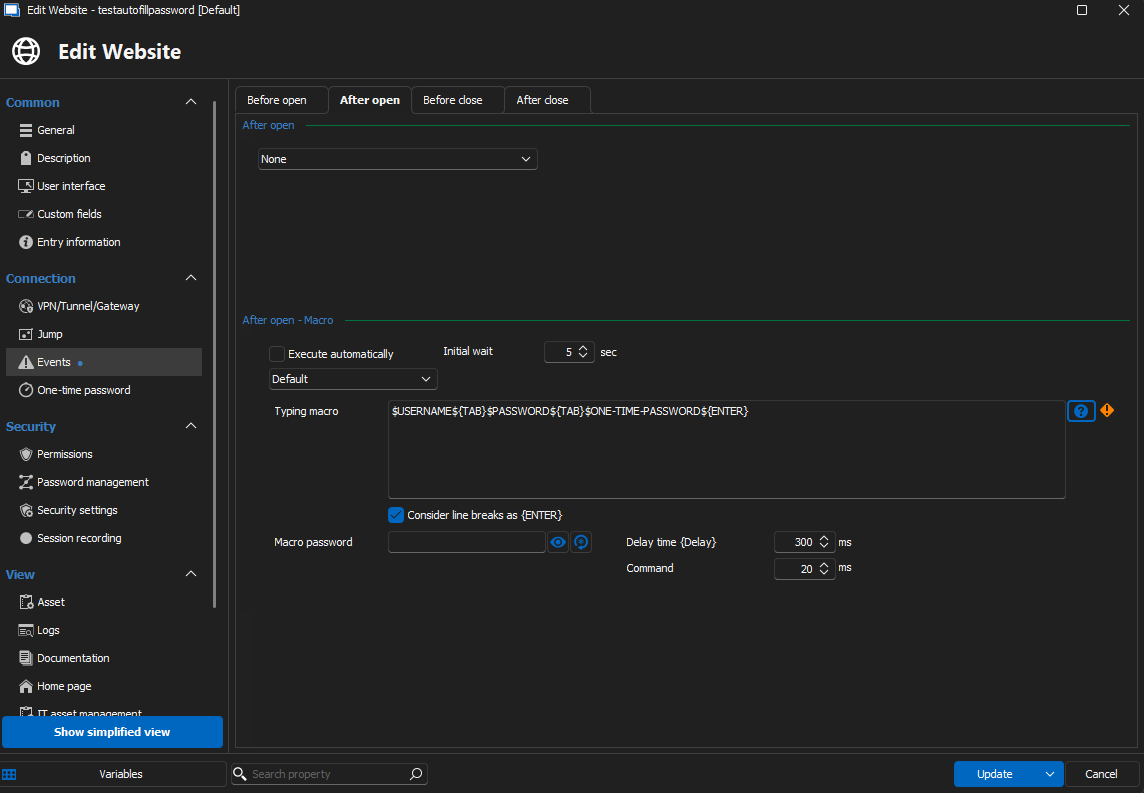
Please test it out and let me know the results. I'm happy to assist if you need further guidance!
Best regards,
Jacob Lafrenière
41a5e728-f0c8-4c34-9cfc-9220a95ae1f3.png
Hello,
Thank you for following up.
Could you please try configuring the OTP on the entry using the linked vault option? You can then link it to the OTP entry.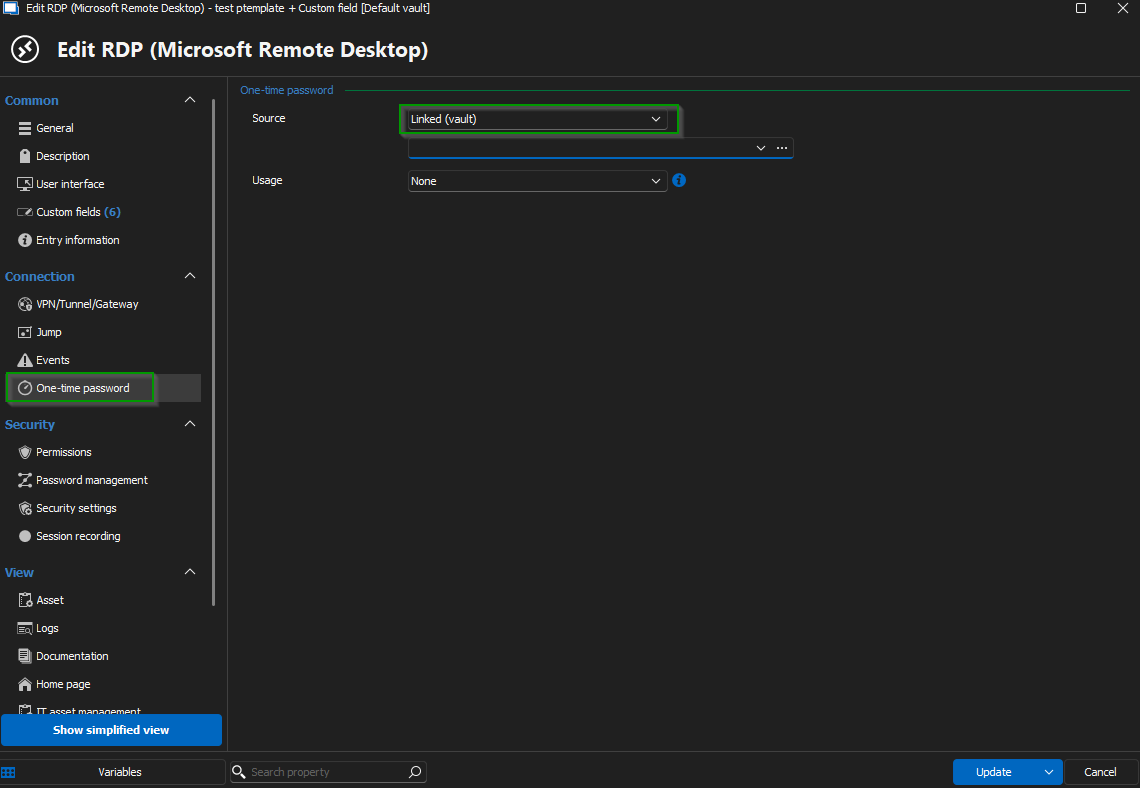
Once done, test it out and let me know if it’s moving in the right direction.
Best regards,
Jacob Lafrenière
e785f949-9e43-4173-9c00-5e4cf2d0b25a.png
Unfortunately it didn't work, it asked for the one-time code again
Hello,
Thank you for following up.
Currently, the only entry type that can automatically insert an OTP code is the website entry type.
For other entry types, you will need to set up a typing macro to input the OTP for you.
You can familiarize yourself with the different setup options using the following guide:
https://docs.devolutions.net/rdm/kb/how-to-articles/entry-types-events-settings/event-auto-typing-macro/
Please test it out and let me know if you have any questions.
Best regards,
Jacob Lafrenière