Change entry type - Web fails

Hi
I have imported Alot of entries in Devolutions HUB.
But it is from an old system and all imported entries is marked as RDP or other.
When I try to change the entries to WEB (in RDM: right-click -> Edit (special action)).
The process fails, but i do not get any error message except (Batch action could not be executed.).
Is there a way to find a more usefull error message?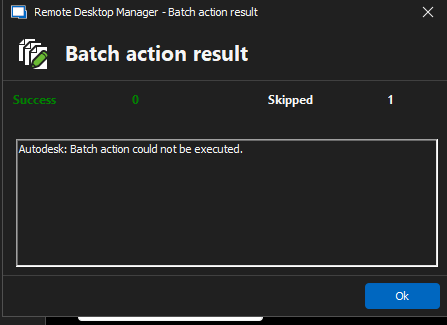
I have no idear what goes wrong...
Thanks on anvance
/Graves
Screenshot 2025-02-25 103532.png
Recommended Answer
Hello,
I believe you can do this through a template. You will have to create an empty "Username and password" template. To do so simply go in File -> Templates -> Entry Templates, then press the "+" to add a template and select a "Username and Password" entry. Give it a name and then leave all other fields empty.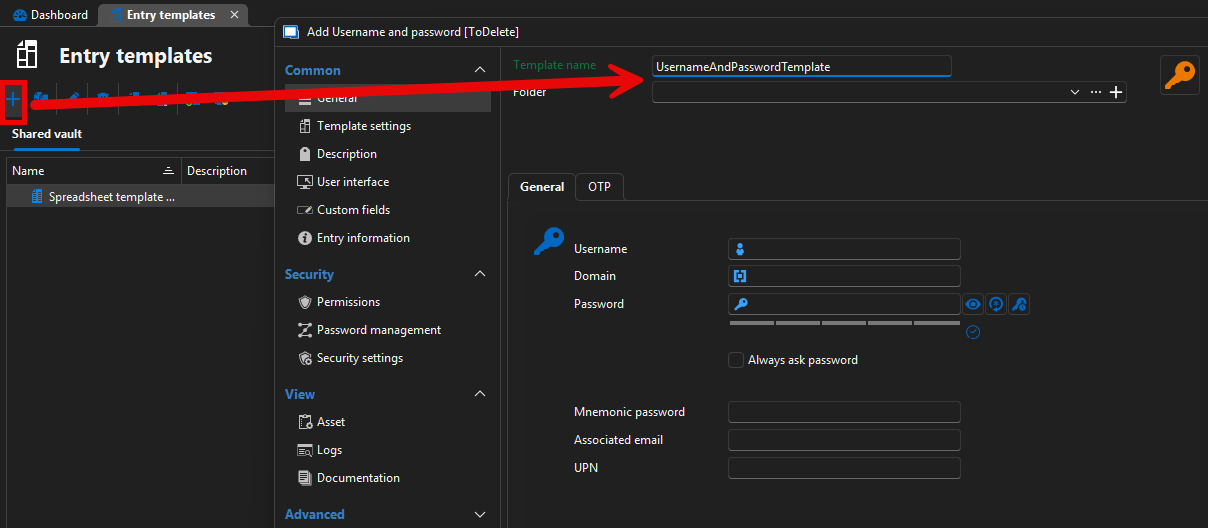
Once your template is created, repeat step #1 from my previous answer but instead of choosing "Change Type" in step #2, you will choose "Convert with template". Doing this will prompt the following form.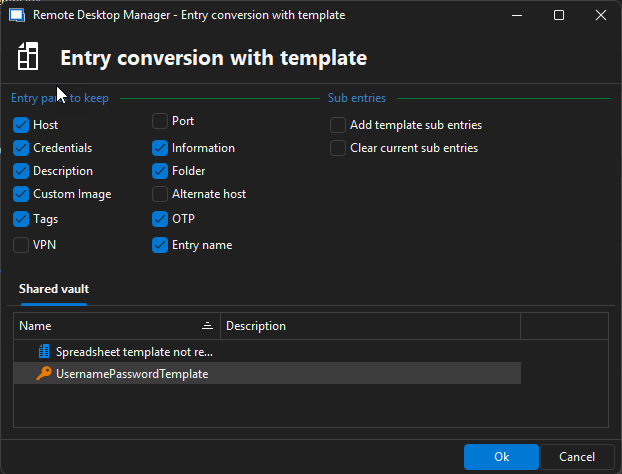
Simply double click your credential template and your RDP entries should now be converted to username and password credentials.
Best Regards,
Michaël Beaudin
c55afbc1-dcd8-4f40-99a8-b6784971b2f6.png
93bc4e89-1df8-4c5e-9b81-1a409887ebac.png
All Comments (7)
Hello,
Could you confirm your RDM version and which Hub data source that you are using? (Hub Business or Hub Personal)
Have a good day!
Maxime Morin
Hi
It is Hub Business
And my RDM version is: 2024.3.29.0 64-bit
Thanks.
Hello,
This message appears because of either your user's lack of edit permissions on the selected entries or the fact that you are using a special action which isn't supported by your selected entry type.
I believe this is happening because you are using a conversion special action like "Convert website (legacy) to website" or some other choice which is the wrong selection for this type of conversion.
We will avoid this confusion starting from the version 2025.1.20.0 of RDM by removing the special actions which cannot be performed on at least one entry in your selection.
To perform what you wish to do you need to do the following :
1 - Select your RDP entries and go to Edit -> Edit (special actions)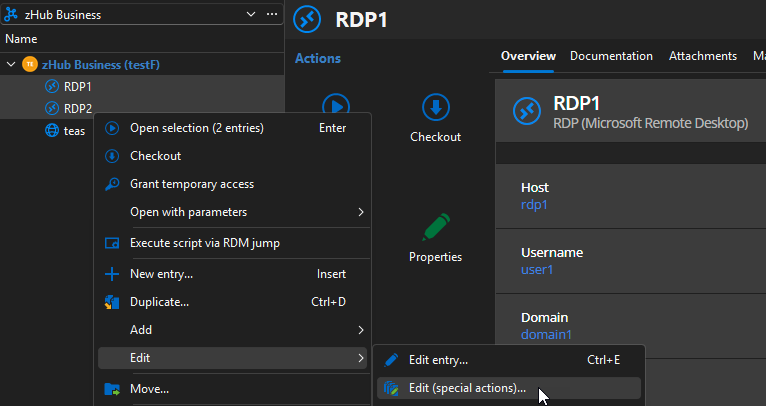
2 - Go to the "Template" section and select "Change Type" 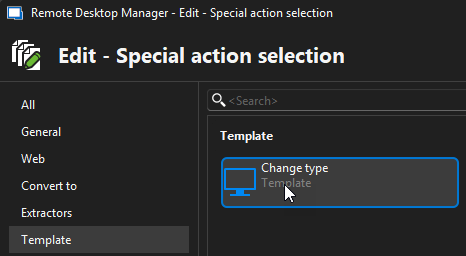
3 - Select "Website" in the combobox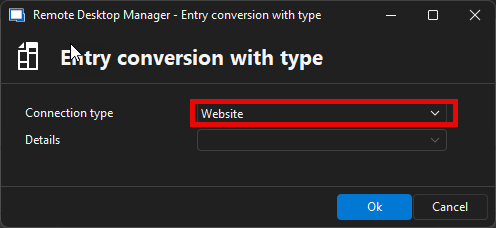
4 - Press Ok and your entries should be converted to websites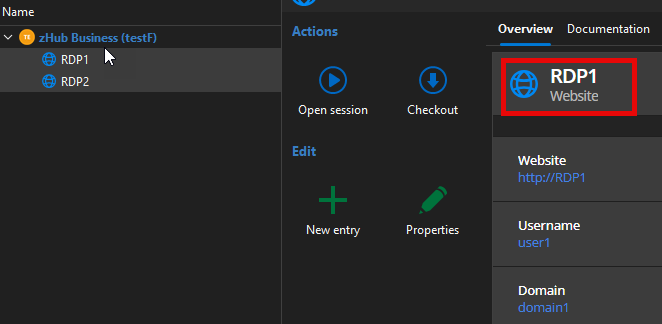
Best Regards,
Michaël Beaudin
03343a5c-4b4a-4413-ae87-bccc5b87e364.png
08a32df2-3d2e-4e62-b47e-aad70590354a.png
b2e95619-aec1-41e8-9d18-32ca7943b6c7.png
c703bdb4-39ec-4285-95d3-e970459c5c7c.png
oh perfect :-)
That works perfect, fantastic, Thanks.
one more thing :-)
is there a way to multi convert to a "Credential Entry"?
When i multiselect, this option is not avaliable
It would also be ok if i could convert the entry to a Credential Entry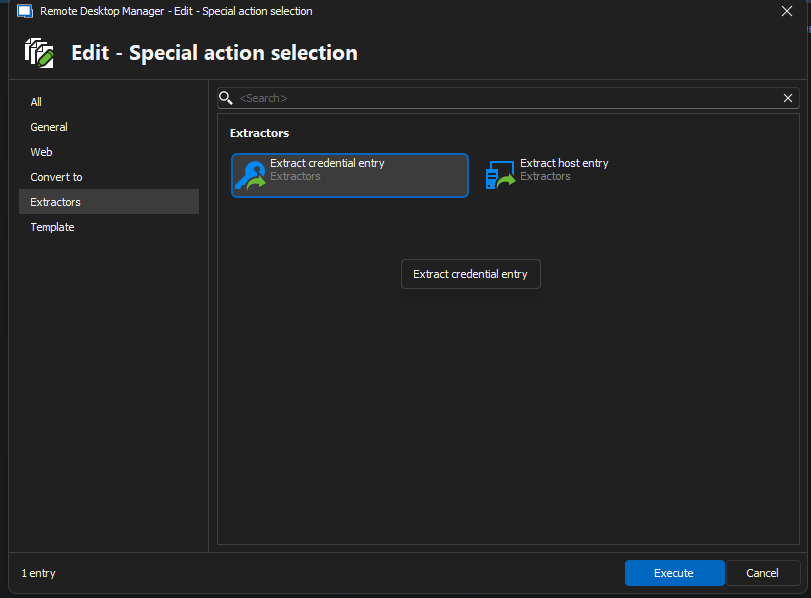
But I have some (x00) entries that should be converted to Creential, there is no host om them.
is there a way to do that in batches?
/Graves
Credential Extractor.png
Hello,
I believe you can do this through a template. You will have to create an empty "Username and password" template. To do so simply go in File -> Templates -> Entry Templates, then press the "+" to add a template and select a "Username and Password" entry. Give it a name and then leave all other fields empty.
Once your template is created, repeat step #1 from my previous answer but instead of choosing "Change Type" in step #2, you will choose "Convert with template". Doing this will prompt the following form.
Simply double click your credential template and your RDP entries should now be converted to username and password credentials.
Best Regards,
Michaël Beaudin
c55afbc1-dcd8-4f40-99a8-b6784971b2f6.png
93bc4e89-1df8-4c5e-9b81-1a409887ebac.png
oh Thanks :-)
This is so great!!
/Graves
Glad to know this worked for you.
Do not hesitate to contact us again if you encounter any other issues :).
Best Regards,
Michaël Beaudin
