RDP Multi monitor
0 vote

Hey Guys,
I can't seem to get multi monitor working on RDP
The guide here says to enable span on multiple monitors but this is not an option for me https://docs.devolutions.net/rdm/kb/how-to-articles/display-rdp-multiple-monitors/
I've tried a few options but nothing seems to work.
Any ideas?
TIA :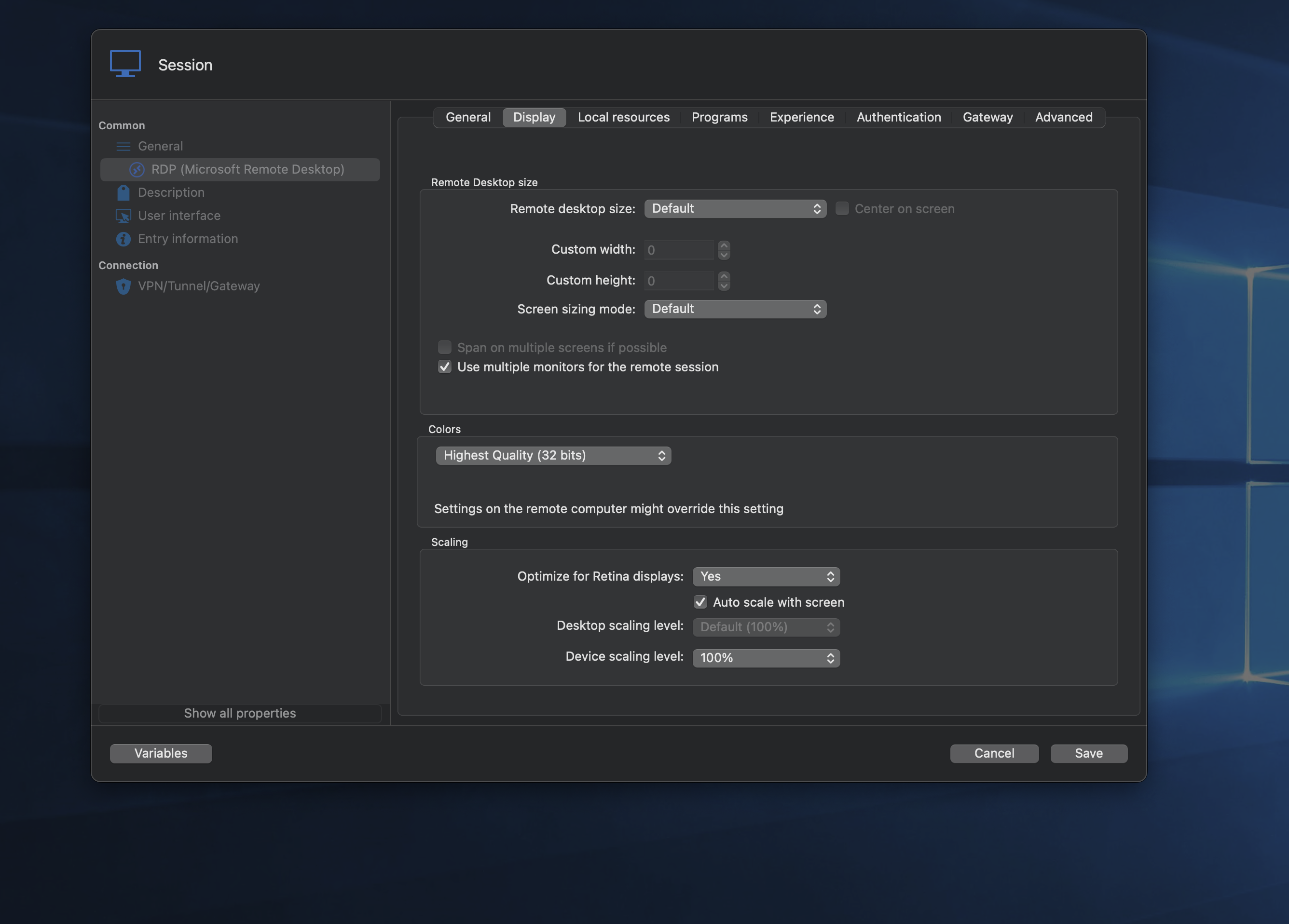
0fb463f3-311e-4f24-ad11-c178af45f443.png
Capture-1402-1110-000868@2x.png
All Comments (8)
Ahh so on windows it open the native RDP client which is missing on mac.
It is now called windows-app. Tested and multimonitor support works :)
https://apps.apple.com/us/app/windows-app/id1295203466?mt=12
Any chance the functionally from windows can be passed to mac via the windows-app?
Hello,
Thank you for reaching out to Devolutions Support.
The "Display RDP on multiple monitors" option is not supported on Mac and Linux in embedded mode.
However, as you mentioned you should be able to see this option if you switch the display mode to external.
I will convert this forum post into a feature request so that the developers can evaluate the possibility of implementing this option in the future.
Best regards,
Carl Marien
Thanks. I did try external also but still opened in embedded
Hello,
You are right; in the latest version of RDM for Mac, I am also unable to open a web entry externally. I will create an internal case and keep you updated on any progress from our side.
Best regards,
Carl Marien
ty
Hello
Could you please provide us with a screenshot of your entry property? Additionally, we would appreciate it if you could test whether the entry opens as expected when selecting "Open Externally" from the action bar.
Thank you in advance for your assistance.
Best regards,
Carl Marien
The entry shows the following which is for the old app
open -a "/Applications/Windows App.app" "rdm://open?DataSource=13547a84-be7a-4d4a-a91a-804660936437&Session=c1779ece-b335-4fe2-84c0-628b1ff42196"
The location/name of the correct app is:
'/Applications/Windows App.app'
See attached screenshots plus I did try options in program tab with no luck
Capture-1802-1259-000892@2x.png
Capture-1802-1259-000893@2x.png
Capture-1802-1301-000894@2x.png
Hello,
thanks the follow up.
To keep the forum focused on your original issue, I will create a case and send you a link via email for a session. We will continue troubleshooting the issue through the case.
Best regards,
Carl Marien