My Privileged Credentials not staying connected to 1Password

Hi, I've signed up for Devolutions Hub and paid for a RDM Teams license so that I can sync my sessions to the cloud and link to an external credential manager (in my case, 1password). I now want to attach my sessions to 1password credentials.
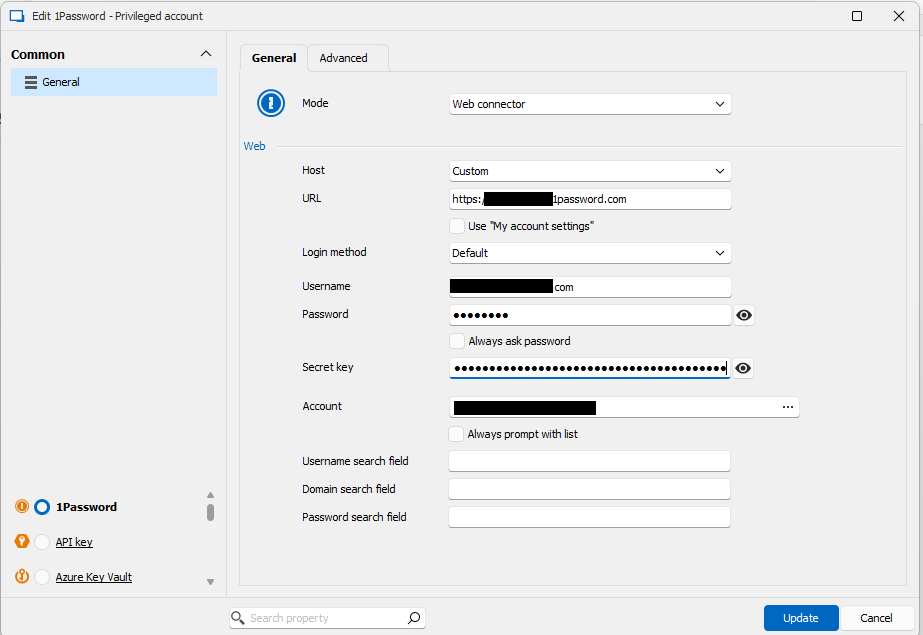
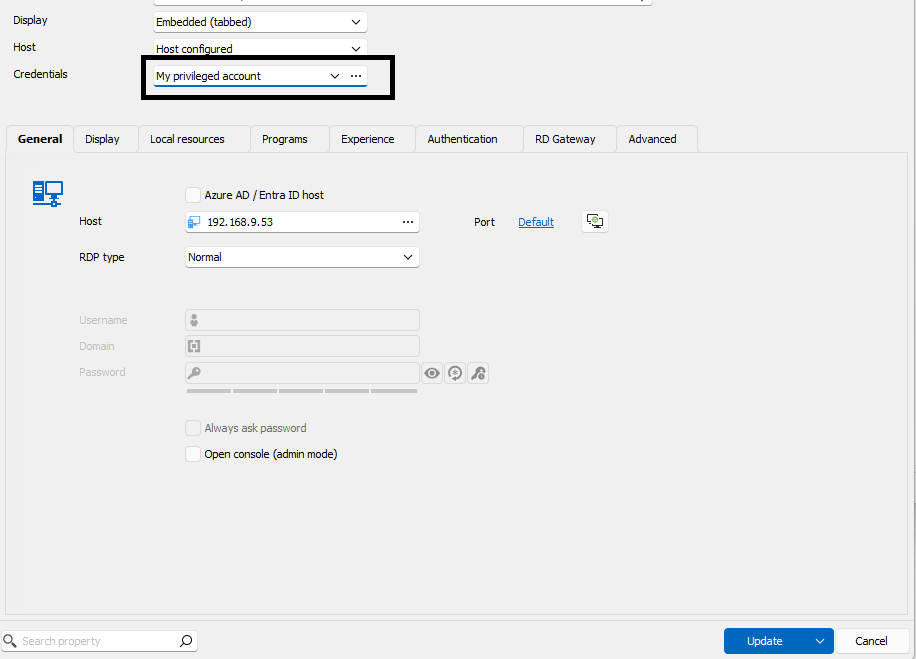
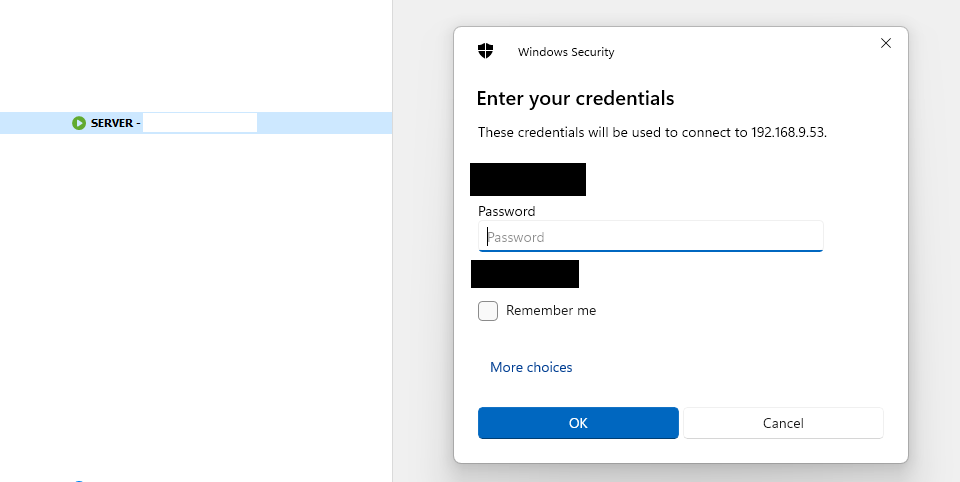
I have imported my locally stored sessions from a .db file to my Hub account and they're showing up fine. But, when I try to link one or more of these sessions to my 1password account, it doesn't stick. After changing the credentials to a record in my 1password account, the next time I try to open the session it pops up asking me to enter the credentials manually. When I go back to edit my record, it still says "My privileged account" under credentials, as though I've linked it, but if I click the ... to, for example, change the credential it links to, it brings me to the "Add my privileged account selection" window and if I select 1password again, everything I entered before needs to be re-entered. It's like my 1password link is not sticking.
You can see some of what I'm referring to in the attached screenshots.
Any idea what I might be doing wrong?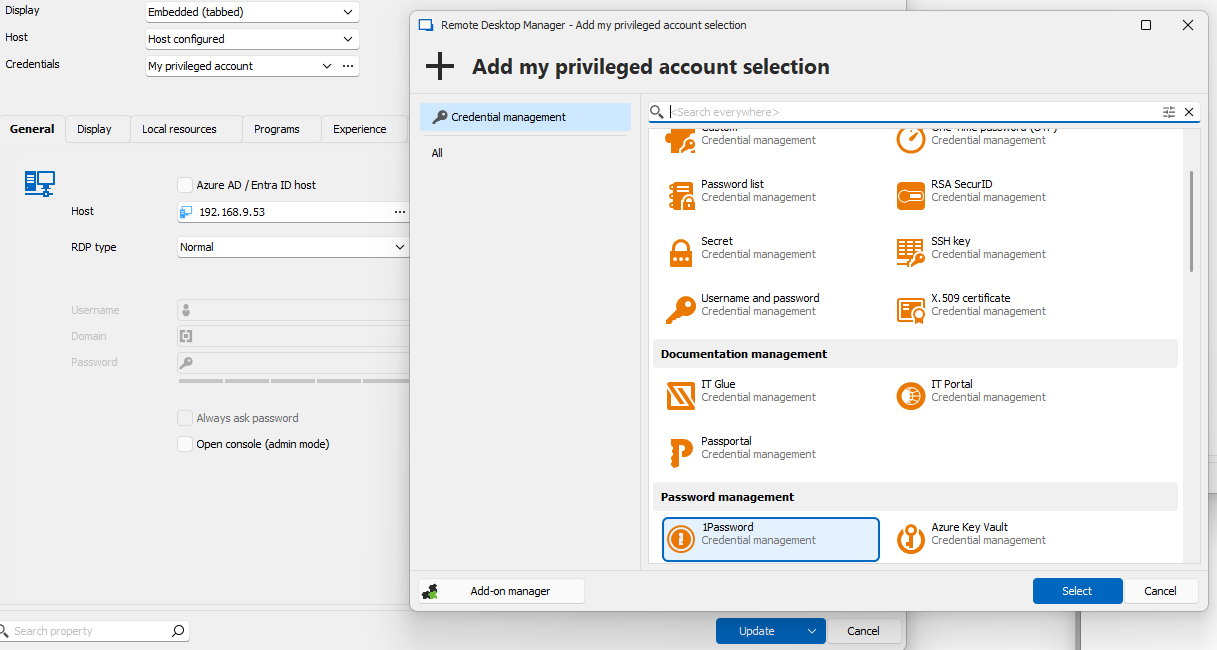
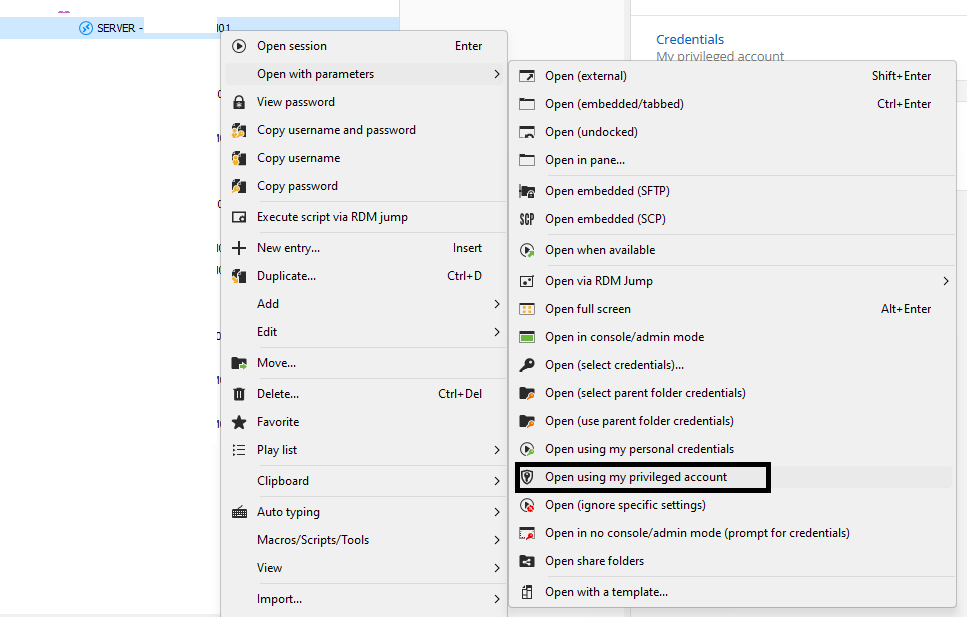
Screenshot 2025-01-02 161258.png
Screenshot 2025-01-02 161340.png
Screenshot 2025-01-02 161459.png
Screenshot 2025-01-02 161524.png
Screenshot 2025-01-02 161539.png
Recommended Answer
Hello,
During our session, we determined that the issue was resolved by resetting RDM to its default settings. This can be done by renaming the Devolutions folder located in `%LOCALAPPDATA%\Devolutions\`. Please ensure you export your entries beforehand if you are using a local data source.
Additionally, we identified a more efficient solution for addressing the issue. Rather than using privileged credentials, we recommend creating a 1Password entry, linking it to the relevant item, and selecting the appropriate credentials in the entry's properties.
This method ensures that credentials are specifically associated with each entry, eliminating the need for privileged credentials and enabling customized credentials for individual entries.
Best regards,
Carl Marien
All Comments (5)
Hello,
Thank you for reaching out to Devolution Support.
I am currently unable to reproduce the issue you described. Could you kindly provide a detailed step-by-step guide to help me recreate the problem?
Best regards,
Carl Marien
OK
- Edit session (this is an RDS session)
- Set credentials to My privileged account
- ...
- Choose 1password
- Web connector
- Log into host and choose an Account
- Update
- Update
Open session and it prompts me to log in like I didn't link it to an account.
- Edit session (again).
- My privileged account is still selected. Click ...
- Choose 1password
- I have to log into my 1password again. It's like nothing's saved.
Hello,
Thank you for providing the step-by-step details.
Unfortunately, I was unable to recreate the issue even after following your instructions. Would it be possible to schedule a session with you? I believe it would be very helpful to collaborate and replicate the issue together.
I have sent an email to your address where you can suggest a convenient time for the remote session.
Best regards,
Carl Marien
Thank you so much. I'll reply to your email.
Hello,
During our session, we determined that the issue was resolved by resetting RDM to its default settings. This can be done by renaming the Devolutions folder located in `%LOCALAPPDATA%\Devolutions\`. Please ensure you export your entries beforehand if you are using a local data source.
Additionally, we identified a more efficient solution for addressing the issue. Rather than using privileged credentials, we recommend creating a 1Password entry, linking it to the relevant item, and selecting the appropriate credentials in the entry's properties.
This method ensures that credentials are specifically associated with each entry, eliminating the need for privileged credentials and enabling customized credentials for individual entries.
Best regards,
Carl Marien