Unable to add Hub Personal as data source in IOS app

Hi there,
Hope you can help me.
I'm on iPhone 15 (Pro Max, 18.2, latest version of RDM), after I launch the app, it started with Local Source, so trying to add a new data source. I chose "Hub Personal", and keyin my username, after clicked done, I got this web page pop up asking me to authenticate, which I did, but after that, while the app tried to connect to my account and load content, I was kept getting these 2 error msgs... see attached. What's the issue here? Any idea how to resolved this? Btw, I have the MacOS version working fine without any issue, and connected to the Hub Personal... Thank you!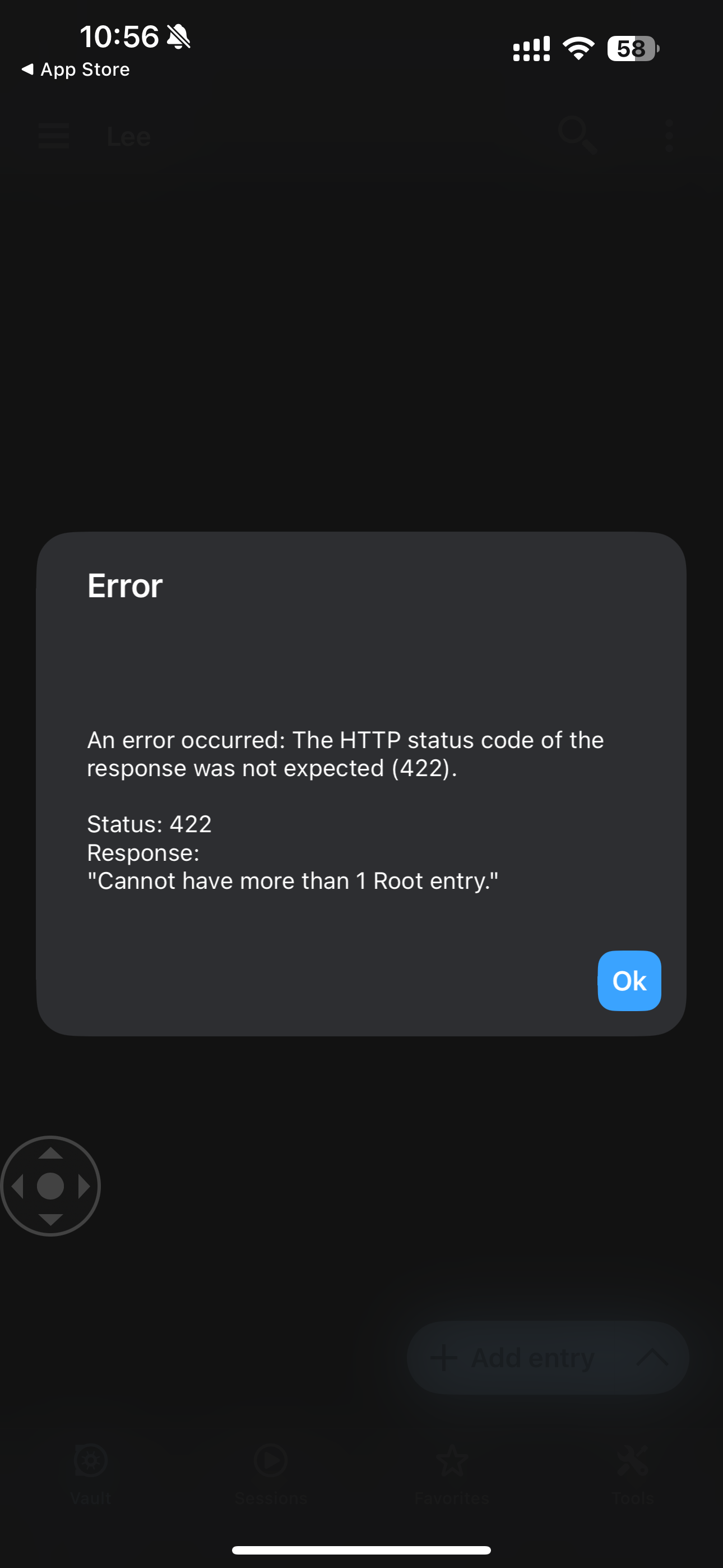
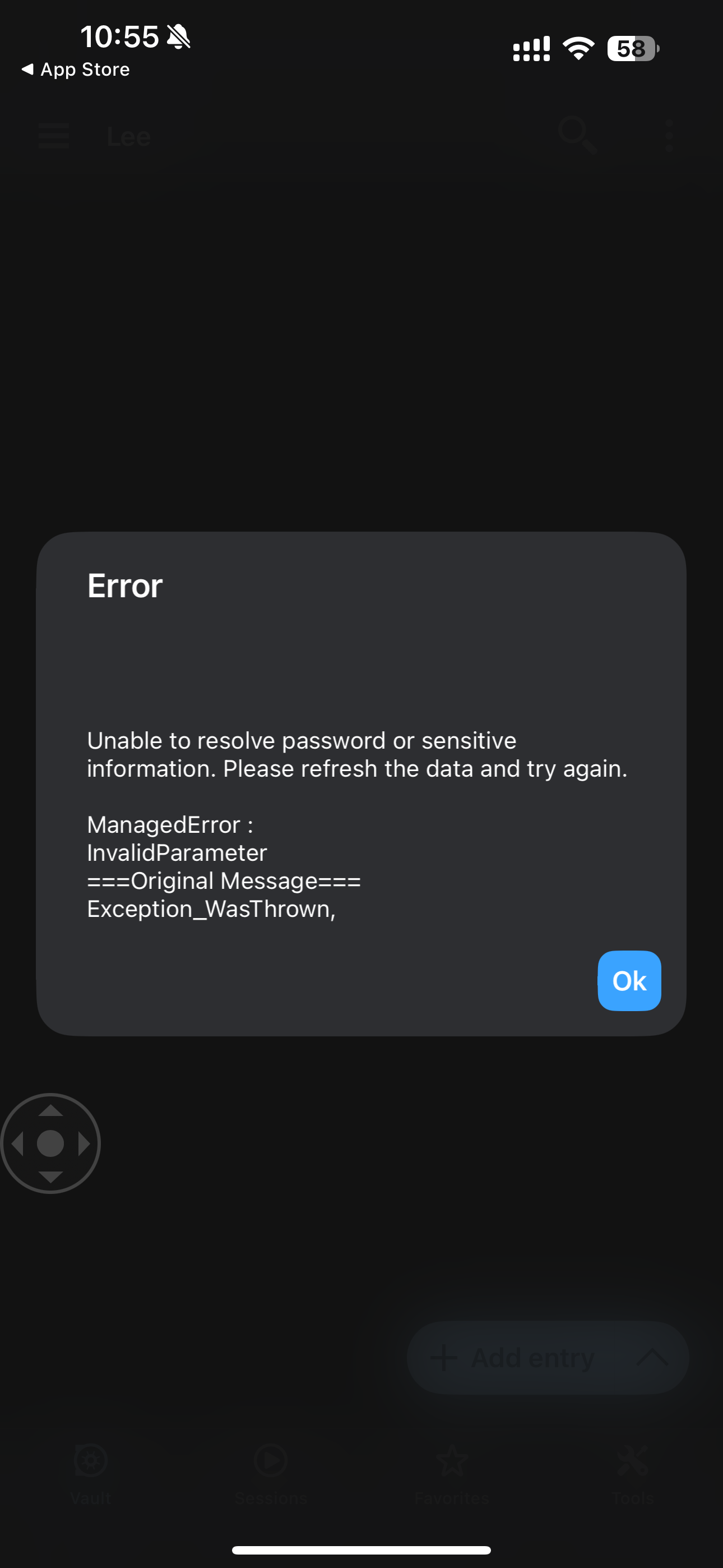
msg2.PNG
msg1.PNG
All Comments (7)
Hello,
Thank you for reaching out to Devolution Support.
The error message about not being able to have more than one root entry is intriguing. Would it be possible to move all the entries in the root folder into a new folder and check if the error message reappears?
If the message does reappear, could you please share a screenshot of how your entries are configured on your end? I’d like to try reproducing the issue on my side.
Best regards,
Carl Marien
Hi Carrl,
Thank you for your help here.
I only had 1 entry in the root, so I have moved it into a folder, and now I have 10 folders under root folder... this is how it looks now.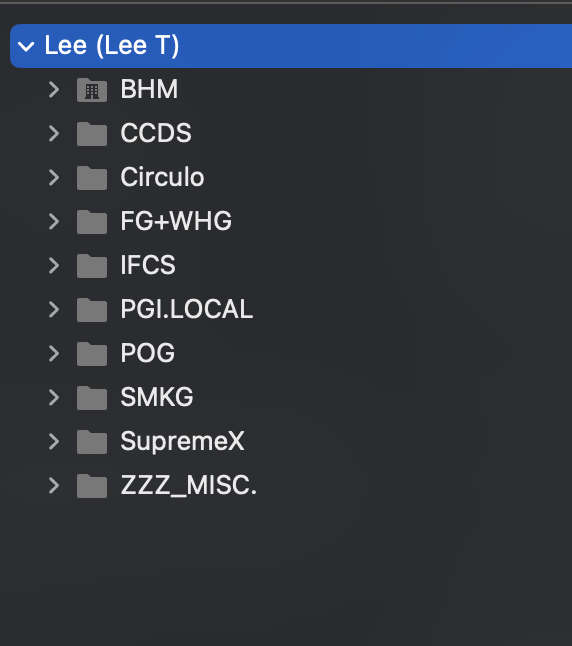
Which part you want me to screenshot and show you?
Thansk!
12c6b6a1-8ae1-4fdb-b1f9-6e2a79fb7c87.png
Oh actually, I just noticed in my web portal of the Hub Personal, and I see all my folders are doubled for some reasons... and the contents in them are not the exactly the same... How come?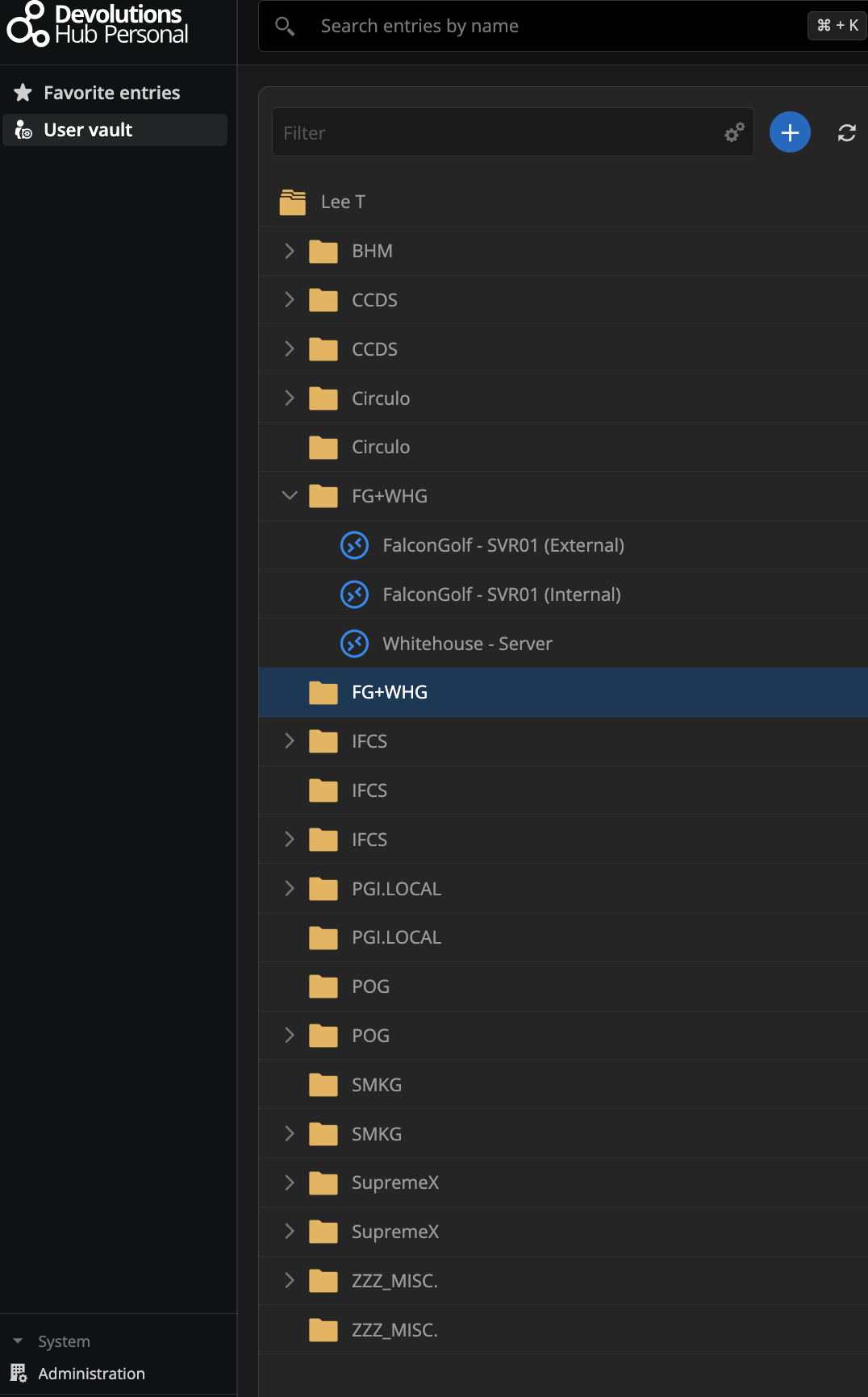
e5fc1484-77bf-43fe-bf9c-44bb082a814e.png
Hello,
We sincerely apologize for any inconvenience caused. To better understand and resolve your issue, could you please provide us with the following information:
- The versions of RDM Mac and RDM iOS you are currently using.
- A detailed breakdown of all actions performed on each platform (Web, Mac, and iOS), including tasks such as exports, edits, and any other significant activities.
- Confirmation if you have recently migrated your Hub Personal from the Hub Personal Legacy platform.
Your cooperation will greatly assist us in addressing your concerns effectively.
Best regards,
Maxime Brousseau
So for the sake of testing, I have setup a BRAND NEW account from scratch... this is my new account.
I created a new Portal account, received the activation email and activated my new account, then went straight to the Hub Personal site, and started a new account there, all without any issue.
Then I started my iOS app (ver 2024.3.5, latest version for my iPhone 15 Pro Max w/ iOS ver. 18.2), and went to Select Data Source, pressed the "+" sign and chose "Devolutions Hub Personal", pressed Select, then added a name, and keyed in email address (same as the Devolution portal account), clicked on Done. Then clicked on the drop down menu to pick the newly created Hub Personal account, then it asked me to login to the Devolutions portal, Authorize the permissions, then started receiving the below errors... and stuck on the last error msg "Cannot have more than 1 root entry" forever, cannot quit until I kill the app. Please member, I don't even have any connection entries yet in the account as this account is brand new.
Thank you for your time in advance, appreciate it!
IMG_4225.jpg
IMG_4224.jpg
IMG_4223.jpg
Hello,
We tried multiple times to reproduce your issue using the exact same version of RDM and iOS, but we were unable to encounter the issue. We followed the same steps you described.
If you could create a new test account that exhibits the issue, it would greatly assist us in our investigation. You can send the information via direct message.
Best regards,
Maxime Brousseau
Hi Maxime,
The one I"m using right now IS a brand new account I created 3 days ago. as I mentioned above.
I did manage to resolve the issue yesterday, by deleting the RDM app from my iPhone completely, and then reinstall it from the App store again.
Thanks!