Set macro password

Hi!
First as context: I want to execute a command on a remote host. Actual solution is a ssh session with an "After open" macro and closing this session after execution.
The command has an password as parameter.
Using a linked entry, does not work, so I want to set the macro password with an powershell script.
How can I set the macro password with a powershell script?
The secure password is stored in $session.Events.AfterConnectionTypingMacroSafePassword but setting does not work.
I know the Set-RDMSessionPassword command. Is there something simmilar for the macropassword?
CU,
Timo
All Comments (14)
Hello,
Thank you for contacting us on that matter!
Have you enabled the Allow password in variable option for the linked credential entry? All involved entries must have this option enabled.
https://docs.devolutions.net/rdm/kb/troubleshooting-articles/unable-use-password-variable
There is no cmdlet available to set the password in this property. I can ask our developer team if they have a solution about this.
Best regards,
Érica Poirier
Hi
Thanks for the answer.
If I set the Macro passwort in the RDM the script is working without a problem. The problem is, to set the macro password via a powershell script.
We create alle entries with powershell scripts. The prefered solution is to use a linked credential entry, but I have no idea how.
The credentials for the session are not the same that are used in the macro.
As there are only variables for the entry, the parent and the folder I see no way to reference a total different credential entry.
I will try to use a custom field as a workaround.
CU,
Timo
Hello,
Thank you for your feedback.
You can use this command to set the password in the AfterConnectionTypingMacroPassword property.
Set-RDMSessionProperty -ID $entry.ID -Path 'Events' -Value '123456' -Property AfterConnectionTypingMacroPassword
Let us know if that helps.
Best regards,
Érica Poirier
Hello,
If you want to use a different credential for the Events, you can use the Tools feature to link a credential entry and use the Tools variables instead of setting the password in the Macro password property.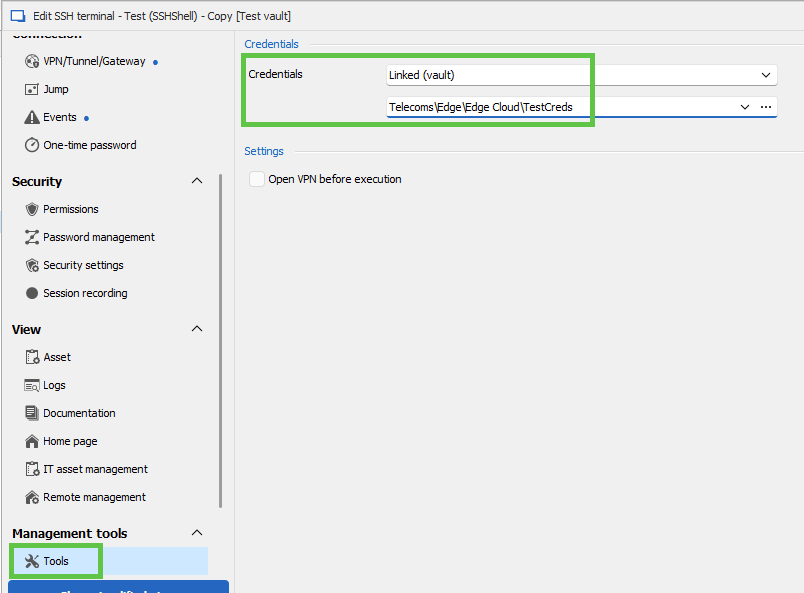
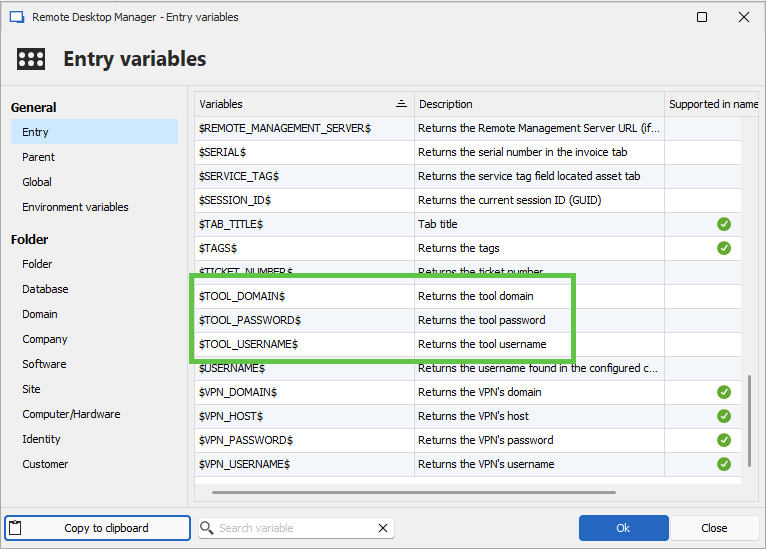
Best regards,
Érica Poirier
05bdb2e3-3cac-4265-b0c5-5a9aeba7ba2d.png
f29711a8-656d-46f0-8c32-364608934dc2.png
Hi!
Thanks a lot! Set-RDMSessionProperty works like a charme!
The solution via the tools feature I will try in the future.
CU,
Timo
Hello,
Thank you for your feedback.
That's good news it work as expected.
Best regards,
Érica Poirier
Hi! @Erica Poirier
If you want to use a different credential for the Events, you can use the Tools feature to link a credential entry and use the Tools variables instead of setting the password in the Macro password property.
I tested the tools approach and it does not work linke expected: If I use a linked valt entry, the $TOOL_PASSWORD$ is always empty in my macro.
If I use username/password entry, the $TOOL_PASSWORD$ is filled with the password.
The "Password in variable" checkbox is anabled in the security settings.
I use RDM 2026.1.10 and Powershel modul 2026.1.3
CU,
Timo
Hello Timo,
Thank you for your feedback.
Is the linked vault entry located in the same vault or in another vault?
Best regards,
Érica Poirier
Is the linked vault entry located in the same vault or in another vault?
It is in the same vault.
CU,
Timo
Hello,
Thank you for your follow-up.
I tested this on my side, and the $TOOL_PASSWORD$ variable works correctly. There is a simple way to verify this—please follow the steps below and let me know whether your variable is being resolved correctly:
- In the entry properties, navigate to the Events menu on the left.
- Set the Before Opening event to Prompt Message.
- Enter the variable in the message field.
- Launch the entry. If the variable is resolved correctly, you should see the password displayed.
If this does not work ($TOOL_PASSWORD$ vs your actuall password), we can begin investigating at this level rather than focusing on the PowerShell script.
Please refer to the screenshot below for guidance.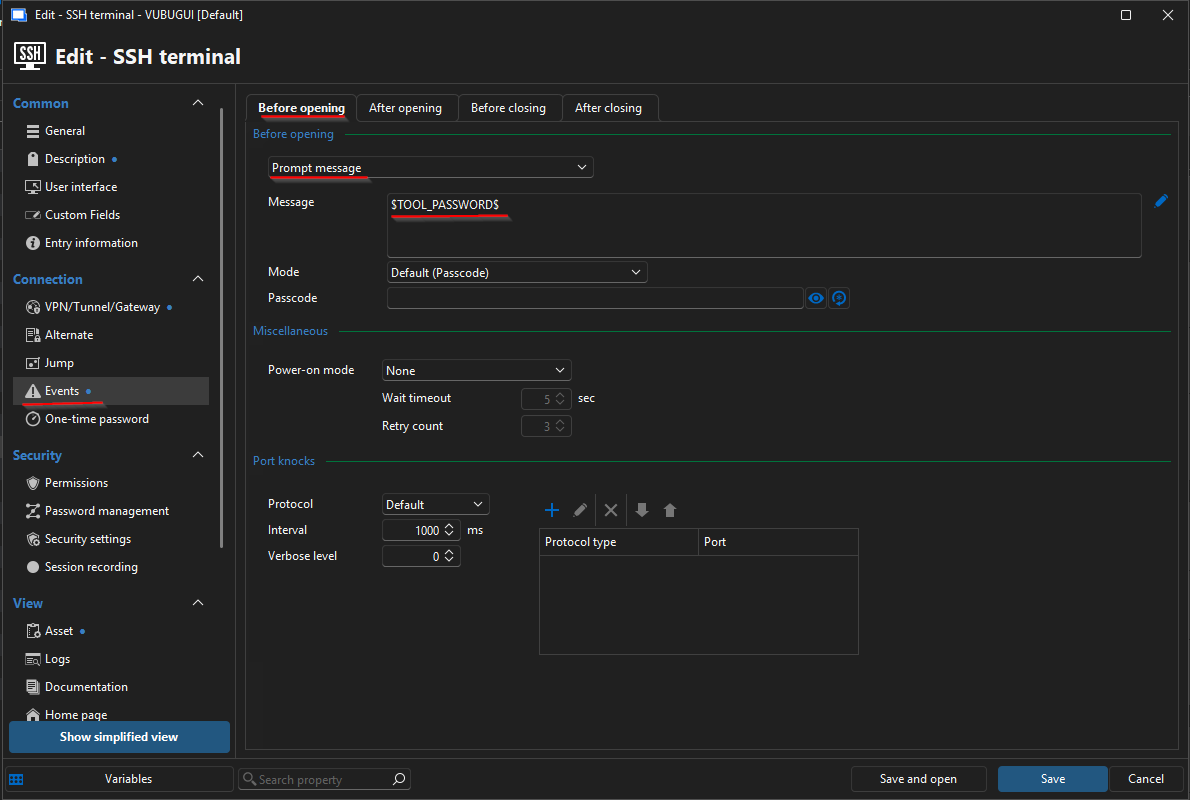
Please keep me updated on the results. I look forward to your reply.
Best regards,
Jacob Lafrenière
9869ebbd-9ca4-46bc-b59b-ecc103d64877.png
Hi @Jacob Lafrenière
I have tested this: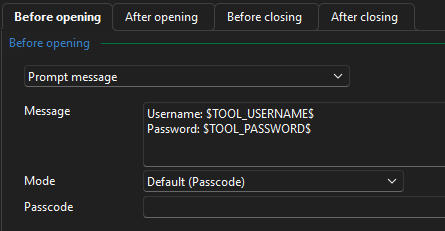
If I use username / password, it is working: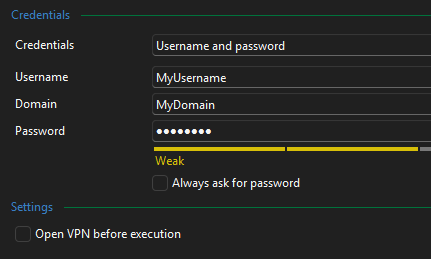
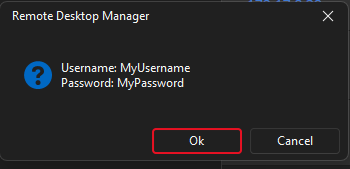
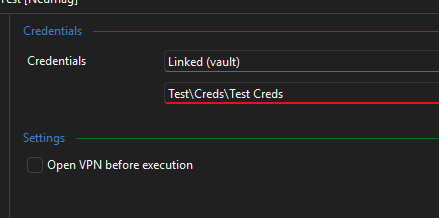
But if I use a linked entry, it is not working: 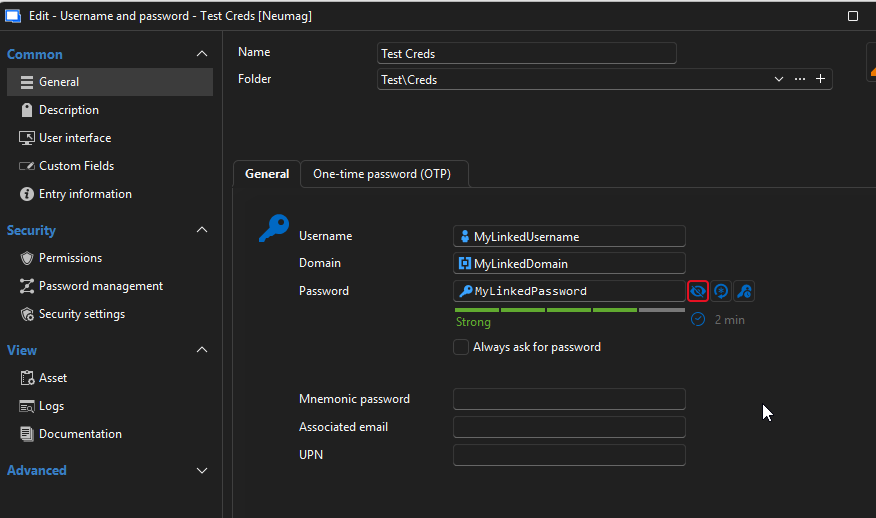
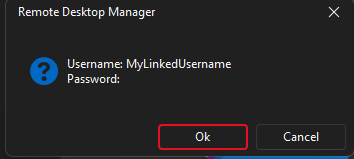
CU,
Timo
b603f998-58f5-4d91-8391-87755d678ea8.png
24b8f28f-f038-4c2e-9581-5c2cbbe77c01.png
e89d94d0-9ccb-4860-a389-891eee770f34.png
7685013d-1f39-4b60-93f6-9a1b16a02842.png
360f6029-b478-4930-a6db-bf917962b78e.png
46661a19-5a72-4283-8cfa-ff0be65ec616.png
Hello,
Thank you for your follow-up.
Could you please confirm whether the “Allow password in variable” option is enabled in the credential entry? With this setting enabled on my end, the configuration works as expected.
You can find this option under:
Credential Entry Properties > Security Settings > Allow password in variable.
I look forward to your reply.
Best regards,
Jacob Lafrenière
Hi!
Could you please confirm whether the “Allow password in variable” option is enabled in the credential entry? With this setting enabled on my end, the configuration works as expected.
@Jacob Lafrenière
Ah, now it is working. I thought this setting must set in the entry with the script, but this way around it make more sense.
Thank you!
CU,
Timo
Hello,
Thank you for the follow-up.
You're welcome. I will mark this topic as resolved. Please feel free to reply here if you need to reopen it.
Best regards,
Jacob Lafrenière