[Urgent!] Unable to register new licenses

Hey there,
we need urgend support with upating our licenses. Within dvls we're unable to enter the new bought licenses because the license field is greyed out. There is only an import button, but when we create a portal user, enter the license and download the lic file we're told that the license file is not supported or invalid!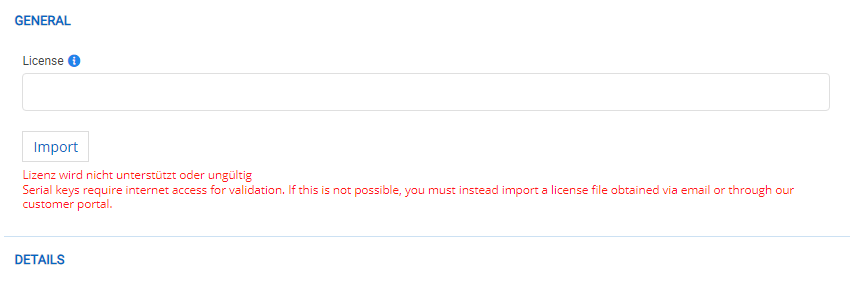
Our subscription of the old licenses will end in e few days and we need the new ones working as soon as possible!
Regards!
701c6fd1-26d1-4515-b44d-9479360ba349.png
All Comments (2)
Solved:
The + Button at dvls is not working for the DVLS License file. You need to click the error message, that the server is not getting its license online (beside it is having internet access!) and import the license up there. Than we were able to import the lic file. RDM lic file is working with the + button.
Hi kmdkeen,
I'm glad you found a solution.
To clarify a bit, here are some explanations.
To enter the license manually, you need to enable internet access on the server. This option can be found here:
Administration -> Server settings -> Features -> Enable internet access.
For the second point, indeed, you cannot add a DVLS license using the "+" button. You need to edit it via the banner at the top.
Feel free to reach out if you have any other questions or issues.
Marc-Andre Bouchard