Manifest v3 implementation - "Basic" authentication / Autofill for Popup Credential Prompts:
Manifest v3 implementation - "Basic" authentication / Autofill for Popup Credential Prompts:
0 vote

Client Request
Manifest V3 - "Basic" Authentication:
With the move to Manifest V3 for browser extensions, it's important to ensure that "Basic" authentication continues to function smoothly. The changes to background script handling may require adjustments to keep these workflows efficient.
Autofill for Popup Credential Prompts:
Enhancing autofill support for popup credential prompts (e.g., login forms) would improve user experience. Unlike standard web forms, popups can be tricky, and adding autofill functionality would streamline frequent logins.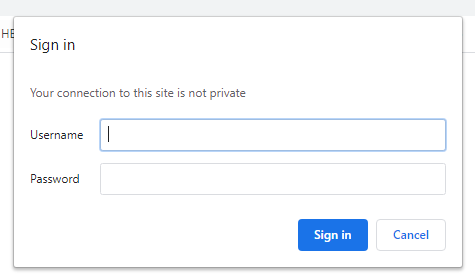
Maxim Robert
93ebba0d-10de-4560-802c-7d539ce3b4a2.png
All Comments (4)
I think this is added last month or last year. I am not able to find it in the client although there are some settings in the workspace for this. I think the used words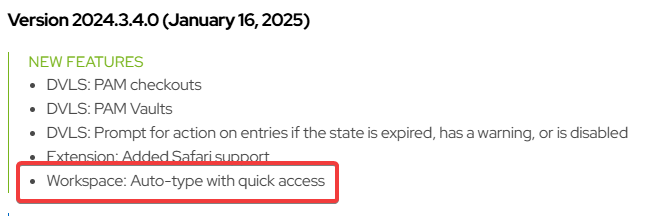 Release notes - Devolutions Workspace
There is also som info on the roadmap page:
Devolutions' 2025 roadmap - Devolutions Blog
In the settings we have the following options. I have no clue how to trigger the autotyping. These settings are in the docs.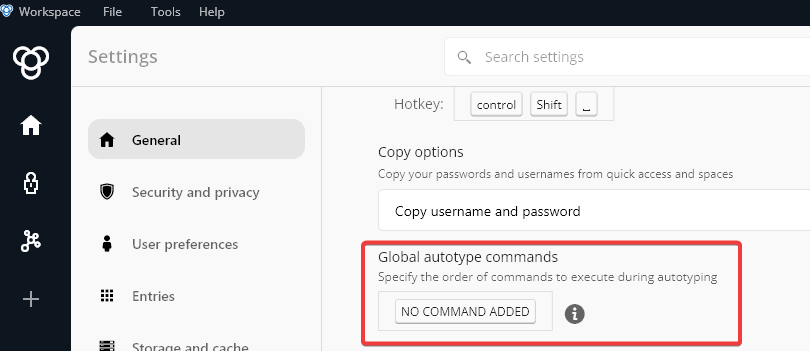
Maybe someone of Devolutions can help us?
c94457ee-81f5-4edb-a99a-6f21bbb5cba4.png
b03e1ff3-6bde-4b72-91b4-75a5e0563aee.png
Hi,
Sorry for the confusion. You can access the Quick Access, which includes the AutoType feature, by pressing "CTRL + Shift + Space". (You can also customize this shortcut by clicking on the hotkey tile.)
From there, you can search for the entry you need. Currently, we only support the selected vault, but we plan to add multi-vault support soon. Once you've found your entry, click on the keyboard icon to trigger Global AutoType.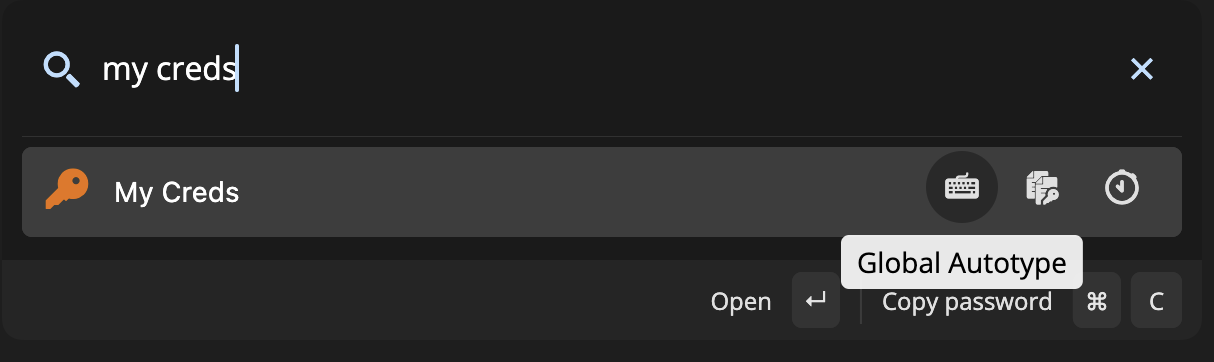 Additionally, the Global AutoType Commands section allows you to define custom commands for AutoType. For example, adding USERNAME TAB PASSWORD would insert the username, perform a tab action, and then insert the password.
Let me know if you have any questions!
Best regards,
Dany Galarneau
42b329a0-786f-48e9-992c-2367976e7da1.png
I did not know there was a hidden quick menu like this.
This looks like a great feature to quickly open entries.This all makes sense now!
Can i suggest adding a two separate buttons for auto-fill of username and one for the password?
Hello,
Sure! I will create a task and add it to our roadmap.
Let me know if you need anything else!
Best regards,
Dany Galarneau