HyperV on localhost

Hi,
I have a simple Win10 instance with HyperV installed and just one VM.
Each time my PC is rebooting the VM ip address change. So I cannot reuse configured RDP session saved in my Local Data Source.
I would like to add a 'Before Open' Powershell Script to get the VM IP address using for example the following command : get-vm | ?{$_.State -eq "Running"} | select -ExpandProperty networkadapters | select vmname, macaddress, switchname, ipaddresses | ft -wrap -autosize
But I don't know how to store the IP address in a variable and update the Host IP address of the RDM RDP session.
Can you, please point me to a solution?
Best regards,
All Comments (7)
Hello
This isn't my area of expertise, so perhaps one of my colleagues can chime in if there's a better solution.
But, I believe you can access the connection itself via the $RDM.Connection property.
So, you could try assigning `$RDM.Connection.Host` to the IP address of the server, then call `$RDM.Save()`.
Let me know if that helps.
Kind regards,
Richard Markievicz
Hi Richard,
Definitly, I will have to play with Powershell script in 'Before Open' event.
Thanks a lot!
Hi Richard,
I tried the following :
$vmName = "LUMM_ACC"
$vm = Get-VM -Name $vmName
$ipAddress = ($vm | Get-VMNetworkAdapter).IPAddresses -join ", "
$firstIpAddress = $ipAddress.Split(',')[0]
$RDM.Connection.Host = $firstIpAddress
$RDM.Save()
I placed in the Before Open event, it works fine once, but when I rebbot, it does notreplace Host addresse anymore...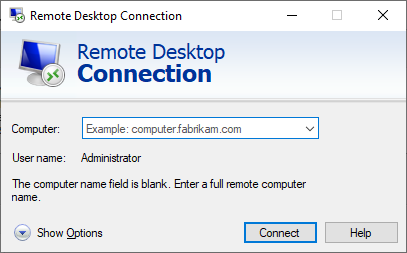
any idea?
Regards,
Olivier
b7b1c489-64ed-4c1f-a283-75ff55762cf2.png
9bbc718e-6fa2-43b1-b4e3-bf18e5e3d388.png
I tryed also reading this forum :
$RDM.Connection.URL = $firstIpAddress
with no success, it seems it does not update the host IP.
The powershell scrip is execution as if I included a type mistake, I have an error message...
Regards,
Hello
I tried your script exactly as written (using the `Host` property) and it worked perfectly for me.
The result you see is as though the variable $firstIpAddress is an empty string.
When you tried after rebooting, are you sure the machine was booted with an IP address assigned?
Thanks and kind regards,
Richard Markievicz
Hello Richard,
Yes I am sure when the host is rebooting, the VM starts automatically and change its IP address.
When I ran the following code directly in PowerShell
$vmName = "LUMM_ACC"
$vm = Get-VM -Name $vmName
$ipAddress = ($vm | Get-VMNetworkAdapter).IPAddresses -join ", "
$firstIpAddress = $ipAddress.Split(',')[0]
$ipAddress
I do not have an empty string in $firstIpAddress, but it seams indead it is blank when I am running the code in the 'Before Open' event, or at least the assignation :
$RDM.Connection.Host = $firstIpAddress
is expecting some " ' ".
Anyway, I solved my issue another way using Devolutions Powershell API and script
$vmName = "LUMM_ACC"
$vm = Get-VM -Name $vmName
$ipAddress = ($vm | Get-VMNetworkAdapter).IPAddresses -join ", "
$firstIpAddress =  $ipAddress.Split(',')[0]

$sessions = Get-RDMSession

foreach ($session in $sessions)

{

	if ([string]::IsNullOrEmpty($session.Host))

	{

 continue

	}

	$session.MetaInformation.IP = $firstIpAddress
	$session.Host = $firstIpAddress

	Write-Host "Name: $($session.Name) - Host: $($session.Host) - IP Address: $($session.MetaInformation.IP)"

	Set-RDMSession $session

}

Write-Host 'Done!'

Update-RDMUI
I just need now to schedule that script at host startup or RDM startup, and voila!
Thanks for your help!
Best regards,
Oliivier
Hello
I'm not sure why it wasn't working for you, but since you found a good solution I won't follow up with that further.
Please, let us know if you have further questions or feedback!
Kind regards,
Richard Markievicz