EntraID App Proxy config not working with RDM

Hello,
Have worked through the configuration steps to integrate DVLS with EntraID app proxy as per https://docs.devolutions.net/rdm/mac/kb/rdm-macos/how-to-articles/azure-pre-authentication-dvls-rdm/#configuring-an-azure-app-proxy.
If I use a web browser to externally access https://dvls-customer.msappproxy.net/dvls, it works fine, although the user has to reauthenticate again at the DVLS login page after doing pre-auth with EntraID app proxy.
However when attempting to access a datasource in RDM with the host set to the same URL, the pre-authenthentication step succeeds, but then the browser displays the error 'error invalid_resource error_description: AADSTS500011: The resource principal named https://dvls-customer.msappproxy.net/dvls was not found in the tenant named'.
If I remove the /dvls from the datasource host name, that error does not occur, but then RDM says unable to connect to datasource, same as when datasource is directly accessible internally and '/dvls' hhas been excluded from url.
Is there a step I missed in the setup? seems like the URL with the /dvls portion needs to be added somewhere in the EntraID app registration.
Also, some additional feed back on the documentation provided:
1) If DVLS has allready been integrated with EntraID for authentication, the exising enterprise application and app registration can probably be reused
2) I also had to add the external URL (including /dvls) to the 'Access URI' list in the Devolutions Server Console, otherwise DVLS presented an OAuth error at the login page when connecting via the external fqdn
3) Step 9 in the documentation shows 'https' in the screen shot, but text says it should just be 'http'
4) Step 14 didnt need to be completed, the 'Application ID URI' already defaulted to the External URL
Pls let me know if you would like more info.
Thanks
Joe
All Comments (5)
Hello Jm2,
Before investigating further, I would like to confirm the version of RDM you are currently using. I had a problem with URL reconstruction in RDM that was fixed in version 2024.2.7.0, so if you are using an earlier version, it is very likely that the problem stems from there.
Sorry for the inconvenience,
Nicolas Girot
Nicolas Girot
Hi Nicolas,
Have tried both RDM 1014.2.8 and 2024.2.11 and same error with both.
Joe
Thank you for the detail Joe!
Regarding your four points mentioned above,
- Indeed, however, all the modifications need to be applied for compatibility.
- For the access URI, the important thing is that the URL used to reach the DVLS server is there. So if the URL entered in the browser is https://dvls-customer.msappproxy.net/dvls, then it must indeed be present in the accessUri list. If you also plan to connect to your DVLS via, for example, http://localhost/dvls, then it must also be part of the list.
- Indeed, it is an error in the screenshot; it should be "http://localhost" - Note that this is localhost alone without a base URI (/dvls) because we are talking here about the RDM machine and not the DVLS one. This part specifies to Azure where to send the response once connected.
- The Application ID URI was indeed with your /dvls.
What is important in the configuration is that when we talk about the URL, if it contains an extension to /dvls, then it must always appear. "https://dvls-customer.msappproxy.net/dvls" should be considered as the URL in its entirety.
Possibly, based on the error you mentioned, I would lean towards a configuration issue on the App Registration -> Expose an API page, either with the application ID URI not properly reflecting the proxy URI or the scope not being suitable, but that's just a guess, not a certainty :)
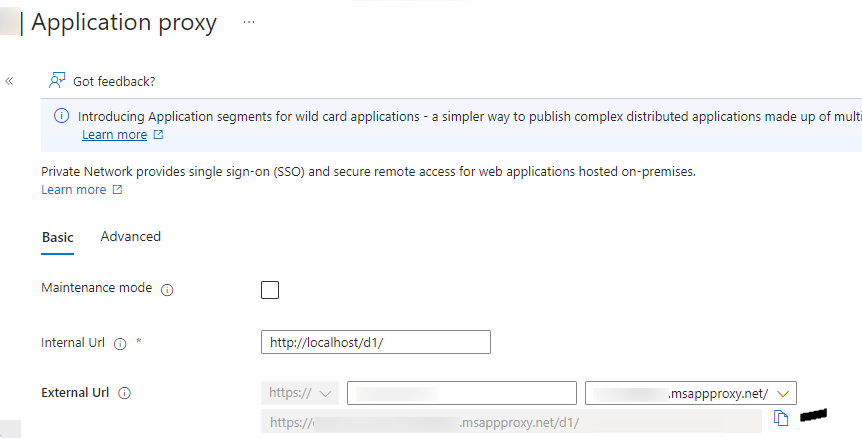
I am attaching some screenshots from one of my configurations for you to compare if necessary.
If everything looks good we will investigate further
Thanks,
Nicolas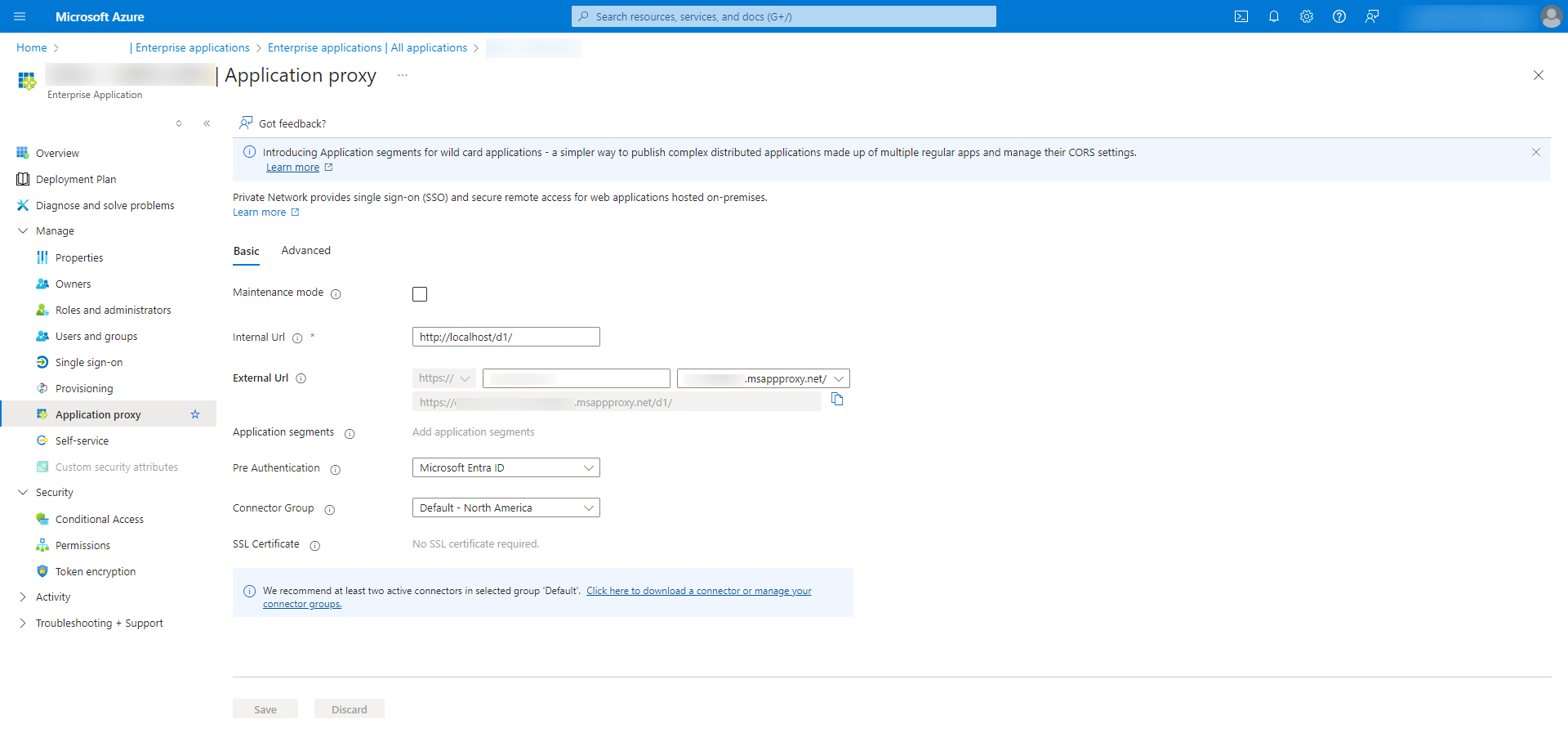
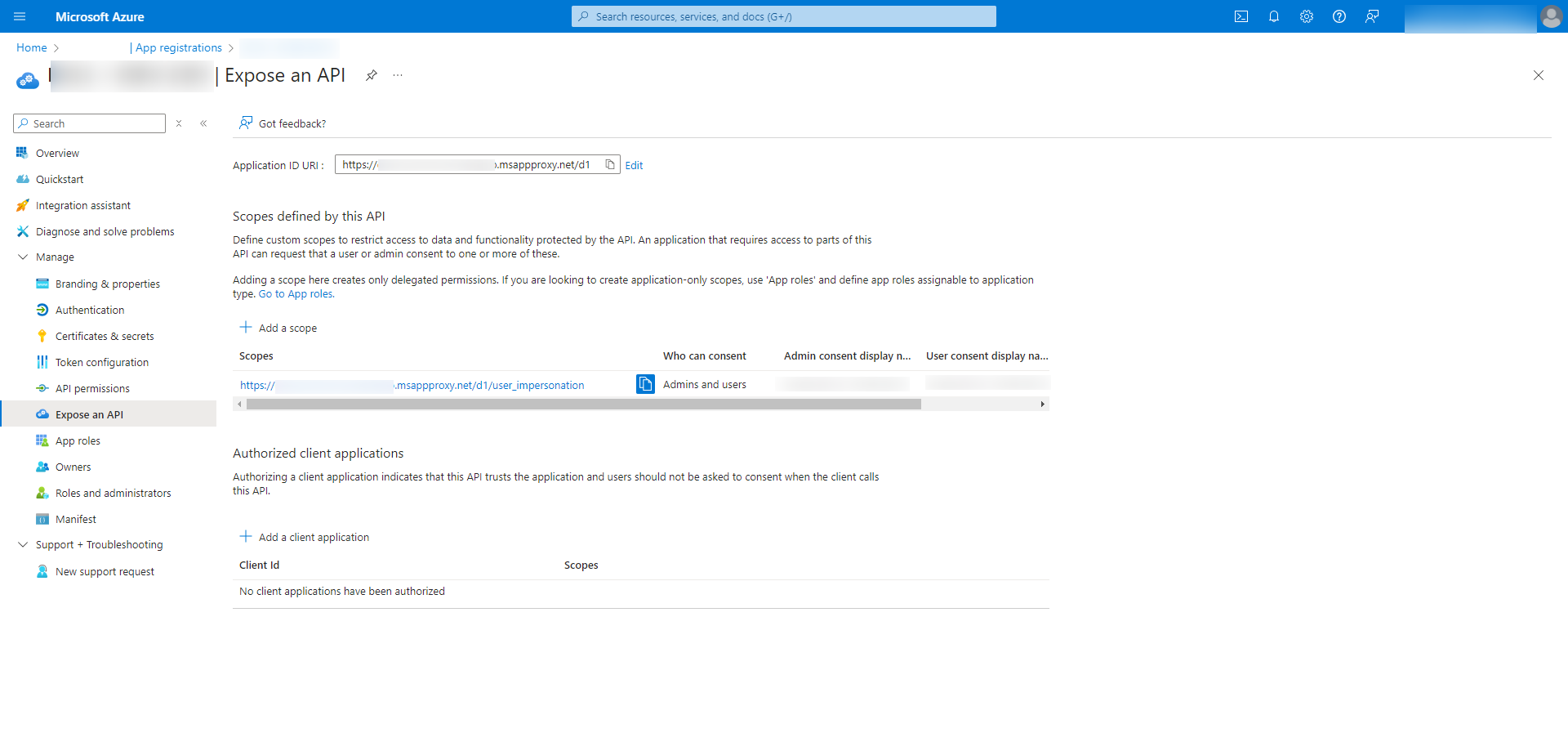
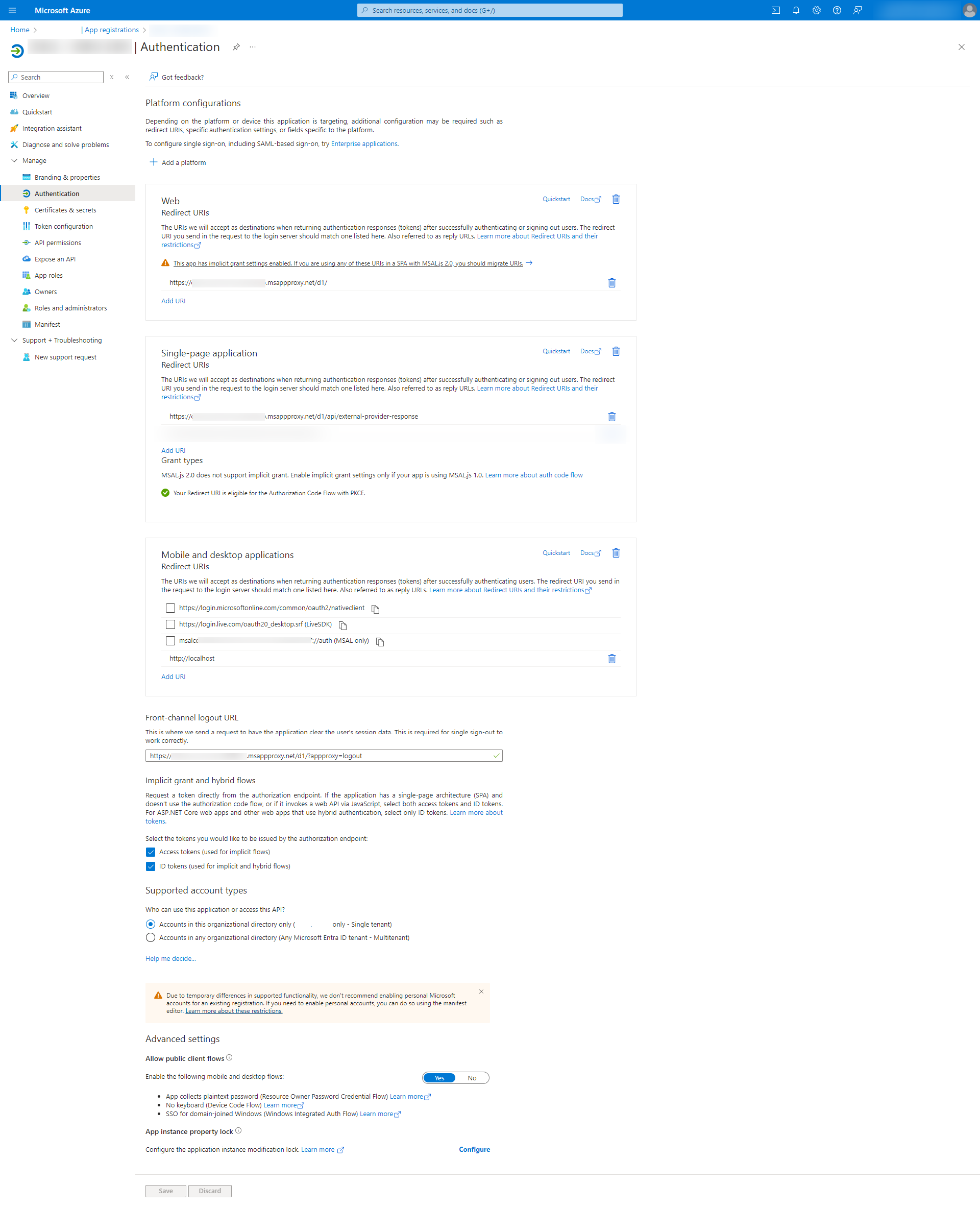
Nicolas Girot
AAD - Application Proxy-.png
AAD - Expose API-.png
AAD-Authentication-.png
Hi Nicolas,
Thanks for you help. After adding /dvls to the 'Application ID URI' on the 'Expose an API' configuration page, the authentication now works with RDM.
Perhaps the screen shot in step 14 of the documention could be updated to show that the /dvls path needs to be included, similar to how the screen shots your provided show '/d1'. Additionally the wording of step 14 says 'enter the same URI as the External URL of your Application Proxy', but if /dvls is indeed required in the API 'Application ID URI' that doesnt make sense since its not possible to add a suffix such as /dvls to the Application Proxy external URL.
Another observation is that the App proxy internal URL in your screenshots includes /d1/, however step 3 says this should be 'root of the IIS server hosting the DVLS' and the associated screen shot doesnt include /dvls/.
Pls let me know if you would like any additional info.
Thanks
Joe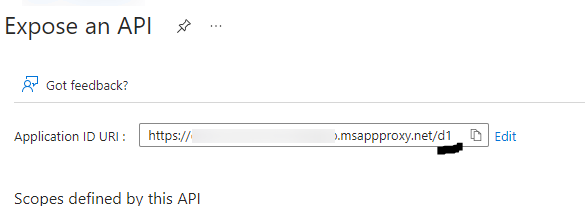
8c125375-b9a5-4a5e-a716-62d13b6ab6d5.png
3f56119f-f109-4969-95f9-0c0f31213f51.png
Excellent! I'm glad to hear that it's working on your end.
I will invite the person in charge of documentation to review the thread and add the missing details.
Thank you for your valuable feedback.
Nicolas
Nicolas Girot