Backup failed on Devolution server

Hi,
i try to use Backup manager on DVLS but i get confused:
1- in database configuration section, backup database file path i set " C:\backup-passmanager\"
but when trying to run backup i getting error :
Cannot open backup device 'C:\Program Files\Microsoft SQL Server\MSSQL16.MSSQLSERVER\MSSQL\Backup\ C:\backup-passmanager\dvls_26052024_084018.bak'. Operating system error 123(The filename, directory name, or volume label syntax is incorrect.).
BACKUP DATABASE is terminating abnormally.
i think my path is appending to mandatory file path that is not editable, by trying "test\" the back up file will be create on "C:\Program Files\Microsoft SQL Server\MSSQL16.MSSQLSERVER\MSSQL\Backup\ test\dvls_26052024_084018.bak".
i think it is not valid condition !!!!
2- i enbale web backup too with "C:\backup-passmanager\" path configuration, after running backup service it said web config successfully backed up but no file is created !!!!!

please guide me how to backup my server.
dfa407c0-06d7-4bfb-b6a5-ecd0b0fb1052.png
13e56f16-2fef-463b-81ce-75a17afe1126.png
All Comments (4)
Hello,
Can you verify if the SQL service account as access to this path: "C:\backup-passmanager\" ?
When using the backup manager in Devolutions Server, the SQL service account is the one doing the DB backup, then the Scheduler service is the one verifying the file and deleting the .zip file to leave you with a .bak file.
Best regards,
i try to grant full access to all of my user includes everyone and anonymous 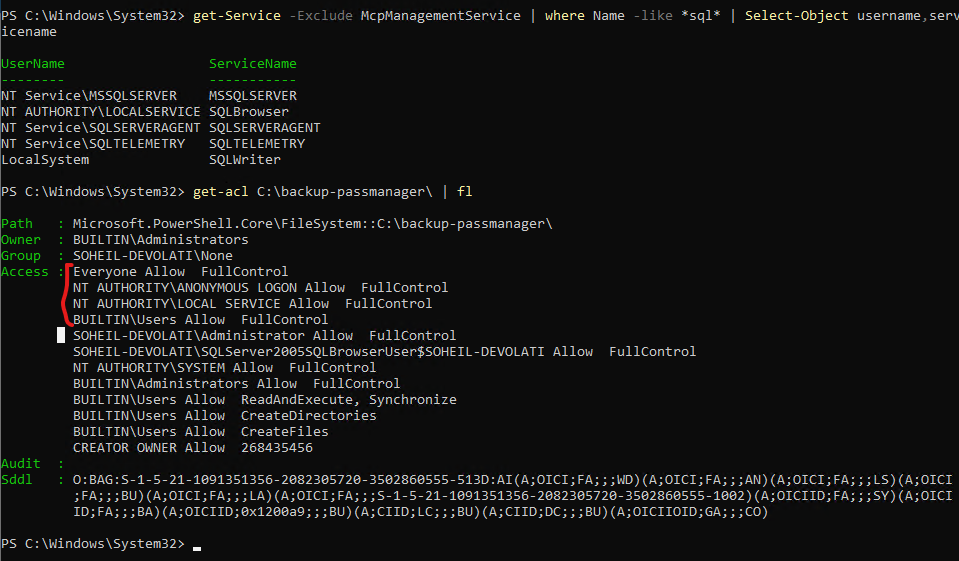
the path i define in backup path is not the same DVLS error show me, do i set it right !!!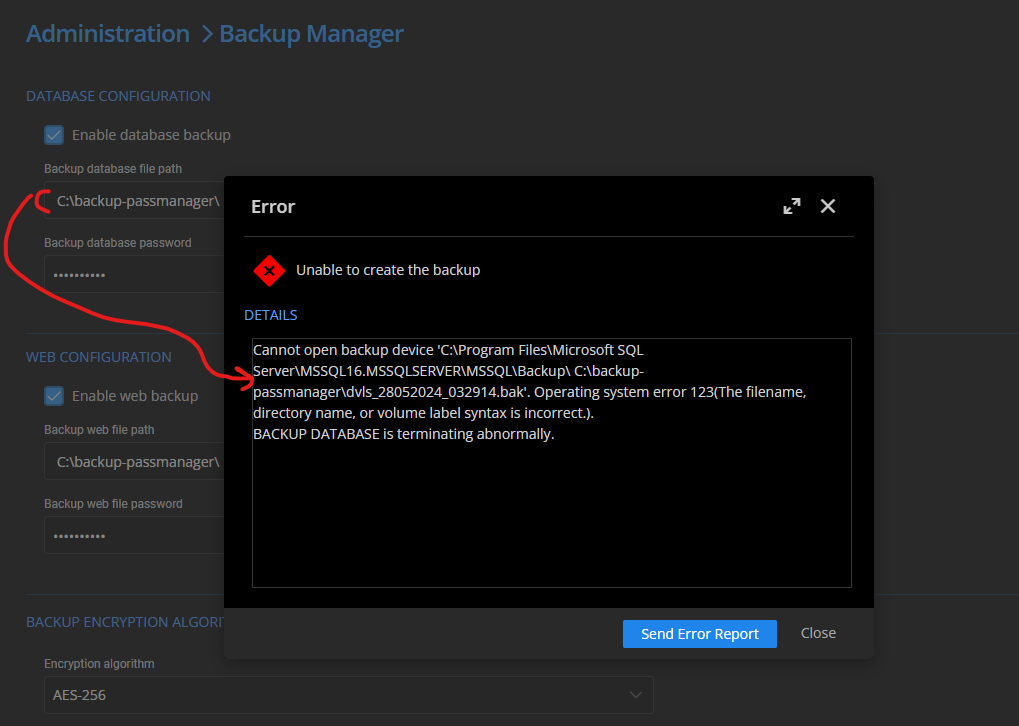
e2da2f90-8376-43c3-8351-a526fa8592db.png
9c5ce1f1-6232-4393-a832-be0f881959cb.png
Hello,
Could you verify if you have a space in front of your path like so " C:\backup-passmanager\" in the Devolutions Server configuration?
We were able to replicate the issue on our side by adding a space in front of the path.
Best regards,
thanks @William Alphonso
there was a space in front of my path.
by deleting space it work fine.