Report of users in a Group

I have a security request of reporting users who can access a vault. We have user groups broken up by teams/groups. How do i get an export of just the users in a group?
All Comments (4)
Hello,
As it stands, I couldn't find an easy way to export the list of users in a group. I've added an item to our backlog.
Thank you for the idea!
Maxime Morin
Thank you. This is going to be a think that might force us to switch products. We have a SOC audit and I can't show who has access to systems because I can't show who is in a group.
Hello,
Our reports on permission resolve all permissions on vaults. For example, if a user is part of a group and the group has access to the vault, the user will also be shown to have access.
Here I have set up a group with only my user.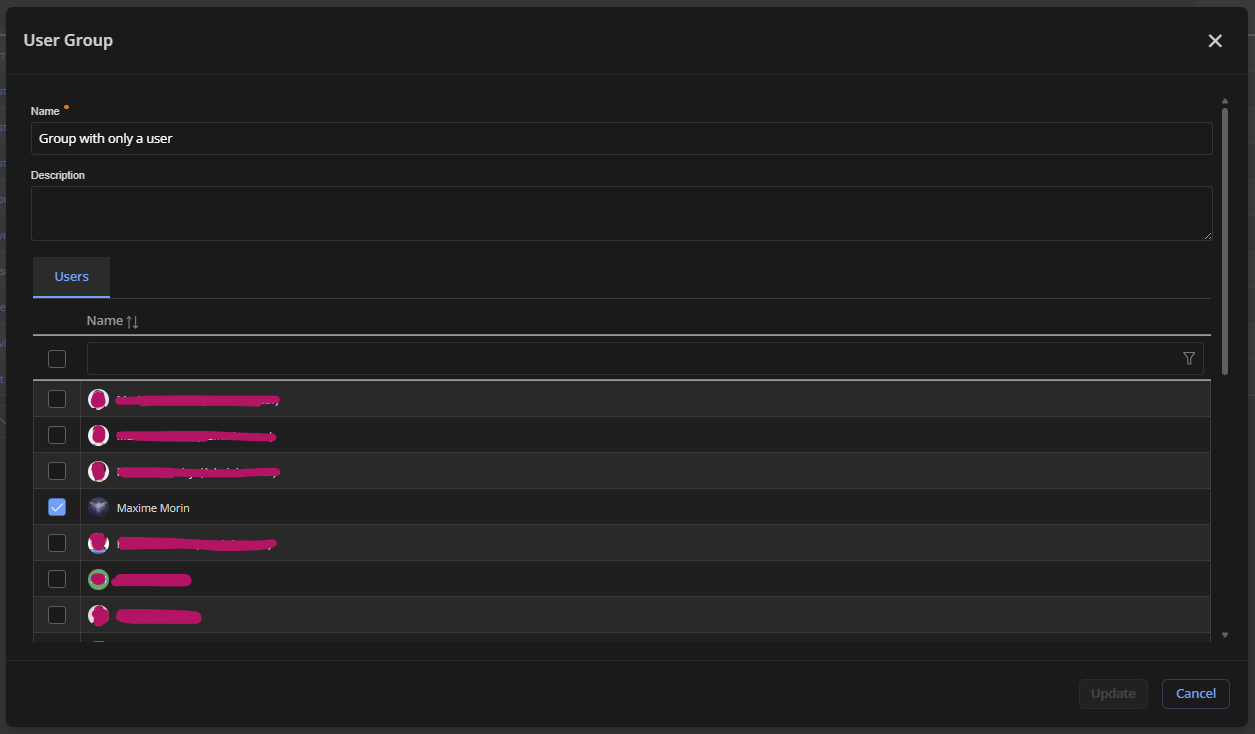
(With the edit screen, you can see all group users, but it's not easily exportable.)
Here I have configured the group to have reader access on the DevSec vault.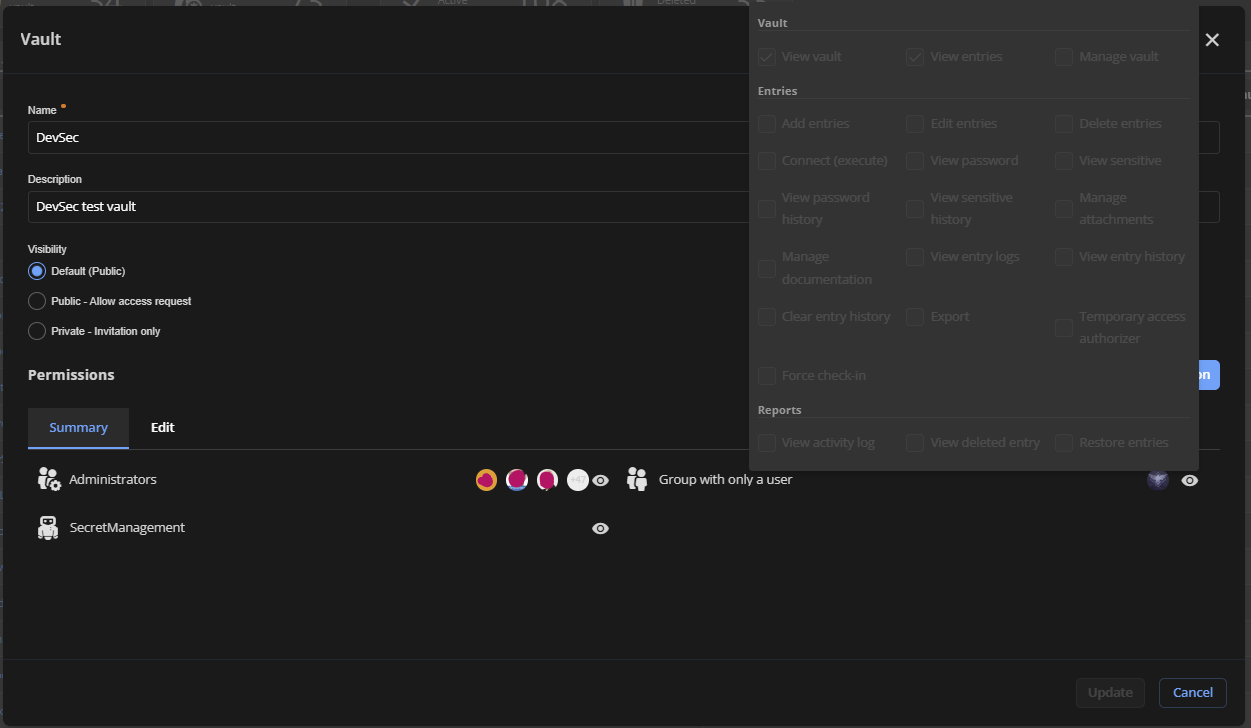
(Here you can see the list of all users in the group, but it's not easily exportable also.)
You can then use the vault permission report to see who has access to a vault.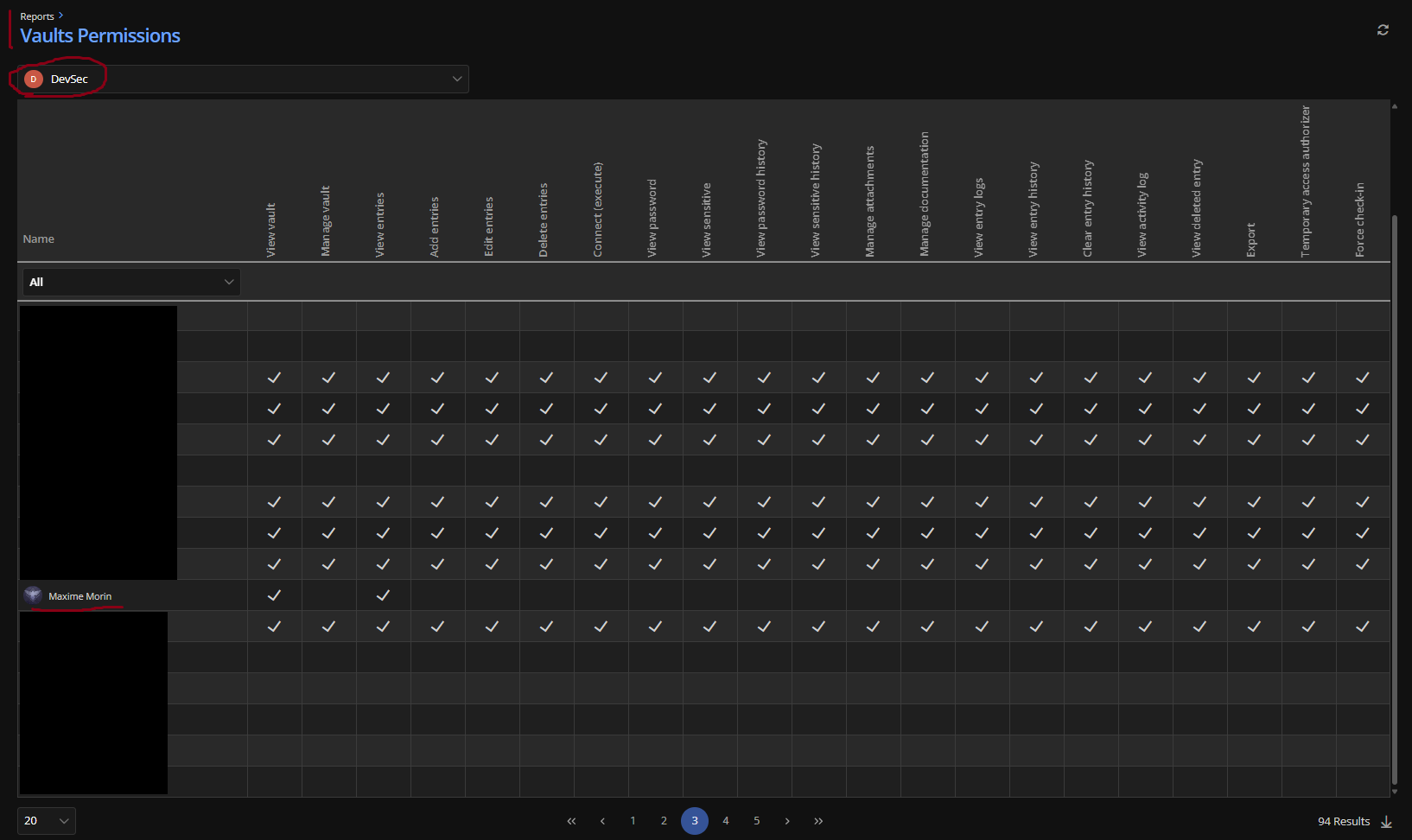
This report is exportable and lists all users with access even if it is granted via a group. It also takes into consideration system-wide vault permission.
If you want to see permission at the entry level, you can use the edit screen and security tab, but once again, it's not easily exportable.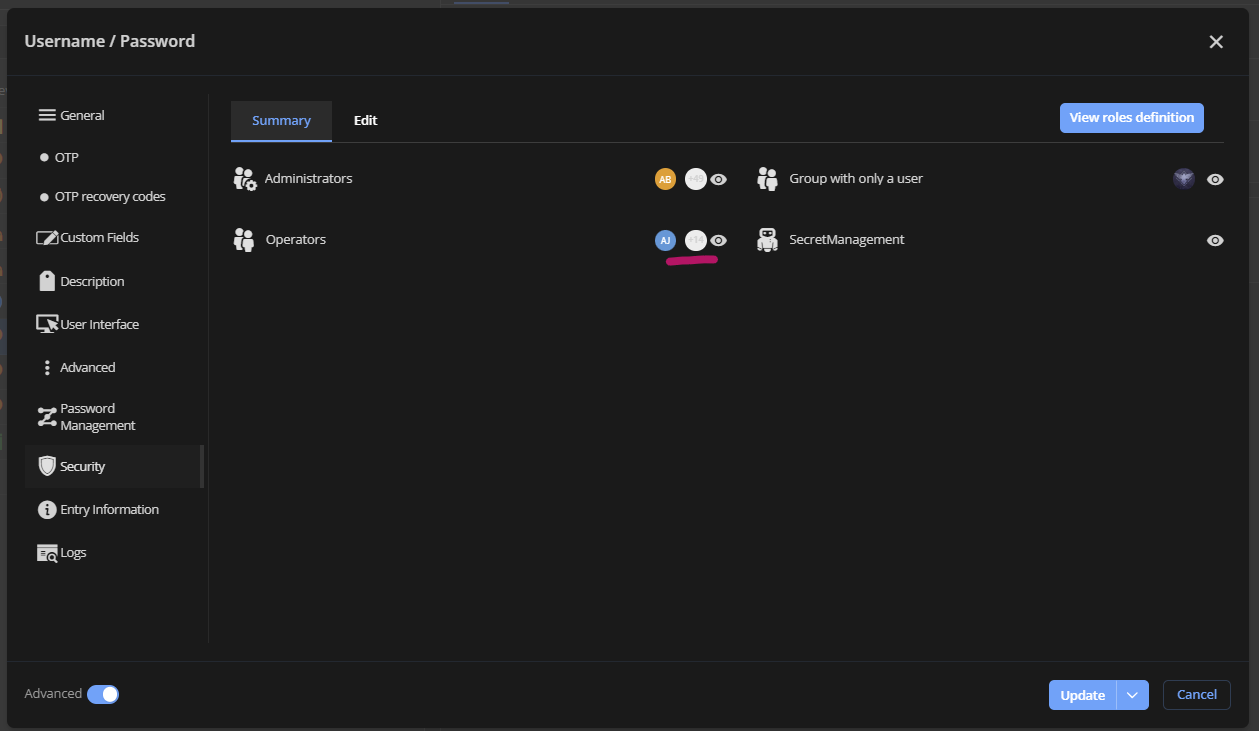
As mentioned already, we plan on working on an easy way to export users of a group, but right now, it's not really possible.
Have a good day!
Maxime Morin
17d27dea-93af-46ca-90c1-2eb9c0789a38.png
4c396728-5fa4-4998-97f8-6b0564b70604.png
bf7c90cd-3556-40e5-882a-8fa059ef8f79.png
Capture d’écran 2024-04-12 083314.png
O, that vault permissions might work. Let me try that. Pretty tired last night and overlooked it.