Getting prompted for Devolutions authentication after allready signing in via SSO
Getting prompted for Devolutions authentication after allready signing in via SSO

Hello,
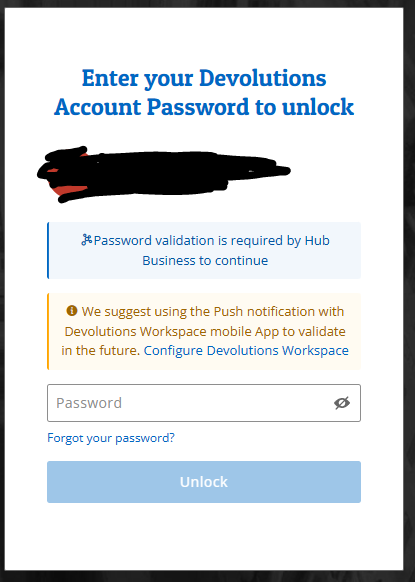
I have a Hub account with an administrator user who can successfully sign in with Microsoft SSO (which includes MFA), but they are then prompted to complete native Devolutions authentication. It didnt do this a few months ago.
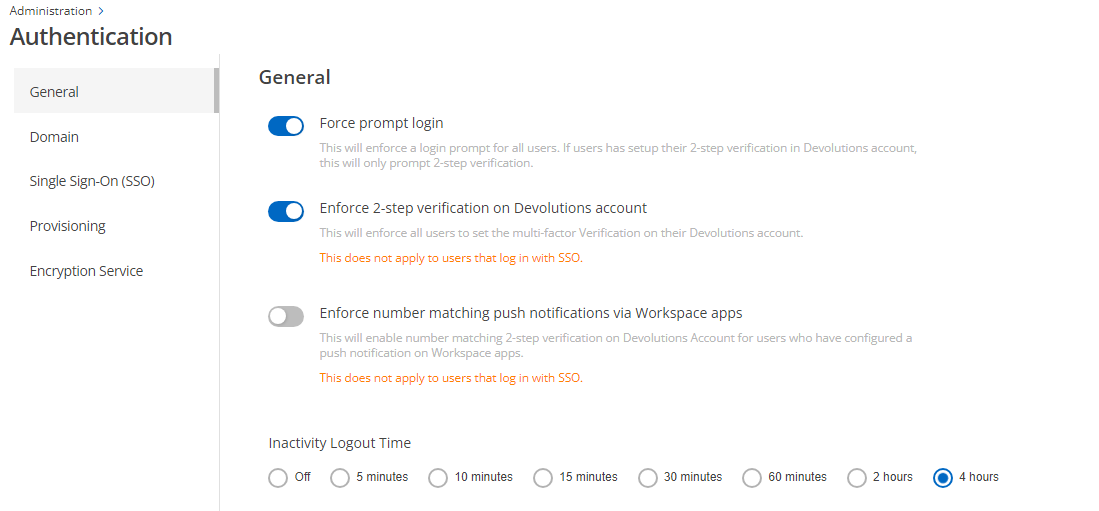
Within Hub settings, I see a toggle for 'Force Login Prompt', but that doesnt sound like something I would want to turn off, as some users may be SSO, and other not.
Thanks
Joe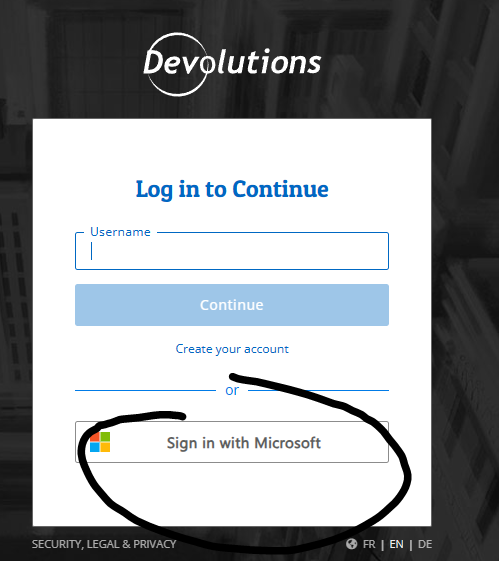
2a3374c6-ee0b-4722-92e1-682da9f32c24.png
a94801d5-718f-4832-bb1f-827ccbe390ce.png
3cb844b2-61ff-4bb1-a26c-57eb710a07eb.png
All Comments (6)
Hello Joe,
Thank you for reaching out to us regarding this,
I see, the prompt you're receiving is related to the Private key, this is a unique key for each user is needed when the user changes device or browser. On a daily basis, the device and browser recognize the current user, but not a new one.
As you can see in this knowledge base article, a new user accessing the Hub for the first time using SSO will be required to configure a Private Key:
https://docs.devolutions.net/hub/getting-started/get-started-sso-hub-business/invite-users-SSO-hub-business/end-user-experience/
That being said, If you have the Encryption Service configured:
https://docs.devolutions.net/hub/web-interface/administration/configuration-security/authentication/encryption-service/
All users from your SSO provider can now log in and gain access to your Devolutions Hub automatically, bypassing the need for invitations. It is also not necessary for users to have a private key set up to use the Hub.
Let me know if this helps,
Best regards,
Samuel Dery
Hi Samuel,
Thanks for the info. As the Workspace app doesnt work on older android phones, its not an option for me currently. I generated the QR code and was able to unlock Hub using that method.
I'm interested in deploying the encryption service to Azure. I see there is a button to generate the Azure template, is there any documentation available on what to do with the template file and how to deploy it to Azure?
Thanks
Joe
Hello Joe,
The documentation on Azure Template is not done yet; it's being worked on. Here's the developer's notes on how to use the Azure Template, keep in mind, they are fairly raw.
1. Go to Administration → Authentication → Encryption Service and click on the Generate Azure Template button.
2. Copy the generated template.
3. In Azure, if you are not already subscribed to use Azure services. Go to Subscription → Add and select Pay-As-You-Go.
4. On the Azure home page, go in More services → General → Deploy a custom template → Build your own template in the editor.
5. Click on Build your own template in the editor.
6. Copy the generated template in Devolutions Hub, paste the content in the template editor in Azure and click on Save.
7. If empty, select a subscription.
8. If empty, select or create a new Resource group.
9. You can change the default App Name and App Service Plan Name to one of your liking.
10. Make sure the Hub URL is set to yours.
	* Fill in your Application Identity key and secret in the corresponding field.
	* Application Identities are created in your Hub under Administration → Application Identities
11. Make sure the Application Identity has Manage system configuration and Manage users and user groups permissions.
	* Those permissions can be set in Administration → System Permissions → Edit at the top right.
12. Click on Review + Create at the bottom
13. Click on Create.
14. When the deployment is completed, click on Go to resource group.
15. Click on your new App Service.
16. Copy the given Default domain (your-app-name.azurewebsites.net) or the custom domain if you decided to create one.
17. In your Enterprise Application, go in Properties → application registration.
18. In Authentication → Redirect URIs, click on Add URI, enter https://your-app-name.azurewebsites.net/auth/callback or https://yourdomain.com/auth/callback and click on Save.
19. In Devolutions Hub, Enable Encryption Service and paste your-app-name.azurewebsites.net or https://yourdomain.com in the input field.
20. You can test if Devolutions Hub is able to reach your Encryption Service by clicking on Test.
Here's the documentation on the encryption service without Azure Template.
https://docs.devolutions.net/hub/web-interface/administration/configuration-security/authentication/encryption-service/
Have a good day!
Maxime Morin
Hi Maxime,
Thanks for the info on how to setup the encryption service in Azure. The steps provided worked perfectly.
The only feedback I have on the setup process is:
Step 4 - I found it easier to just search for 'Build Custom Template', as opposed to navigating there
Step 17 - the 'application registration' link isnt super obvious, maybe highlight that its in the middle of page
Now that I have it set up, I have a few questions:
- Is there any data stored in the encrption service running in Azure, and if so should it be backed up?
- Is there any cost estimation available for running this service depending on number of users?
- Users who had previously authenticated without the Encyrption service in place, have to login hub, then logoff, then login again before they see the option to reuse SSO and skip future prompts for native devolutions auth.
- Opening a new browser tab, does not seem to inherit prior authentication. For example, if launch Edge in private mode, goto hub website and authenticate with SSO, the open a new tab and goto hub website, get reprompted to authenticate. Conversly if I login to a Microsoft website like https://portal.office.com, opening a new tab and going to the same site, it doesnt prompt for auth
Please let me know if you would like any additional info.
Joe
Hello Joe,
I am the developer who worked on the encryption service and I want to thank you for your feedback on the setup process. I will ensure your feedback is forwarded to our documentation team for inclusion in the official documentation.
To answer your questions:
Is there any data stored in the encryption service running in Azure, and if so should it be backed up?
- No data is stored within the encryption service itself, eliminating the need for backups specific to this service.
Is there any cost estimation available for running this service depending on number of users?
- The encryption service runs on a B1 Service Plan within the App Service Basic plan. Pricing varies by region. For example, in the East US, the cost is $0.017/hour or $12.41/month, and in France, it's $0.018/hour or $13.14/month. You can find the pricing for your specific region here: https://azure.microsoft.com/en-us/pricing/details/app-service/linux/. The pricing is not affected by the number of users.
Users who had previously authenticated without the Encyrption service in place, have to login hub, then logoff, then login again before they see the option to reuse SSO and skip future prompts for native devolutions auth.
- This side effect is caused by the OAuth flow and private key decryption processes being slightly different when using the encryption service. Since these users had an active session logged in, they were still using the flow without the encryption service. (They had to use their Devolutions account password or Workspace's app to decrypt and access Devolutions Hub.)
Opening a new browser tab, does not seem to inherit prior authentication. For example, if launch Edge in private mode, goto hub website and authenticate with SSO, the open a new tab and goto hub website, get reprompted to authenticate. Conversly if I login to a Microsoft website like https://portal.office.com, opening a new tab and going to the same site, it doesnt prompt for auth
- This behavior is caused by the "force prompt login" option. This forces the authorization server to require user interaction for each login attempt, disregarding any existing session. For SSO users, it means logging into their provider, and for Devolutions accounts, it means validating using MFA or, if MFA is not set up, entering their password again. With this option enabled, it is the expected behavior to receive a login prompt each time you try to connect from another tab. Since you have "enforce MFA" enabled and an "inactivity logout time" set up, I would suggest trying to disable the "force prompt login" to see if it matches the behavior you expect. You can always re-enable the option afterward if you prefer the original behavior.
Kind regards.
Jonathan Trépanier
Thanks Jonathan. Will turn off the 'force login' setting and let you know if that doesnt resolve issue.
Joe