Open in Launcher greyed out

Hello,
On a computer with both Launcher and Workspace installed, the icon to open a RDP connection with launcher is greyed out in the workspace app. The icon to open with RDM is available, but RDM is not installed on the computer, so when trying to launch that way it says 'an error has occured'.
Have tried toggling the setting 'Entries\Open Connection' to force it to use launcher, and restarted, but that makes no difference.
Using Workspace 2024.1.3 and Launcher 2024.1.19.
Ideally Workspace would detect whether RDM and/or Launcher are installed, and only enable the respective launch icon if they are present.
Pls let me know if you would like any additional info.
Thanks
Joe
All Comments (7)
Hello,
To make use of this feature, you must link a valid Devolutions Launcher product license with your Password Hub user account. You can add a license through the Administration -> Licenses section. Please feel free to reach out if you need further information on how to add a license or if you are interested in purchasing one and linking it afterwards.
Best regards,
Sébastien Aubin
Product manager - Password Management
ok, thanks Sébastien.
I think I was able open Launcher directly, connect to Hub as an administrator user, and launch a connection without a licence. It was unexpected not being able to launch the same connection via the Workspace app without a licence.
Perhaps the Workspace app could provide some kind of notification about needing a licence when moving mouse over the greyed out 'open in launcher' button.
Hi,
Could you let us know if everything's working smoothly on the Devolutions Hub web app? If it is, then it seems we've encountered a bug with either Workspace or Password Hub Web. It's important to note that this feature requires a valid license to function properly. You've made a good point about the notification on the button — we'll work on making
it clearer for users.
Best regards,
Sébastien Aubin
Product manager - Password Management
Hi Sébastien,
Yes since assigning a licence, the launcher button works correctly in Workspace.
The only other issue I've encountered so far is the Hub page in the workspace page frequently needs to be unlocked. For example if I navigate to 'authenticator' then back to hub, I have to reauthenticate.
Joe
Hi, this is the result of the setting 'Force prompt login' in the Authentication section of the Administration page: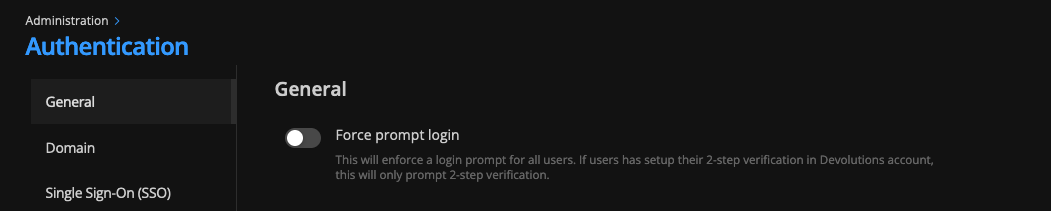
If you turn that setting off, you should be able to access your hub without re-authenticate yourself each time.
Best regards,
Sébastien Aubin
Product manager - Password Management
8b1f3781-0d48-40f6-a8d8-410500302ffa.png
Hi Sébastien,
Thanks, I've turned this option off, however it raises the question of what is the point of having the 'force login prompt' settting in hub, if the causes workspace to reauthenticate every time switching between pages within Workspace? Shouldnt the re-auth in Workspace instead align with the idle timeout values configured in Hub? When that setting was on, I didnt notice RDM or Launcher prompting for re-auth as frequently as workspace.
Seperately,I cant seem to unlock the hub page in workspace at all currently. Have tried uninstalling workspace, clearing appdata\net.devolutions folders etc. Recently I also enabled the 'encryption service' for SSO users in Hub, not sure if that has something to do with it. After reinstalling, Workspace pauses with a spinning wheel at the adding hub screen after I authenticate with SSO.
fyi, Launcher is working fine on the same machine, can authenticate with SSO and browse data source etc.
Joe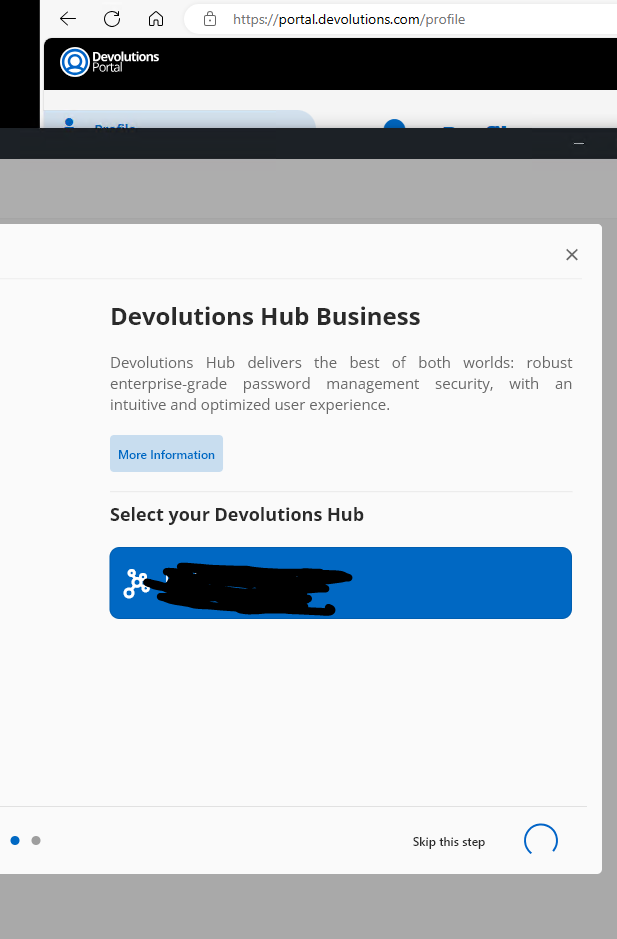
d7e5d36c-6fe3-47af-8ef1-c5b3f8ebc7af.png
Hi,
For your fist point, we in Workspace are trying to replicate the most the behavior the web app has. So if you activate this feature in the Web and refresh the page it will ask you the re-enter your password.
For the second point, can you try to add your Hub Space through the 'Add a Space' button instead of in the Setup Popup? Does this fix your problem? It can be the Encryption Service misconfiguration that results in this behavior but usually if it works on the Web app it should be working on Workspace.
Best regards,
Sébastien Aubin
Product manager - Password Management