Devolutions PowerShell Module - See Last Login of User

Hello everyone,
I would like to write a script that revokes the licenses of inactive users.
I know how to revoke the license, but I don't see any information about when a user was last logged in.
Can I query this information via the PowerShell module?
Thank you.
All Comments (21)
Hello timhauptmann,
I'm not one of the experts on the PowerShell module, but after a quick look, here is what I've come up with. If this isn't sufficient on your end, please don't hesitate to let me know.
[string]$username = $env:DS_USER
[string]$password = $env:DS_PASSWORD
[string]$dvlsurl = $env:DS_URL

[securestring]$securepassword = ConvertTo-SecureString $password -AsPlainText -Force
[pscredential]$creds = New-Object System.Management.Automation.PSCredential ($username, $securepassword)

Write-Host "Connect to dvls..."
Write-Host

New-DSSession -Credential $creds -BaseURI $dvlsurl -AsApplication

Write-Host "Get Users..."
Write-Host

$res = Get-DSUser -All
$userlist = $res.Data

Write-Host "Check users last login..."
Write-Host

$today = Get-Date
foreach ($user in $userlist) {
	if ($user.LastLogindate) {
		$diff = $today - $user.LastLogindate
		Write-Host $user.Name : $diff.Days days ago.
		#Do what you want
	} else {
		Write-Host $user.Name : Never connected;
	}
	Write-Host
}
Nicolas Girot
Hi Nicolas,
Thank you for the information.
That works so far.
For other things we always use the Get-RDM commands, where this attribute does not exist and we can log in there with an app password and do not need a separate user for it.
Is there also this option for the Get-RDM commands?
Hello,
In the web interface, it is possible to see the last activity of a user. It could probably help you.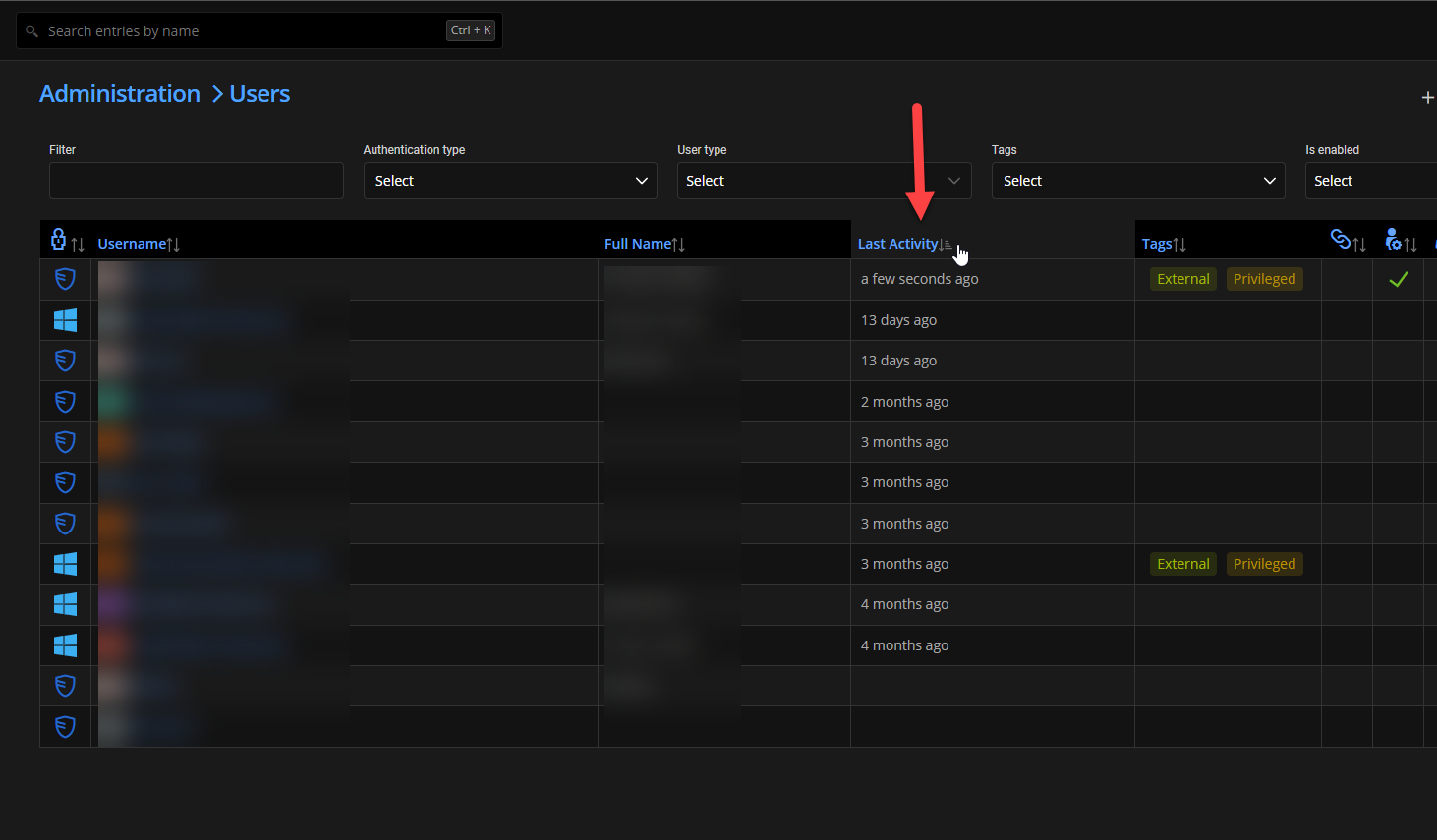
I will ask a colleague what is possible with RDM PowerShell command.
Best regards,
François Dubois
00c70618-b02f-4905-b7a0-8bdea97f78c0.png
Hi François,
Unfortunately, this does not help me, as I have to retrieve the information automatically so that the script works later without additional input.
Thanks for your help and I'll wait for the info whether this is possible with the commands from Get-RDM* or otherwise, where I can use the DVLS application as a user
Hello,
With PowerShell and RDM cmdlet, here is an example how you can get that information
# Find inactive users
$now = Get-Date
$inactiveUserIDs = Get-RDMUser | Where { $_.UserInfo.UserAccount.LastLoginDate -ne $null } | Where { (New-TimeSpan -Start $_.UserInfo.UserAccount.LastLoginDate -End $now).Days -gt $inactiveDays } | Select -ExpandProperty ID
You will find that example in a similar post available here. I hope it will help.
Best regards
François Dubois
Hi François,
it works. Thank you.
As i see i got a buggy devolutions powershell module, so i cant change rdmlicense settings. I will update my server and test it. After that i will give you a reply.
Hi François,
We have updated the server and are now using the server version 2023.3.16.0 and the PowerShell module version 2023.3.11.
When I want to adjust the license, I get the following message from the PowerShell:
WARNING: Unable to save license
The Application is in the group "Integrated Devolutions Administrators".
I have also tested it with a full admin user. The same message appears here
Hello,
We will try to reproduce your issue and let you know if we can. We will post back here when we have an update.
Best regards,
François Dubois
Hi François,
are there any new informations about my request?
Hello,
I apologize for the delay. Rest assured, I'll be looking into it next week. Before we move forward, could I clarify one point: Are the changes being made to the license itself, or do they only concern the assignments?
Best regards,
Maxime
Hello,
To assist you more effectively, could you please specify the type of license you are attempting to modify? I have not been able to replicate the issue yet.
Best regards,
Maxime
Hi Maxime,
we have two RDM Launcher licenses, which we have tried to modify. I tried to modifiy them seperatly.
Hello,
The version 2023.3.13 of the module has been released. It now returns more detailed information about the cause of failures, which will help pinpoint the issue. Could you please share what the new message looks like? It should appear before the existing warning message.
Best regards,
Maxime
Hi Maxime,
ich get the following Error on both launcher licenses:
Invalid license
Could not reach server, please download and import license file from Devolutions Portal.
Unable to save license
WARNING: Unable to save license
We have two launcher licenses because we had to reorder some and they are fully functional.
9d54d232-5dcc-4e50-b010-9e8646b4d3a5.png
Hello,
It appears that the issue you're encountering is related to a connection problem to the server, indicated by the error message: "Could not reach server, please download and import license file from Devolutions Portal."
Could you please confirm if you are logged into the server? You can check this by executing the command Get-RDMCurrentDataSource and verifying that the IsConnected property is set to true.
If you are connected, could you try executing another cmdlet, such as Get-RDMEntry | Select Name, to see if the issue is specific to the licenses cmdlets?
Best regards,
Maxime
Hi Maxime,
i am connected and can see entrys: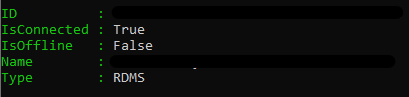
44a2c55e-f681-45f7-9b9a-7537c0440082.png
Hello,
Is it possible that Devolutions Server is unable to reach our servers for the license verification or perhaps the internet access is disabled at Administration – Server Settings – Features – Enable Internet Access ?
I will modify the Set-RDMLicence command to allow license assignments without attempting to update the license, which should still be permissible.
Best regards,
Maxime
Hi Maxime,
the Devolutions Server cant reach the Internet.
Hello,
The fix is included in version 2023.3.14 and will also be available in version 2024.1.4. Please let us know if this resolves your issue.
Best regards,
Maxime
Hi Maxime,
perfect :).
Now everything works and I can automatically clean up our licenses if users have not logged in for a while.
Thank you very much for your help.
Best regards,
Tim