Fix proper integration between Devolutions Hub <> Devolutions Workspace
Fix proper integration between Devolutions Hub <> Devolutions Workspace

Entries are not being able to autofill if Devolutions Workspace is configured to get the data from Devolutions Hub Business.
If the entry is within a password list, Devolutions Workspace isn't able to autofill, nor copy/paste the user/password/otp value. Says "nothing to copy in the clipboard".
Sensitive data removed from pics.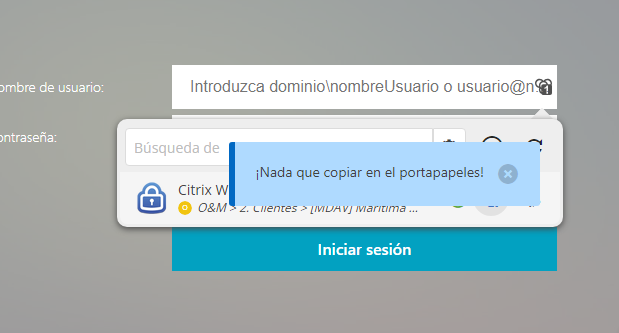
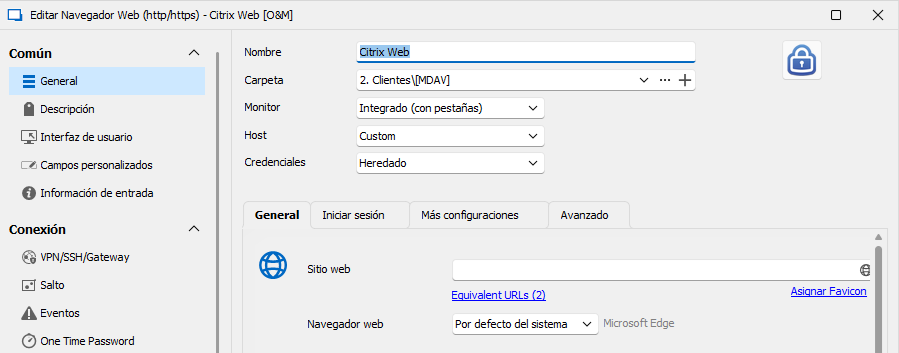
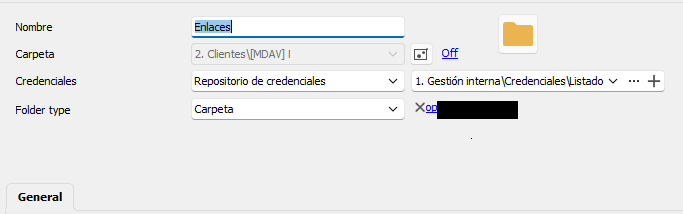
devolutions3.png
devolutions2.png
devolutions1.png
All Comments (7)
Hello Juan,
Thank you for reaching out to us regarding this. I would appreciate your assistance with the following inquiries:
Could you please specify the version of RDM you are currently using?
Also your version of the Workspace browser extension?
Let me know
Best regards,
Samuel Dery
Hi Samuel,
Thanks for your reply. In my company we practice all-up-to-date sotware.Versions are the latest available:
-> RDM 2023.3.39.0 64-bit
-> Workspace 2023.3.4.1
Looking forward to your comments.
Hi,
We opened a ticket to investigate the issue. We will keep you updated.
Best regards,
Olivier Désalliers
Dear all
I also suffer from this issue, is any progress/leadtime on fix?
workspace 2024.1.1 has this issue
also mis the password choice from list in workspace
web integration 2024.1.0.4 has this issue (edge)
Does not copy anything from the list (chosen pass)
funny detail is that edge integration on your download page is 2024.1.0.3 but installed it says 2024.1.0.4
rdm 2024.1.17.0 works fine
Works as intended
PS
did a test on chrome web integration 2024.1.0.4
there it also does not work.
Setup is
Website with credentials link to a password list and chosen a specific user/password from that list
Setup done via rdm.
Grt. Pascal
Hello Pascal01,
Thank you for contacting us on that matter!
I opened a ticket for further investigation and will contact you through your email.
If you have any other questions, feel free to let us know.
Best regards,
Maxim Robert
Hi Pascal,
A fix is available in Devolutions Workspace browser extension 2024.1.1.1 (and more recent versions).
Feel free to contact if you still have issues.
Best regards,
Olivier Désalliers
Thank you Olivier and Maxim.
fix 2024.1.1.1 solves the issue!
good work!
grtz