Vault Permission

Hi,
We are in a Keepass Migration process
We inted to import our different Credentials / Session in a specific Vault per Customer. We intend to split each customer in a dedicated Vault to avoid the 2000 entries limits
I've a question about the permission between Vaults. Is it possible to edit the permission in Batch to all customer Vaults ? (We use Hub Enterprise as Data Source)
We are open to script (API / PowerShell) if needed
Any experiences on this ?
Thank you
All Comments (5)
Hello,
With the web interface, you can set permissions per vault or on all vaults (via system wide vault permissions). There's no way of doing a sub-set.
With the PowerShell module, you should be able to add roles to users or groups to vaults.
<# Change variables below #>
$url = 'https://<yourHub>.devolutions.app'
$appSecret = '';
$appKey = '';

<# Connect #>
Connect-HubAccount -Url $url -ApplicationKey $appKey -ApplicationSecret $appSecret

<# Explore these to get your IDs #>
$roles = Get-HubVaultRole;
$vaults = Get-HubVault;
$users = Get-HubUser;
#$groups = Get-HubGroup;

New-HubVaultPermission -VaultId <aVault.Id> -UserId <aUser.Id> -VaultRoleId <aRole.Id>;
#New-HubVaultPermission -VaultId <aVault.Id> -GroupId <aGroup.Id> -VaultRoleId <aRole.Id>;
You will need to setup an applicaiton identity with the permissions to access vaults.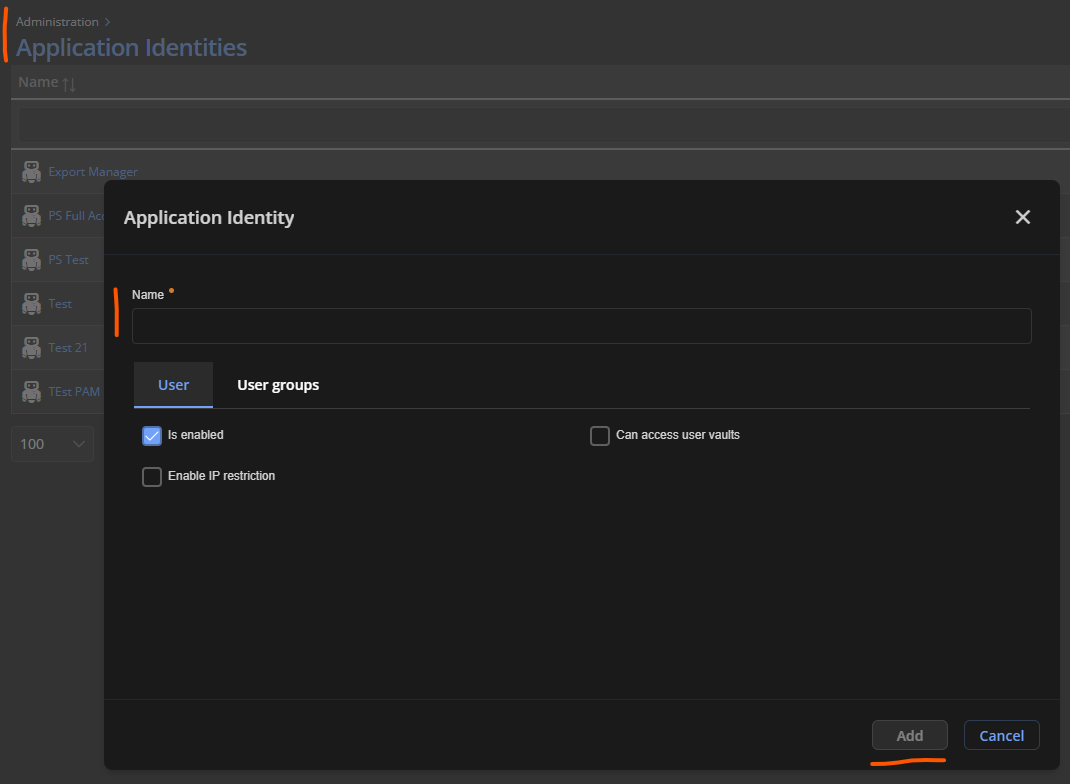
You can use the system-wide vault permissions to allow the application identity to manage all vaults. (Add your application identity to the vault owner role.)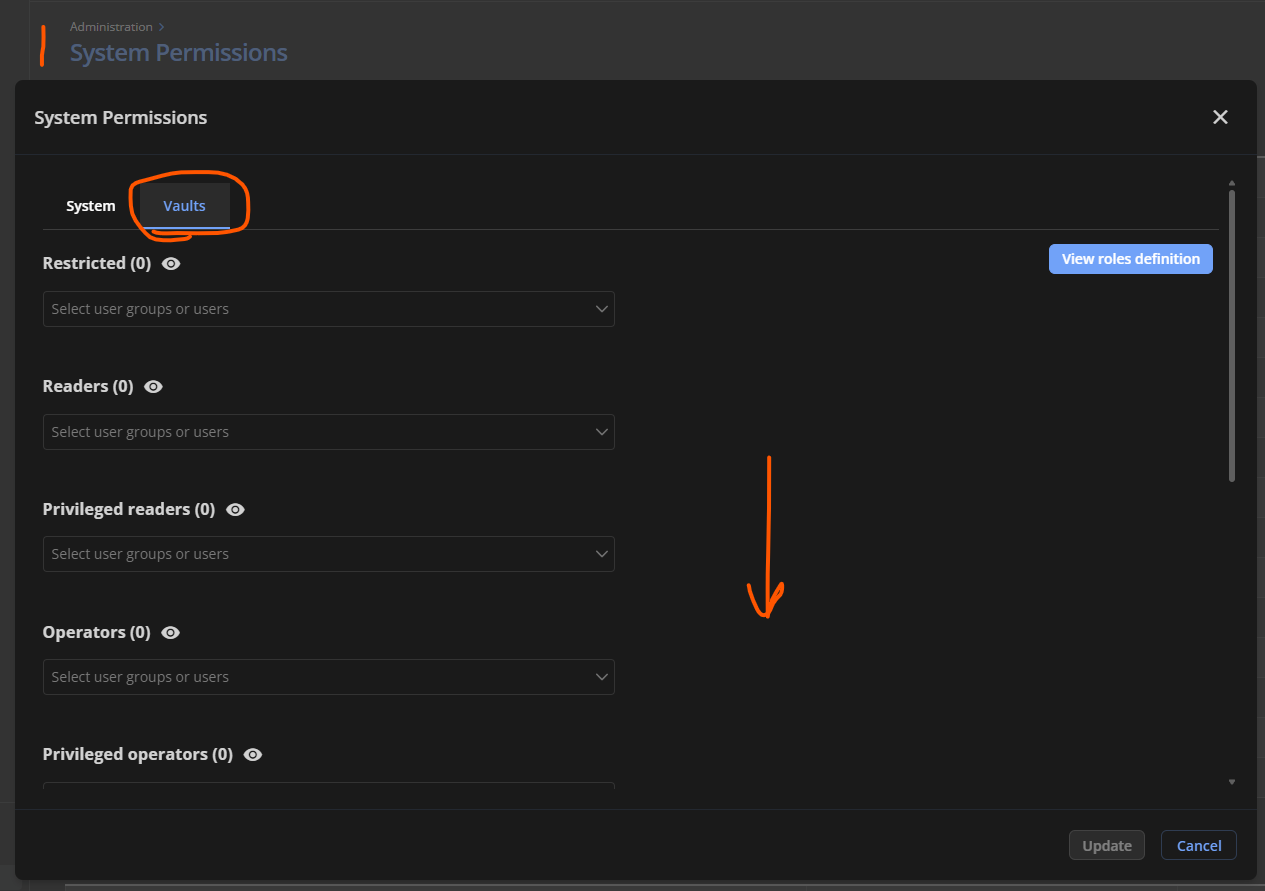
Let me know if this helps, have a good day!
Maxime Morin
9a0f663b-d29f-4644-b700-f7f9c0ce542c.png
e7a51a2e-12a8-4648-a602-e7726e1e7de3.png
Hi,
Thank you this is working perfectly !
Hello,
Out of curiosity, could you specify what is working for you? (PowerShell module or the system wide-vault permissions)
Have a good day!
Maxime Morin
Hello,
Out of curiosity, could you specify what is working for you? (PowerShell module or the system wide-vault permissions)
Have a good day!
Sorry ;)
We'll use the PowerShell module to parse all Vaults and assign the correct permission based on the Vault name (Like Cust-XXX)
Awesome, thank you for the response!
Maxime Morin