Basic Installation

I have a
Problem with the Basic Server installation.
SQL Express installed successfully
Saving passwords file...
File containing passwords saved to: C:\Admin\Devolution -
RDM\dvls_2024-01-19_passwords.txt
Done!
Validating Arguments...
A network-related or instance-specific error occurred while establishing a
connection to SQL Server. The server was not found or was not accessible.
Verify
that the instance name is correct and that SQL Server is configured to allow
remote connections. (provider: SQL Network Interfaces, error: 26 - Error
Locating Server/Instance Specified)
Invalid
credentials for database connection.
Install failed. Initiating rollback...
The login information was created in the setup, a self-signed certificate was selected,
but I also tried without it.
What could be the issue?
The installation's account has doiman admin rights and is also local admin.
The server currently has no internet connection.
Where can I find the log?
All Comments (5)
Hello,
Thank you for raising this issue.
We are aware of this problem, and a ticket is already opened internally.
In the meantime, would it be possible to use the credentials saved from the SQL Express installation (C:\Admin\Devolution - RDM\dvls_2024-01-19_passwords(1).txt) and use them for an advanced installation?
https://docs.devolutions.net/server/installation/create-server-instance/#advanced-installation
Best regards,
Érica Poirier
The SQL server cannot be found.
I assume it is only installed with the Basic installation?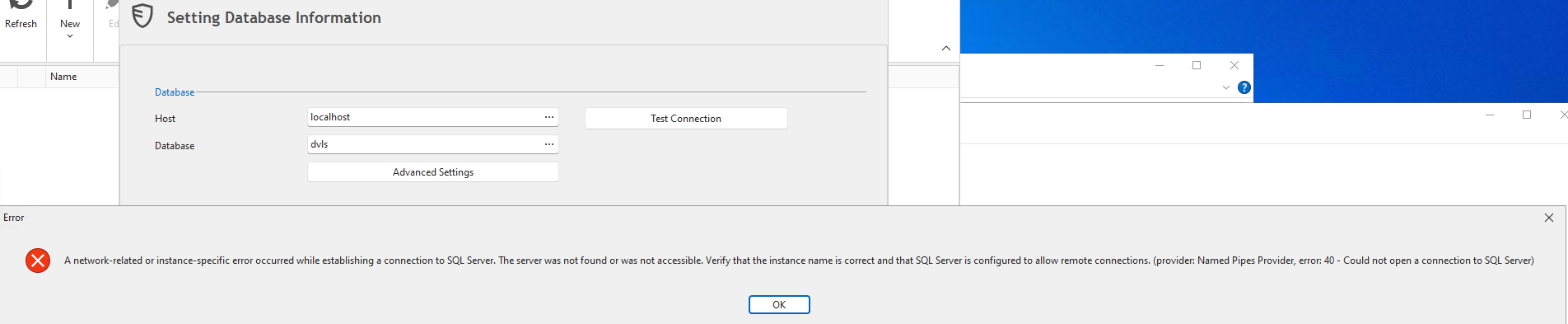
grafik.png
Hello,
That is correct. Only the Basic installation will install SQL Server. With the Advanced Installation, you need to install it manually before.
Have you installed SQL Server Management Studio (SSMS)?
If so, can you connect on the SQL Server with SSMS using the credentials saved in the file?
Best regards,
Érica Poirier
Yes, that worked.
Hello,
Thank you for your feedback.
Then have you tried with the same credentials in the Database section to create the DVLS instance?
Best regards,
Érica Poirier