No keyboard (SSH)

Hi Devolutions-Team,
you told me in Google Playstore to post my problem here.
When connecting via SSH, my keyboard won't appear. l've tried GBoard, Microsoft SwiftKey and Samsung Keyboard. (Video attached !)
I found a workaround:
1. Connect via SSH and then minimize the session.
2. Somewhere in RDM use any text input field (keyboard will appear normally).
3. Restore session and keyboard will appear.
If i minimize the keyboard a few times in the SSH session, it won't appear again. (you can see it in the video)
I'm using a Samsung S22 with OneUl 6 (Android 14). RDM version is 2023.3.3.12
Screen_Recording_20231126_024927.mp4
All Comments (12)
is there any way i could assist you to fix this prolem?
I've tried reinstalling the app, cleared Cache and App Data and this time i set a host manually without importing it from my pc via .rdm file
Update: I've tried UTF-8 and ISO-8859-1 in terminal settings in host configuration in RDM and English (USA) / German (Germany) keyboards in Gboard, Samsung Keyboard, etc.
Hello,
Thank you for reporting that issue and posting that video. We will investigate and get back to you as soon as possible.
Best regards,
Frederick Simard
Hello,
We believe we have identified a potential solution to your issue. Would you be willing to try a custom build to see if it resolves your problem?
Best regards,
Frederick Simard
Would you be willing to try a custom build to see if it resolves your problem?
Yes :)
Hi,
Once the build is ready, we will send you a private message with instructions to download the application file.
Best Regards,
Nicolas Dufour
Thank you, the custom build is working 👌🏻
Screen_Recording_20231128_201358.mp4
Hi,
Glad to hear it's working.
Thank you for reporting this issue and assisting us in testing the solution.
Best Regards,
Nicolas Dufour
Hello,
The latest update is currently being rolled out. This update contains the fix for your issue.
Best regards,
Frederick Simard
I've found another bug:
CTRL-button is not working.
E.g. when i try CTRL+D for logout or CTRL+C for cancelling in SSH.
After switching keyboards inside RDM it is working again.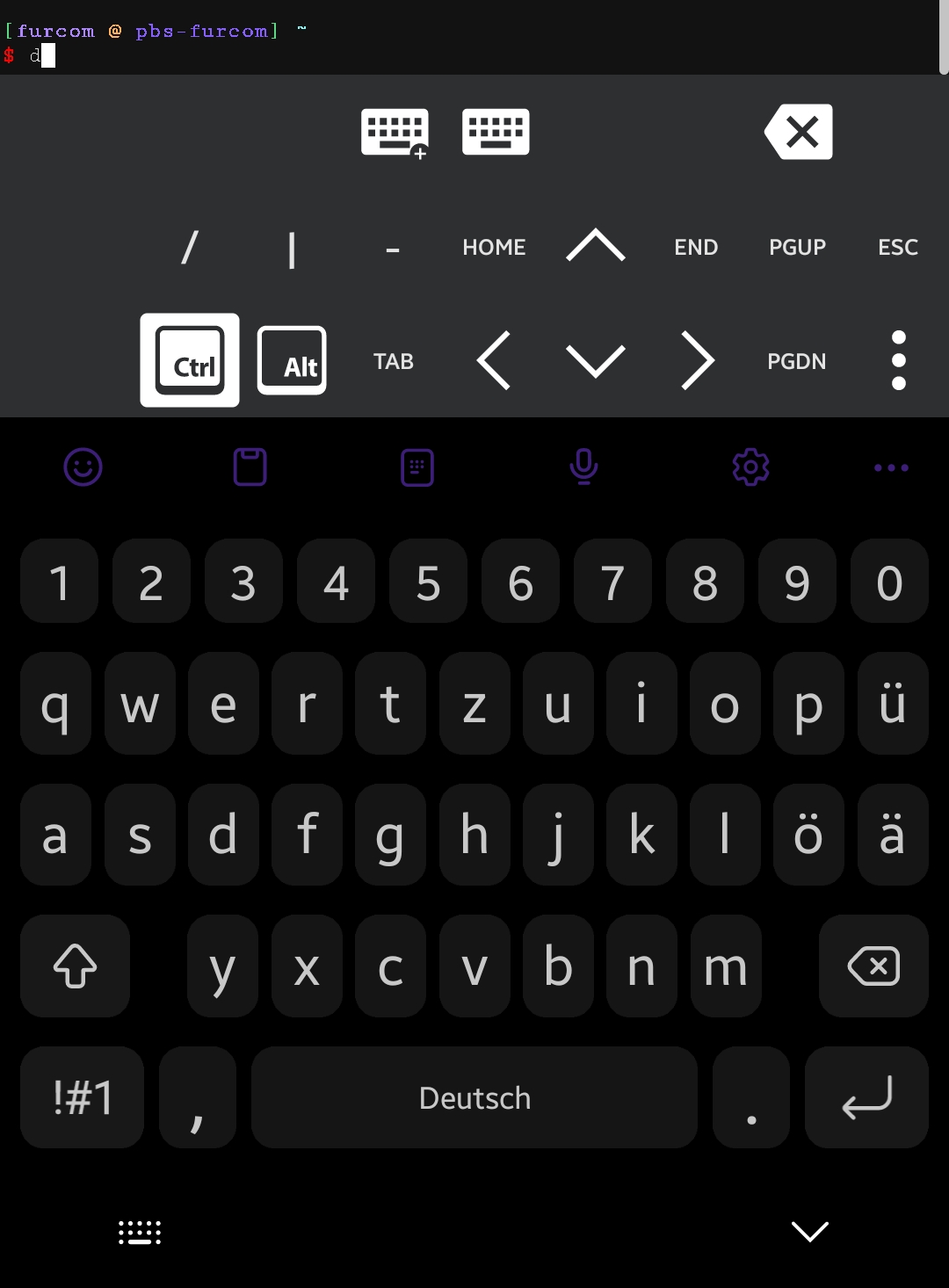
Screenshot_20231208_153710.png
Hello,
Thank your for reporting the issue. We will investigate and get back to you !
Best regards,
Frederick Simard
Hi,
A fix for the CTRL key issue in SSH sessions is currently rolling out. This update, labeled as version 2023.3.5.1, will become available to all users within the next few days.
Best Regards,
Nicolas Dufour
Thanks, CTRL Button is working after the update.
Happy new year, btw.