iPad Display/Resolution Issues?

Okay, I feel like I am missing something simple. The Windows desktop client works great! I have multiple Windows and Ubuntu RDP clients that I need to connect to and this works great.
However, the iOS client on the iPad I just can’t get it to work. I can connect, but the screen is cut off on the right side and the bottom. I can’t scroll to those areas, and changing the display settings, resolution or zoom still does not allow me to get to those areas. The best success I have had is use the setting that makes the connection launch full screen, but it is still cut off on the right and bottom, just not as much. Dynamic or Smart Sizing also does not seem to do anything?
I am really wanting this to work as the iPad is my go to, so I am really hoping that I am missing something.
I am using the 2023.3.4 version of the client, with iPadOS 17.1.1
IMG_0377.png
All Comments (14)
Hello,
Thank you for reporting this issue.
We recently changed our rendering API, but we have a setting to revert it back to the old one. Could you try going to Settings > User Interface and unchecking "Enable Metal Renderer"? Let us know if that fixes your issue.
Also, could you inform us whether you are using Gnome Remote Desktop or XRDP as the server on your Ubuntu machine?
You also mentioned having Windows RDP clients. Are you experiencing the same issue on these machines as well?
Best regards,
Frederick Simard
Yes, that corrected the issue on both Windows and Ubuntu 23.10 (Gnome Remote Desktop)
I tried full screen, tabbed, and changing resolution and in all cases the full desktop is displayed.
Thank you for the suggestion on the workaround!
Happy to help test the Metal renderer again when you get an update
Hello,
Glad it solved your issue.
What iPad model are you using ?
Also, are you using an external display with your iPad ?
Best Regards,
Frederick Simard
iPad Pro (M1)
I wasn’t using an external monitor while testing RDM, but I have been using one more often as Apple has made Stage Manager more usable
I do also use a Logitec Folio keyboard case with trackpad
Hello,
We've made some minor adjustments to the rendering in our latest update that might have addressed your issue. Could you please enable Metal again, try it out, and let us know if it has helped or not?
Best Regards,
Frederick Simard
Hi all,
Same Issue here:
IPad Pro 12,9 M2
External Widescreen Monitor 3440x1440
App works on external Display
I want to Connect to a MS Server 2022 via RDP. Resolution on rdp session does Not Match with Screen Resolution. It is too small. Need help please.
Hello,
When you mention that it is too small, can you clarify if you can see everything on the remote desktop, or are some parts cut off?
Could you please provide a screenshot or a video of the issue?
Best regards,
Frederick Simard
Thanks for your quick answer
Correct, No parts are cut off. Everything is displayed on Remote desktop session. But it seems to be that the Resolution on RDP session is too high.
here some screenshots
first screenshot is how it Looks Like normaly (Windows 10 to Windows 2022 Datacenter Session)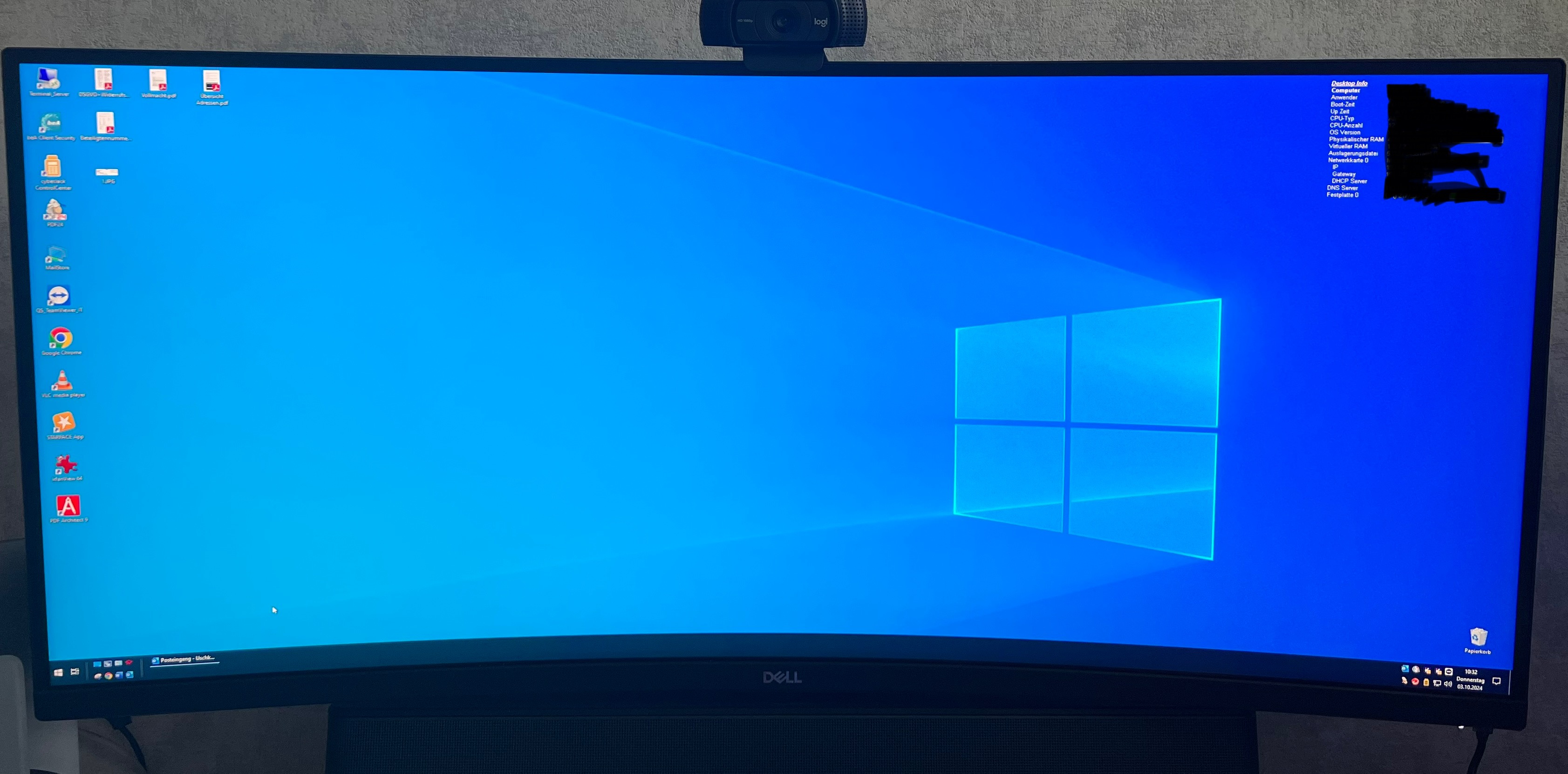
2nd and 3rd screenshots is how it looks like with your RD Manager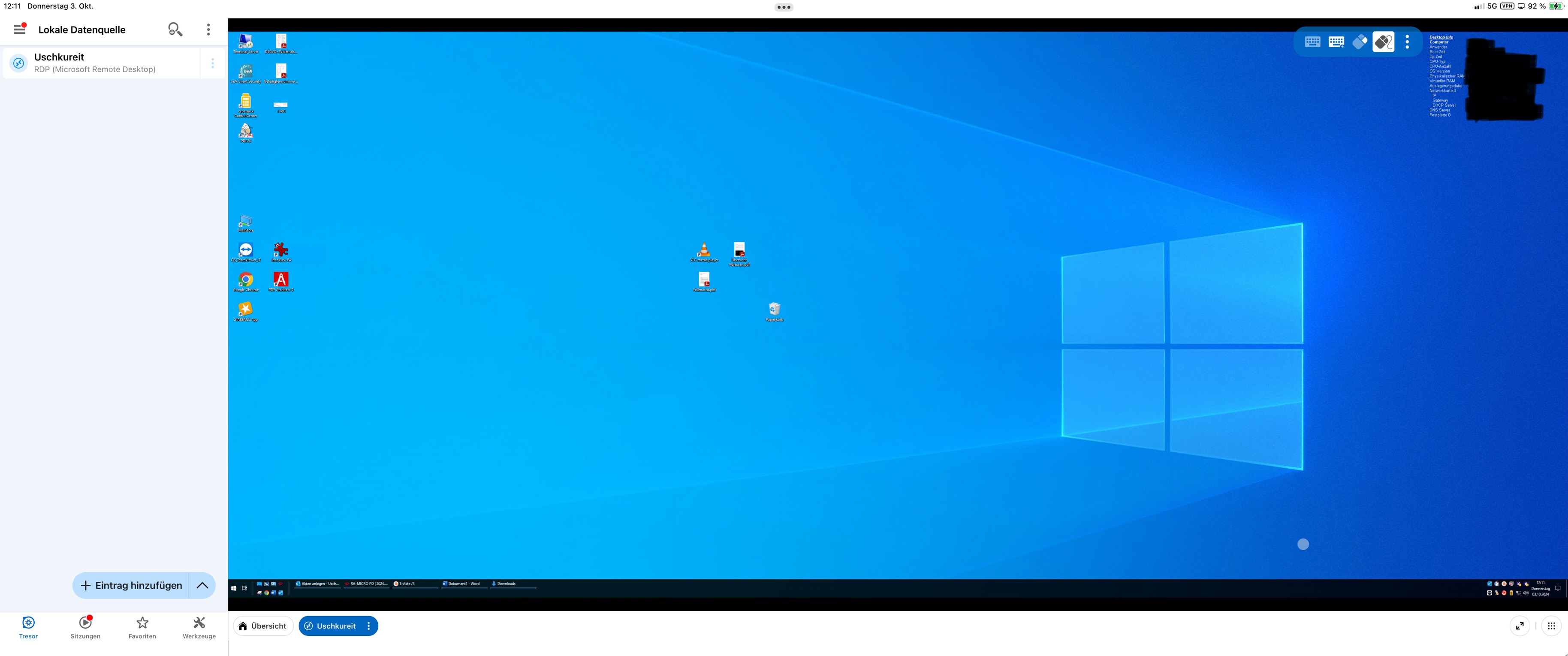
And fullscreen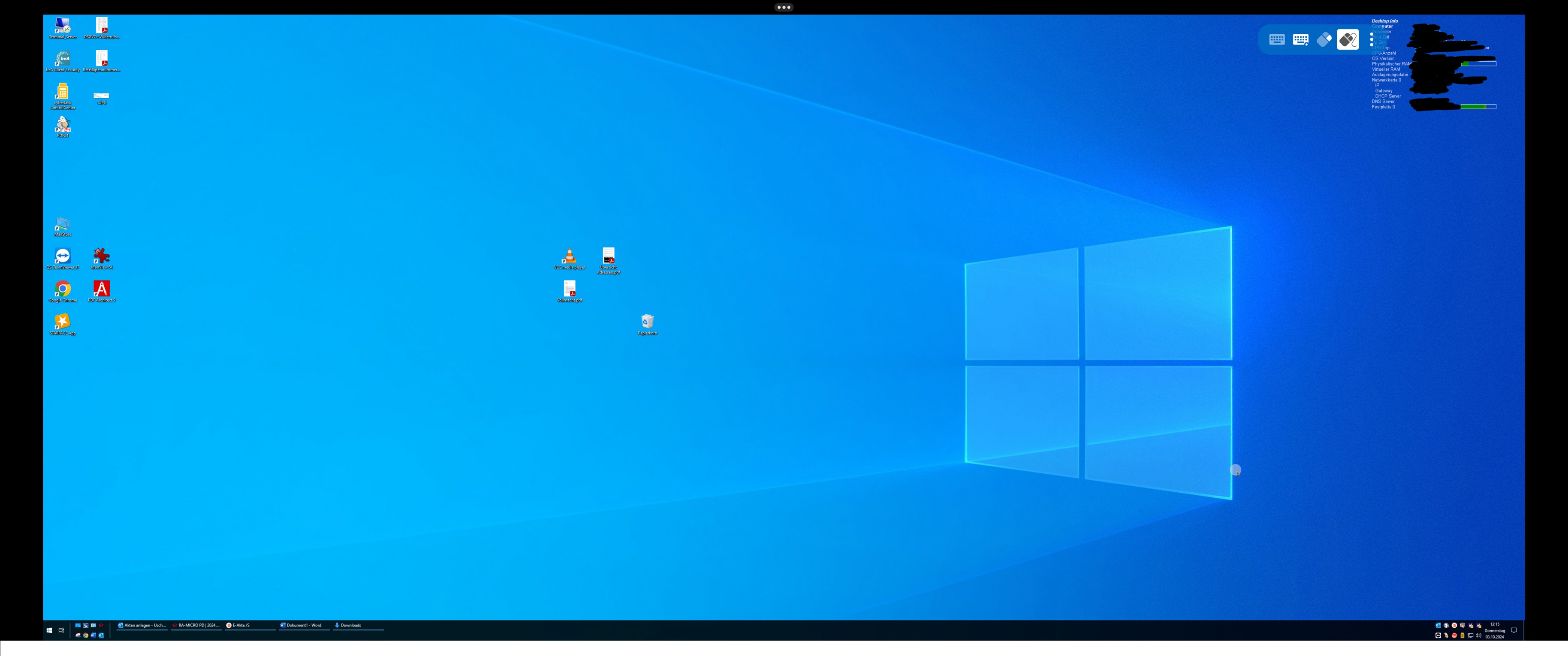
I‘ve tried every possible resolution setting and display option. Nothing helped. Metal Renderer is off.
external Display is connected via DELL Docking Station.
IMG_2655.jpeg
IMG_0063.jpeg
IMG_0062.jpeg
Hello,
Could you try activating dynamic resolution? You can do so by going to your connection settings, then navigating to the display section, selecting "Screen Sizing Mode," and choosing "Dynamic Resolution."
Best regards,
Frederick Simard
I tried this already, but it doesnt work. This changed nothing.
If you enable it, then toggling the fullscreen, does it work ?
No, as I said enabling dynamic resolution does not work for me.
But I enabled automatic scaling option in settings and now it is better. Maybe it was a scaling problem and not resolution