Devolutions Web Login funktioniert nicht innerhalb RDM (Edge)
Devolutions Web Login funktioniert nicht innerhalb RDM (Edge)

Hallo zusammen,
wenn ich innerhalb vom RDM eine URL Sitzung auf meine Kyocera Drucker aufmache füllt er leider nichts aus.
Wenn ich aber die URL Extern öffne funktioniert der automatische Login vom DWL ohne Probleme.
Habe ich evtl. irgendwo eine Einstellungen übersehen?
Microsoft Edge Version 117.0.2045.60 (Offizielles Build) (64-Bit)
Remote Desktop Manager Ver. 2023.2.27.0 64-bit*
Devolutions Web Login Ver. 2023.2.2.1
Vielleicht kennt ja einer das Problem.
EDIT: Der DWL ist mit dem RDM verknüpft was die Passwörter angeht.
Grüße gehen Raus
All Comments (11)
Hello,
I apologize for interjecting in English.
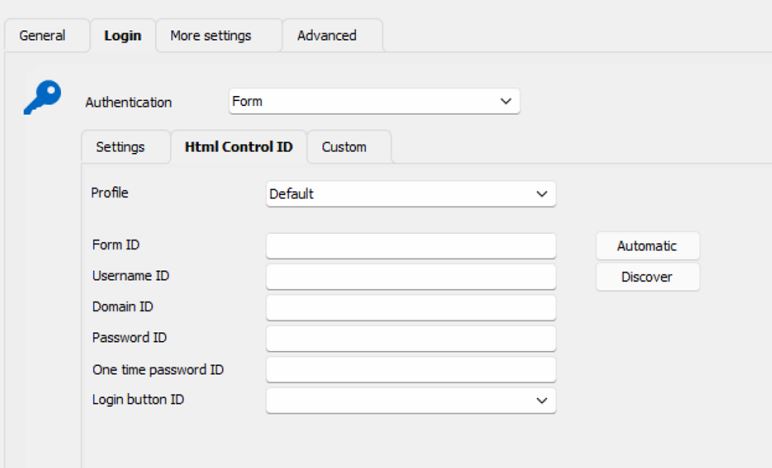
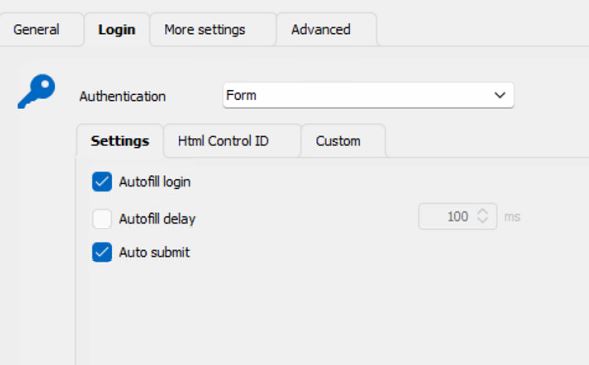
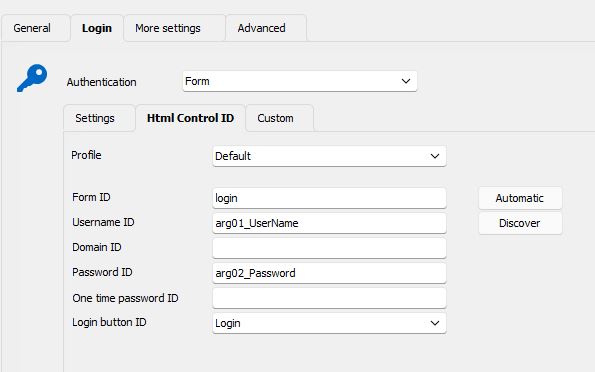
Would you be able to provide me with screenshots of the three login tabs located in the properties of the entry?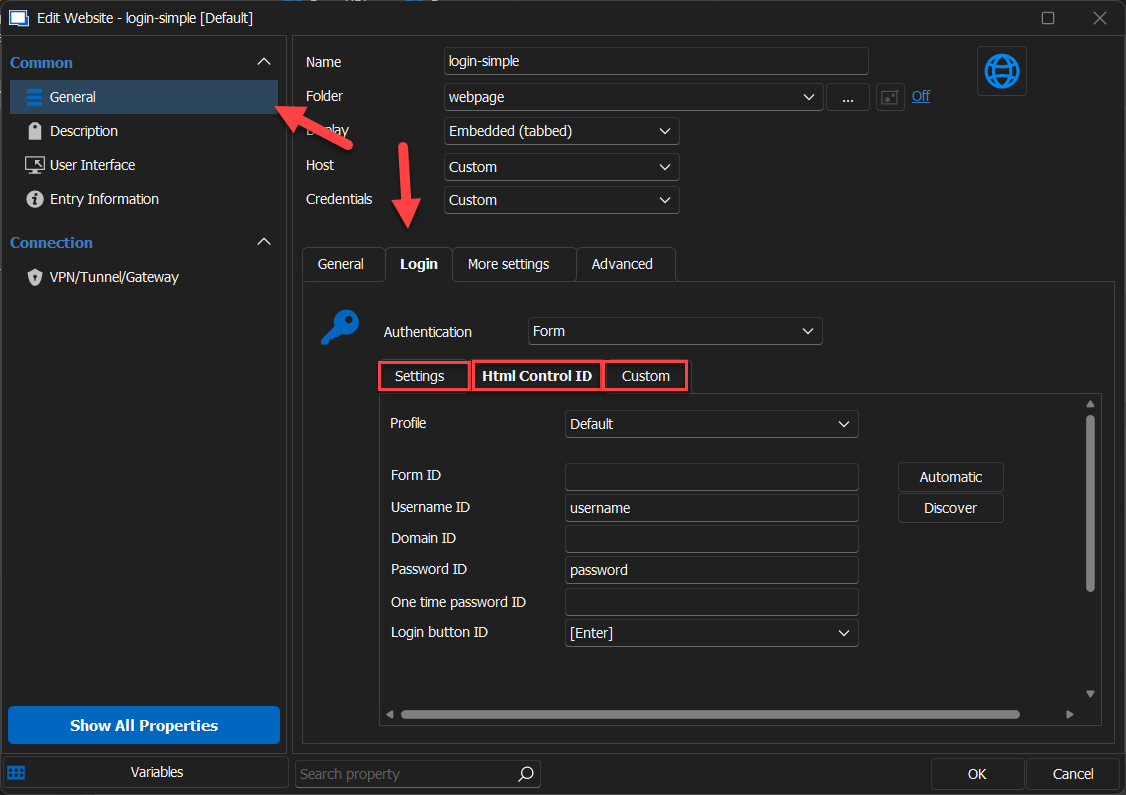
Thank you.
Carl Marien
2023-10-11_10-55-19.png
sorry for the late response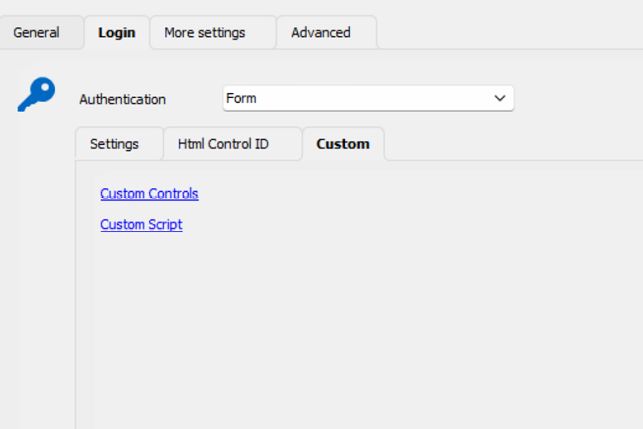
3.JPG
2.JPG
1.JPG
Hello,
Thank you for sharing the screenshot.
It seems the HTML control ID is blank, which could be causing the problem. Please consult the following documentation for guidance: https://docs.devolutions.net/kb/devolutions-web-login/how-to-articles/website-authentication/
Should you have any further questions or need additional support, please don't hesitate to reach out. I'm here to assist.
Best regards,
Carl Marien
Thanks for the help, I have gone through the instructions but unfortunately I still have the problem.
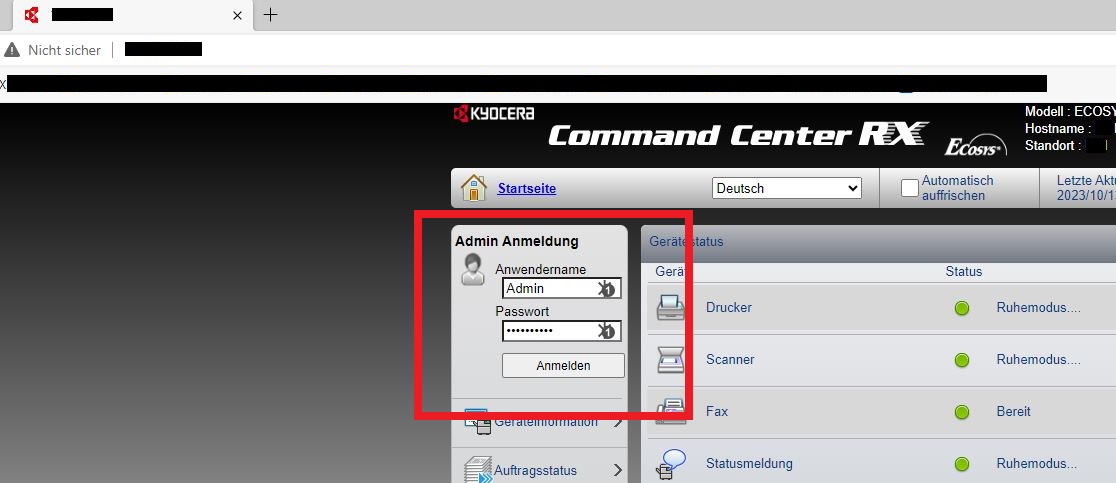
In the first picture you can see how I open the page In RDM and the fields are not filled in. If I then open the browser externally as marked in the first image, you can see in the second image that they are filled. Any suggestion?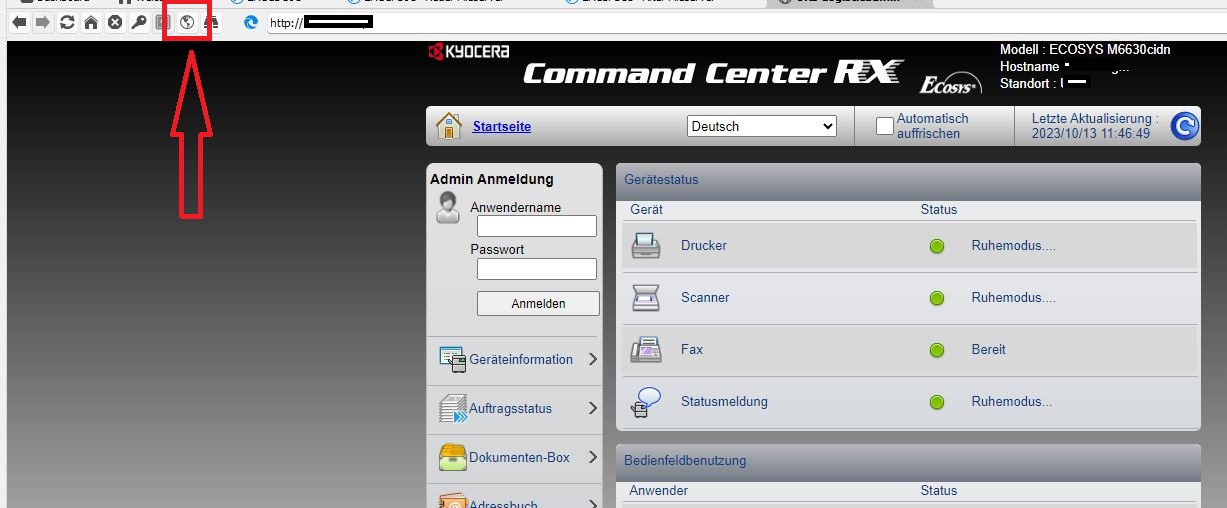
3.JPG
2.JPG
1.JPG
Hello,
Have you had a chance to try the second method outlined in the documentation I provided?
does the seconds method gave the same result ?
If you're interested or encounter any difficulties, we can schedule a remote session to guide you through the process.
Best regards
Carl Marien
Again, sorry for the late response.
I tried the second method, you just have to find the names, and i did, they are correct.

Like i said, i don't have the problem nativ with Microsoft Edge, only inside the RDM he is not filling up the fields.
2.JPG
1.JPG
Hallo,
funktioniert es Intergiert wenn du Chrome als Browser festlegst?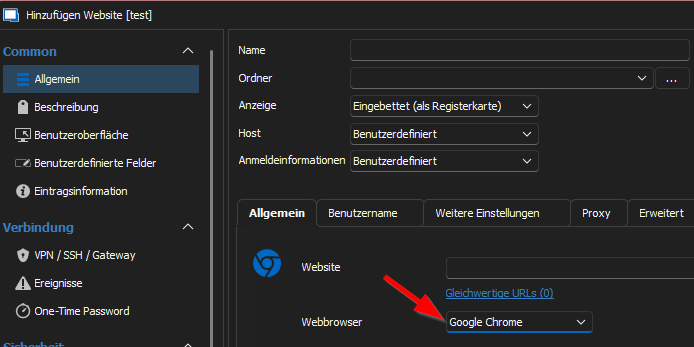
Weiters kannst du auch noch versuchen die Form ID zu entfernen (Testweise) 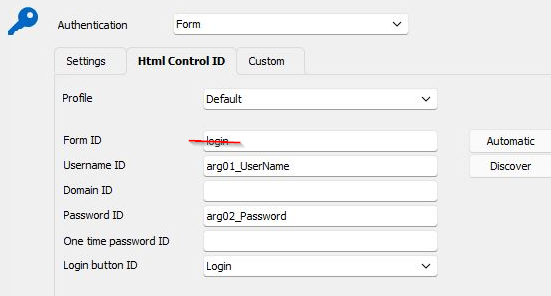
LG,
Min
f236f83c-61f7-4585-b9e1-3d639cf6a2a7.png
31504867-17dd-4b53-acba-01347b858643.png
Hi, danke für die Infos, mit dem Chrome klappt es leider auch nicht.
Aber, der Chrome füllt den Usernamen aus, leider aber nicht das Passwort, echt schade.
Ohne Form ID "login" habe ich es mit beiden versucht, leider auch kein Erfolg.
Beim Chrome funktioniert das ausfüllen Außerhalb des RDM wie beim Edge, deswegen vermute ich, dass der RDM irgendwas anders macht.
Ich probiere es weiter.
Nice, ich habe es mit dem Chrome zum laufen gebracht. Dieser Haken hier muss aber raus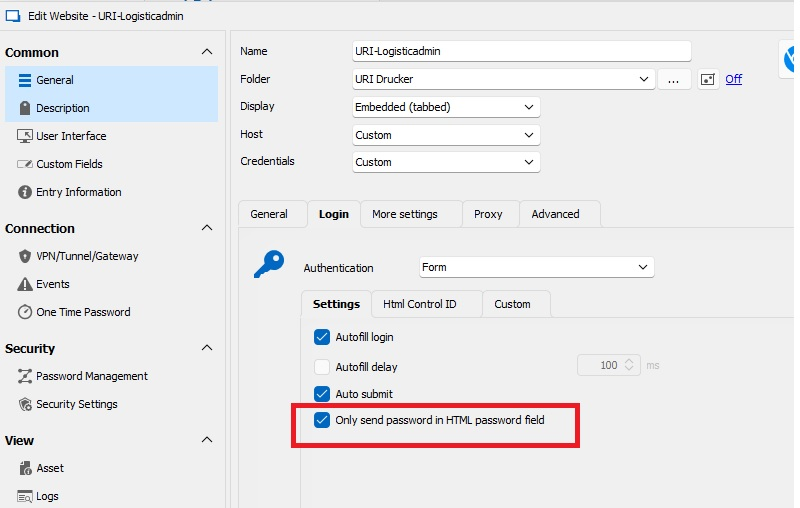
Leider gibt es den Haken nicht wenn ich den Edge auswähle, schade auch, hätte es gerne über den Edge laufen lassen.
Auf jeden Fall vielen dank für eure Unterstützung.
@Carl Marien
Nice, I got it to work with Chrome. But this tick here must be removed (see the picture)
Unfortunately, the hook is not there when I select the Edge, too bad, would have liked to run it via the Edge.
In any case, thanks for your support.
37f769d3-17e8-407c-9d66-2d221ba6a3a9.png
Hallo,
genau das wollte ich dir gerade noch vorschlagen 😎 Freut mich, dass es nun funktioniert!
Vielen Dank für deine Rückmeldung! 😉
LG,
Min
Noch eine Info, der automatische Login hat aber nicht funktioniert, da musste "Anmelden" rein, dieses habe ich beim durchsuchen der Page wie in der Anleitung beschrieben gefunden.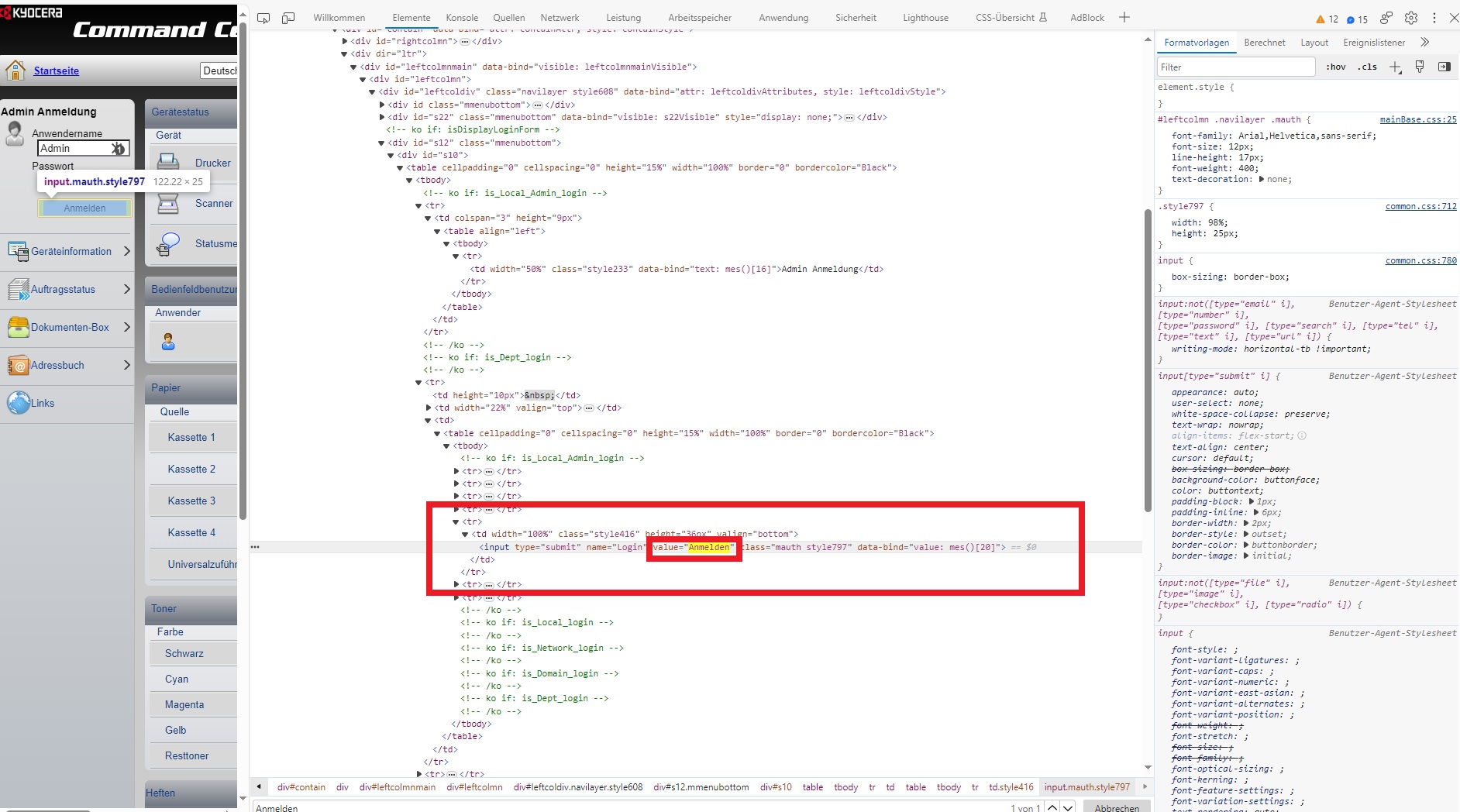
Für die Leute die das gleiche Problem haben, hier meine Einstellungen mit denen es funktioniert.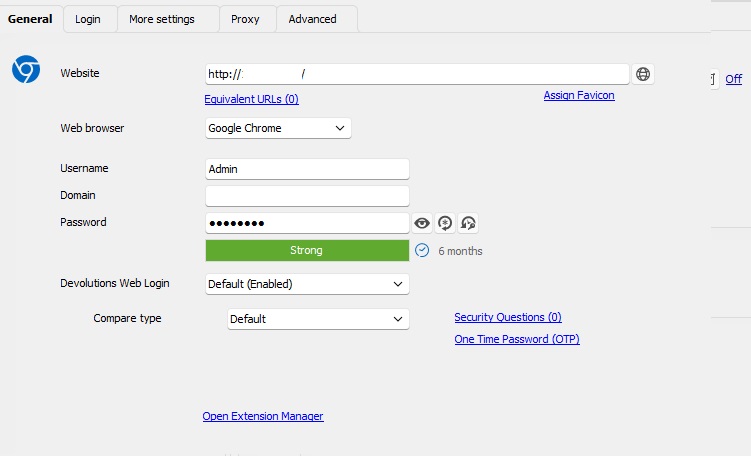
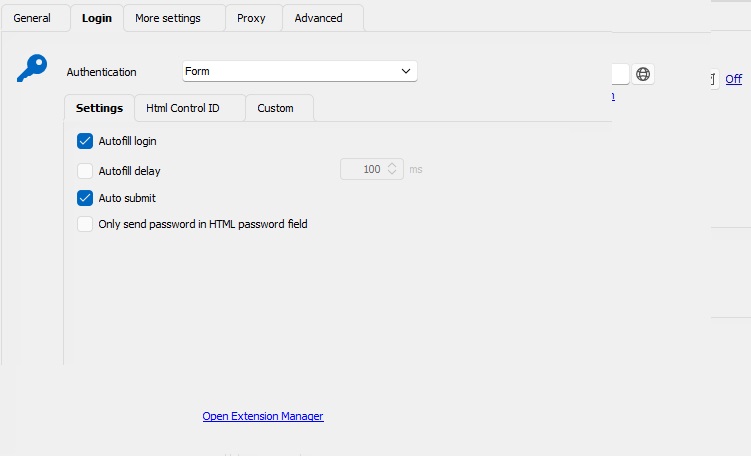
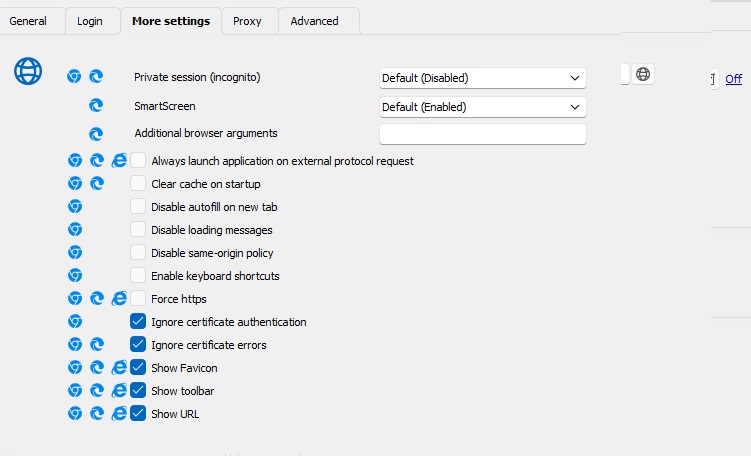
3.jpg
2.jpg
1.jpg
4.jpg
