SSH key

Hello,
I have generated and saved the SSH key, how to use it to connect to the server?
iPadPro 3gen
iPadSO 17.0
regards
Robert
All Comments (9)
Hello,
If your SSH Server is not already configured, please make sure to set it up before proceeding. There are plenty of online resources available to assist you in this setup process.
Following that, based on your requirements, you can create either an SSH Shell or SSH Tunnel entry using RDM iOS. In your entry configuration, you will need to provide details such as your host (server address), username, password, and private key information.
Once your session is saved, you will be able to open it and connect to your SSH Server.
Best Regards,
Nicolas Dufour
It doesn't work, I'll describe what I did
1. I added a new entry - SSH session, login with user and password works OK
2. I added a new entry - private key
- key type: data
- I used a generator to create a private and public key
3. I added a key to my session (1) by selecting it from the repository
4. I added the public key to my server
5. Login using the public key does not work... it keeps asking for the password
6. I have the following error in the connection logs :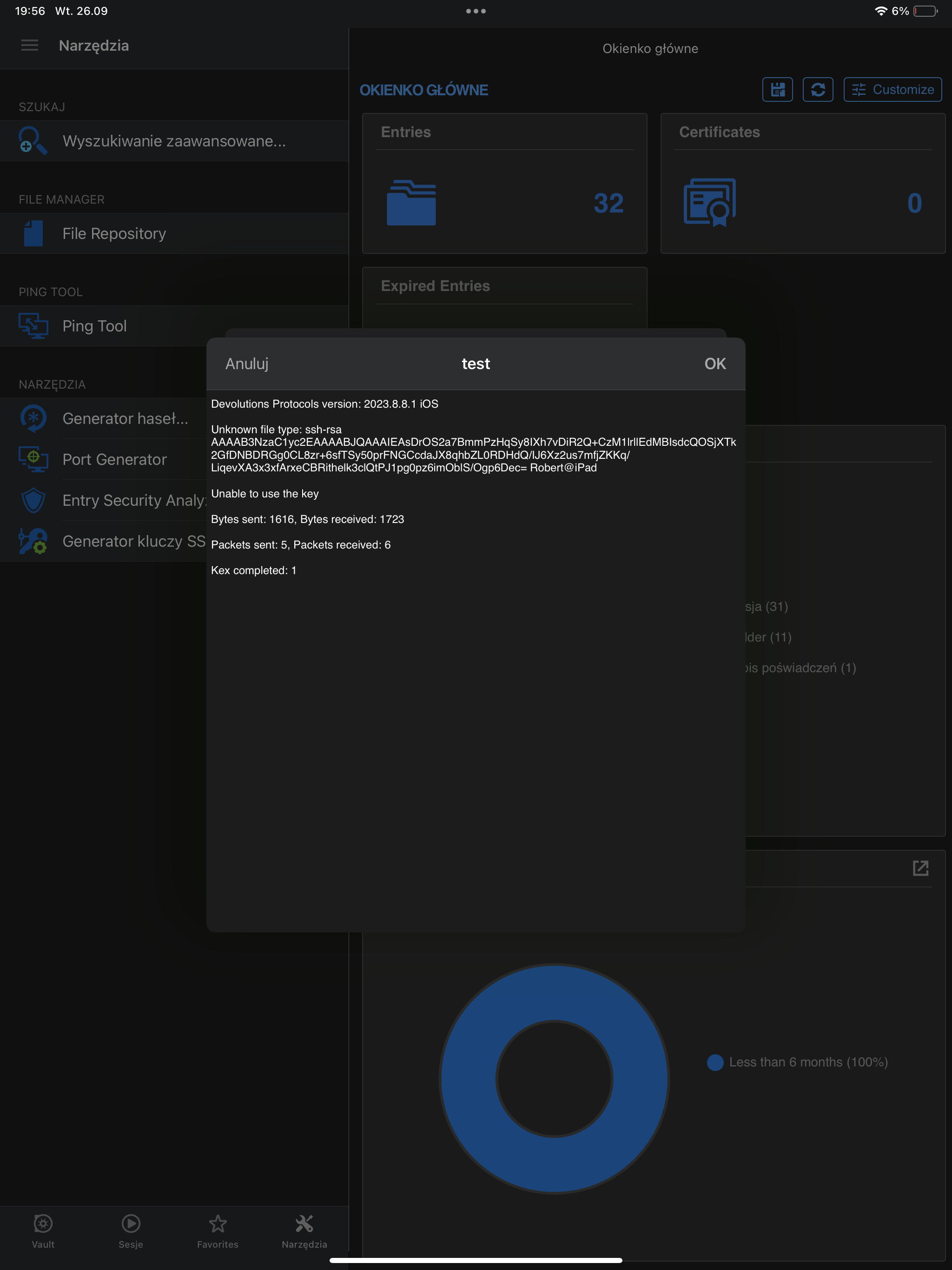
regards
Robert
cb85b59b-c06a-4957-bcb9-4824546cc749.png
Hi,
Have you specified the public key in your SSH entry instead of the private key?
Best Regards,
Nicolas Dufour
Hi,
Yes, this is actually my mistake.
But using SSH generator when adding private key, private key is same as public key...
obraz.png
next image :)
regards
Robert
obraz.png
Hi,
You are right, both keys seem identical. We will investigate.
Best Regards,
Nicolas Dufour
Hi,
We have found the issue. The fix will be available in the upcoming release, which is scheduled for release next week.
Best Regards,
Nicolas Dufour
Hi,
The new release should be available Monday.
Best Regards,
Nicolas Dufour
Hi,
The new release (2023.2.8) is available.
Best Regards,
Nicolas Dufour