[solved] unable to connect RDP session to Ubuntu Server

I tried to setup a RDP connection to my Ubuntu server, but I can't get it to work with RDM.
(RDP itself works fine with MS RD Client App on iOS for that server, but there I have issues with the mouse pointer usage, so I wanted to try another solution)
However, I can't get it to work, see the log attached:
The logs say HYBRID_REQUIRED_BY_SERVER and security negotiation fails.
I assume, NLA needs to be enabled, but in the configuration, I did enable it!
However, the logs say "Enabling NLA Security: false"
But maybe this is only a follow-up issue from the some other error in the connection negotiation and a fallback thing...
I have no idea how to proceed here...
any help would be appreciated
BTW: the same server and the same configuration works fine in RDM for Windows. Only on iOS I see this problem....
kind regards
Christoph
RdpLogs.log
All Comments (21)
Hello,
Let us look into it and we will get back to you.
Best regards,
Maxime Brousseau
Hello
From the log file you provided, NLA is properly configured. RDM attempts NLA first and if it fails, it falls back to TLS automatically (that's the "Enabling NLA security: FALSE" you see in the log). The actual error is further up in the log file - the NLA handshake is failing at some point as the server doesn't send a response that we are expecting.
Since this setup works with MS RDP, it should work with RDM too. However please note that the fact it works on RDM Windows doesn't tell much - RDM Windows is by default using the MS RDP client (ActiveX control) which sadly can't be embedded on other platforms.
I did try a quick test using an Ubuntu server in our lab with xrdp and NLA and it worked well. I think we need some more information on what your RDP server setup is (e.g. xrdp, gnome-remote-desktop, etc) and also the version you are using. Any relevant information you can provide will be helpful.
Please don't hesitate to post back if something isn't clear or you have further questions.
Thanks and kind regards,
Richard Markievicz
Hi Richard
thank you for looking into it.
i use Ubuntu 22.04 with wayland , xrdp version is 0.9.17
I configured it only through the GUI and it uses only the defaults...
What else can i provide to help here?
with the Microsoft RD App on iOS it also works...
kind regards
Christoph
Hello again
Are you quite sure you're using xrdp? From some research on this issue, xrdp does not support NLA. In my test environment, it's working because it makes the fallback to TLS security. However, in your case the server is quite clearly telling that NLA is enabled _and_ required.
I don't believe xrdp has a graphical configuration, but you mentioned you configured via the GUI. Can you confirm if you did that through Settings > Sharing > Remote Desktop? If that's the case on Ubuntu 22, then I believe your server is probably Gnome Remote Desktop rather than xrdp.
Please let me know if that's accurate, obviously it would mean I need a different test setup on my side.
Thanks and kind regards,
Richard Markievicz
One thing I forgot to ask - is your RDM iOS version up-to-date?
Thanks and kind regards,
Richard Markievicz
Hello again
Are you quite sure you're using xrdp? From some research on this issue, xrdp does not support NLA. In my test environment, it's working because it makes the fallback to TLS security. However, in your case the server is quite clearly telling that NLA is enabled _and_ required.
I don't believe xrdp has a graphical configuration, but you mentioned you configured via the GUI. Can you confirm if you did that through Settings > Sharing > Remote Desktop? If that's the case on Ubuntu 22, then I believe your server is probably Gnome Remote Desktop rather than xrdp.
Please let me know if that's accurate, obviously it would mean I need a different test setup on my side.
Thanks and kind regards,
you may be right. I installed xrdp but looking closer it seems to inactive.
I also have
gnome-remote-desktop/jammy-updates,now 42.7-0ubuntu1 amd64 [Installiert,automatisch]
and yes, it was made through „settings->sharing“
I‘m not very experienced with Ubuntu so I may have confused the configuration here…
RDM on my iPhone is Version 2023.2.3 so I assume latest
Kind regards
Christoph
Hi
Thanks for the follow up, I am also not very experienced with Ubuntu so I wanted to make sure we had everything square.
I need to see if I can reproduce this on my side, please allow a little time as I need to get a test environment setup. I appreciate your patience on that. I'll post back once I have an update.
In the meantime, please don't hesitate to post with further questions or issues.
Thanks and kind regards,
Richard Markievicz
Hello again
I've been playing with this but I'm still unable to recreate your issue.
Can you tell me how you setup the server to require NLA? It's not an option that I see the GUI, but your server definitely wants it (as you saw by the HYBRID_REQUIRED_BY_SERVER in the logs).
Thanks and kind regards,
Richard Markievicz
Hi Richard,
unfortunately I have no idea how I set that.
as mentioned I only configured by GUI…
I also don’t know how to disable it…
kind regards
christoph
Hello again
RDM iOS 2023.2.4 is being released currently, it however will take a few hours before it's available in the App Store.
Before going further, I'd appreciate if you can try with the newest version and, if the issue is not resolved, generate a new log file on that version.
It doesn't have a specific fix for your issue, but it does contain an update to our RDP module with a large number of bug fixes and changes.
Please let me know if something isn't clear,
Thanks and kind regards,
Richard Markievicz
Hi Richard,
I really appreciate your effort to solve my issue.
unfortunately it still does not work with the new version.
log is attached....
kind regards
Christoph
for some reason I can only attach images here through my iPad...
[22:15:15:127] [8062:70b23000] [INFO][Devolutions.Rdp.Credentials] - [Parse]: parsing "c********", "" (Mstsc) => "Username: "c********" Domain: """
[22:15:15:131] [8062:70b23000] [DEBUG][com.freerdp.core] - [freerdp_connect_begin]: resetting error state
[22:15:15:131] [8062:70b23000] [DEBUG][com.freerdp.client.common.cmdline] - [freerdp_client_load_static_channel_addin]: loading channelEx rdpdr
[22:15:15:131] [8062:70b23000] [DEBUG][com.freerdp.client.common.cmdline] - [freerdp_client_load_static_channel_addin]: loading channelEx rdpsnd
[22:15:15:131] [8062:70b23000] [DEBUG][com.freerdp.channels.channels.cliprdr.client] - [cliprdr_VirtualChannelEntryEx]: VirtualChannelEntryEx
[22:15:15:131] [8062:70b23000] [DEBUG][com.freerdp.client.common.cmdline] - [freerdp_client_load_static_channel_addin]: loading channelEx cliprdr
[22:15:15:131] [8062:70b23000] [DEBUG][com.freerdp.channels.drdynvc.client] - [drdynvc_VirtualChannelEntryEx]: VirtualChannelEntryEx
[22:15:15:131] [8062:70b23000] [DEBUG][com.freerdp.client.common.cmdline] - [freerdp_client_load_static_channel_addin]: loading channelEx drdynvc
[22:15:15:131] [8062:70b23000] [WARN][com.freerdp.core.client] - [freerdp_channels_client_load_ex]: Skipping, channel already loaded
[22:15:15:131] [8062:70b23000] [DEBUG][com.freerdp.client.common.cmdline] - [freerdp_client_load_static_channel_addin]: loading channelEx rdpdr
[22:15:15:131] [8062:70b23000] [WARN][com.freerdp.core.client] - [freerdp_channels_client_load_ex]: Skipping, channel already loaded
[22:15:15:131] [8062:70b23000] [DEBUG][com.freerdp.client.common.cmdline] - [freerdp_client_load_static_channel_addin]: loading channelEx rdpsnd
[22:15:15:131] [8062:70b23000] [WARN][com.freerdp.core.client] - [freerdp_channels_client_load_ex]: Skipping, channel already loaded
[22:15:15:131] [8062:70b23000] [DEBUG][com.freerdp.client.common.cmdline] - [freerdp_client_load_static_channel_addin]: loading channelEx cliprdr
[22:15:15:131] [8062:70b23000] [WARN][com.freerdp.core.client] - [freerdp_channels_client_load_ex]: Skipping, channel already loaded
[22:15:15:131] [8062:70b23000] [DEBUG][com.freerdp.client.common.cmdline] - [freerdp_client_load_static_channel_addin]: loading channelEx drdynvc
[22:15:15:135] [8062:70b23000] [DEBUG][com.freerdp.core.nego] - [nego_set_negotiation_enabled]: Enabling security layer negotiation: TRUE
[22:15:15:135] [8062:70b23000] [DEBUG][com.freerdp.core.nego] - [nego_set_restricted_admin_mode_required]: Enabling restricted admin mode: FALSE
[22:15:15:135] [8062:70b23000] [DEBUG][com.freerdp.core.nego] - [nego_enable_rdp]: Enabling RDP security: TRUE
[22:15:15:135] [8062:70b23000] [DEBUG][com.freerdp.core.nego] - [nego_enable_tls]: Enabling TLS security: TRUE
[22:15:15:135] [8062:70b23000] [DEBUG][com.freerdp.core.nego] - [nego_enable_nla]: Enabling NLA security: TRUE
[22:15:15:135] [8062:70b23000] [DEBUG][com.freerdp.core.nego] - [nego_enable_ext]: Enabling NLA extended security: FALSE
[22:15:15:135] [8062:70b23000] [DEBUG][com.freerdp.core.nego] - [nego_enable_rdstls]: Enabling RDSTLS security: FALSE
[22:15:15:135] [8062:70b23000] [DEBUG][com.freerdp.core.nego] - [nego_enable_aad]: Enabling RDS AAD security: FALSE
[22:15:15:135] [8062:70b23000] [DEBUG][com.freerdp.core.connection] - [rdp_client_transition_to_state]: CONNECTION_STATE_INITIAL --> CONNECTION_STATE_NEGO
[22:15:15:135] [8062:70b23000] [DEBUG][com.freerdp.core.nego] - [nego_connect]: state: NEGO_STATE_NLA
[22:15:15:135] [8062:70b23000] [DEBUG][com.freerdp.core.nego] - [nego_attempt_nla]: Attempting NLA security
[22:15:15:135] [8062:70b23000] [DEBUG][com.freerdp.core] - [freerdp_tcp_is_hostname_resolvable]: resetting error state
[22:15:15:135] [8062:70b23000] [DEBUG][com.freerdp.core] - [freerdp_tcp_default_connect]: resetting error state
[22:15:15:135] [8062:70b23000] [DEBUG][com.freerdp.core] - [freerdp_tcp_default_connect]: connecting to peer 192.168.246.131
[22:15:15:194] [8062:18cf4640] [DEBUG][DevolutionsRdp] - [csharp_freerdp_send_monitor_layout]: send_monitor_update without disp channel
[22:15:15:275] [8062:70b23000] [DEBUG][com.freerdp.core.nego] - [nego_send_negotiation_request]: RequestedProtocols: 3
[22:15:16:414] [8062:70b23000] [DEBUG][com.freerdp.core.nego] - [nego_process_negotiation_response]: RDP_NEG_RSP::flags = { [0x03] |EXTENDED_CLIENT_DATA_SUPPORTED|DYNVC_GFX_PROTOCOL_SUPPORTED }
[22:15:16:414] [8062:70b23000] [DEBUG][com.freerdp.core.nego] - [nego_recv]: selected_protocol: 2
[22:15:16:414] [8062:70b23000] [DEBUG][com.freerdp.core.nego] - [nego_attempt_nla]: state: NEGO_STATE_FINAL
[22:15:16:414] [8062:70b23000] [DEBUG][com.freerdp.core.nego] - [nego_connect]: Negotiated NLA security
[22:15:16:414] [8062:70b23000] [DEBUG][com.freerdp.core.nego] - [nego_try_connect]: nego_security_connect with PROTOCOL_HYBRID
[22:15:16:510] [8062:70b23000] [DEBUG][com.freerdp.core.nla] - [nla_set_early_user_auth]: Early User Auth active: false
[22:15:16:510] [8062:70b23000] [DEBUG][com.freerdp.core.nla] - [nla_set_state]: -- NLA_STATE_INITIAL --> NLA_STATE_INITIAL
[22:15:16:510] [8062:70b23000] [DEBUG][com.winpr.sspi] - [InitSecurityInterfaceExA]: InitSecurityInterfaceExA
[22:15:16:510] [8062:70b23000] [DEBUG][com.freerdp.core.auth] - [credssp_auth_init]: Using package: Negotiate (cbMaxToken: 12256 bytes)
[22:15:16:511] [8062:70b23000] [DEBUG][com.freerdp.core.auth] - [credssp_auth_setup_client]: Acquired client credentials
[22:15:16:511] [8062:70b23000] [DEBUG][com.winpr.sspi.NTLM] - [ntlm_change_state]: change state from NTLM_STATE_INITIAL to NTLM_STATE_INITIAL
[22:15:16:511] [8062:70b23000] [DEBUG][com.winpr.sspi.NTLM] - [ntlm_change_state]: change state from NTLM_STATE_INITIAL to NTLM_STATE_NEGOTIATE
[22:15:16:511] [8062:70b23000] [DEBUG][com.winpr.sspi.NTLM] - [ntlm_write_negotiate_flags]: Write flags [0xe20882b7] NTLMSSP_NEGOTIATE_UNICODE|NTLMSSP_NEGOTIATE_OEM|NTLMSSP_REQUEST_TARGET|NTLMSSP_NEGOTIATE_SIGN|NTLMSSP_NEGOTIATE_SEAL|NTLMSSP_NEGOTIATE_LM_KEY|NTLMSSP_NEGOTIATE_NTLM|NTLMSSP_NEGOTIATE_ALWAYS_SIGN|NTLMSSP_NEGOTIATE_EXTENDED_SESSION_SECURITY|NTLMSSP_NEGOTIATE_VERSION|NTLMSSP_NEGOTIATE_128|NTLMSSP_NEGOTIATE_KEY_EXCH
[22:15:16:511] [8062:70b23000] [DEBUG][com.winpr.sspi.NTLM] - [ntlm_change_state]: change state from NTLM_STATE_NEGOTIATE to NTLM_STATE_CHALLENGE
[22:15:16:511] [8062:70b23000] [DEBUG][com.winpr.negotiate] - [negotiate_InitializeSecurityContextW]: Available mechanism: NTLM (1.3.6.1.4.1.311.2.2.10)
[22:15:16:511] [8062:70b23000] [DEBUG][com.winpr.negotiate] - [negotiate_InitializeSecurityContextW]: Using direct NTLM
[22:15:16:511] [8062:70b23000] [DEBUG][com.freerdp.core.auth] - [credssp_auth_authenticate]: Authentication in progress... (output token size: 40)
[22:15:16:511] [8062:70b23000] [DEBUG][com.freerdp.core.nla] - [nla_send]: ----->> sending...
[22:15:16:511] [8062:70b23000] [DEBUG][com.freerdp.core.nla] - [nla_send]: ----->> protocol version 6
[22:15:16:511] [8062:70b23000] [DEBUG][com.freerdp.core.nla] - [nla_write_octet_string]: ----->> negoToken
[22:15:16:511] [8062:70b23000] [DEBUG][com.freerdp.core.nla] - [nla_write_octet_string]: ----->> client nonce
[22:15:16:511] [8062:70b23000] [DEBUG][com.freerdp.core.nla] - [nla_send]: [93 bytes]
[22:15:16:512] [8062:70b23000] [DEBUG][com.freerdp.core.nla] - [nla_set_state]: -- NLA_STATE_INITIAL --> NLA_STATE_NEGO_TOKEN
[22:15:16:512] [8062:70b23000] [DEBUG][com.freerdp.core.connection] - [rdp_client_transition_to_state]: CONNECTION_STATE_NEGO --> CONNECTION_STATE_NLA
[22:15:16:607] [8062:70b23000] [DEBUG][com.freerdp.core.nla] - [nla_decode_ts_request]: <<----- receiving...
[22:15:16:608] [8062:70b23000] [DEBUG][com.freerdp.core.nla] - [nla_decode_ts_request]: <<----- protocol version 6
[22:15:16:608] [8062:70b23000] [DEBUG][com.freerdp.core.nla] - [nla_decode_ts_request]: <<----- nego token
[22:15:16:608] [8062:70b23000] [DEBUG][com.freerdp.core.nla] - [nla_decode_ts_request]: <<----- client nonce
[22:15:16:609] [8062:70b23000] [DEBUG][com.winpr.sspi.NTLM] - [ntlm_read_negotiate_flags]: Read flags [0xe28882b7] NTLMSSP_NEGOTIATE_UNICODE|NTLMSSP_NEGOTIATE_OEM|NTLMSSP_REQUEST_TARGET|NTLMSSP_NEGOTIATE_SIGN|NTLMSSP_NEGOTIATE_SEAL|NTLMSSP_NEGOTIATE_LM_KEY|NTLMSSP_NEGOTIATE_NTLM|NTLMSSP_NEGOTIATE_ALWAYS_SIGN|NTLMSSP_NEGOTIATE_EXTENDED_SESSION_SECURITY|NTLMSSP_NEGOTIATE_TARGET_INFO|NTLMSSP_NEGOTIATE_VERSION|NTLMSSP_NEGOTIATE_128|NTLMSSP_NEGOTIATE_KEY_EXCH
[22:15:16:611] [8062:70b23000] [DEBUG][com.winpr.sspi.NTLM] - [ntlm_change_state]: change state from NTLM_STATE_CHALLENGE to NTLM_STATE_AUTHENTICATE
[22:15:16:611] [8062:70b23000] [DEBUG][com.winpr.sspi.NTLM] - [ntlm_write_negotiate_flags]: Write flags [0xe288a235] NTLMSSP_NEGOTIATE_UNICODE|NTLMSSP_REQUEST_TARGET|NTLMSSP_NEGOTIATE_SIGN|NTLMSSP_NEGOTIATE_SEAL|NTLMSSP_NEGOTIATE_NTLM|NTLMSSP_NEGOTIATE_WORKSTATION_SUPPLIED|NTLMSSP_NEGOTIATE_ALWAYS_SIGN|NTLMSSP_NEGOTIATE_EXTENDED_SESSION_SECURITY|NTLMSSP_NEGOTIATE_TARGET_INFO|NTLMSSP_NEGOTIATE_VERSION|NTLMSSP_NEGOTIATE_128|NTLMSSP_NEGOTIATE_KEY_EXCH
[22:15:16:611] [8062:70b23000] [DEBUG][com.winpr.sspi.NTLM] - [ntlm_change_state]: change state from NTLM_STATE_AUTHENTICATE to NTLM_STATE_FINAL
[22:15:16:611] [8062:70b23000] [DEBUG][com.freerdp.core.auth] - [credssp_auth_authenticate]: Authentication complete (output token size: 580 bytes)
[22:15:16:611] [8062:70b23000] [DEBUG][com.freerdp.core.auth] - [credssp_auth_authenticate]: Context sizes: cbMaxSignature=16, cbSecurityTrailer=16
[22:15:16:611] [8062:70b23000] [DEBUG][com.freerdp.core.nla] - [nla_send]: ----->> sending...
[22:15:16:611] [8062:70b23000] [DEBUG][com.freerdp.core.nla] - [nla_send]: ----->> protocol version 6
[22:15:16:611] [8062:70b23000] [DEBUG][com.freerdp.core.nla] - [nla_write_octet_string]: ----->> negoToken
[22:15:16:611] [8062:70b23000] [DEBUG][com.freerdp.core.nla] - [nla_write_octet_string]: ----->> public key auth
[22:15:16:611] [8062:70b23000] [DEBUG][com.freerdp.core.nla] - [nla_write_octet_string]: ----->> client nonce
[22:15:16:611] [8062:70b23000] [DEBUG][com.freerdp.core.nla] - [nla_send]: [697 bytes]
[22:15:16:611] [8062:70b23000] [DEBUG][com.freerdp.core.nla] - [nla_set_state]: -- NLA_STATE_NEGO_TOKEN --> NLA_STATE_PUB_KEY_AUTH
[22:15:16:687] [8062:70b23000] [ERROR][com.freerdp.core.transport] - [transport_read_layer]: BIO_read retries exceeded
[22:15:16:687] [8062:70b23000] [ERROR][com.freerdp.core] - [transport_read_layer]: ERRCONNECT_CONNECT_TRANSPORT_FAILED [0x0002000D]
[22:15:16:687] [8062:70b23000] [DEBUG][com.freerdp.core.transport] - [transport_check_fds]: transport_check_fds: transport_read_pdu() - -1
[22:15:16:687] [8062:70b23000] [DEBUG][com.freerdp.core.rdp] - [rdp_check_fds][0x108dfca00]: transport_check_fds() - -1
[22:15:16:693] [8062:70b23000] [DEBUG][com.freerdp.core.rdp] - [rdp_finalize_reset_flags][0x108dfca00]: [CONNECTION_STATE_NLA] reset finalize_sc_pdus
[22:15:16:693] [8062:70b23000] [DEBUG][com.freerdp.core.connection] - [rdp_client_transition_to_state]: CONNECTION_STATE_NLA --> CONNECTION_STATE_INITIAL
[22:15:16:704] [8062:70b23000] [INFO][Devolutions.Rdp.Credentials] - [Parse]: parsing "c********", "" (Mstsc) => "Username: "c********" Domain: """
[22:15:16:705] [8062:70b23000] [DEBUG][com.freerdp.core] - [freerdp_connect_begin]: resetting error state
[22:15:16:705] [8062:70b23000] [DEBUG][com.freerdp.client.common.cmdline] - [freerdp_client_load_static_channel_addin]: loading channelEx rdpdr
[22:15:16:705] [8062:70b23000] [DEBUG][com.freerdp.client.common.cmdline] - [freerdp_client_load_static_channel_addin]: loading channelEx rdpsnd
[22:15:16:705] [8062:70b23000] [DEBUG][com.freerdp.channels.channels.cliprdr.client] - [cliprdr_VirtualChannelEntryEx]: VirtualChannelEntryEx
[22:15:16:705] [8062:70b23000] [DEBUG][com.freerdp.client.common.cmdline] - [freerdp_client_load_static_channel_addin]: loading channelEx cliprdr
[22:15:16:705] [8062:70b23000] [DEBUG][com.freerdp.channels.drdynvc.client] - [drdynvc_VirtualChannelEntryEx]: VirtualChannelEntryEx
[22:15:16:705] [8062:70b23000] [DEBUG][com.freerdp.client.common.cmdline] - [freerdp_client_load_static_channel_addin]: loading channelEx drdynvc
[22:15:16:706] [8062:70b23000] [WARN][com.freerdp.core.client] - [freerdp_channels_client_load_ex]: Skipping, channel already loaded
[22:15:16:706] [8062:70b23000] [DEBUG][com.freerdp.client.common.cmdline] - [freerdp_client_load_static_channel_addin]: loading channelEx rdpdr
[22:15:16:706] [8062:70b23000] [WARN][com.freerdp.core.client] - [freerdp_channels_client_load_ex]: Skipping, channel already loaded
[22:15:16:706] [8062:70b23000] [DEBUG][com.freerdp.client.common.cmdline] - [freerdp_client_load_static_channel_addin]: loading channelEx rdpsnd
[22:15:16:706] [8062:70b23000] [WARN][com.freerdp.core.client] - [freerdp_channels_client_load_ex]: Skipping, channel already loaded
[22:15:16:706] [8062:70b23000] [DEBUG][com.freerdp.client.common.cmdline] - [freerdp_client_load_static_channel_addin]: loading channelEx cliprdr
[22:15:16:706] [8062:70b23000] [WARN][com.freerdp.core.client] - [freerdp_channels_client_load_ex]: Skipping, channel already loaded
[22:15:16:706] [8062:70b23000] [DEBUG][com.freerdp.client.common.cmdline] - [freerdp_client_load_static_channel_addin]: loading channelEx drdynvc
[22:15:16:715] [8062:70b23000] [DEBUG][com.freerdp.core.nego] - [nego_set_negotiation_enabled]: Enabling security layer negotiation: TRUE
[22:15:16:715] [8062:70b23000] [DEBUG][com.freerdp.core.nego] - [nego_set_restricted_admin_mode_required]: Enabling restricted admin mode: FALSE
[22:15:16:715] [8062:70b23000] [DEBUG][com.freerdp.core.nego] - [nego_enable_rdp]: Enabling RDP security: TRUE
[22:15:16:715] [8062:70b23000] [DEBUG][com.freerdp.core.nego] - [nego_enable_tls]: Enabling TLS security: TRUE
[22:15:16:715] [8062:70b23000] [DEBUG][com.freerdp.core.nego] - [nego_enable_nla]: Enabling NLA security: FALSE
[22:15:16:715] [8062:70b23000] [DEBUG][com.freerdp.core.nego] - [nego_enable_ext]: Enabling NLA extended security: FALSE
[22:15:16:715] [8062:70b23000] [DEBUG][com.freerdp.core.nego] - [nego_enable_rdstls]: Enabling RDSTLS security: FALSE
[22:15:16:715] [8062:70b23000] [DEBUG][com.freerdp.core.nego] - [nego_enable_aad]: Enabling RDS AAD security: FALSE
[22:15:16:715] [8062:70b23000] [DEBUG][com.freerdp.core.connection] - [rdp_client_transition_to_state]: CONNECTION_STATE_INITIAL --> CONNECTION_STATE_NEGO
[22:15:16:715] [8062:70b23000] [DEBUG][com.freerdp.core.nego] - [nego_connect]: state: NEGO_STATE_TLS
[22:15:16:715] [8062:70b23000] [DEBUG][com.freerdp.core.nego] - [nego_attempt_tls]: Attempting TLS security
[22:15:16:716] [8062:70b23000] [DEBUG][com.freerdp.core] - [freerdp_tcp_is_hostname_resolvable]: resetting error state
[22:15:16:716] [8062:70b23000] [DEBUG][com.freerdp.core] - [freerdp_tcp_default_connect]: resetting error state
[22:15:16:716] [8062:70b23000] [DEBUG][com.freerdp.core] - [freerdp_tcp_default_connect]: connecting to peer 192.168.246.131
[22:15:16:812] [8062:70b23000] [DEBUG][com.freerdp.core.nego] - [nego_send_negotiation_request]: RequestedProtocols: 1
[22:15:16:893] [8062:70b23000] [DEBUG][com.freerdp.core.nego] - [nego_process_negotiation_failure]: RDP_NEG_FAILURE
[22:15:16:893] [8062:70b23000] [WARN][com.freerdp.core.nego] - [nego_process_negotiation_failure]: Error: HYBRID_REQUIRED_BY_SERVER
[22:15:16:893] [8062:70b23000] [DEBUG][com.freerdp.core.nego] - [nego_connect]: state: NEGO_STATE_RDP
[22:15:16:893] [8062:70b23000] [DEBUG][com.freerdp.core.nego] - [nego_attempt_rdp]: Attempting RDP security
[22:15:16:894] [8062:70b23000] [DEBUG][com.freerdp.core] - [freerdp_tcp_is_hostname_resolvable]: resetting error state
[22:15:16:894] [8062:70b23000] [DEBUG][com.freerdp.core] - [freerdp_tcp_default_connect]: resetting error state
[22:15:16:894] [8062:70b23000] [DEBUG][com.freerdp.core] - [freerdp_tcp_default_connect]: connecting to peer 192.168.246.131
[22:15:16:972] [8062:70b23000] [DEBUG][com.freerdp.core.nego] - [nego_send_negotiation_request]: RequestedProtocols: 0
[22:15:16:124] [8062:70b23000] [DEBUG][com.freerdp.core.nego] - [nego_process_negotiation_failure]: RDP_NEG_FAILURE
[22:15:16:124] [8062:70b23000] [WARN][com.freerdp.core.nego] - [nego_process_negotiation_failure]: Error: HYBRID_REQUIRED_BY_SERVER
[22:15:16:125] [8062:70b23000] [ERROR][com.freerdp.core.nego] - [nego_connect]: Protocol Security Negotiation Failure
[22:15:16:125] [8062:70b23000] [ERROR][com.freerdp.core] - [rdp_client_connect]: ERRCONNECT_SECURITY_NEGO_CONNECT_FAILED [0x0002000C]
[22:15:16:125] [8062:70b23000] [ERROR][com.freerdp.core.connection] - [rdp_client_connect]: Error: protocol security negotiation or connection failure
[22:15:16:130] [8062:70b23000] [DEBUG][com.freerdp.core.rdp] - [rdp_finalize_reset_flags][0x10c0af200]: [CONNECTION_STATE_NEGO] reset finalize_sc_pdus
[22:15:16:130] [8062:70b23000] [DEBUG][com.freerdp.core.connection] - [rdp_client_transition_to_state]: CONNECTION_STATE_NEGO --> CONNECTION_STATE_INITIAL
Hello again
So the issue is unchanged. I'm still not able to reproduce the problem; I have discussed this briefly with the maintainer of Gnome Remote Desktop and he informed me that _only_ NLA is supported on GRD.
He made some suggestions of possible causes to this issue, but since MS RDP client is able to connect ok, I suspect the issue lies somewhere else.
He suggested reproducing the issue and then running `journalctl -b` in a terminal; this will show the system log since boot time and show messages or warnings from GRD that might give a clue. You could also tail the results of that command and send the relevant section to me for analysis if nothing obvious stands out.
Example output: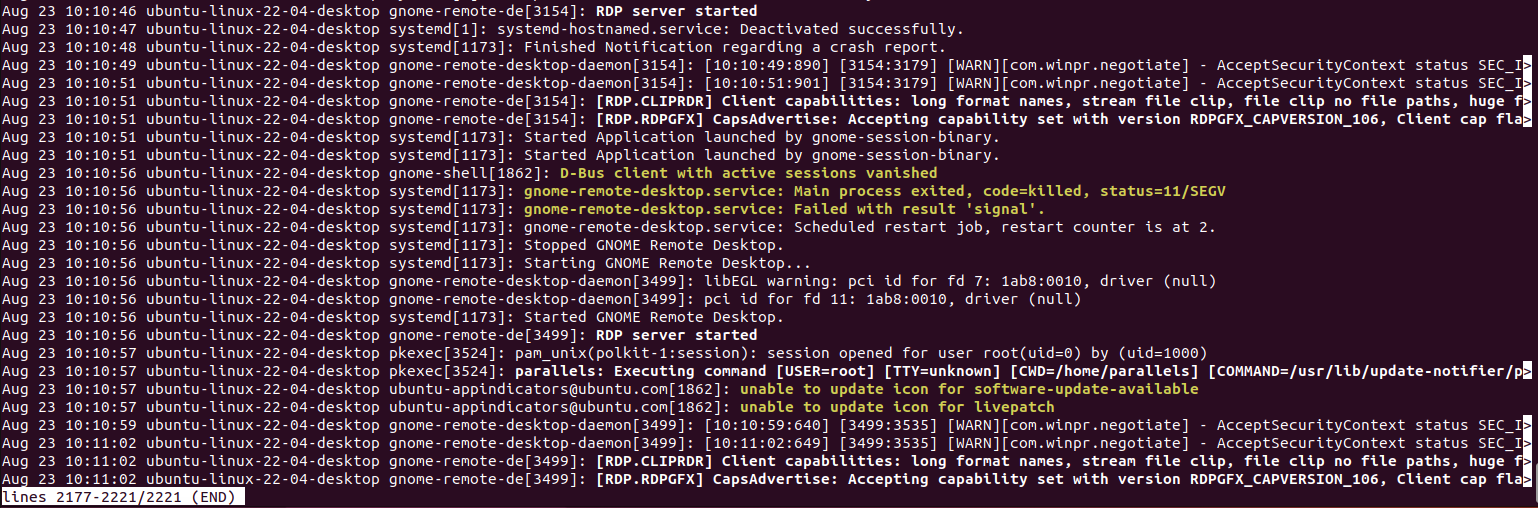
Please let me know if something isn't clear or you have further questions
Kind regards,
Richard Markievicz
Screenshot 2023-08-23 at 10.11.51.png
looks like this:
Aug 24 13:26:39 HP-EliteDesk-800-G3-DM-35W gnome-remote-desktop-daemon[2109]: [13:26:39:260] [2109:2097569] [WARN][com.winpr.negotiate] - AcceptSecurityContext status SEC_I_CONTINUE_NEEDED [0x00090312]
Aug 24 13:26:39 HP-EliteDesk-800-G3-DM-35W gnome-remote-desktop-daemon[2109]: [13:26:39:390] [2109:2097569] [WARN][com.winpr.negotiate] - AcceptSecurityContext status SEC_I_COMPLETE_NEEDED [0x00090313]
Aug 24 13:26:39 HP-EliteDesk-800-G3-DM-35W gnome-remote-desktop-daemon[2109]: [13:26:39:390] [2109:2097569] [ERROR][com.winpr.sspi.NTLM] - Message Integrity Check (MIC) verification failed!
Aug 24 13:26:39 HP-EliteDesk-800-G3-DM-35W gnome-remote-desktop-daemon[2109]: [13:26:39:390] [2109:2097569] [WARN][com.winpr.sspi] - CompleteAuthToken status SEC_E_MESSAGE_ALTERED [0x8009030F]
Aug 24 13:26:39 HP-EliteDesk-800-G3-DM-35W gnome-remote-desktop-daemon[2109]: [13:26:39:390] [2109:2097569] [WARN][com.freerdp.core.nla] - CompleteAuthToken status SEC_E_MESSAGE_ALTERED [0x8009030F]
Aug 24 13:26:39 HP-EliteDesk-800-G3-DM-35W gnome-remote-desktop-daemon[2109]: [13:26:39:390] [2109:2097569] [ERROR][com.freerdp.core.transport] - client authentication failure
Aug 24 13:26:39 HP-EliteDesk-800-G3-DM-35W gnome-remote-desktop-daemon[2109]: [13:26:39:390] [2109:2097569] [ERROR][com.freerdp.core.peer] - peer_recv_callback: CONNECTION_STATE_INITIAL - rdp_server_accept_nego() fail
Aug 24 13:26:39 HP-EliteDesk-800-G3-DM-35W gnome-remote-desktop-daemon[2109]: [13:26:39:390] [2109:2097569] [ERROR][com.freerdp.core.transport] - transport_check_fds: transport->ReceiveCallback() - -1
Aug 24 13:26:39 HP-EliteDesk-800-G3-DM-35W gnome-remote-de[2109]: Unable to check file descriptor, closing connection
Aug 24 13:26:40 HP-EliteDesk-800-G3-DM-35W gnome-remote-desktop-daemon[2109]: [13:26:40:726] [2109:2097580] [WARN][com.freerdp.core.connection] - server supports only NLA Security
Aug 24 13:26:40 HP-EliteDesk-800-G3-DM-35W gnome-remote-desktop-daemon[2109]: [13:26:40:726] [2109:2097580] [ERROR][com.freerdp.core.connection] - Protocol security negotiation failure
Aug 24 13:26:40 HP-EliteDesk-800-G3-DM-35W gnome-remote-desktop-daemon[2109]: [13:26:40:901] [2109:2097580] [ERROR][com.freerdp.core.peer] - peer_recv_callback: CONNECTION_STATE_INITIAL - rdp_server_accept_nego() fail
Aug 24 13:26:40 HP-EliteDesk-800-G3-DM-35W gnome-remote-desktop-daemon[2109]: [13:26:40:901] [2109:2097580] [ERROR][com.freerdp.core.transport] - transport_check_fds: transport->ReceiveCallback() - -1
Aug 24 13:26:40 HP-EliteDesk-800-G3-DM-35W gnome-remote-de[2109]: Unable to check file descriptor, closing connection
Aug 24 13:26:40 HP-EliteDesk-800-G3-DM-35W gnome-remote-desktop-daemon[2109]: [13:26:40:070] [2109:2097590] [WARN][com.freerdp.core.connection] - server supports only NLA Security
Aug 24 13:26:40 HP-EliteDesk-800-G3-DM-35W gnome-remote-desktop-daemon[2109]: [13:26:40:070] [2109:2097590] [ERROR][com.freerdp.core.connection] - Protocol security negotiation failure
Aug 24 13:26:40 HP-EliteDesk-800-G3-DM-35W gnome-remote-desktop-daemon[2109]: [13:26:40:201] [2109:2097590] [ERROR][com.freerdp.core.peer] - peer_recv_callback: CONNECTION_STATE_INITIAL - rdp_server_accept_nego() fail
Aug 24 13:26:40 HP-EliteDesk-800-G3-DM-35W gnome-remote-desktop-daemon[2109]: [13:26:40:201] [2109:2097590] [ERROR][com.freerdp.core.transport] - transport_check_fds: transport->ReceiveCallback() - -1
Aug 24 13:26:40 HP-EliteDesk-800-G3-DM-35W gnome-remote-de[2109]: Unable to check file descriptor, closing connection
Hello
Thank you for the information, I may have to take this back to the GRD maintainer to get their opinion.
In the meantime I do want to check one thing - I know you said it works with the MS RDP client, but I want to check you're testing both clients in the same scenario. As I understand it, the default configuration of GRD requires that the user be logged into the server and that the session is _not_ locked. Are you also connecting with the user name and password specified in the "Settings > Sharing > Remote Desktop" panel?
Please let me know if something isn't clear.
Thanks and kind regards,
Richard Markievicz
Hello again
One more thing I'd like to check: does the password you are using contain ASCII characters higher than code 127? You can check the ASCII table here, scroll down to "The extended ASCII codes (character code 128-255)" and check if your password contains any of those characters. Otherwise, a simpler check might be to (temporarily) change the remote login password to something simple (using just a-z, A-Z, 0-9) and test again before reverting the password to something stronger.
Please let me know if something isn't clear.
Thanks and kind regards,
Richard Markievicz
Yes i use the same user, the user is logged in on the server and desktop is not locked
MS RD client app would not work otherwise…
and the password does not contain something above 127 or below 33
Hello again
I've asked some questions back to the GRD maintainer; there exists a bug in the version of GRD shipped with Ubuntu 20.04 that can cause this issue with extended ASCII characters in the password (and different clients are affected to different degrees). However, since you confirmed your password doesn't contain such characters, I'm a little bit lost on why this is occurring. I'm still digging for more information.
In the meantime, at the risk of asking a very basic question - can you double-check that your password is correct in the entry in RDM and doesn't contain e.g. any typos, extra whitespace or non-printing characters? The failure mode is exactly the same as if the password was incorrect; and I'm pretty confused as to why MS RDP works in this case but RDM does not.
Please let me know if something isn't clear or you have further questions.
Thanks and kind regards,
Richard Markievicz
Hi Richard,
Thank you very much for taking your time to help me.
And thank you for insisting to check the password.
In fact, I mixed up the passwords and with the right password it works.
Again thank you very much for your help.
however, IMHO the message RDM gave me here was a little misleading…
Kind regards.
Christoph
Hi Christoph
I'm happy we were able to get to the bottom of this.
I do agree that surfacing errors in RDP could be better on RDM mobile, and I've already raised this concern with the relevant teams.
This case is particularly tricky however, on an MS RDP server we would receive a proper error code like "LOGON_FAILED" which is indicative of bad credentials (whether a bad password, or simply a username format that the server didn't like).
GRD seems to handle this differently; it's failure mode is to simply close the connection (which is why the error we get is a totally generic "TRANSPORT_FAILED"). There's no way to know on our side what the server is (MS, xrdp, GRD, etc).
I do agree that your concern is valid and I'll bring this back to the server developers and hopefully we can improve things in the future.
As always, please let me know if you have any further questions or anything is not clear.
Kind regards,
Richard Markievicz
Not sure if this still requires a solution... as it turns out (after a lot of dicking around on my part, since I was running into the same problem, also with gnome-remote-desktop), you have to edit the entry for the linux server in Remote Desktop Manager. Advanced tab --> change RDP version to "RDP (FreeRDP Latest)".
The windows remote desktop client obviously falls back to this protocol without prompting/notifying.
Cheers!
Not sure if this still requires a solution... as it turns out (after a lot of dicking around on my part, since I was running into the same problem, also with gnome-remote-desktop), you have to edit the entry for the linux server in Remote Desktop Manager. Advanced tab --> change RDP version to "RDP (FreeRDP Latest)".
The windows remote desktop client obviously falls back to this protocol without prompting/notifying.
Cheers!
@admin36
just popped in here to confirm this worked a treat thank you!!