Variables in data source configuration are not resolved

Hi!
I just installed the Devolutions.PowerShell module in PowerShell 7, exectuted Get-RDMInstance, but when it tries to authenticate, I get redirected to a Azure AD login asking me to log in as $user_principal_name$ instead of my already logged in user. We use this variable in the data source configuration that is included in default.cfg.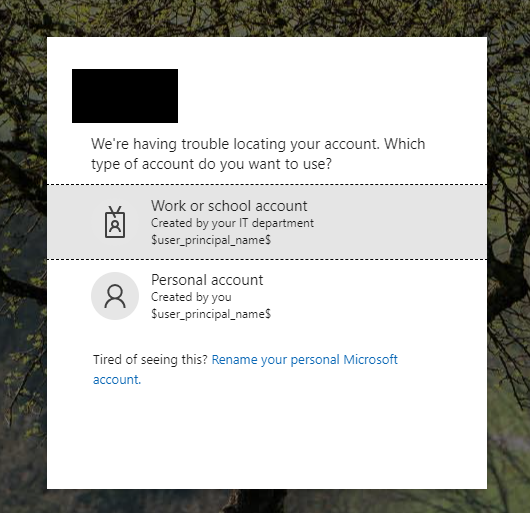
a09236c9-b0a6-47d3-a88b-9833d474e1a4.png
All Comments (4)
Hello Daniel,
I could replicate on RDM directly without using PowerShell.
I'll see with the engineering team if this should be supported, I seem to remember seeing this working.
We'll be in touch.
Best regards,
Alex Belisle
Hello again Daniel,
We have a ticket opened (RDMW-11978 - Internal Use only).
We'll keep you posted for this issue.
Best regards,
Alex Belisle
Hi Alex!
fyi it does work here in RDM, just not in the PowerShell module.
Thanks!
Hi Daniel,
We've released a new version of Devolutions.Powershell. (2023.2.0.5)
You will need your DVLS to be on version 2023.2.1+.
If needed, you can open a case with us at service@devolutions.net if you'd like assistance upgrading DVLS.
Best regards,
Alex Belisle