Web login - OTP code not visible when using linked OTP entry

Hi
Normally when on a page where there is a login with OTP code in the same entry I have an easy button to copy OTP code like this:
On some other entries I have created the OTP code as it's own OTP entry and linked the webpage OTP to the OTP entry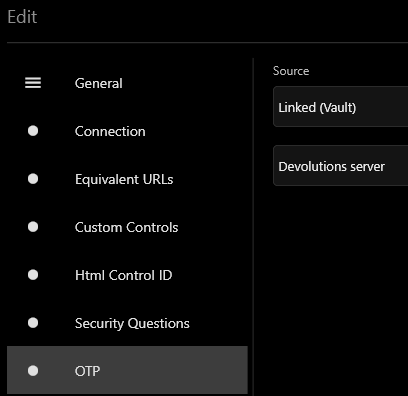
But when I then go to the Devolutions Web page and want's to login I don't get the OTP copy button:
But if I click on the "Eye" button, Web login does know it and can show me the kode: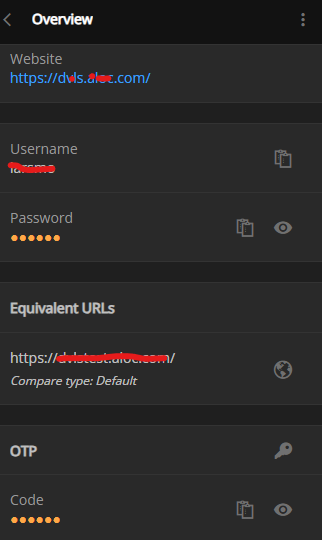
Can the "Easy" copy button be visible when using linked OTP ?
/Lars
Remote Desktop Manager connected with Devolutions Server running newest versions.
------------------------Signature------------------------
Sorry if any of above sounds harsh or provoking, it is NOT meant as such, but I have Asperger's and don't always know.
My intentions is always to be friendly.
-------------------------------------------------------------
ed7b3a5a-9d4e-417d-9ca3-2e01b4ae5c24.png
fb56d5a5-ad0a-43b4-9112-64baf996a77e.png
bdae55f3-ae51-4f97-888e-1fe3cf90406d.png
93b5125b-bc42-48bf-8bb2-c9d0611afdcb.png
All Comments (4)
Hi,
We created a ticket to add the "Easy" button for every OTP sources.
Best regards,
Olivier Désalliers
The button to copy the OTP is now available in the Workspace browser extension.
Sébastien Duquette
I do not see this. I'm on version 2024.1.0.4 from March 7, 2024.
Is there a specific condition for this to become visible? I use RDM and do not have Devolutions Server.
Thanks,
Mario
Hi,
The copy OTP button is available if you are using Devolutions Hub Business/Personal or Devolutions Server, you can connect to them directly to Devolutions Workspace and you will have a copy button for the OTP.
It is planned to add it when connected to RDM.
Best regards,
Olivier Désalliers