DVLS Auth Error

DVLS 2023.1.8.0 / 2023.2.2.0
RDM
Hi All
I've installed a new Windows Server 2022 (21H2) and DVLS 2023.2.2.0 (also tried it with 2023.1.8.0) which will be used as Test System.
Database is running on a remote SQL 2016 Server.
Only AD and Azure Auth are configured, which both are working fine (same Config as on Productive System which works).
AD/RDM Problem:
AD Diagnostics are working, Groups and Users can be imported.
The specific User is imported in RDM.
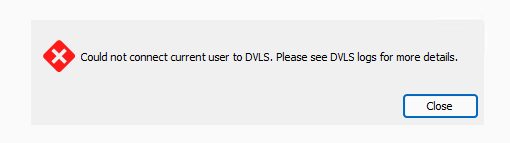
AD Auth via Web works, but via RDM im not able to login with the AD User: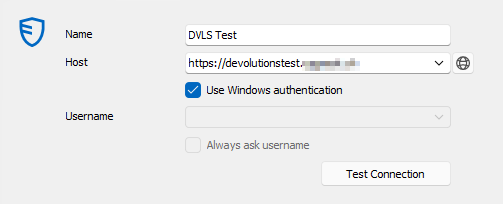
Azure Problem:
Microsoft Authentication is configured 1:1 as in Productive System and Test Connection is positive:
The specified Azure App has both URL's for Redirect URI's configured (Prod and Test).
But im not able to Login via Azure: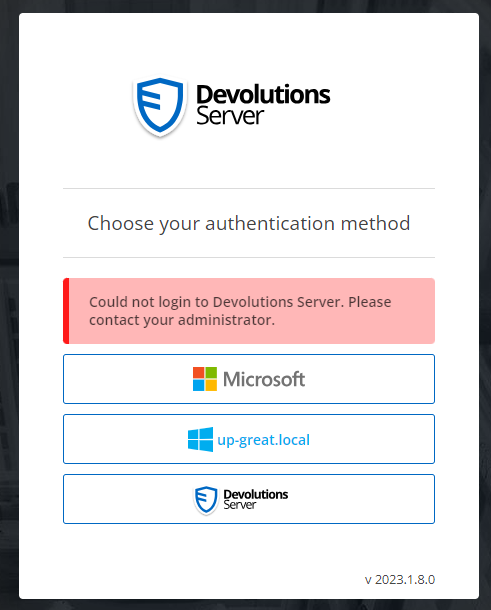
The Logs show Regional Setting Problems: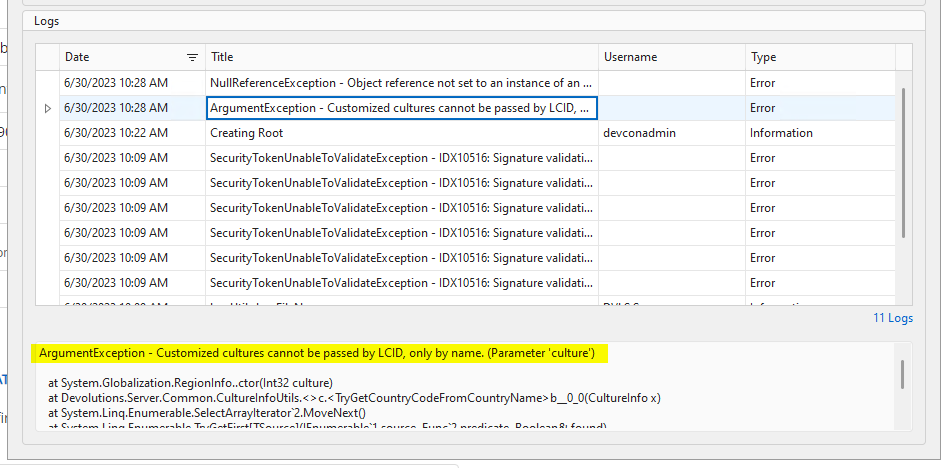
So i tried it by changing the regional Settings from "German/Switzerland" to "English/Switzerland" and "English/United States", without Luck.
Also a reboot after changing the Regional Settings doesnt work nor a completely DB Wipe and fresh Installation of DVLS after chaning the Regional Settings doesnt work.
Ive tried all those Steps (inclusive DB Wipe and Reinstall) with DVLS 2023.1.18.0 and DVLS 2023.2.2.0
Complete Error Message:
ArgumentException - Customized cultures cannot be passed by LCID, only by name. (Parameter 'culture')

   at System.Globalization.RegionInfo..ctor(Int32 culture)
   at Devolutions.Server.Common.CultureInfoUtils.<>c.<TryGetCountryCodeFromCountryName>b__0_0(CultureInfo x)
   at System.Linq.Enumerable.SelectArrayIterator`2.MoveNext()
   at System.Linq.Enumerable.TryGetFirst[TSource](IEnumerable`1 source, Func`2 predicate, Boolean& found)
   at System.Linq.Enumerable.FirstOrDefault[TSource](IEnumerable`1 source, Func`2 predicate)
   at Devolutions.Server.Common.CultureInfoUtils.TryGetCountryCodeFromCountryName(String countryName)
   at Devolutions.Server.UserManager.UpdateFromAAD(UserEntity user)
   at Devolutions.Server.UserManager.DoAddUser(ISessionContext context, UserEntity user)
NullReferenceException:
NullReferenceException - Object reference not set to an instance of an object.

   at Devolutions.Server.Managers.AuthenticationProvider.SkipAuthentication(LoginContext loginContext)
   at Devolutions.Server.Managers.AuthenticationProvider.AuthenticateUser(LoginContext loginData, String userName, String password)
   at Devolutions.Server.Managers.AuthenticationProvider.ValidateUser(LoginContext loginData, String userName, String password, LoginAttemptEntity loginAttempt)
   at Devolutions.Server.Controllers.APIControllers.V2.BackendApiController.DoLogin(ISessionContext context, ParsedLoginParameter loginParameter, LoginContext& loginData)
Working Prod Sys: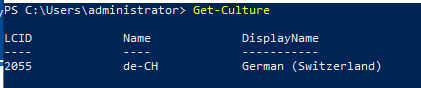
Not working Test Sys: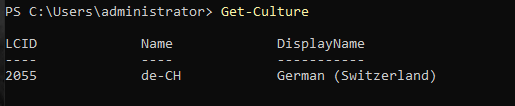
Maybe a Problem of the .NET Lib?
Prod: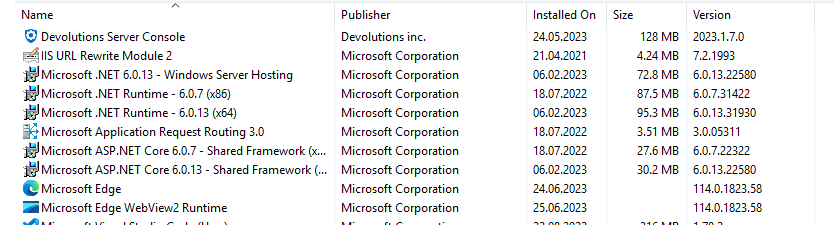
Test: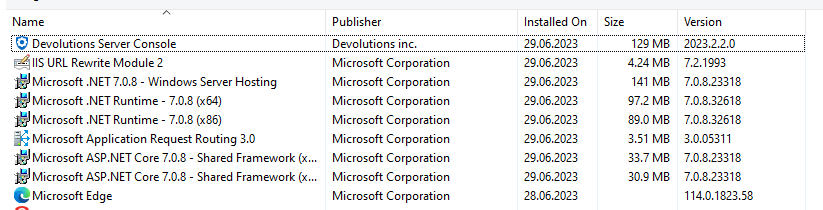
Any Thoughts?
Best Regards,
Andreas
a0ca78d6-4c20-425a-848d-be6b41003d6a.png
acced9de-931b-4022-babd-4444fd53adca.png
206fff13-03a6-491f-9dda-11472c29b339.png
ed59854c-794e-4462-9484-21edb6622243.png
b13d31f7-4964-4ccd-9fe0-f440741e562e.png
d0a63974-1a78-412b-a9fb-529fd409635f.png
8f79e12b-aab8-4f7f-973c-9e261317f838.png
7bd896be-dd80-436b-8c9c-2aa3d701072e.png
c11cce7d-752f-48b3-ada8-4c60604c1df8.png
download.png
All Comments (11)
Hello Andreas,
For the AD authentication in RDM, could you please verify point 1 of https://docs.devolutions.net/kb/devolutions-server/how-to-articles/configure-windows-authentication/ ? If it is not enabled on the Devolutions Server side, Windows Authentication will not work in RDM. You can also check point 5-6 in the KB article.
For the Microsoft authentication issue, I have never seen that culture issue, no matter what regional setting is configured. Can you try to install the ASP.NET Windows hosting bundle instead? https://dotnet.microsoft.com/en-us/download/dotnet/thank-you/runtime-aspnetcore-6.0.18-windows-hosting-bundle-installer
If it does not help, could you enable the debugging mode by going on the web interface of your Devolutions Server, under Administration --> Server Settings --> Logging - check Log debug information - save. Once enabled, try to use the Microsoft authentication again.
Could you then send us the server logs (on the web interface again, Reports --> Data Source Logs - Export) to service@devolutions.net .
You can turn off the debugging after.
Best regards,
Richard Boisvert
Hi Richard
Thanks for your Inputs.
For the AD authentication in RDM, could you please verify point 1 of https://docs.devolutions.net/kb/devolutions-server/how-to-articles/configure-windows-authentication/ ? If it is not enabled on the Devolutions Server side, Windows Authentication will not work in RDM. You can also check point 5-6 in the KB article.
Everything is set as described in your Document, but Windows auth via RDM doesnt work.
The Test Environment is in the same Net as de Prod Server is. Also the Configurations is in my opinion 1:1 the same as in de Prod environment.
The only difference i notice is the newer OS (2019 -> 2022) and because i used the most current DVLS Console at beginning, the Setup installed .NET 7 instead of 6.
I will retry by uninstalling .NET 7 and install .NET 6 instead.
For the Microsoft authentication issue, I have never seen that culture issue, no matter what regional setting is configured. Can you try to install the ASP.NET Windows hosting bundle instead? https://dotnet.microsoft.com/en-us/download/dotnet/thank-you/runtime-aspnetcore-6.0.18-windows-hosting-bundle-installer
I will try this also.
Thanks,
Andreas
Edit:
Sorry for the late Delay. But i've tested it and it still doesnt work. I need to activate the Debug Logs and will send it to you next week.
Best Regards and happy Weekend!
Hello Andreas,
Thank you for the update, we will wait for the logs.
Have a great weekend as well!
Best regards,
Richard Boisvert
Hey Richard
I've activated Debug Logs last Week and did some attempts today.
Funny Thing:
Logins via Webinterface now both Works for AD and Azure. Whyever, because i've changed nothing since Server Setup last Week.
I've tested more RDM Attempts directly from the Server and from a remote Client.
From the Remote Client, when i select "Always as username" then every Mechanism is working via RDM.
But "Use Windows authentication" still doesnt work in RDM (from Remote Client and local on the DVLS Server).
It only shows the Message "Could not connect current user to DVLS. Please see DVLS logs for more details".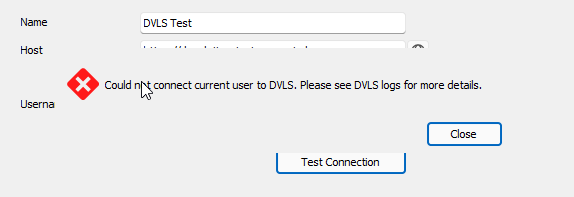
After this Error Message, there are no Logs available in Console!
On the Server itself, if i switch in the RDM Datasource Settings from "Use Windows authentication" to "Always ask username" and try to Login via AD, i've the Error bellow. But there is an interesting Log entry available now: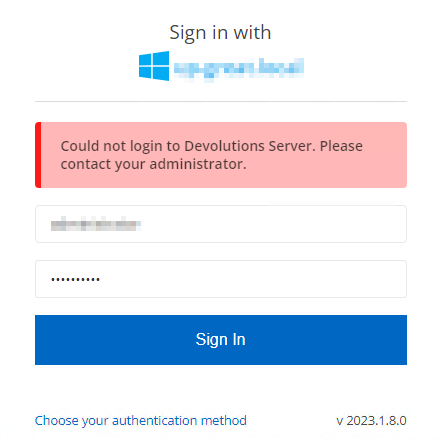
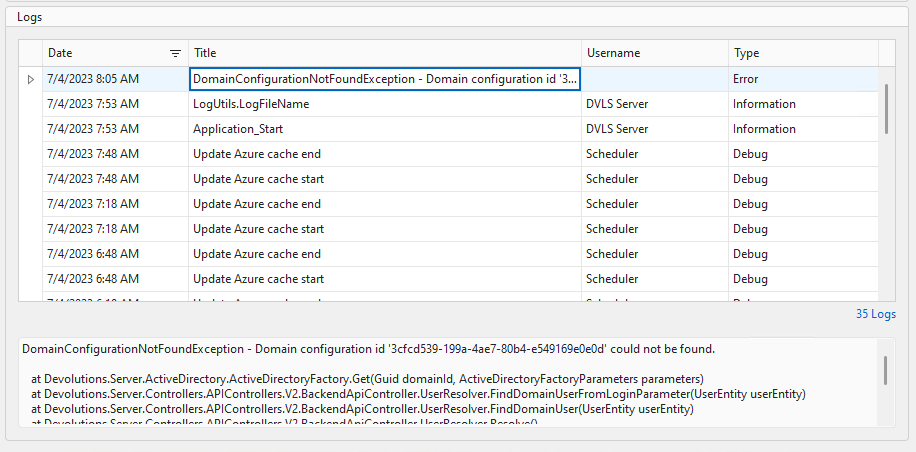
Complete Log Message:
DomainConfigurationNotFoundException - Domain configuration id '3cfcd539-199a-4ae7-80b4-e549169e0e0d' could not be found.

   at Devolutions.Server.ActiveDirectory.ActiveDirectoryFactory.Get(Guid domainId, ActiveDirectoryFactoryParameters parameters)
   at Devolutions.Server.Controllers.APIControllers.V2.BackendApiController.UserResolver.FindDomainUserFromLoginParameter(UserEntity userEntity)
   at Devolutions.Server.Controllers.APIControllers.V2.BackendApiController.UserResolver.FindDomainUser(UserEntity userEntity)
   at Devolutions.Server.Controllers.APIControllers.V2.BackendApiController.UserResolver.Resolve()
   at Devolutions.Server.Controllers.APIControllers.V2.BackendApiController.FindUser(ISessionContext context, ParsedLoginParameter loginParameter)
   at Devolutions.Server.Controllers.APIControllers.V2.BackendApiController.CreateLoginContext(ISessionContext context, ParsedLoginParameter loginParameter)
   at Devolutions.Server.Controllers.APIControllers.V2.BackendApiController.DoLogin(ISessionContext context, ParsedLoginParameter loginParameter, LoginContext& loginData)
This Message is more than interesting, because the AD Connection is working: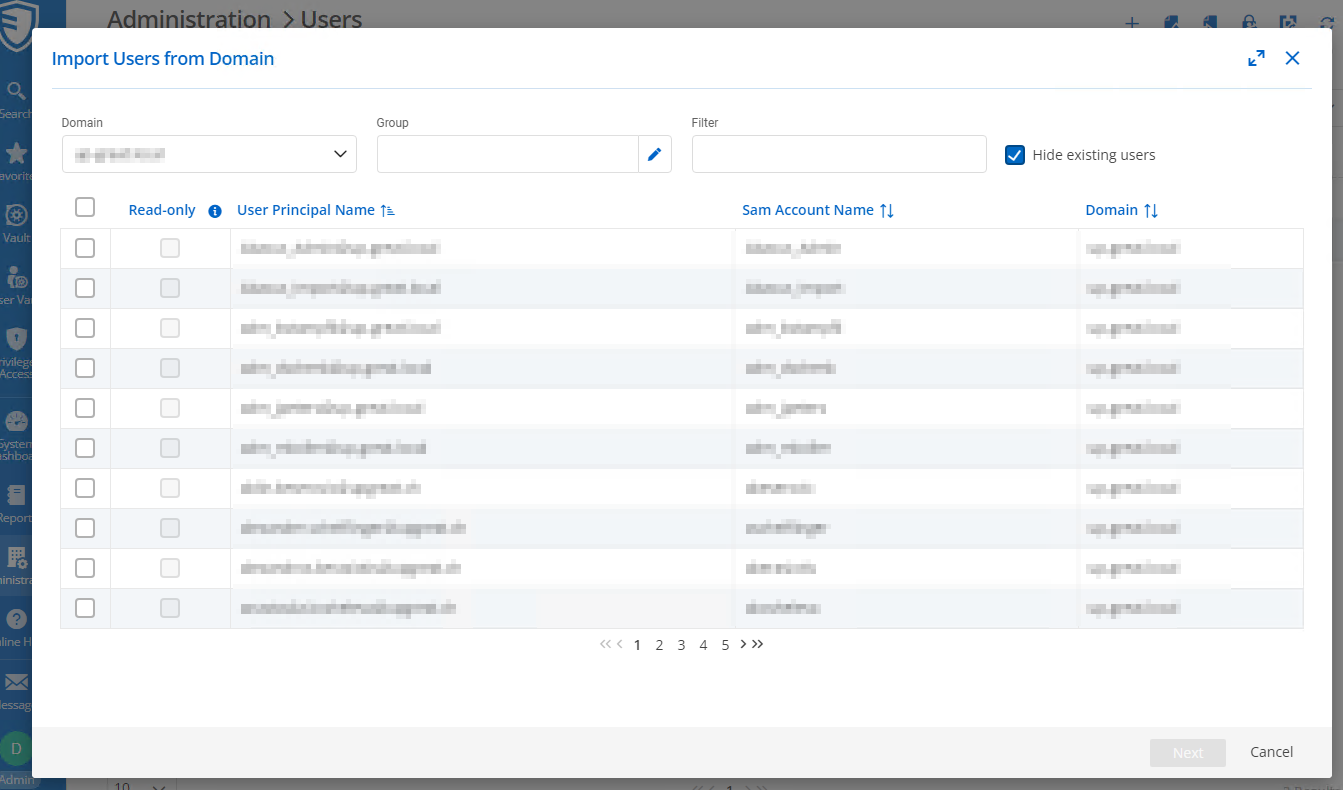
Azure is also working: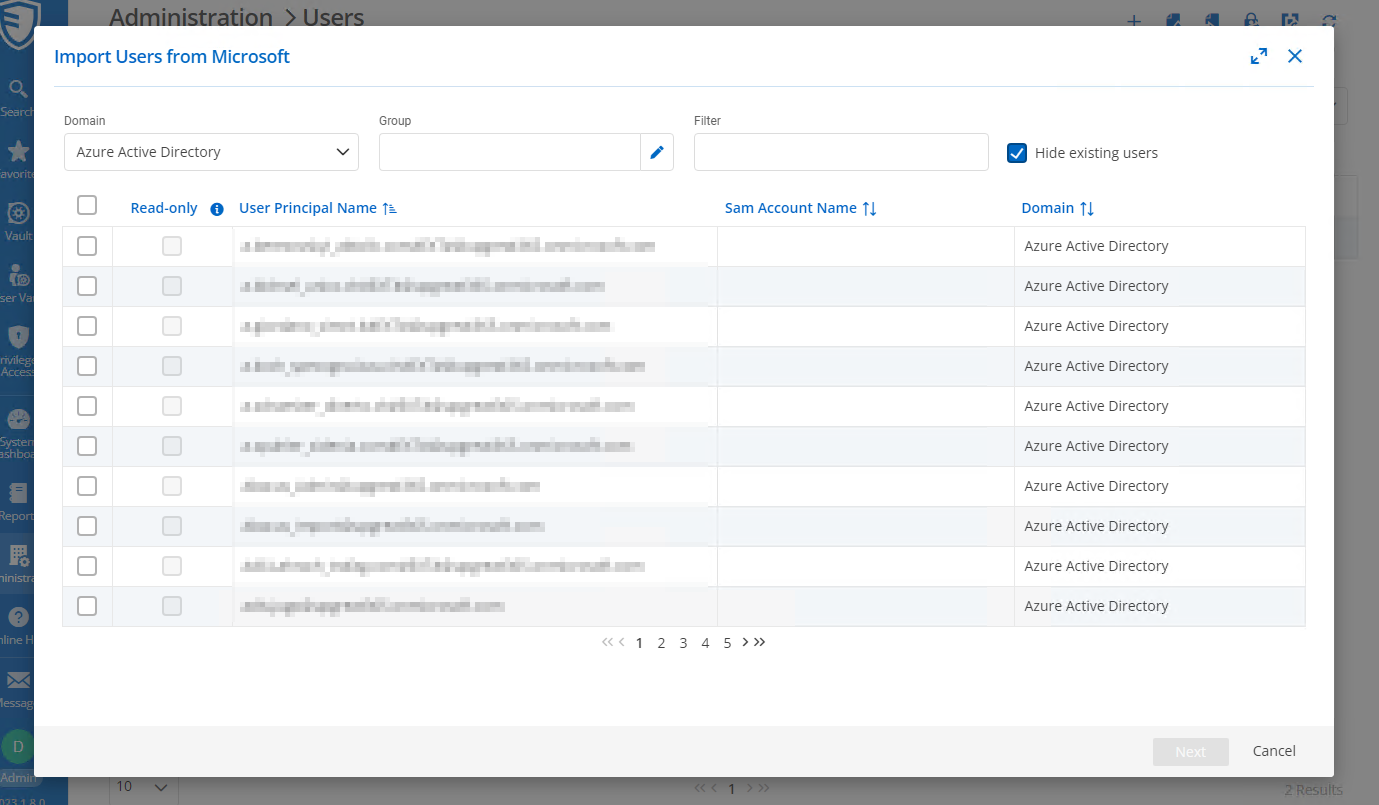
If i switch to the Productive System, everything is working normal.
Please notice: Same Account works from a remote Machine and it is already existent in Administration > Users.
I've now again updated to DVLS 2023.2.2.0.
From Remote Machine, "Use Windows authentication" works with my AD User.
Long story short: It looks like that only "Use Windows Authentication" is not working from the Server itself right now.
Everything else is working now (absolutely Magic for me).
Thanks,
Andreas
d71343ab-c6b6-415f-b0dd-2f9cb47c6001.png
12f8fb0e-6c18-478d-abba-1a4a0dee5cee.png
e2e137e9-84a1-4d42-88fb-50ab6d182064.png
ea57ac5c-c573-4f43-b1bf-7a05139b7bb6.png
a55dcdfd-b715-4412-adc5-95e055eae993.png
Hello Andreas,
Could you confirm if the staging server is on a server that is domain joined? If not, it may explain why the "Use Windows Authentication" is not working in RDM.
We may need to verify some settings in the SQL Server database, however, so I would recommend having a session to verify it. If you are interested, please write to service@devolutions and reference this topic.
Best regards,
Richard Boisvert
Hello Andreas.
I don't know if it will be relevant for you but I have the same problem as you about Culture.
See my post...I found a workaround.
https://forum.devolutions.net/topics/39819/azure-groups-and-users--auto-create
Regards,
Alexandre Diez
Hello Andreas,
I have linked the engineering ticket to this case, we will notify you once the fix is in place.
Best regards,
Richard Boisvert
Any update?
Hello,
The ticket is still in the backlog of the engineering team, but they are aware of the issue and have a potential fix for it.
Best regards,
Richard Boisvert
Hello,
The engineering has found the source of the issue, the fix will be included in the upcoming release, 2023.2.5.
Best regards,
Richard Boisvert
Hello Andreas,
The 2023.2.5 version of Devolutions Server is now available, with the fix - https://devolutions.net/server/release-notes/
Best regards,
Richard Boisvert