Using ~ in key file path
0 vote

using common vault (on google drive) have entry for a key file which always must be full path. However, on different macs, home folder is on different locations, for example on one is /Users/user/.ssh/id_rsa while on another is /Users/home/.ssh/id_rsa. It would be great if for the path ~ can be used so that path would be ~/.ssh/id_rsa.
All Comments (3)
Hi ratko,
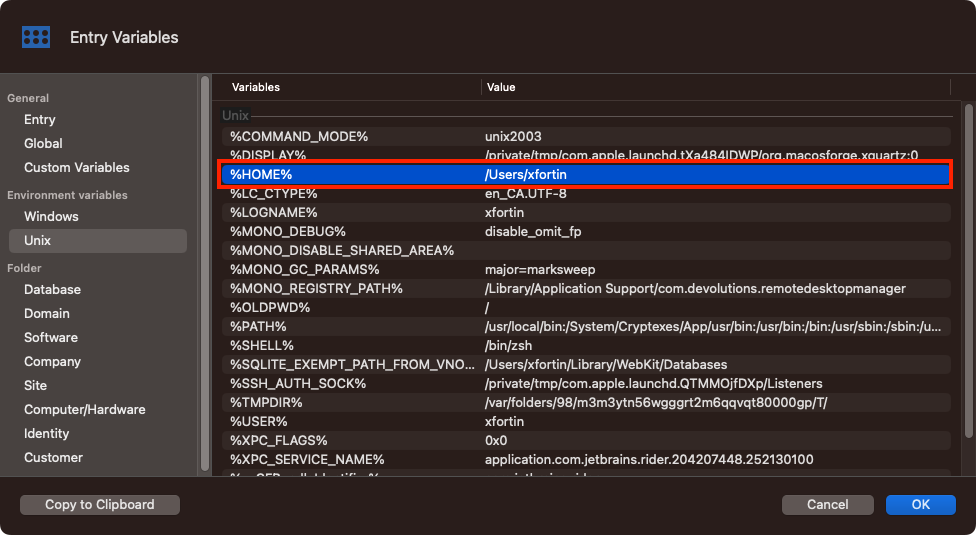
This is already possible, but you have to uses RDM variables (you can see a list, and insert them, with the "Variables" button at the bottom left of the entry properties view. In this specific case, you want to use the Unix %HOME% variable.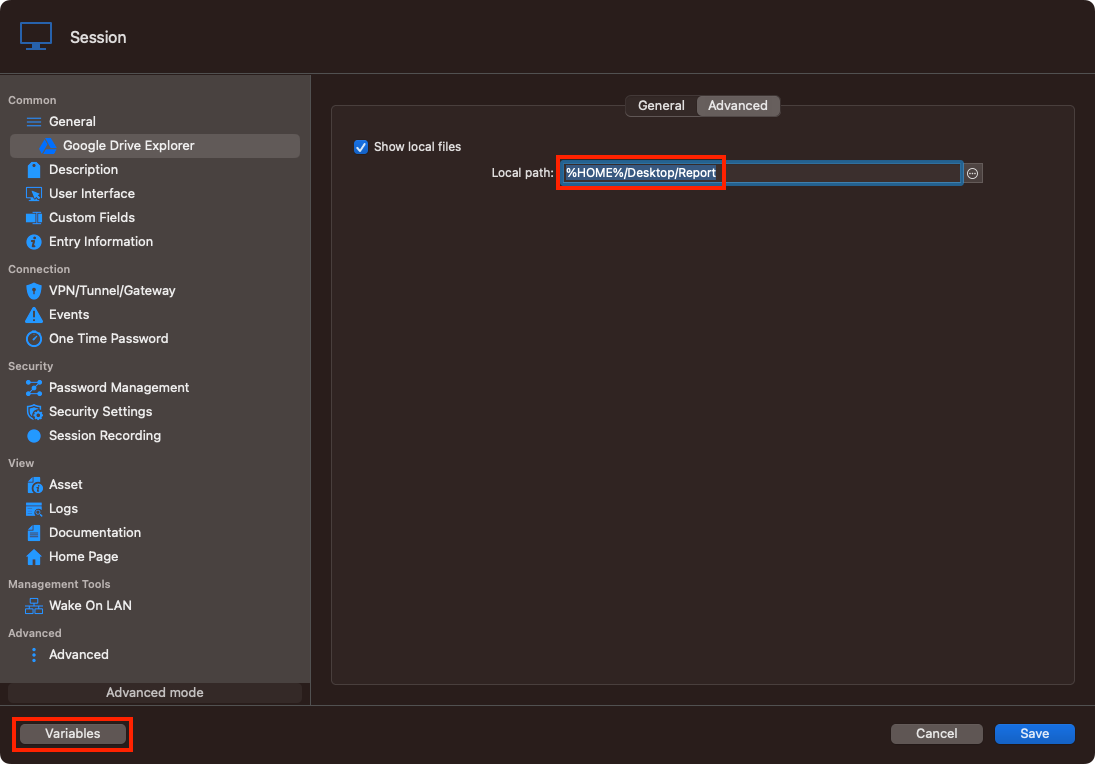
Best regards,
Xavier Fortin
Variables.png
Properties.png
Thanks for a quick response. I was aware of the solution with variables, but I was thinking of simply using existing OS environment since on any mac/linux ~ is already associated with home folder.
Anyhow, thanks.
Ratko
I understand this, but unfortunately, we can't go around and replace any ~ characters from all fields of a session (as we do with variables). And so, this would mean we would need to single out all fields that contains path and handle them all specifically in resolving. This is quite a task, especially for something that is redundant with a feature we already support.
Best regards,
Xavier Fortin