"Reset" a User Vault

Hi All,
We are trialing Hub Business and I have a user who imported all of their LastPass into the root of their User Vault on mistake. It's almost 2K entries so one at a time deletes are not an option. And Get-HubEntry throws an error, presumably because it's too much data. Is there a way to delete / reset a User Vault without deleting the user? We have Azure AD SSO set up so that is not an easy option (trash can is greyed out so I assume it would have to be a deprovision type of thing).
This is the error from Get-HubEntry if a workaround to that would work.
"Exception of type 'Devolutions.Hub.Storages.Exceptions.RemoteStorageException' was thrown."
All Comments (7)
Hi,
As it stands, with the web client, there are no ways to delete all entries in a vault beside deleting the vault itself.
In workspace (mobile), you can select all entries and delete them; there's a button to select all.
In RDM, you can also select all and then delete all entries.
How did you connect with Powershell? Directly with the user or with an app user? If it's with an app user, did you check "Can access user vaults"? The error is abnormal even with 2 000 entries.
Have a good day!
Maxime Morin
Hi,
I tried to locate the select all button on the mobile workspace and couldn't. Would you tell me where I can locate that button?
Thank you
Hi, it the 'all entries' section, you will be able to find a 'more' button (3 vertical dots) that will show you the 'Multi select' option. By clicking on it, you will be able to select and delete entries faster. 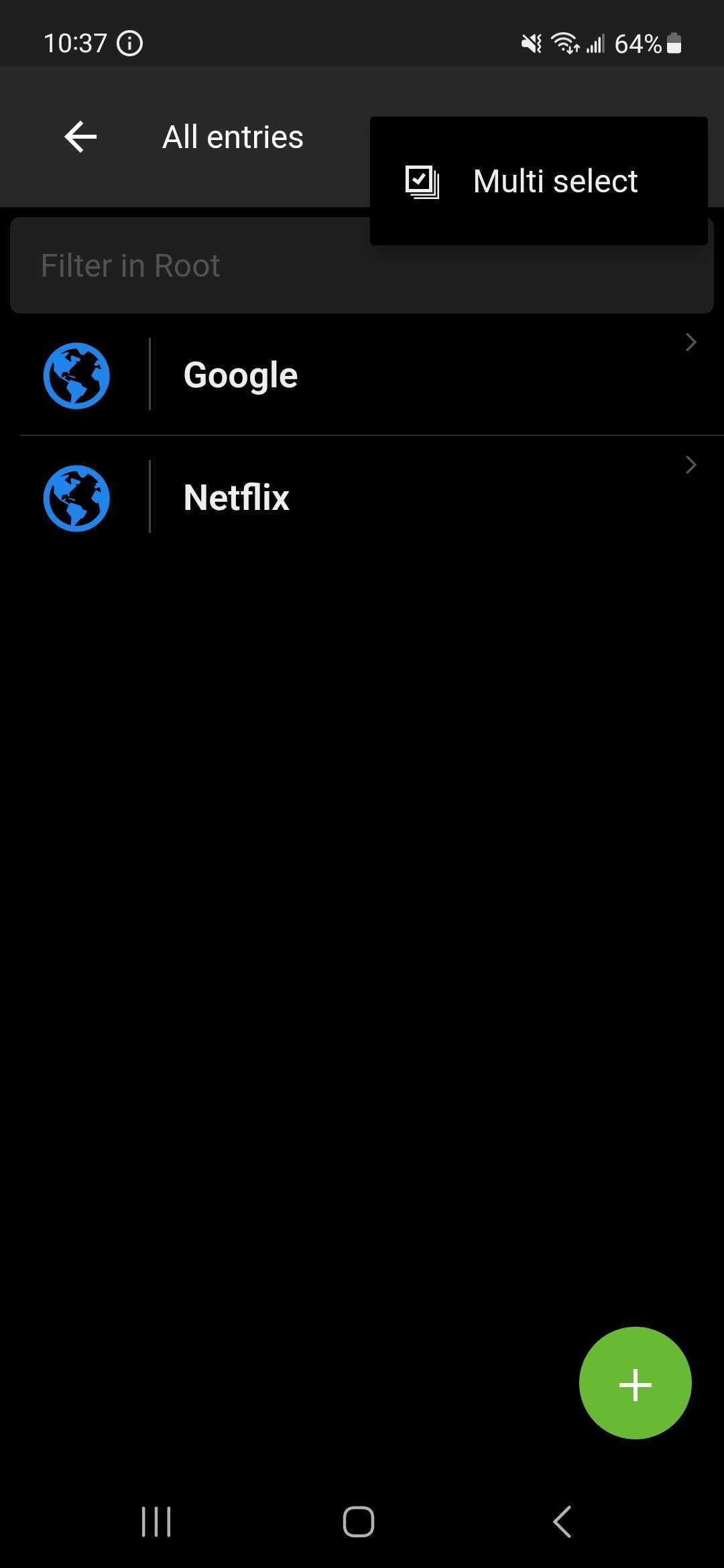
Sébastien Aubin
Product manager - Password Management
d2d3aa08-8d24-433a-9fa6-bffcff3ef7e8.jpeg
I don't have the more (3 dots) button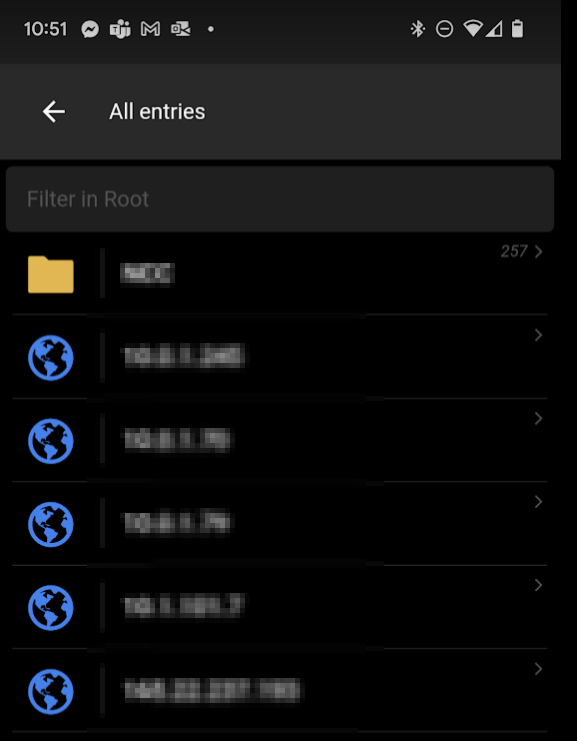
bad3a177-0868-41ae-910e-f23c212e94f7.png
Hello, yes, this is not normal. I have sent you a screenshot of my Hub Personal Space, my bad. There seems to be a bug in the Business Space that is preventing the icon from appearing. We are actively working on a fix, and it will be included in the next release, which is scheduled to be out very soon. In the meantime, do you have Remote Desktop Manager (RDM) installed? If so, you could perform the action from there.
Sébastien Aubin
Product manager - Password Management
Thank you for your answer, I don't think we are licensed for RDM. I can wait for the update fix of mobile app.
Hello,
Understood, once the update is released please let us know if the issue persists.
Best regards,