Force keyboard layout on SSH
0 vote

Hello,
I'm using "U.S. Internationnal - PC" on Mac but this has a bad behavior on SSH (especially when connecting to AIX and around " ' and ~ characters).
Typing " then space should just produces " but produces ~"" instead
Terminal is set to iTerm2 (no problem when connecting directly by iTerm2 by the way).
Would it be possible to add a feature to force keyboard layout at connection level?
All Comments (8)
Hi,
I seem unable to reproduce your issue. Could you provide screenshots showing the entirety of the application Settings -> Types -> Terminal pane?
Could you also export your entry (without including the credentials, you can also strip out the host of the resulting file) and share it with us?
I just want to make sure I test with the exact same configuration.
Best regards,
Xavier Fortin
Hello,
I got this issue when using  keyboard (on macOS Ventura).
If I connect to the same server using ssh on Iterm2 and type: echo<space>"<space>"<space> I got:
Which is correct behavior for US International - PC
The same sequence using ssh on RDM:
echo<space>"<space>:
Total sequence:
Same behavior with ' and ` and ~: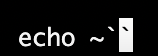


AIX Host entry attached as JSON.
No problem when connecting to Linux servers.
Here's for "Settings -> Types -> Terminal":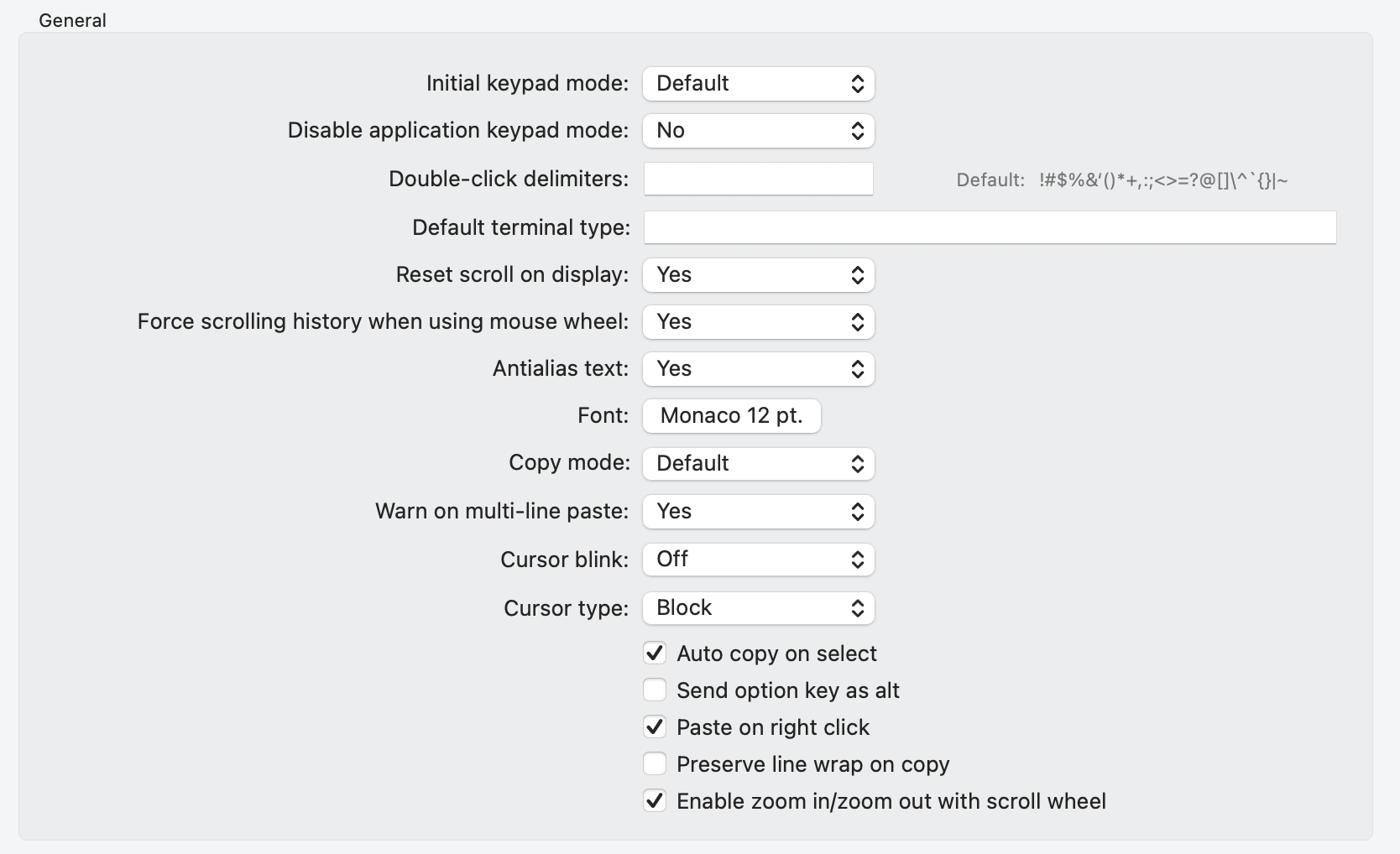
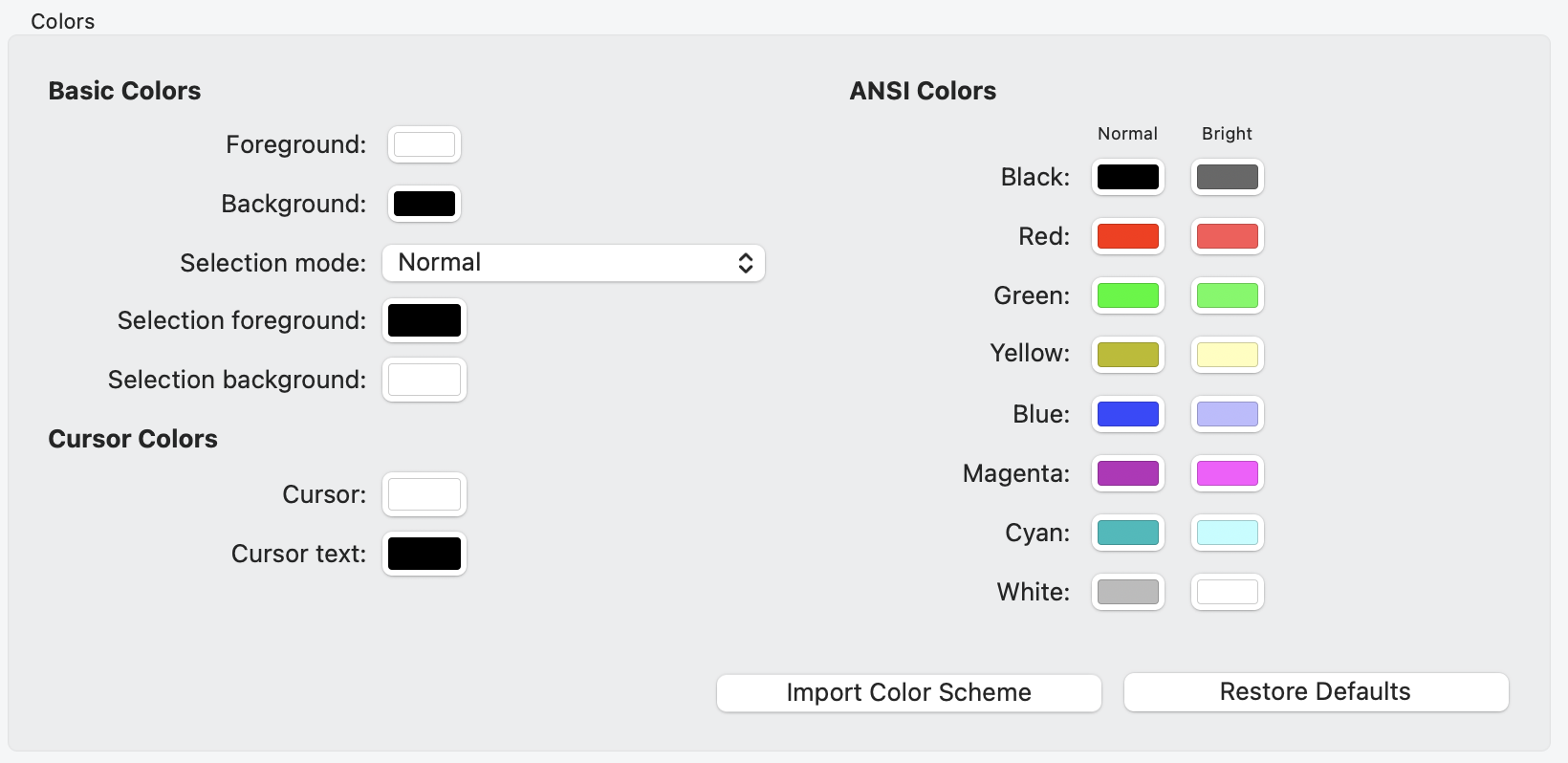
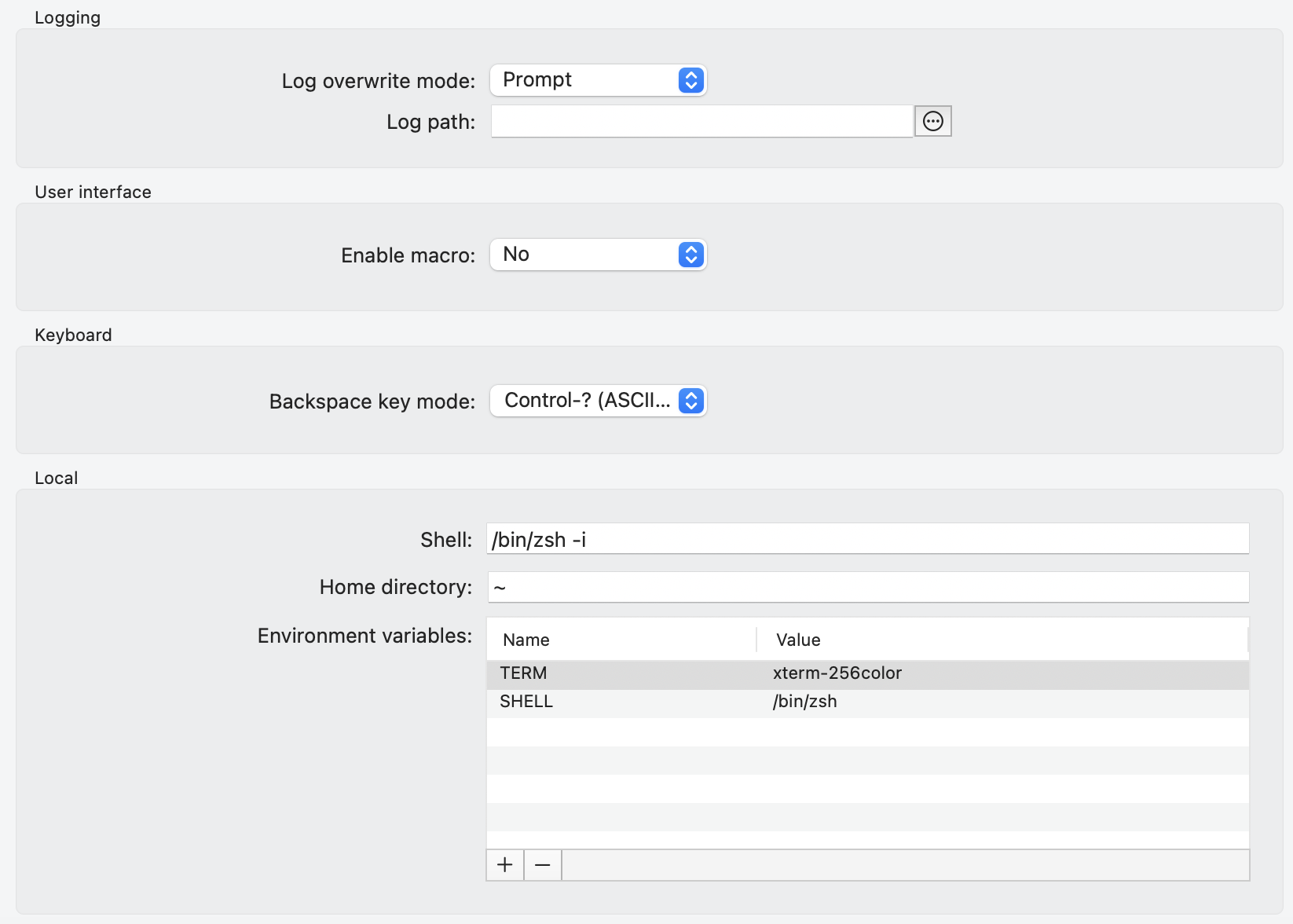
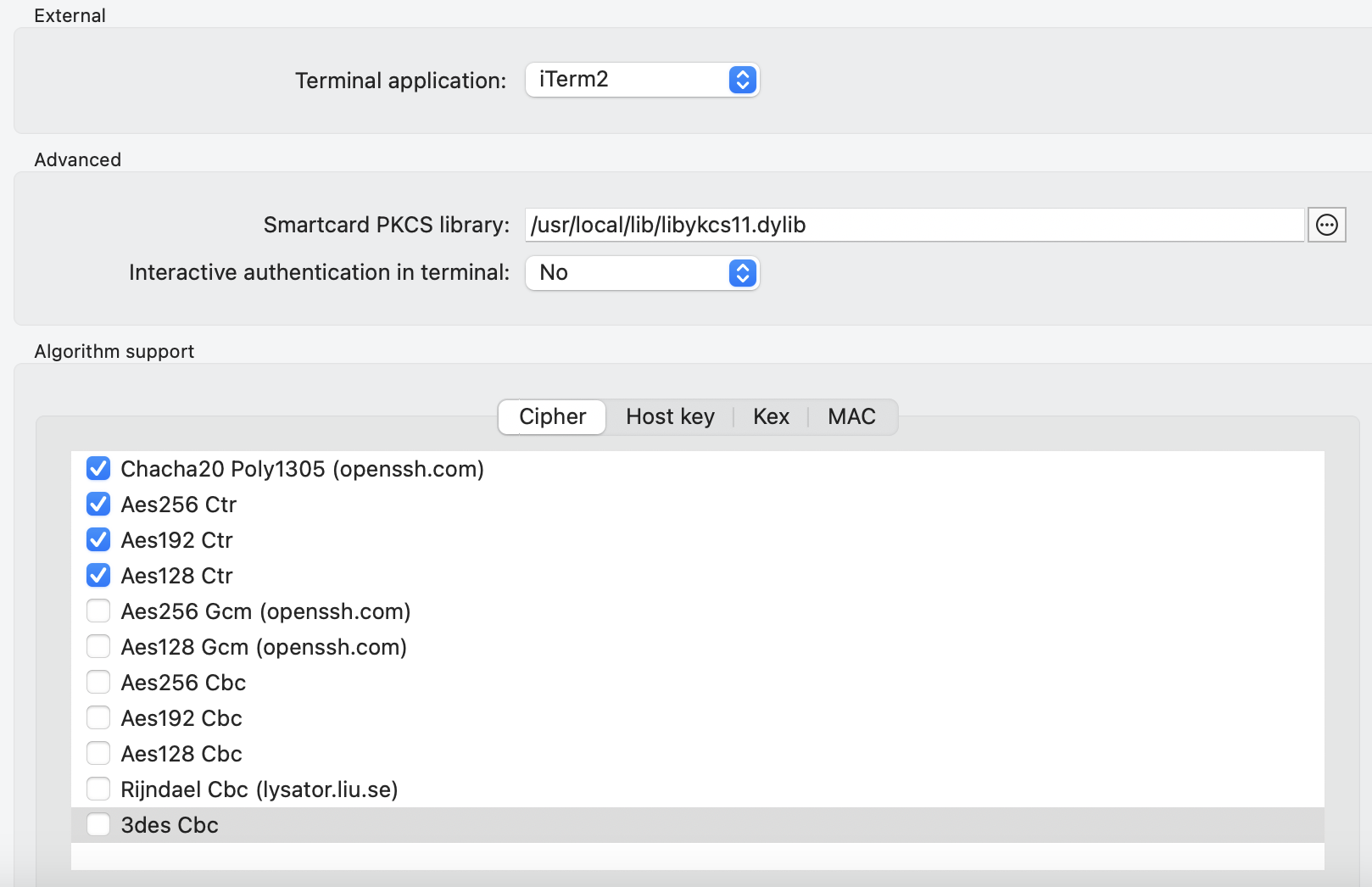
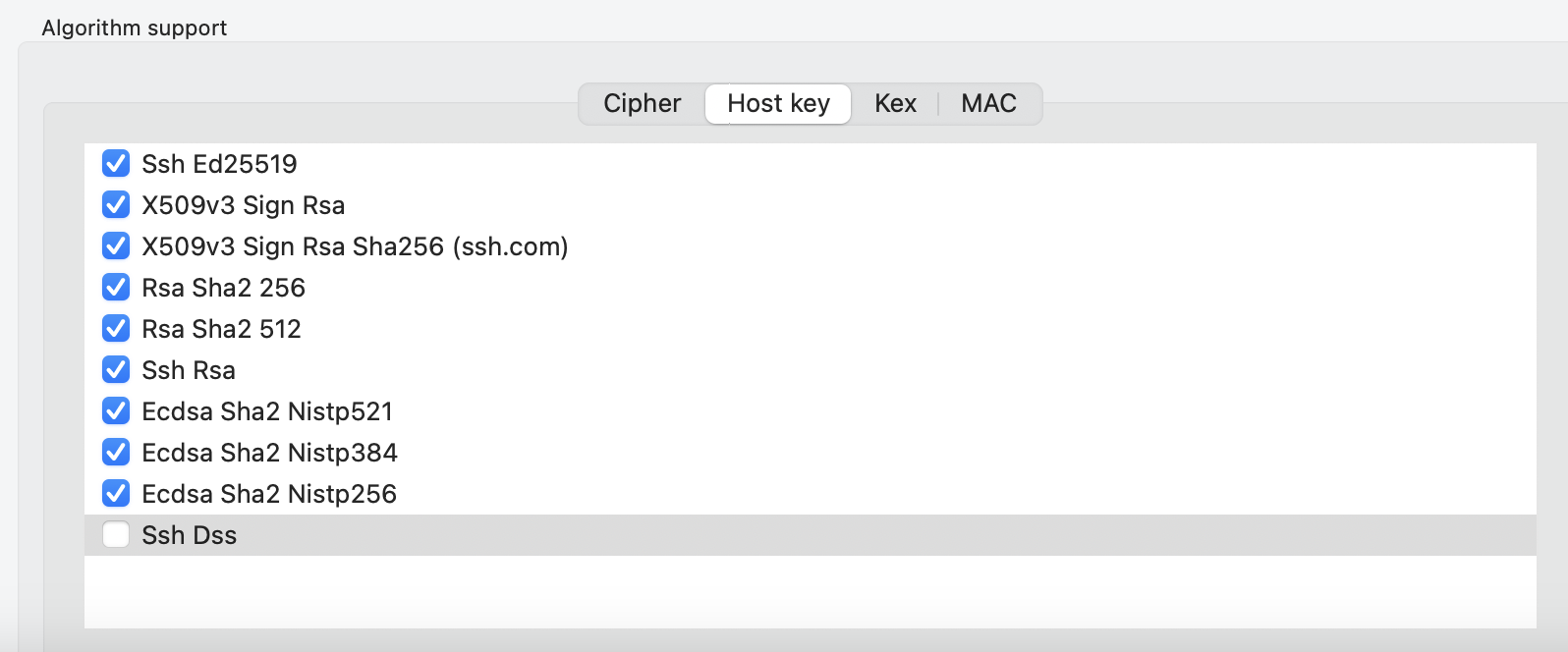
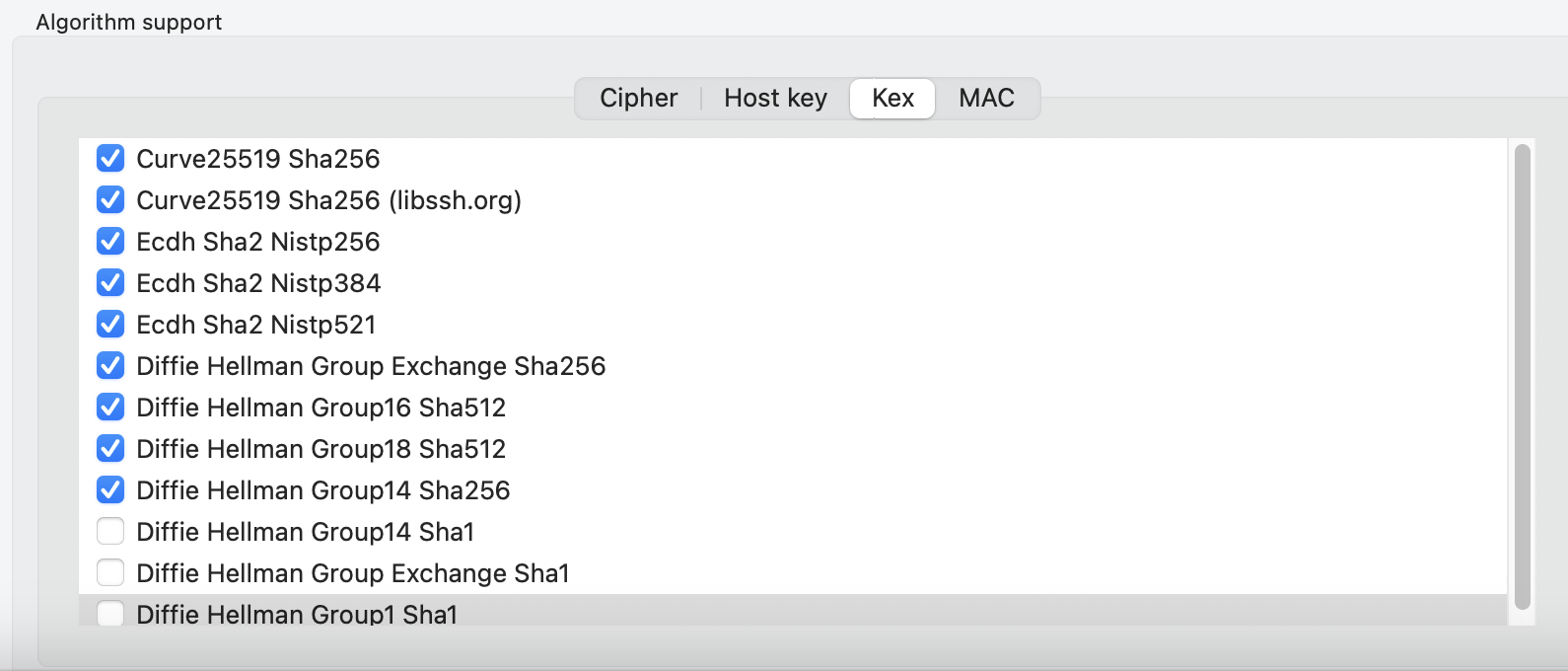
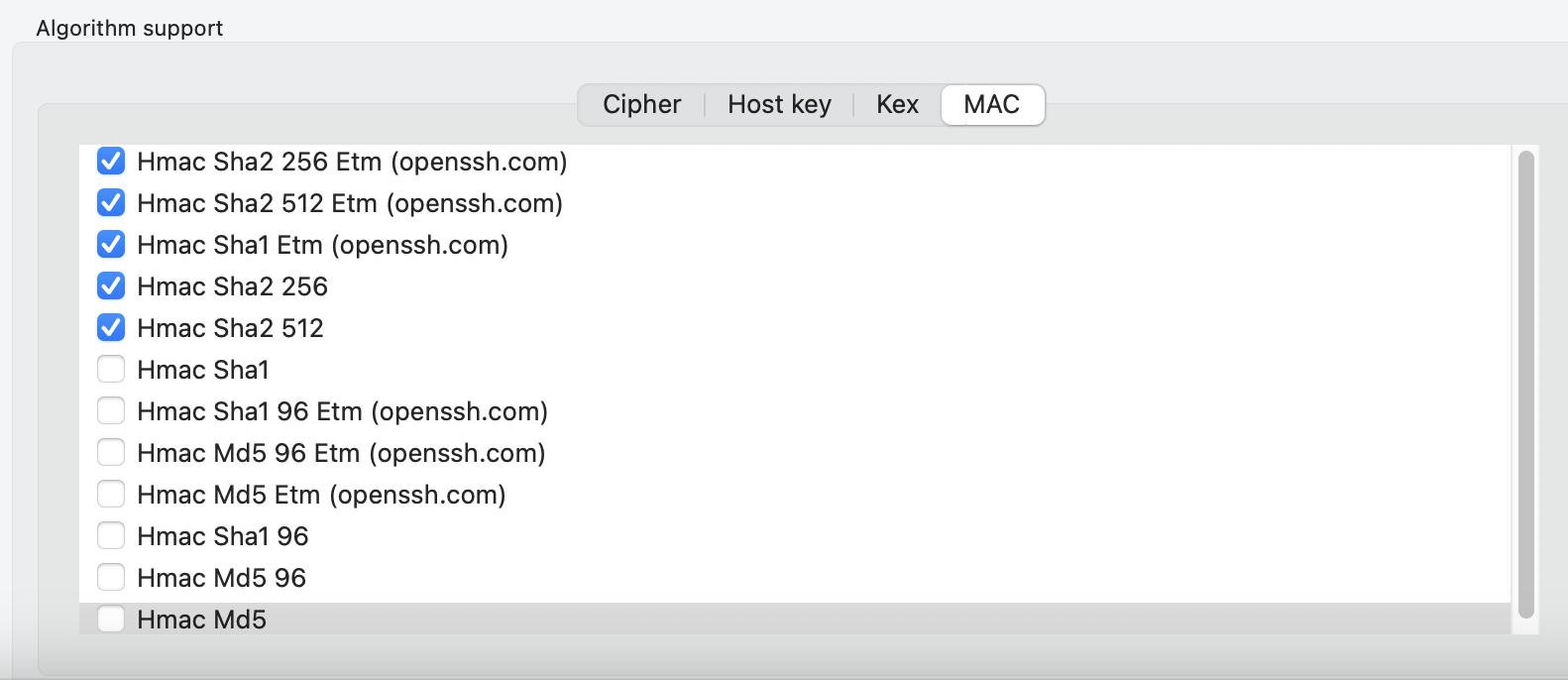
6257aa3b-87b0-4f6a-b392-1c40dc627099.png
64579c14-7d42-46ff-9ed1-8fa2821aa249.png
16940c97-8175-49d1-a89a-88deb525d5b3.png
b90536ed-250f-4ae3-be17-03c227ae0026.png
d5851ea4-d05b-4f4c-b4c4-7aacf4816263.png
d9bab4a4-2aa2-4cd8-a027-075cc37f3615.png
6518ed5d-9127-4418-aa75-fac7fcef100b.png
5475308d-22f4-4d03-94a9-f2bdd8c2f536.png
62c7dcdd-44d1-4b09-b7e0-5615f9a9b354.png
4ac6a56a-002c-4af5-b3b5-e9a121f8df91.png
2e33905d-0860-4324-9463-838f586c9db6.png
de5751ea-41ed-47b0-94ec-06d4efb72977.png
99864c16-6695-46de-9554-310b48202338.png
bd9cefba-c2a2-4186-8516-ef9da09e6478.png
AIX.json
So, just to confirm, this only happens on AIX hosts? On Linux the behaviour is as expected?
Best regards,
Xavier Fortin
Actually no I just tested on SUSE:
echo<space>"
echo<space>'
ech<space>`
echo<space>~
For info our AIX/SUSE are running on Power infra.
No problem with RHEL and Debian.
181faa7a-5cea-4487-b6ad-e7a3e1a9d88c.png
5e96da01-f626-4ff5-ae23-3f4185f44264.png
4a8d8380-150e-4112-8971-9a03d07c004f.png
be639821-bcb5-4493-b55b-df9c17fd0770.png
Hi geoffrey,
We've identified the issue and opened a ticket for this. We'll post back in this ticket when we have a fix.
Best regards,
Xavier Fortin
Hi geoffrey,
With the release of RDM Mac 2023.2.5.1, the issue with the "U.S. Internationnal - PC" keyboard layout should now be fixed.
Best regards,
Xavier Fortin
Hello Xavier,
Awesome news!
I've just upgraded today and did some tests, so far everything seems to work as it should be with this layout.
Thanks a lot to team!
Glad to hear it!
Do not hesitate if you have any other issues.
Best regards,
Xavier Fortin