Copy Password Functionality on Hidden Vault Items appears to be broken
Copy Password Functionality on Hidden Vault Items appears to be broken

In previous versions of RDM for Android I have been able to use the 'Copy to Clipboard' icon while the vaulted password was hidden. I often do copy/paste password entries in browsers. The only way to now copy the password is to unhide the vaulted password which to me is a security risk (over the shoulder viewing).
Please confirm if this is an intended change or potential bug and if can be fixed.
Currently using version 2023.1.2.0 or Remote Desktop Manager for Android.
All Comments (3)
Hi,
What do you mean by vaulted password? Can you send us a print screen?
Best Regards,
Nicolas Dufour
I mean - any password entry that is in Remote Desktop Manager Vault. Any entry that has a password website entry with a password cannot be copied without unmasking. I hesitate to share a screenshot of my personal RDM containing information also I am unable to take any screenshots from my mobile device due to RDM Policy.
In the attached screenshot from the desktop application which is similar to the mobile app. Click View Password on the password entry -> you then can see the password which is masked. When you click the "copy" icon - nothing happens.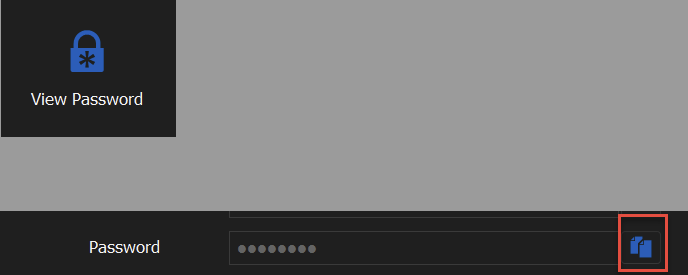
c6031471-71ef-42c7-be67-9efe94c9d430.png
2023-03-30_15-38-05.gif
Hi,
To take screenshots you just have to disable 'Protect data from screen capture' in the application settings.
So RDM Windows behaves the same way as the mobile app? You cannot copy the password unless it is visible?
Best Regards,
Nicolas Dufour