Edit/Delete columns missing when trying to edit Users and User Groups

(Windows 10 Pro 22H2 / Chrome+Edge+Firefox 111.0)
The Edit/Delete columns missing when trying to edit Users and User Groups, so you can't remove a user from a group - see screenshot.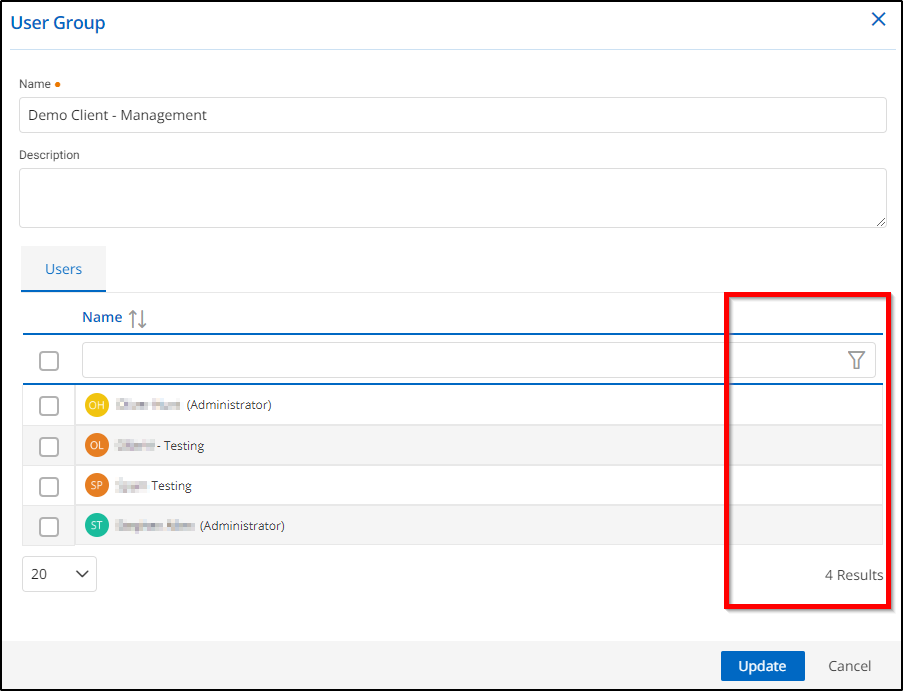
2023-03-22 11_31_52-Devolutions Hub Business - Administration.png
All Comments (3)
Hello,
When editing a User Group, we just have to clear the check box next to the user account to remove it from a user group. If the checkbox is not enabled, then the user is not being part of this user group.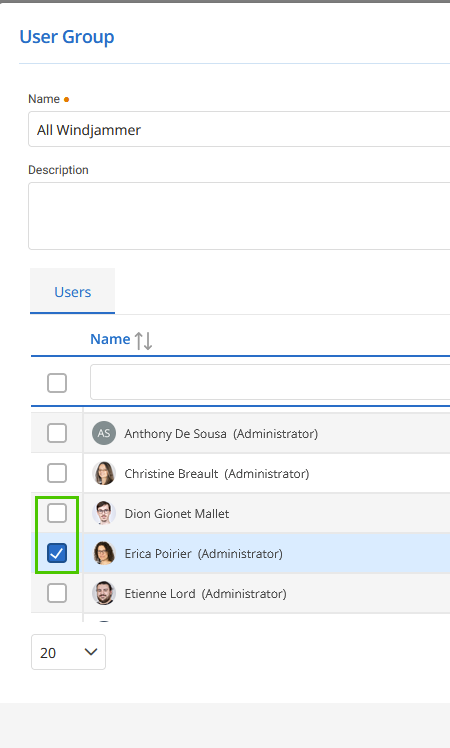
Let me know if that what you want to achieve.
Best regards,
Érica Poirier
image.png
Thank you Érica - I see what you mean now, and it works - but it's very misleading. Is there any reason that a user isn't simply removed from the list displayed - even if it was a filter option to switch between members and non-members?
Many thanks,
Steve
Hello Steve,
Thank you for your feedback and glad it's working on your end too!
This is the method that has been implemented in all our products since the beginning by the engineering team.
The filter option only offers username filtering. If the checkbox is enabled next to the Filter box, this will enable all users to be a member of the group when updating the User Group. It's a Select All checkbox.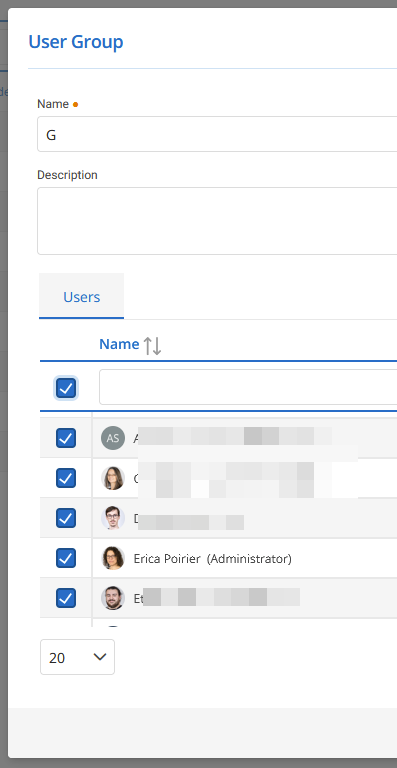
Best regards,
Érica Poirier
image.png