Use incognito browser for website entry

Is it possible in Password Hub (like it is (or used to be) in RDM) to open a web browser in either incognito mode?
All Comments (7)
Hello,
Can you post a screenshot of where you would like to open a link in incognito mode?
Thank you, have a good day!
Maxime Morin
Hi Maxime,
What I'm thinking is using a separate incognito/guest browser session (like in the old RDM option "Private session (incognito)") so you can open multiple browser sessions for different clients (all logged into the same website - eg. office.com) and they won't interfere with each other. I would imagine all you'd need to do is edit the properties of the session to make this happen, but I can't find that option anywhere.
Here's a screenshot of what I mean when speaking about RDM.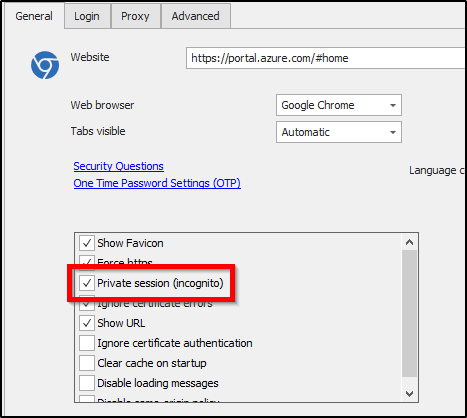
image.png
Hello,
It's not something we can do in the web interface. We can't force links to be opened in a private window. What we could do is to make sure links can be right click + open in a new incognito window. Right now they are not, because we scan links for potentially dangerous links prior to opening them.
I will open an issue to investigate if we could change that behavior. (Allowing right clicking on links)
Have a good day!
Maxime Morin
Hi Maxime,
Same request, but via the launcher. It think it could be possible to open a private session via the launcher.
Thank you
Hi xavier 2,
The option is already there if you create the entry via RDM with the option ''Private session (incognito)'' enabled and then launch it from launcher. I just checked to make sure it works and everything did on my end in Launcher 2023.3.39.0.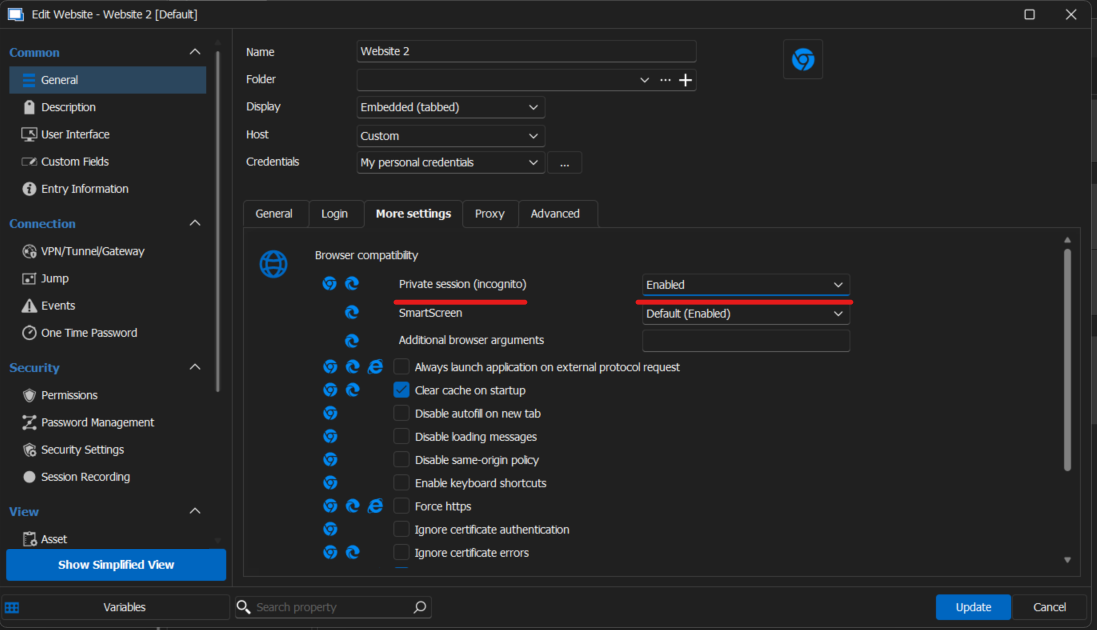
If you have any questions or issues let us know.
Have a good day!
Anthony Nelson
80105a10-b9f7-4940-b30c-a9c4b893ee99.png
Hi xavier2,
After seeing the reply from my colleague, I think I understood what you meant. Would you like for the private session (incognito) option to be available in the web interface so that I can work in Launcher too without using RDM?
Have a good day!
Maxime Morin
Hi Maxime,
Yes, that's exactly that.
Thank you.