Auto-hide bottom bar (RDP Fullscreen)

Is there a way to hide or auto-hide the bottom bar of the iOS RDM Client during a RDP session while in fullscreen mode?
All Comments (5)
Hello,
While in a session, you can press on the screen with 3 fingers to toggle the fullscreen mode.
We also have a setting to determine if the session is launched in fullscreen or not:
Options -> User interface -> View Session
Best regards,
Maxime Brousseau
Thank you for your prompt response! I'd like to clarify that I'm already in fullscreen mode, but only the top bar is hidden, not the bottom one.
Not in fullscreen:
Fullscreen (note the presence of the bottom gray bar):
Is there any way to hide it?
Could you try something please. Set the value of View Session (Options -> User interface -> View Session) to "Fullscreen" and relaunch the session. Afterward you should be able to show/hide the bottom bar with the 3 fingers gesture. By default the gesture does not seems to hide the bottom bar. 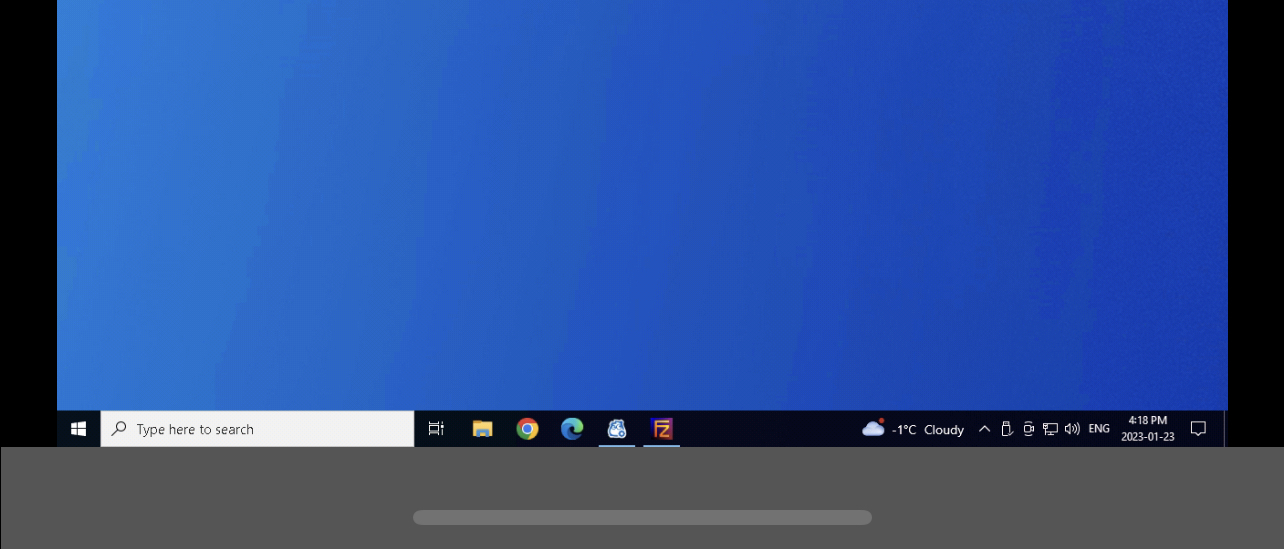
Maxime Brousseau
IMG_D20FE9D5FC16-1.jpeg
Awesome, it does hide the bottom bar now! My suggestion would be for this to be the default behavior regardless of the fullscreen source (gesture/button/options), but the alternative provided is a working solution. Thank you once again!
Good! I'm happy that it worked.
Thank you for your suggestion.
Maxime Brousseau