Okta Authentication - DVLS Beta 2022.3.0.0

Installed the new beta version 2022.3 , and I have built out the Okta integration. The integration lets the user in, but it does not respect which groups the users is attached to. Is the integration documentation missing a step for the OIDC groups_Claim?
- Okta Groups have been imported to DVLS through the integration
- Verified user membership
Any ideas?
All Comments (15)
Hello ksilva,
when you checked the "user group assignment" for a group supposed to have users attached to it, did you see this users in the list?

Nicolas Girot
I believe so -....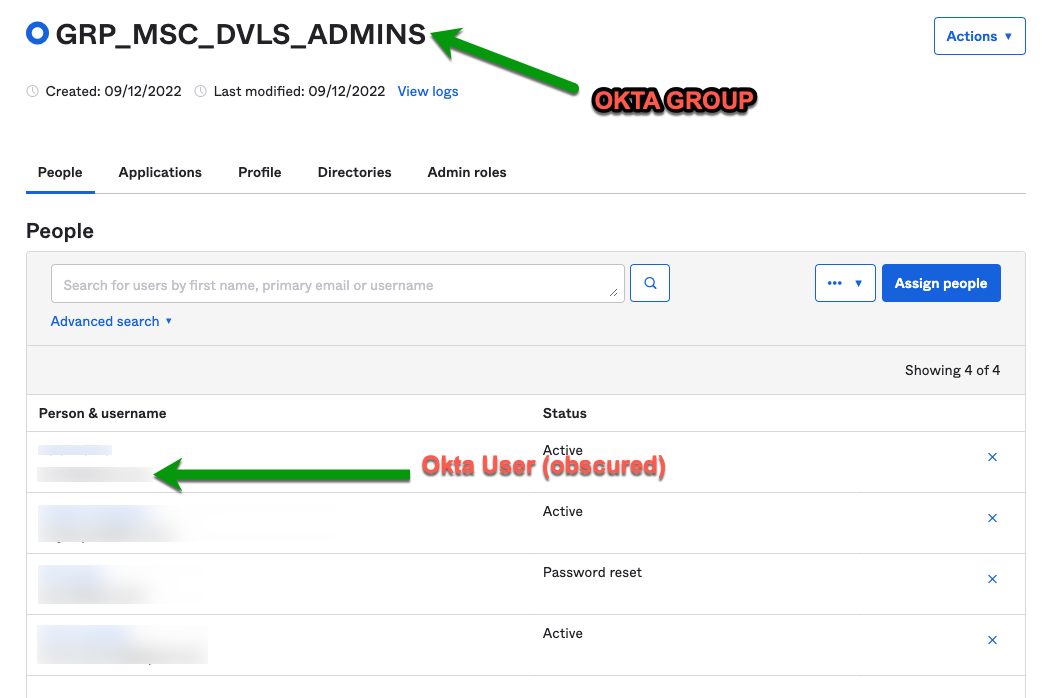
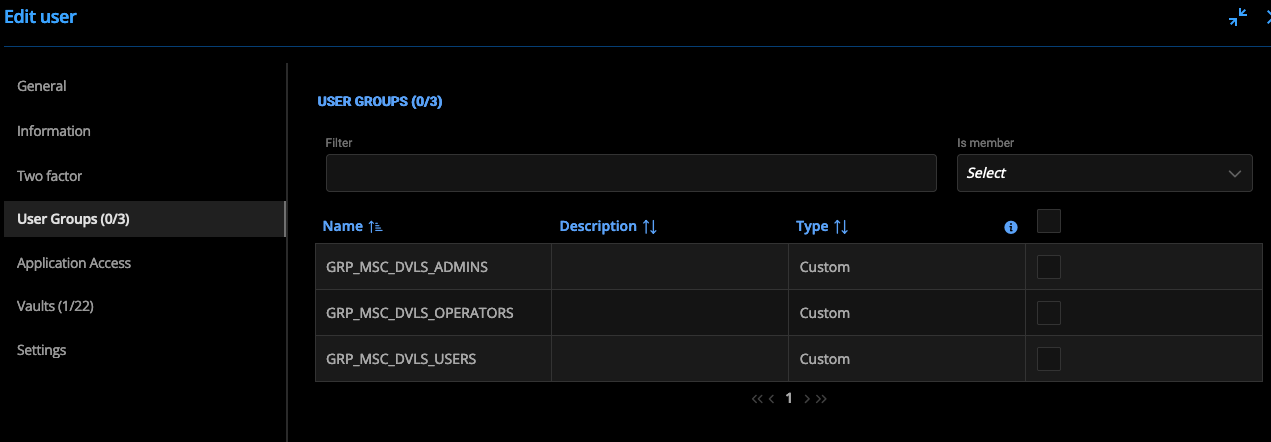 -
-
here is my setup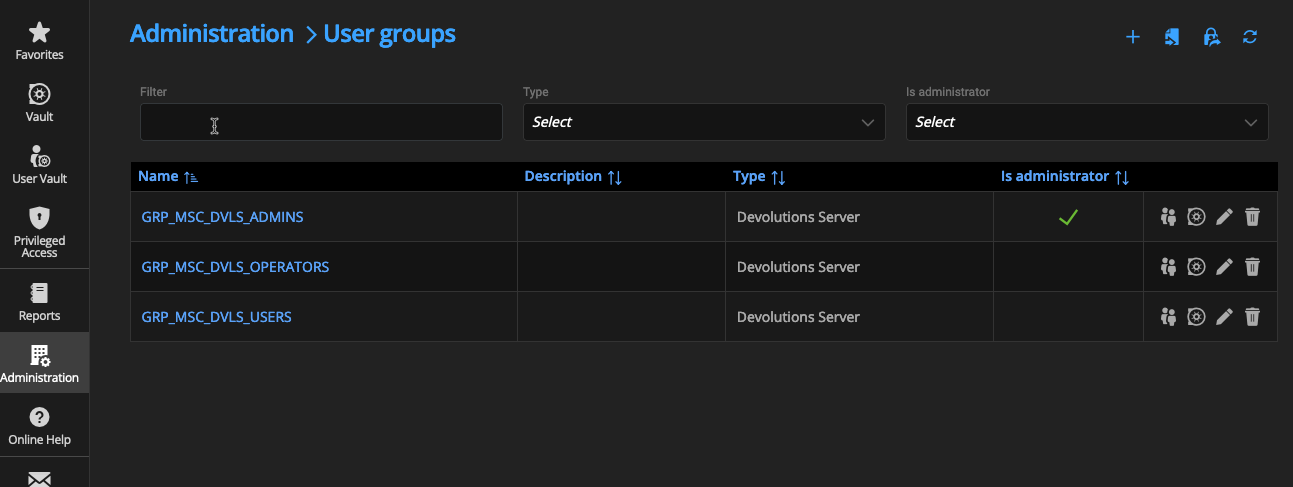
2022-10-20_14-08-42.png
2022-10-20_14-07-40.png
2022-10-20_14-06-57.png
Here is User Group Assignment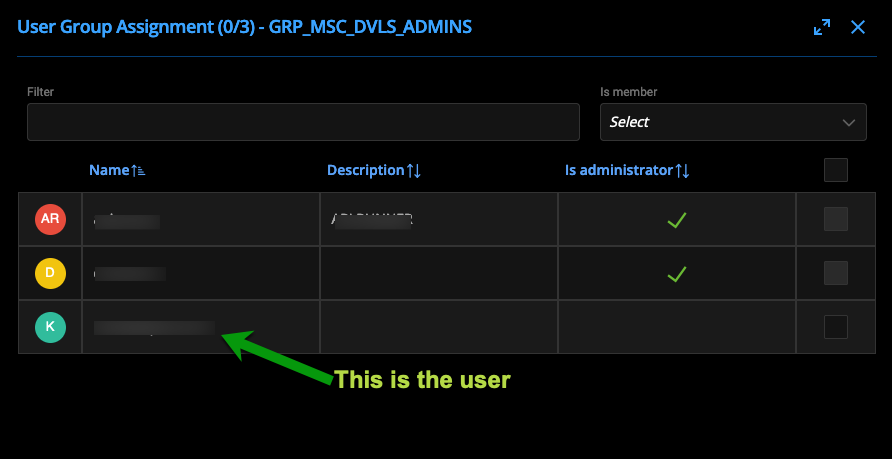
2022-10-20_14-14-05.png
The problem is that your groups were created manually as "Custom Devolution Server" groups and were not imported from okta.
You can rename (or delete) your existing group in dvls and then import your okta groups from the import tool.
Please note the following:
- You cannot add a "Dvls User" to an imported okta group (the reverse is not true, you can add an okta user to a custom dvls group).
- You will have to redo the rights for your imported groups (probably based on your renamed/deleted groups)
I hope this answer will help you solve your problem.
Nicolas Girot
Although I agree with you that this shouldn't work, these groups were imported from Okta (not manually installed). I have attached a short video (.mp4) of the process.
I just re-imported the group, cleared the Okta cache, and tried the login and the situation still exists where the user although a member of the group, DVLS doesn't seem to react to it.
2022-10-20_15-07-21.mp4
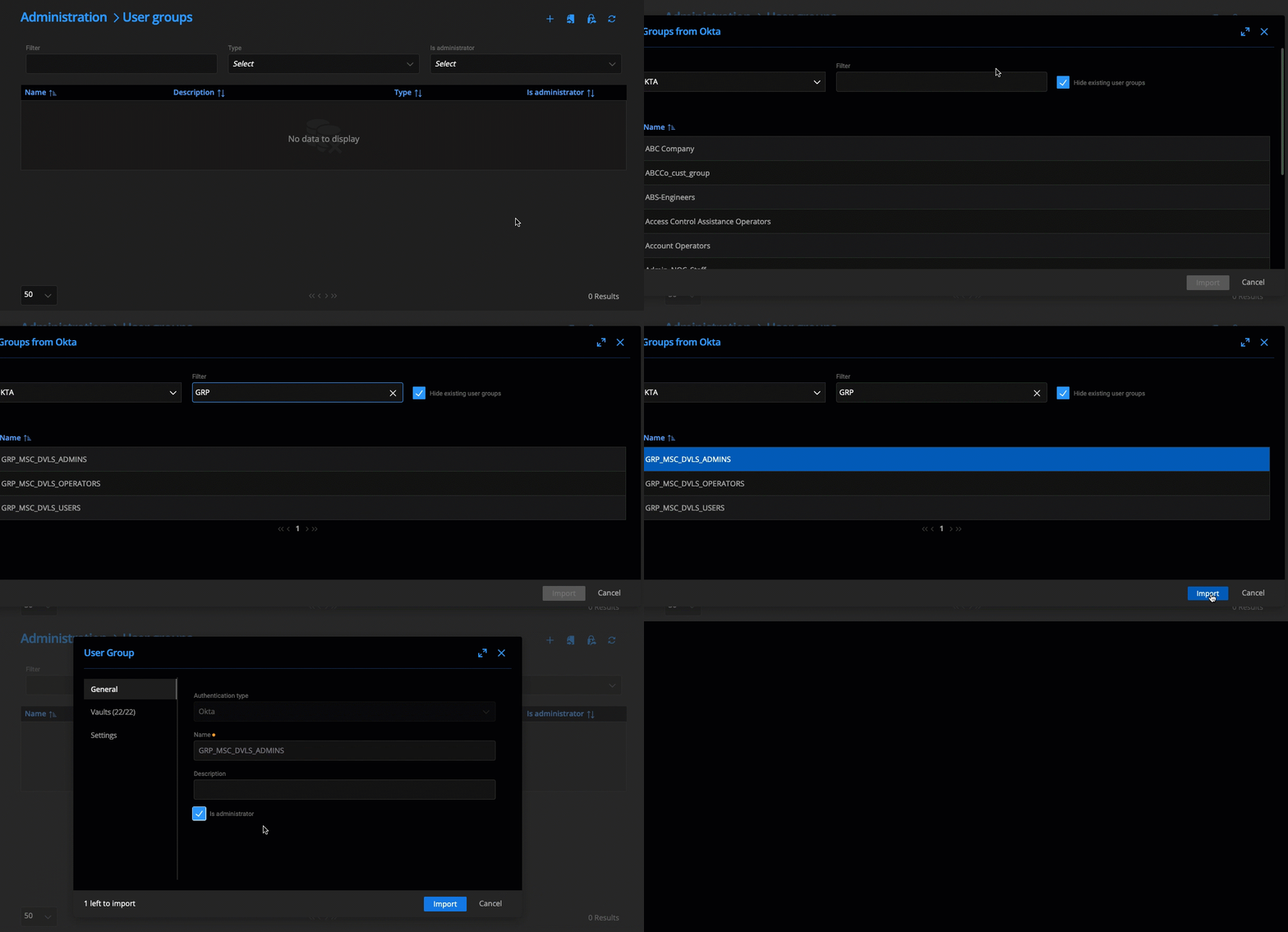
2022-10-20_15-07-21.gif
Indeed! I was able to test the beta version currently available and there is a bug in this version that makes the groups are imported as "Dvls group".
I don't have a temporary solution to offer you, however we should release a new beta at the beginning of next week which contains the fix.
Best regards.
Nicolas Girot
Thanks for testing that out - glad to hear we can try this again next week.
Hello ksilva,
The new beta version containing the correction for your problem is now online.
Don't hesitate to send me a feedback about your experience with our okta integration, I will be happy to answer you :)
Nicolas Girot
I installed the latest Beta version update VERSION 2022.3.1.0
and it still seems that when the groups are imported from Okta that the group is coded as a 'Devolutions' and not an Okta group.
I did do a DB upgrade as prescribed, and even went to the extent of stop/start of DVLS. Is there something else I should try?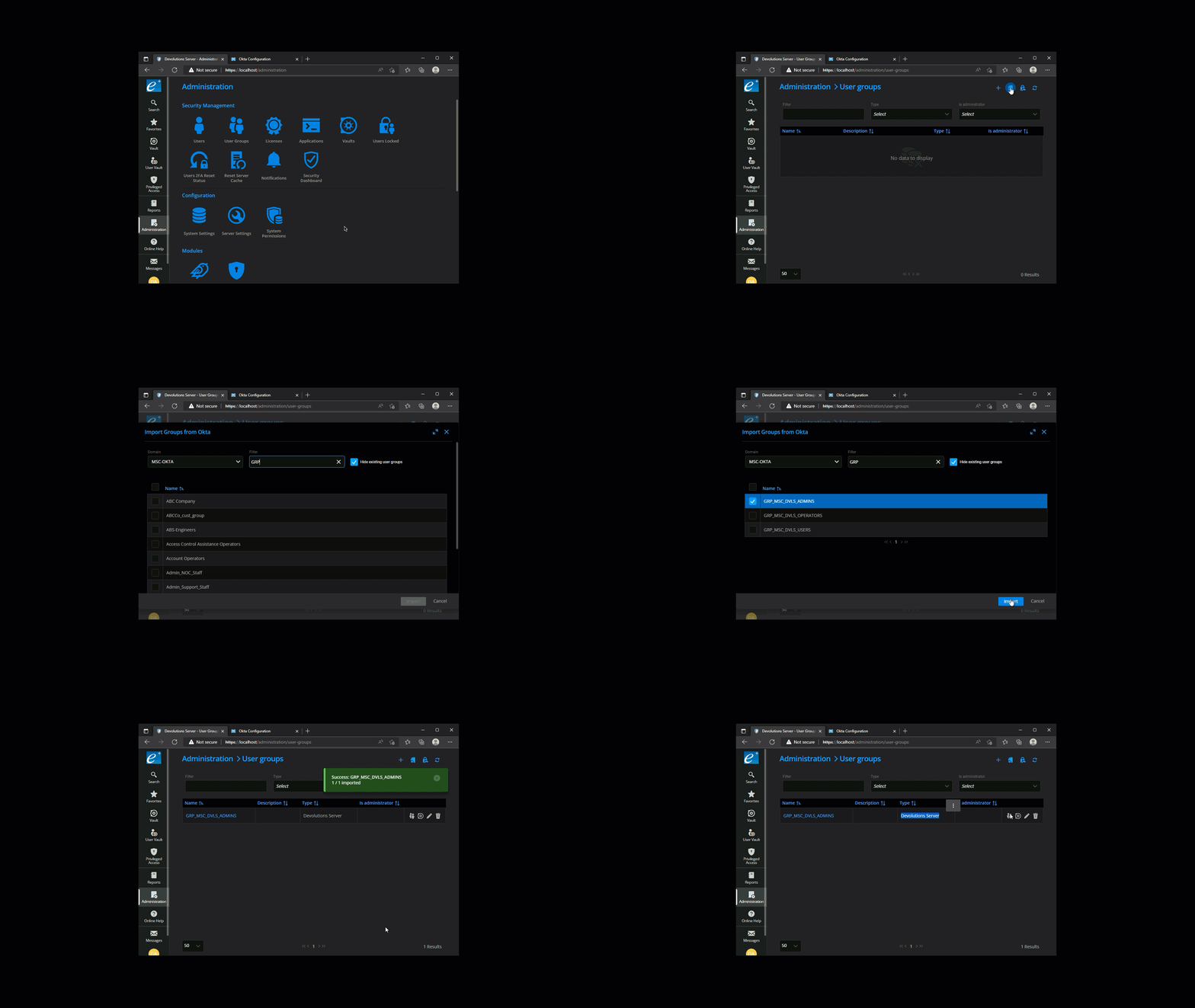
beta_grp_dvls_admin.gif
And thanks again for working on this if I haven't said so already
First I apologize for making you think that the bug was fixed.
In reality after comparing the previous beta instance and my latest version I thought that this one was fixed because my context was different which was actually hiding the problem.
Temporarily I propose you the following workaround:
- Activate the option "Authenticate with Microsoft user" in Settings => Server Settings => Authentication. There is no need to fill the information related to this one. Just activate the option.
- Re-import an okta group. The ones already imported will magically attach themselves to okta...
After that and as long that you don't reimport another group, you can deactivate "Authenticate with Microsoft User".
I'm now working on solving this strange problem to avoid this bypass.
Nicolas Girot
No need to apologize here ! It's beta, and that why we test
Looks like that workaround works pretty effectively on my systems. I will keep trying it out, but it seems to have worked well for now.
thanks for helping us out on this.
-Lani
Thank you for your support Lani !
I finally found the problem and I can now say without a doubt that it's fixed haha!
However, since there is a workaround for the moment, I don't know when and if, we will release a new beta. But, for sure, the fix will be in the next version (beta or release).
Nicolas Girot
Thanks Nicolas!!