Shortcut to show/hide RDM with a system-wide hotkey
0 vote
As I have to switch often from an App to RDM and back, it would be helpful if there would be a setting to define a system-wide hotkey to bring RDM back to front at anytime pressing a hotkey.
In iTerm such feature does exist:
What do you think about? Is this something may could be implemented it the macOS RDM?
All Comments (17)
Hi,
This is an interesting suggestion! I will open a ticket and we will investigate how to do this for RDM.
Best regards,
Xavier Fortin

Same vein would be quick search window. 1Password and some other apps offer this with global keyboard shortcut you can search for relevant credentials to copy or paste user name and password
Hi georgesnow,
I will open a new ticket for this too. We already support a quick search (with default shortcut ⌘⌥F), but it doesn't work if RDM does not have the focus. So long as we find how to implement global shortcuts, this should be feasible.
Best regards,
Xavier Fortin
Hi simonschuermann,
The next version of RDM Mac (2022.2.X.0) will have an option to configure a system hotkey to show/hide the application: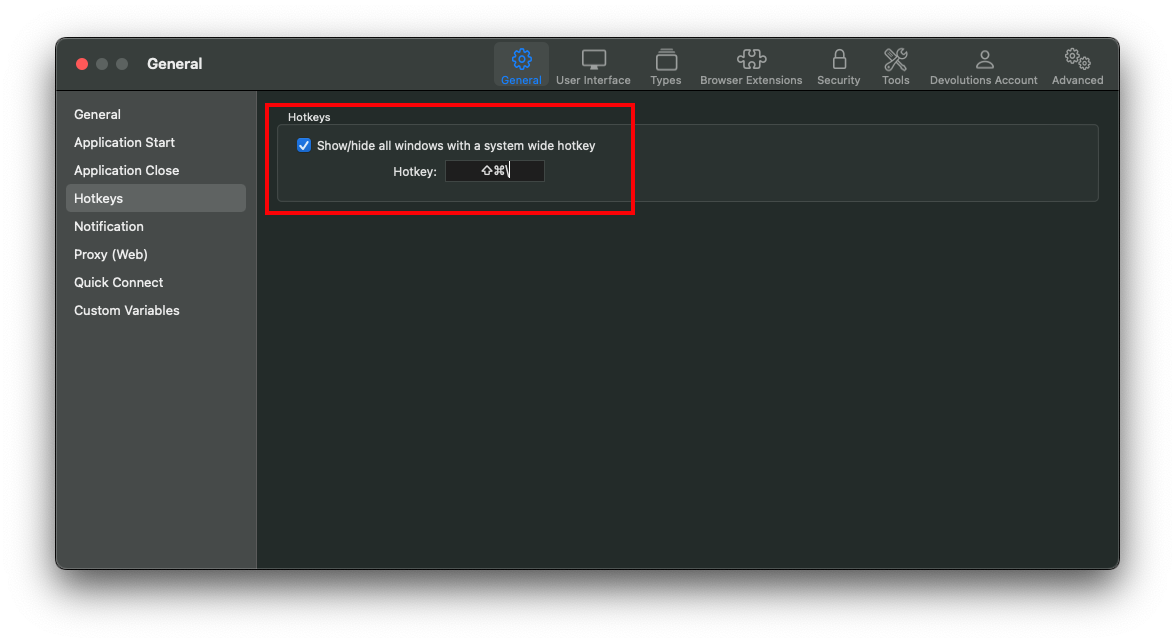
The version should be available in the next few weeks.
As for georgesnow, your request is still in our TODO. We'll update this post again when progress is made for this.
Best regards,
Xavier Fortin
SystemHotkey.png
Thank you Xavier for the exciting news. Looking forward for the new version :-)
Hi,
This is now available in the current version of RDM Mac (2022.2.5.0).
We should have posted an update earlier, it slipped through the cracks. Sorry for that.
Best regards,
Xavier Fortin
Thank you, works like a charm!
Glad to hear it!
Xavier Fortin
middle step could be to offer an additional option to focus the search field upon using the system hotkey.
Hi georgesnow,
The new hotkey to show the search field has already been implemented. We've also expanded the Find Quickly to show some basic information on the entry. For now, this is only available internally, but we will try to make it available in an upcoming release.
Best regards,
Xavier Fortin
Hi georgesnow,
RDM and RDM Free 2022.2.11.0 are now available, it is now possible to configure a hotkey to show/hide the Find Quickly window. This can be configured in the Preferences -> General -> Hotkeys panel: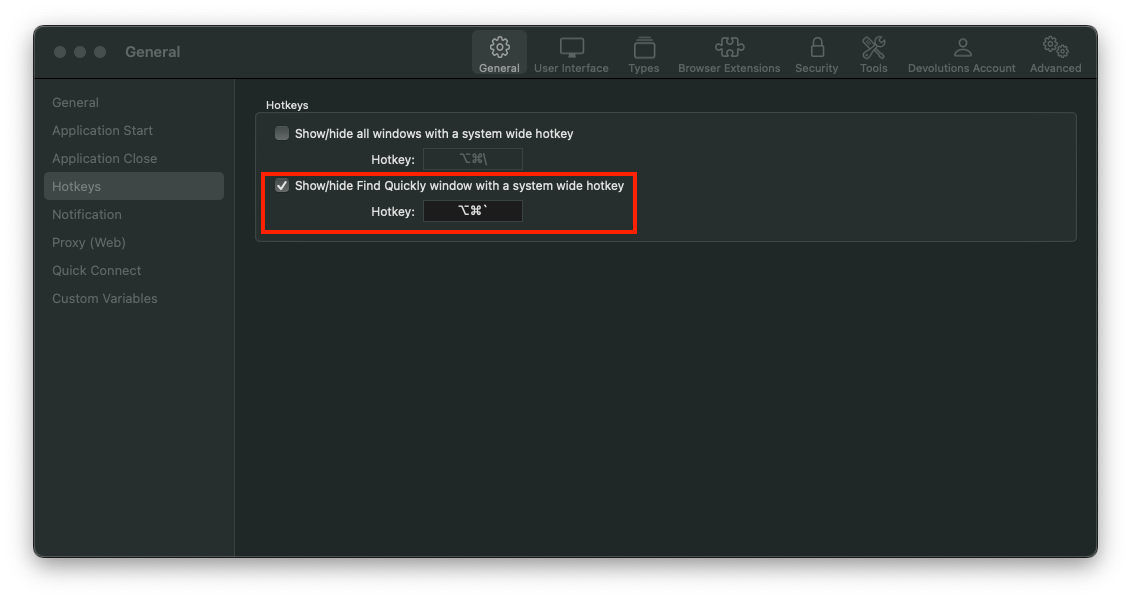
Best regards,
Xavier Fortin
FindQuicklyHotkey.png
This is great! I just noticed one oddity though no matter the password length. The search window extends beyond the bounds of my screen. You can see the screenshot for an example of the behavior.
Also in relationship to the other feature of hiding on copy would be nice to apply to this screen as well.
oh and keyboard shortcuts! it would be nice for those to work on the highlighted entry. So the whole workflow is keyboard driven.
Hotkey->search->Entry highglighted (arrow down to highglight if more than one)->User Defined Copy for Username or Password
Hi,
This is weird, the width of the window should be hardcoded, and always of the following width: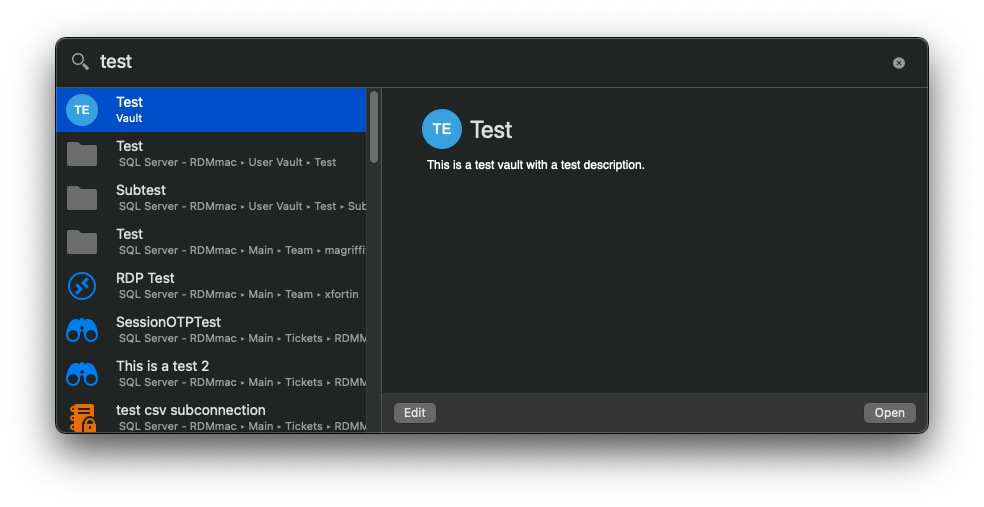
Maybe the text field override this, we'll investigate.
As for your feature request to use shortcut to interact with the window, I will open a ticket.
Best regards,
Xavier Fortin
FindQuickly.png
just for context and if it is helpful. I have 2 displays connected side by side.
Thanks! We reproduced the issue though (it can also be reproduce with an actually large password). This should be fairly simple to solve.
Best regards,
Xavier Fortin
Hi georgesnow,
This issue should now be fixed in RDM and RDM Free 2022.2.15.0.
Best regards,
Xavier Fortin