Devolutions Password Manager app / Password fill iOS "No username"
Devolutions Password Manager app / Password fill iOS "No username"

Hi
If my website entry is linked to a credential, when trying to fill the username/password from other app Workspace don't seam to be able to retrieve the username/password.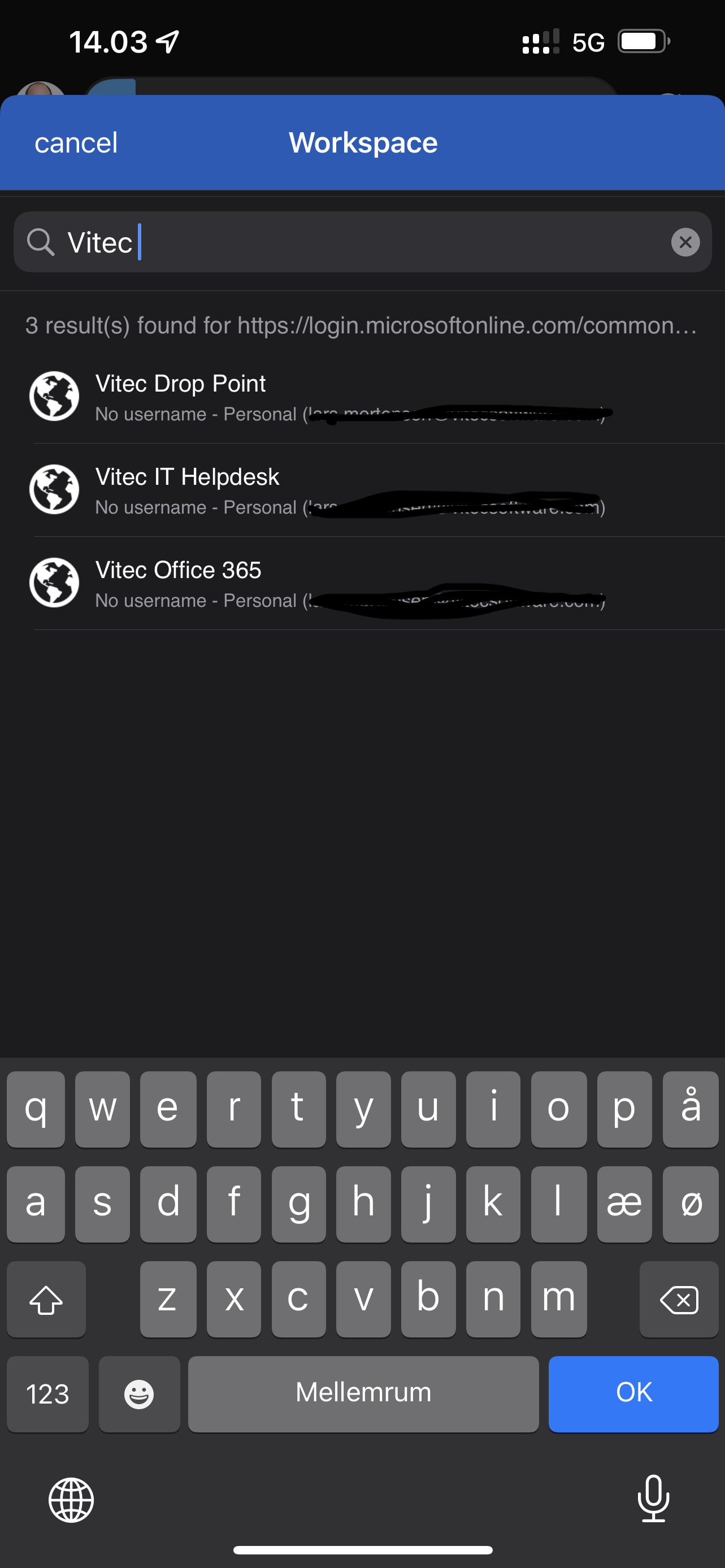
App version: 2022.1.3
Source is Password Hub Personal.
Regards Lars
Remote Desktop Manager connected with Devolutions Server running newest versions.
------------------------Signature------------------------
Sorry if any of above sounds harsh or provoking, it is NOT meant as such, but I have Asperger's and don't always know.
My intentions is always to be friendly.
-------------------------------------------------------------
20220426_120311000_iOS.jpg
All Comments (18)
HI, Thank you for your report. We added this task to our backlog.
Best regards,
Dany Galarneau
For other people watching this, this is not fixed in 2022.1.4 !
Remote Desktop Manager connected with Devolutions Server running newest versions.
------------------------Signature------------------------
Sorry if any of above sounds harsh or provoking, it is NOT meant as such, but I have Asperger's and don't always know.
My intentions is always to be friendly.
-------------------------------------------------------------
Hi, this will be available in the next release (2022.1.5)
Sébastien Aubin
Product manager - Password Management
Is not fixed in 2022.1.4 and , tested on my iPhone 13 Pro and on my iPad Pro, Password Hub on Workspace App Autofill feature don’t search on Personal Vault, only on Shared Vault.
The Password Hub standalone app instead works very well. I tried changing app language from Italian to English…the same result.
What is the default search method for matching site? There is also a missing “Add” tab on upper right, compared to Password Hub standalone app.
Thank you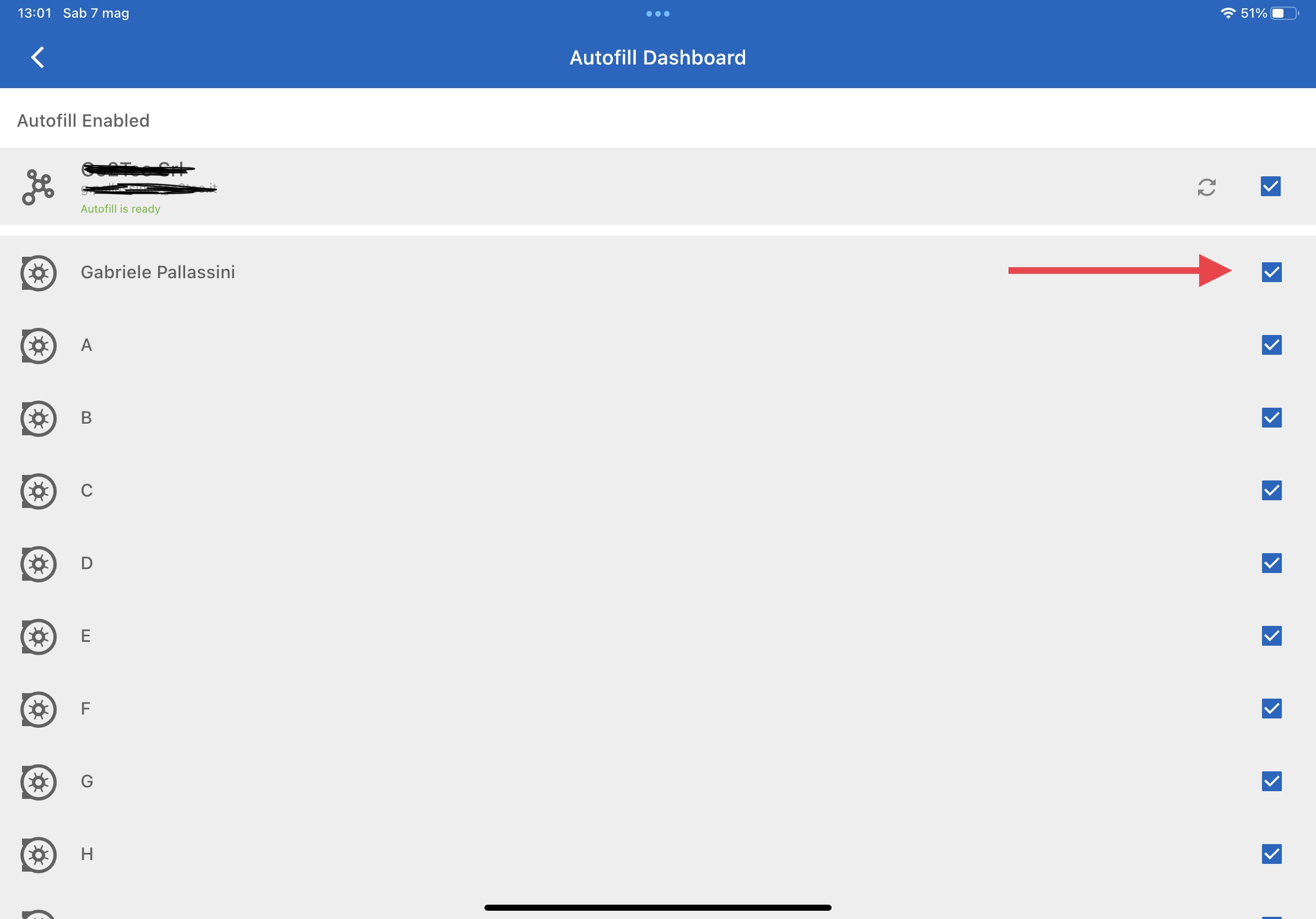
88EB330F-1462-404C-8901-3F901F0CFDDE.jpeg
8F7B481F-2171-450F-9C91-1C6FA91D13FF.png
Hi, the fact that it's not searching in your private vault is a bug. We'll look into that for the next version. The "Add" button will be back soon but not in the next minor version of Workspace. We understand that it's very convenient to add a new login directly from the autofill itself.
Sébastien Aubin
Product manager - Password Management
Ok! for the moment, due to search in private vault bug, our organization cannot switch from Password Hub standalone App (who is just removed from App Store) to Workspace App
Regards
Hi, sorry for the inconvenience, we will make sure to resolve this bug in the next release (2022.1.5). To make sure we fix your problem, I would like you to send a quick email to service@devolutions.net and from there, we will ask you a few question. The debugging process will be quicker.
Sébastien Aubin
Product manager - Password Management
Hi, sorry for the inconvenience, we will make sure to resolve this bug in the next release (2022.1.5). To make sure we fix your problem, I would like you to send a quick email to service@devolutions.net and from there, we will ask you a few question. The debugging process will be quicker.
Hi Sebastien
Also with the 2022.1.5, no search available in private vault, only result from public vaults, so it is not solved. Can i send to your support teams some logs?
I’m available to do some other tests.
Thank you
Hi, can you send us your application logs please? You just have to open the menu and go to "Settings" (Cogwheel bottom right), then select the "Logs" section. From there, you can click on "Send application logs" button and it will create an email from you to our support team. Thanks a lot
Sébastien Aubin
Product manager - Password Management
Hi Sébastien,
done!
Regards
Hi
Any update on this?
Just had to use a website with linked credential, and I still get “no username” and when pressing it no password either.
EDIT: app version 2022.2
Regards Lars
Remote Desktop Manager connected with Devolutions Server running newest versions.
------------------------Signature------------------------
Sorry if any of above sounds harsh or provoking, it is NOT meant as such, but I have Asperger's and don't always know.
My intentions is always to be friendly.
-------------------------------------------------------------
Hi, if I remember correctly, the feature has been implemented in the version 2022.1.5. Can you tell us how you link your credential?
Our implementation of this feature is pretty basic for now:
- Create a website entry -> Set credential type to "linked (vault)" -> Select the credential entry to be linked -> Save
This way, it should be available in the autofill entries list. Do you want to set it up differently than that?
Also, the bug with the autofill that was not finding the searched entries has been fixed and will be available in the next release.
Sébastien Aubin
Product manager - Password Management
Hi
I have set it up like this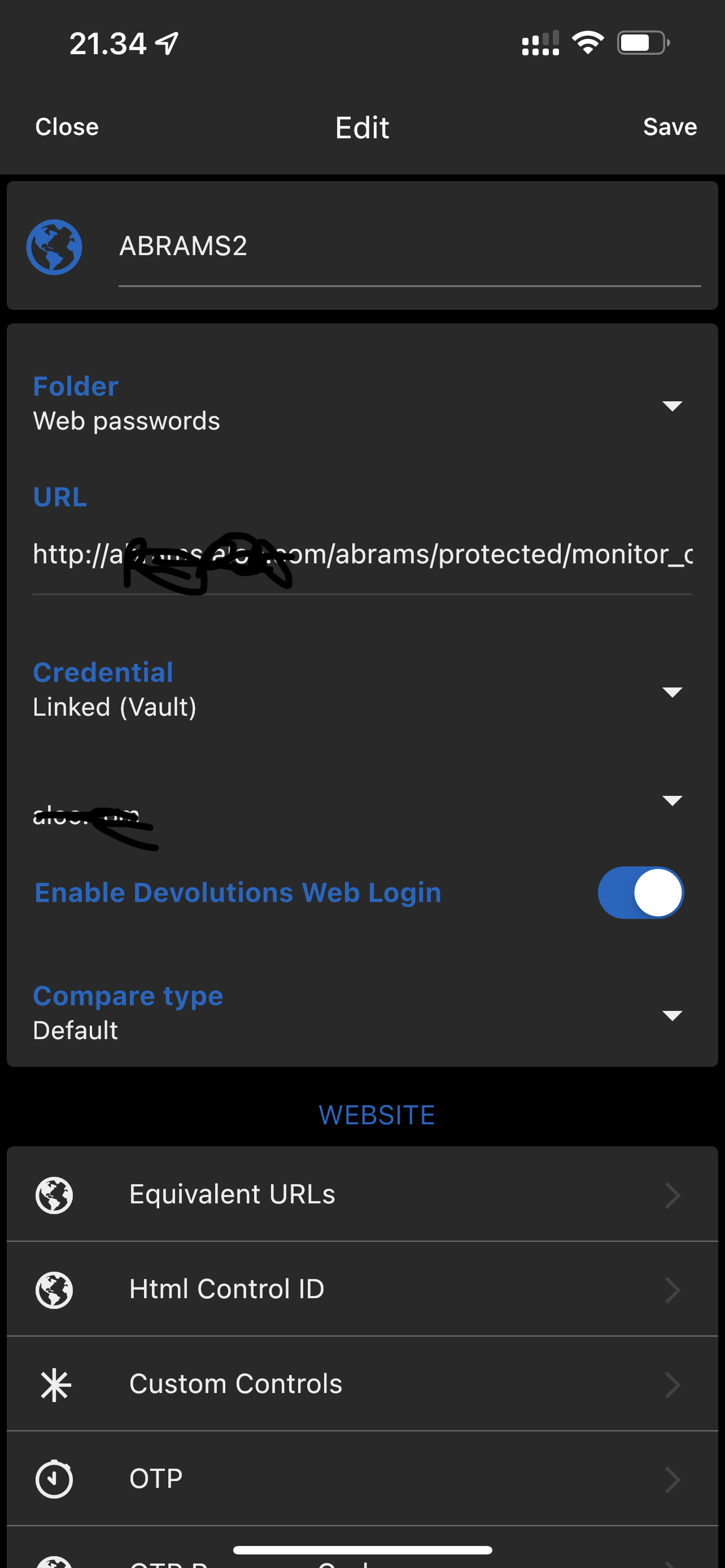
Remote Desktop Manager connected with Devolutions Server running newest versions.
------------------------Signature------------------------
Sorry if any of above sounds harsh or provoking, it is NOT meant as such, but I have Asperger's and don't always know.
My intentions is always to be friendly.
-------------------------------------------------------------
9F57325E-45EE-4425-9A64-D13F06667B50.jpeg
Ok, it's set up as it should be. You can try to resync your entries for the autofill by following these steps:
- Open side menu -> Go to the Workspace settings (bottom-right cogwheel) -> Autofill dashboard -> Sync your Hub by pressing the "sync" button in the app bar (top-right).
When it's done, you can retry the autofill. If it's still not appearing, we will investigate this as a bug.
Sébastien Aubin
Product manager - Password Management
Thanks, the resync fixed it.
Regards.
Remote Desktop Manager connected with Devolutions Server running newest versions.
------------------------Signature------------------------
Sorry if any of above sounds harsh or provoking, it is NOT meant as such, but I have Asperger's and don't always know.
My intentions is always to be friendly.
-------------------------------------------------------------
Awesome!
Sébastien Aubin
Product manager - Password Management
Hi
This problem is back! - and have been for a while just haven't had the time to update you.
Regards Lars
Remote Desktop Manager connected with Devolutions Server running newest versions.
------------------------Signature------------------------
Sorry if any of above sounds harsh or provoking, it is NOT meant as such, but I have Asperger's and don't always know.
My intentions is always to be friendly.
-------------------------------------------------------------
Hi, we've identified the bug and it will be fixed in the next minor version. It should be out very soon, sorry for the inconvenience.
Sébastien Aubin
Product manager - Password Management